The problem is, that those on that list are graphic tablets and not android tablets. So I searched through the forum and web and did not find a list. Now I want to compile that list, so that we can update the documentation.
If you have an android tablet and krita runs on you device and your device is not already listed here, please reply to this topic in the following structure:
DEVICE:
| Brand | Modelname | has a stylus | stylus with pressure | stylus with tilt | drawing with touch supported | krita starts at least | ux (0-5) |
p.s. - I had assumed “Touch only” meant it is possible to use Krita with the tablet even without a stylus. If that’s not what was meant, please clarify. Thx.
Okay, that’s a little different… many “pen” tablets (like many XP-Pen, Xencelabs, Huion models) have stylus-ONLY response, i.e., no finger touch.
Whereas screen tablets with a stylus (e.g., Samsung, etc.) have both touch and stylus response (sometimes configurable).
As such, perhaps what would be helpful is to reframe the category “touch only” into “touch supported?”
This way, when drawing comparisons (pun intended), this could provide for more meaningful insight and manage expectations for folks shopping for an input device.
-DEVICE:Tablet
-BRAND: Samsung
-MODEL NAME: Samsung Galaxy Tab S9FE
-STYLUS IN PACKAGE: Yes
-STYLUS WITH PRESSURE: Yes 4.096 pressure points
-STYLUS WITH TILT: Yes
-DRAWING WITH TOUCH SUPPORTED: Yes
-KRITA STARTS AT LEAST: 5.2.3
I feel great.
Obviously those who have the possibility get a galaxy tab S9 or S9 ultra.
Which are the top of the range.
But even with this, you will draw calmly.
I am very happy.
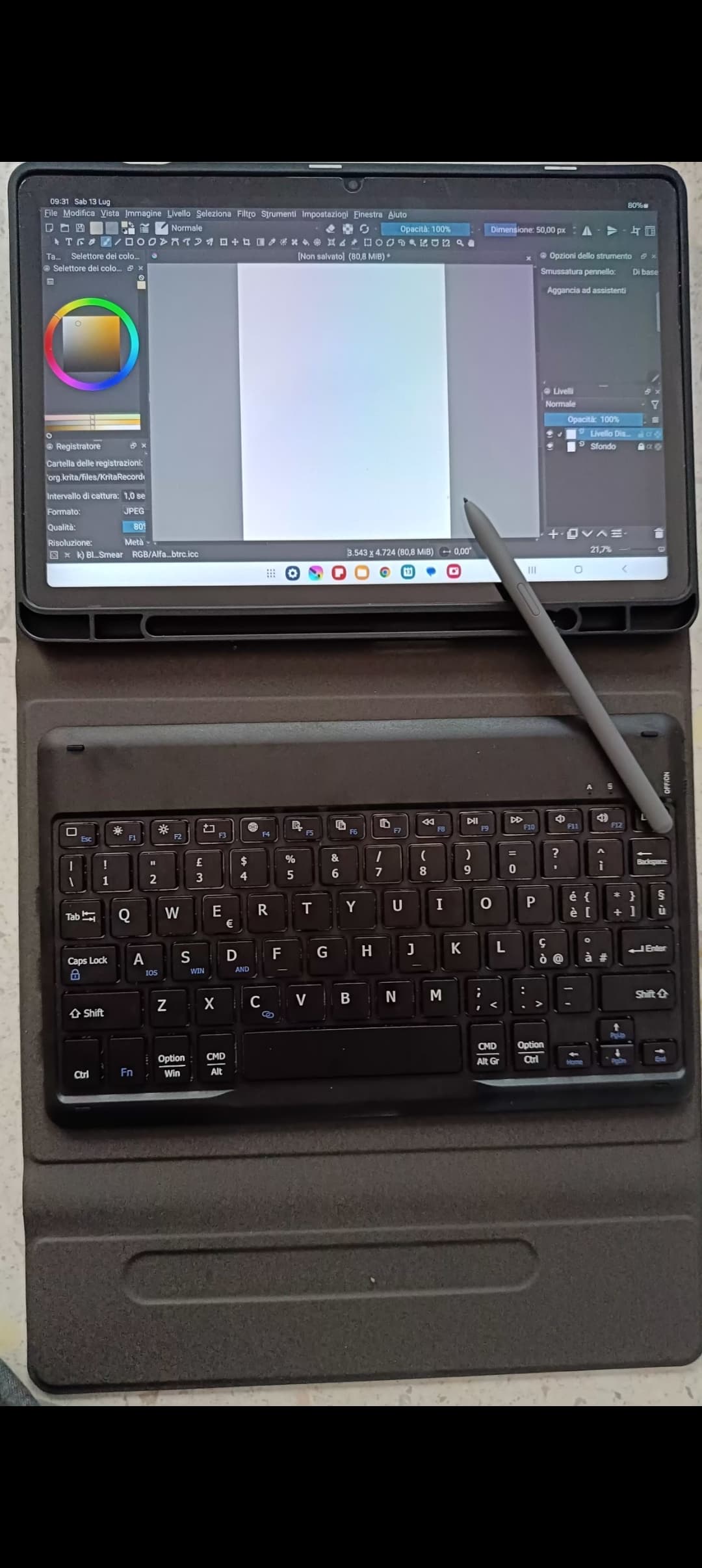
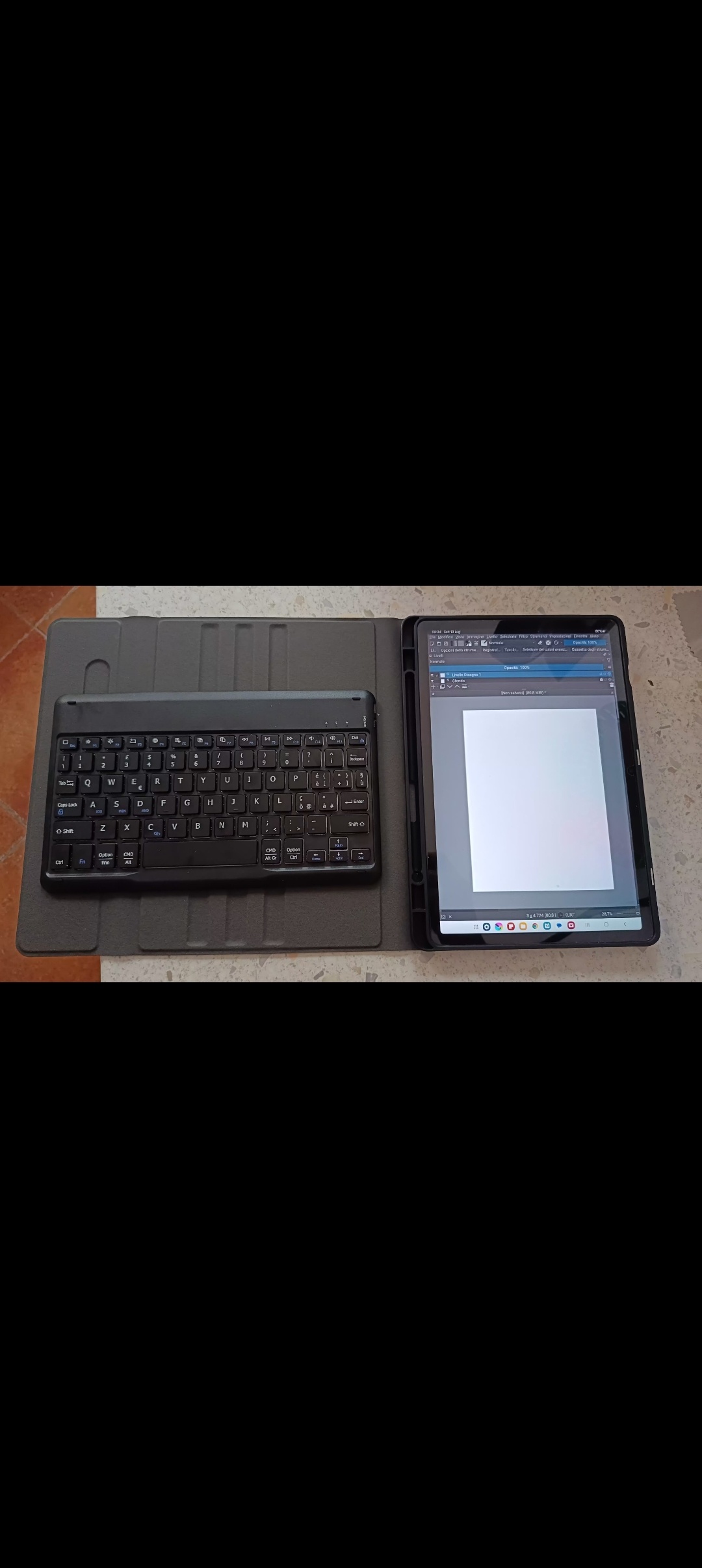
Together I covered a bloototh keyboard so that I have the ability to have shortcuts.
On Amazon you can find the case for the tablet together with the keyboard.
TOP.
Now I can draw anywhere.
Without the clutter of the laptop with all the power cables and the graphics tablet.
You can start the work outside and if you don’t finish it, you can then finish it at home. Fabulous!!
Obviously in my opinion many things for the tablet should be revised taking inspiration from other software, first and foremost Procreate.
Also because having the desktop layout on a tablet is not convenient.
While combining the touch of the tablet with your fingers together with the pen, you would get maximum usability.
Anyway, for the moment I’ve solved it with the Bluetooth keyboard.
The tablet with case and keyboard weighs 1,100kg and is very comfortable to carry anywhere even in a backpack.
This is my complete kit.
Keyboard merge helped me a lot.
On the left with the keyboard I set all the shortcuts so the work proceeds quickly.
Otherwise only with the touchscreen it would have been very problematic at the moment.
Another thing that should be reviewed is the touch of the palm of the hand.
As you can see in the video I posted as a demonstration, sometimes the touch of the palm of your hand takes you out of the action you are doing at that moment.
DEVICE:
| samsung | S7 | stylus: Yes | stylus with pressure: Yes | stylus with tilt: Yes | drawing with touch supported: Yes | krita starts at least: Yes | ux (0-5) - Dunno what that is |
WACOM Movinkpad 14 pro. Works well, but the stylus has 3 buttons and I don’t know how to map ‘em. Krita senses the middle buttons as the right mouse button and both other buttons as middle mouse button.
Additional Info
I bought the 12GB RAM + 256GB storage model with WIFI, CN rom. Stylus sold separately (the English name is the Xiaomi Focus Pen iirc. It has 8192 levels of pressure). There are some older reviews online that say the tilt doesn’t work properly, but this is no longer the case.
The experience is pretty good out of the box, as the required fixes for the Xiaomi stylus were already enabled by default. I recommend using a custom font with a smaller size to maximise painting space. Regarding the stylus, unfortunately the only real functional button in my case was the middle button (right click) to open the pop-up palette. I had to remap the bottom button to erase mode and colour switch with KeyRemapper, and even then, the top button and button long presses can’t be remapped because Xiaomi overrides the functions.
So far, what I’m really missing from having a keyboard are:
holding shift to resize the brush, as you can see the brush outline size change in real-time (resizing via toolbar and pop-up palette for now)
ctrl+shift+A to deselect (i can click off elsewhere but muscle memory is strong!)
I am a regular Memileo brush user, and the set works surprisingly well at A4 300dpi! I’ll post more about that in my own sketchbook thread when i get around to it
 if you can confirm that entry and
  if you can not confirm.