Hi!
I want to ask about a small improving of overview docker buttons set.
Now overview docker has only one single horizontal mirror button and sliders/drop-down list/rotator.
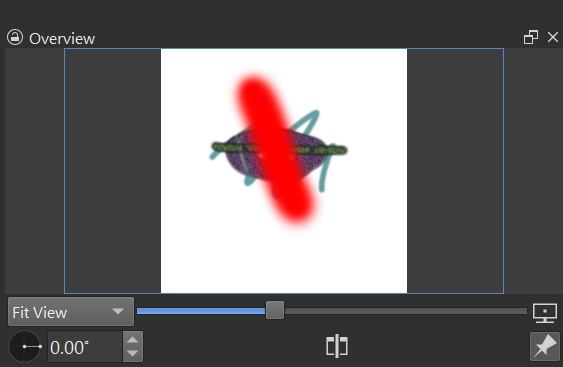
For simple stepped controls (fit sizes to full/pixel scale, scale step;up/down, rotate on fixed step and other) users need to use toolbar space.
Many users have tablets without touch gestures or just don’t like use gestures and touch screens (i don’t like it too), and this lack of discrete steps controls on overview is critical for us.
Also, the vertical mirror view action is not persits in Krita for now, it is declared in coordinatesConverter but not used. Users need to use “mirror canvas” action for that. But this action actually mirrors canvas data, with history entry, it is slow and uncomfy for fast mirroring of view in project with many layers.
In the custom build with clipping layers support i made additional buttons on overview and restore vertical mirror action as it supposed to work with coordinatesConverter vertical mirror, same as usual horizontal mirror view action, you can try it there.
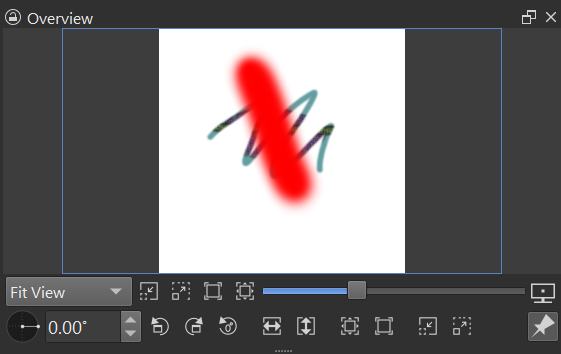
This allow to work with overview with pen only much faster and simpler than with single mirror button and sliders/dropdown list: both require too long actions compared to single click for step change and sliders/rotator in corner of screen are rather hard to control to set some exact value - on pen tip release it can cause an unwanted shift. And it also saves space in toolbar (overview bar has a lot of free space for these buttons and single mirror button looks too lonely here).
In this example i dublicated zoom buttons because tried to experiment wich positions are more suitable and faster for single click actions, it is not neccesery to make it right like this, i found placing all new buttons on bottom bar is fine. For rotator i wanted to save angle rotator for fine step shifting with rough step by buttons, i found this combo very comfy. Also, the icons can be anything else, I don’t insist on these ones specifically, just used these with arrows because there was no suitable icon for vertical view mirror in same style.
I think it is enough to add this buttons: 15deg rotate step up and down, rotate reset, mirror horizontal, mirror vertical, reset to pixel and fit and zoom step up and down buttons. This should make touch-phobic users to be happier.
Actual for 5.3.2.1 diffs for this change are on link to custom build .