Advanced Color Wheel : inspiration idea

Greetings Krita community.
This isn’t a feedback but just an idea
for what could be a very advanced color wheel.
The few buttons above take some color theory rules into
account and offer the option to display three
color selectors on the wheel.

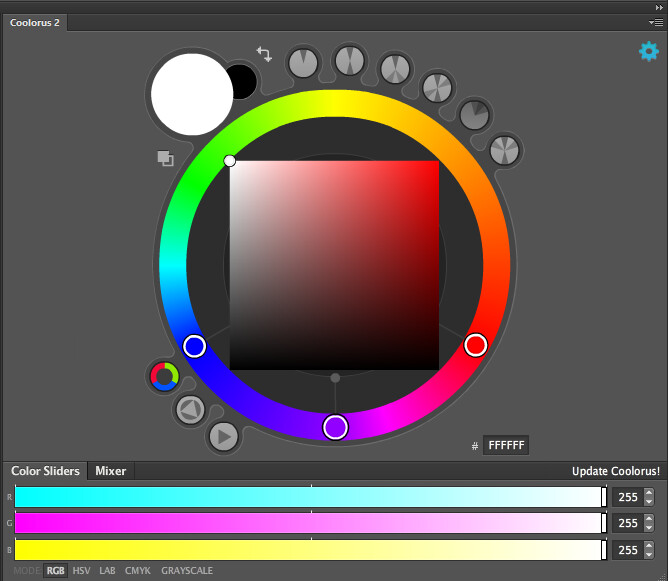
Color wheel :

Triadic scheme :

Analogous scheme :

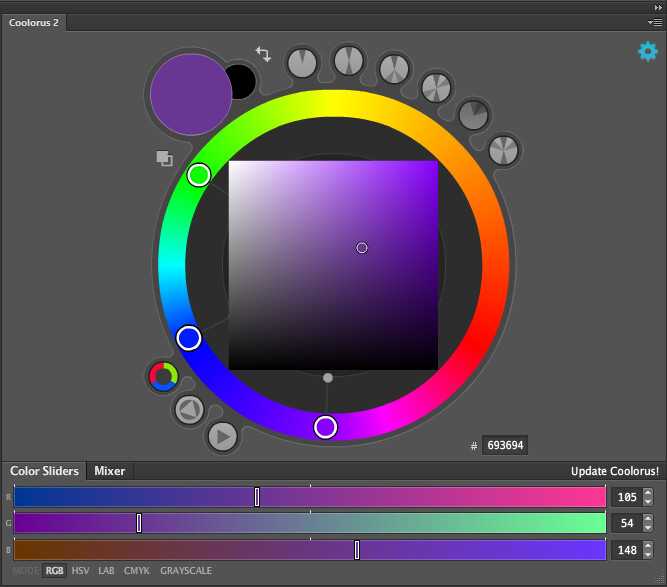
UX example (analogous scheme) 1:
selecting the non middle color slector, automatically dispose the scheme like so :

UX example (analogous scheme) 2:
selecting the middle and moving it leads to moving the three together :

On top of that, you can directly see and set the value of your currently selected color.

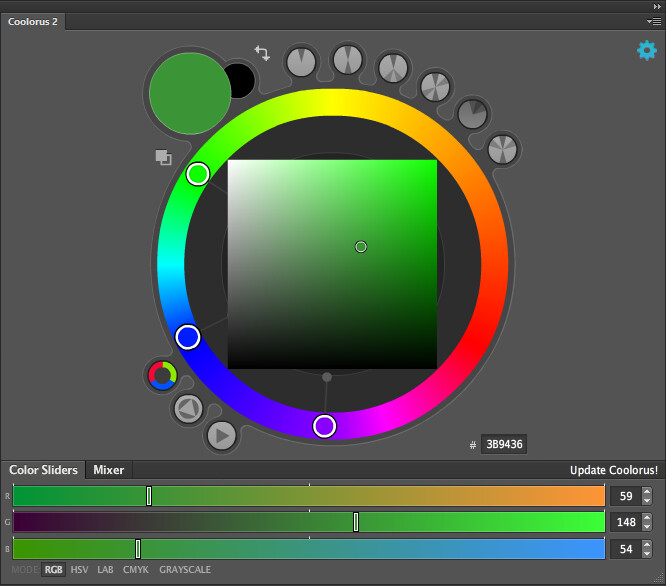
UX example 3 :
Clicking on one of the rings update the sliders to match the selected color.

Most right ring :

Middle ring :

most left ring :

You get a bit of the idea.

2 Likes

How about 5 then?

Hi, did you tried gamut mask in krita?
image

5 what ? 5 rings ?
There are at most 4 rings from the color wheel schemes in the example.
Would you like to see a UX example ?

They might seem great, just not as intuitive/direct as the one color wheel above I think.
To change color schemes, you just have to press any of the circle buttons upon the color wheel. They have a display of the form of the schemes. :thinking:

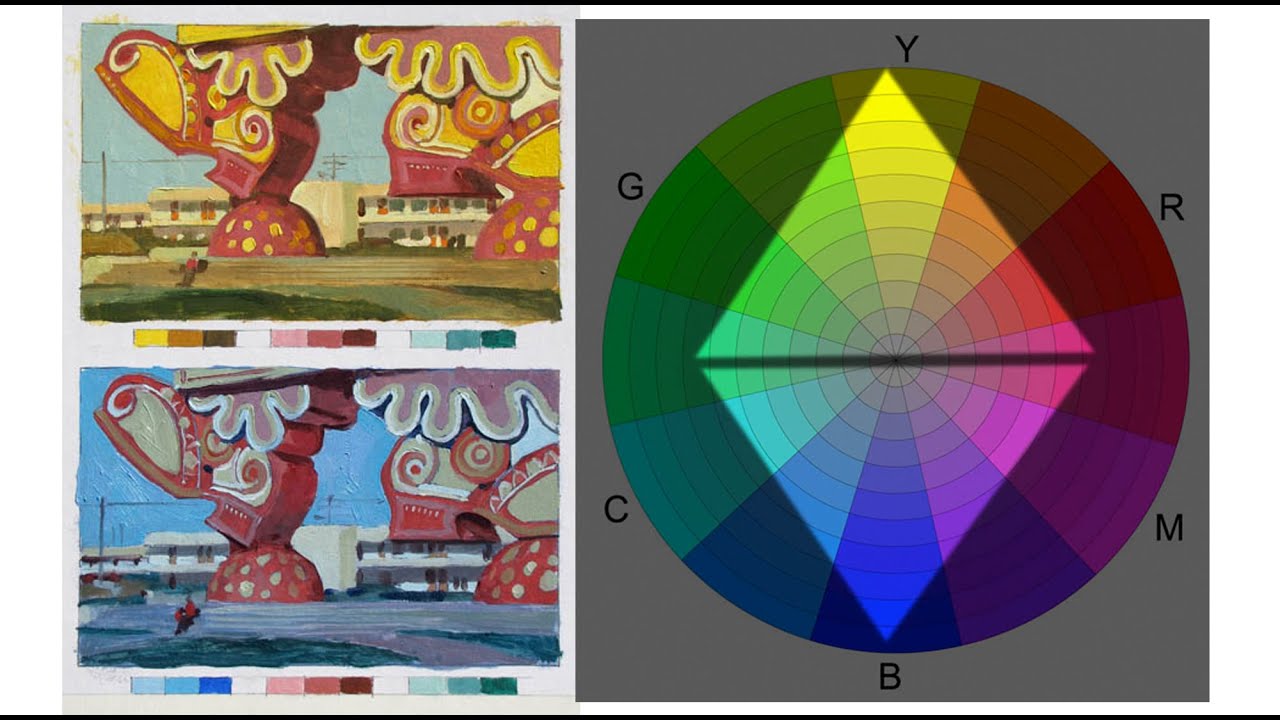
They are based on real life painting technique. Check this blog post by a famous Illustrator and painter →

There is this youtube video by him too -

Furthermore, it is not just limited to what the colour selector offers, you can create your own gamut mask in any shape you want.

The corresponding exact feature in coolorus plugin is shown here -

Well, Coolorus is an all in one color-wheel pretty much.
The definition of a true advanced color wheel ? Probably.
It’s why I use it as reference for this post.
To be honest, I’m not familiar with the use of gamut masks.
But the color schemes are nonetheless neat. In my opinion at least.
Yep. In one phrase, this is pretty much, Coolorus as ref for an
advanced color wheel.

if I remember correctly apart from coolorus and Krita corel painter too provides gamut masks. It is a nice concept.

I presume your request is for quick and precise selection of colours according to complimentary and other colour schemes though multiple highlight circles on the hue ring, right?

You should check awesome work by @EyeOdin on Pigment.O plugin here → Pigment.O plugin and maybe discuss this feature on that thread.

1 Like

5 colours. Your examples are of 3 colours that are not enough to make a Swatch of colours. It is a bit incomplete.

Why don’t you just use Pigmento?

It does what coolours and magic picker do and more and all the colour theory stuff correctly with some extra touches. I am just handling the on screen interface still still learning that. But I am working on something else for now that should be out soonish.

1 Like

Wow, that was a lot of work you did for this Pigment.O plugin.
But it’s still in development it seems.
I might just wait much more before using it.
Right now, it does a lot of things, sure, but Coolorus is efficient enough
and very ergonomic, in my opinion.
Somewhere you implemented a magnifier as I’ve read the thread.
I would suggest that instead of putting the magnifier there, just place it outside of the HSV triangle/cube, keeping it at a static position as it shows the currently selected color while
the cursor is dragged.
For a good UX, first see if you can put all things visible in one place. From there, analyze and see what you should keep/remove on the UI.
Great job and good luck ! Stay blessed.

It is in continuous development like everything else. There is no issue in using it.

1 Like

You ask for colour theory you have it and now you don’t want it? Talk about a useless request then…

Concerning the magnifier it will stay as it is I explored the other options and that is the best one. UX suggestions don’t fly if they don’t work. Function comes before form.

Were you talking to me ?
I don’t know where I stated that I don’t want color theory, so I think you should understand better. This isn’t really a request. Just an inspiration idea. You do what’s best with the resources at your disposal.

Function comes before form means form can not be ignored nevertheless.
You may explore at the lab the different things you can do, function-wise.
But when comes the time to design, you will need form. And best form = best UI/UX.

This magnifier is actually a good UX for a mobile platform, I’d say. Or simply, for someone working
directly on screen, with a pen display. It is not bad at all.
I just proposed a different option that may be added. But you’re clever to come up with a good UI/UX and
know Coolorus already, so, I have nothing else to add.
Do whatever you want.

Then I might give it a try.

Só you want to make harmony colours even harder to select on the panel because you want to see a bit more the magnifier. And to ignore you have a massive display of the colour selected at all times right above. And even if I did that you would see it being cropped by the hue ring also there is no win. Not to mention make edge detection of the inner section more fuzzy and harder to use.

Also if you scale it to 10 pixels in size I want to see you clicking on the colour wheel. Mine is still usable under such conditions in order to try and make it save as much UI space as possible.

What you said is wrong because when forms affects function will make your precious UI/UX useless or in other words, pretty but useless.

I’m a bit confused by what you just said right here.
I think we don’t understand each other.
Because the one talking about making harmony colours harder to select is you, not me.
Also I never said that I want to see more the magnifier.

Regarding the UI/UX, what I said is not wrong : I did not claim that forms affects functions; I said that form will be needed. Good UI/UX is never useless as it requires application with functionality available, modifications if need be and tests before being finalized.
The goal of the UI/UX is first to make things easy regarding access to functionality, and second to give an aesthetic look to the package the product comes in. Good UI/UX can’t be achieved by solely relying on form alone, it require both functionality and form.
And that is not useless.

sure sure you didn’t said it. sorry but I have no time or patience for a quotes battle.

Great work so far with the Pigment.O plugin though.
I think I’ll give it a try.

@novames00 you need to familiarize yourself with gamut masks first, then, before making a feature request duplicating the functionality. If you familiarize yourself with it, you’ll know the exact issues that are there (because there are ones, of course, like with everything else) and you’ll also be able to suggest specific changes to the current design that are actually actionable. For example, the gamut masks are resources, like brush presets or palettes - they need to still be treated like that, otherwise it would be cutting off existing functionality for pretty circles around the color selector.

The name of the game is “incremental improvement”. We cannot just throw out one feature to implement a new one with slightly different functionality only because the new one is more comfortable (it’s wasteful - development takes time!). Instead, we need to find ways to make the old one comfortable (unless it’s really really broken by (code) design - but gamut masks aren’t).

So, if you have a feature request, it must be built upon the existing functionality. Showing off a feature in some other program that achieves roughly the same that is already available in Krita is not a good feature request.

Imagine if someone actually listened to you and implemented exactly what you ask for here. Then Krita has two ways of achieving the same thing. Later someone posts a screenshot from, let’s say, Procreate, or maybe Corel Painter, which has just another way to achieve color harmony. Someone says “great, that’s a terrific feature request!” and implements that one too… and then Krita would have three ways of doing the same thing. Every one more comfortable than the previous one. Doesn’t it sound like wasting developers’ time? And confusing new users?

Treat the amazing features you find in other software as inspiration, not reference. And make feature requests for Krita - built upon everything that Krita already has. If gamut masks are inconvenient to use right now, figure out how the UX can be changed so they will be convenient, and make a feature request for that.

For example, this was a very good feature request: Mockup: perspective tool - David Revoy - this was written ten years ago, as you can see. It’s amazing: it has images, detailed description, workflow is explained, perfect feature request for a big feature. However, if David wrote it today, it wouldn’t be a good feature request anymore - because it doesn’t take the fact that there has been work done on assistants, especially the new 2pp assistant (will come in Krita 5), into account. So while it was good ten years ago, today it lacks context. It can only be an inspiration to what’s needed in the new 2pp assistant. And the same goes for any feature from any other program. (And remember that Krita is allowed to have features actually better than other programs, not just copies of their features!)

2 Likes

@tiar
I agree with everything you said.
But I will state this.
If you check the color wheel I posted above, you will see that it’s not a gamut mask yet but a color wheel which supports different selection schemes including monochromatic, split complimentary, triadic, quadratic, analogous, etc. It’s different from Gamut masks and I thought it could serve as an idea for the design of an Advanced Color Selector/Wheel. It’s not really a request, just a pointer. You decide whether or not to pick and study the relevant things you can from it, or even imagine something of your own.

If it was a feature request, I’d have to address a real problem, explain how to improve a certain workflow, basically go through the Krita’s documentation steps to follow for making a feature request. Here there’s no problem. I’m just sharing a relevant enough idea
for what can be seen/imagined as an Advanced Color Selector/wheel. Do whatever you want with it.