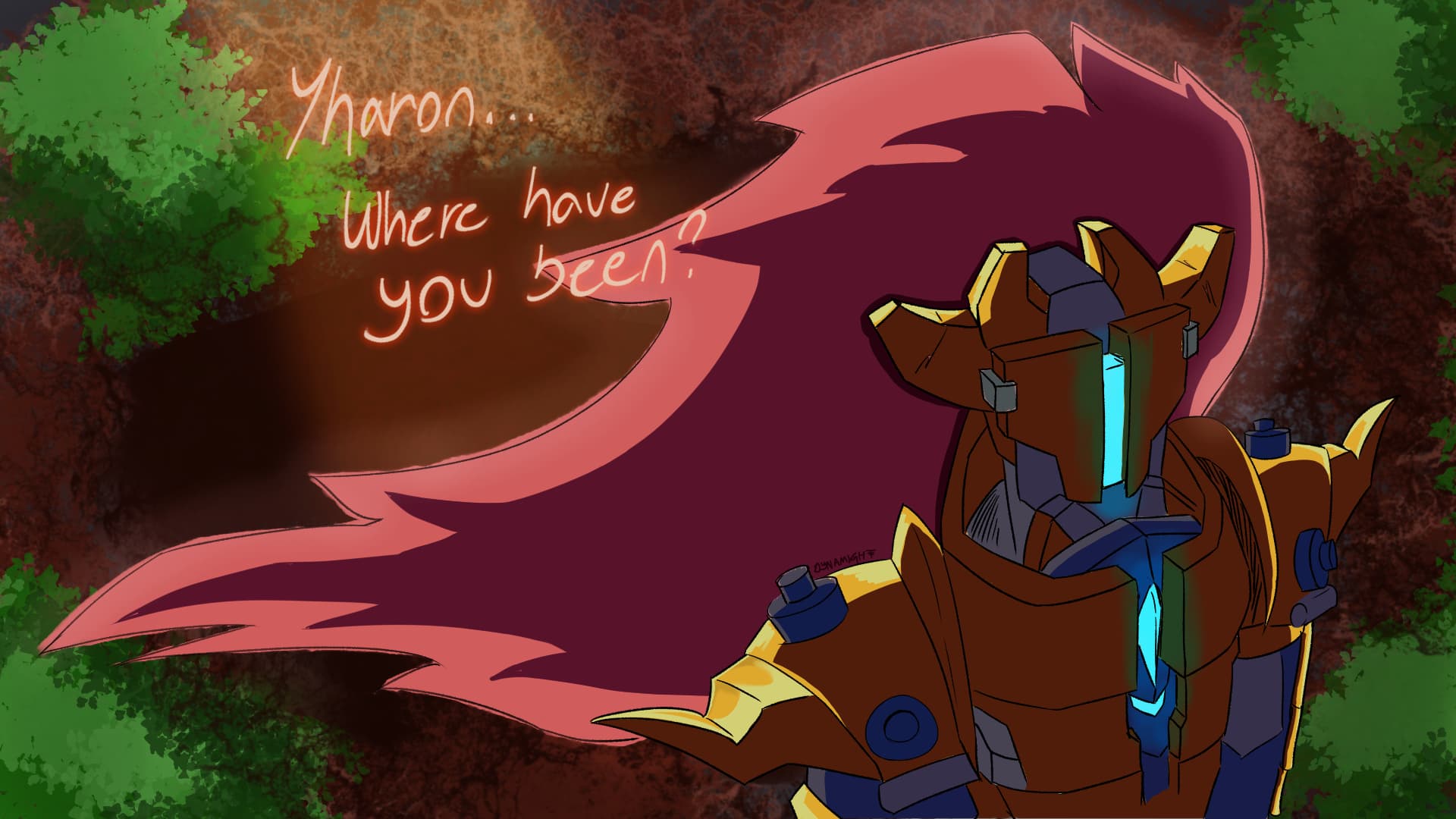
4 Likes
Can you give examples of what you’re trying for, by giving links to other topics here?
You could upload extracts from other people’s artwork to make it clear what you mean.
1 Like
Did you mean an effect like Gaussian blur?
Have you tried a blender brush? In your brush presets docker, type either blend or blur in the search box at the bottom. You might find something in there that you enjoy using.
2 Likes
Like here:
Like on the ear flowers, tail and pen at top. That’s the blurry light thingies. Lol I feel like a 5 year old not knowing this stuff.
Hi. I think this is just the airbrush pen “b) Airbrush Soft” or similar.

The trick is to apply it just a little. You’d have to experiment with size and pressure to get the right effect. If it’s not good, adjust the color a bit. Very often an almost white color works well. If the bloom effect is pronounced, you may need to tint it more. This should work well for small to medium objects.
Example, the sign board here - Layout study with Bocchi
What you tried to do with these cyan lights is a bit difficult. To get the right effect, you’d have to change the color of the surrounding metal first, as if the intense light is overriding it’s natural reddish color.
For bloom on large surfaces, like around the whole rim, probably a thick flat line that is then blurred with a very heavily Gaussian Blur filter may work. I haven’t experimented with this myself, however. With the effects sometimes less is more, but naturally it depends on the mood you’re going for!
4 Likes
Yo this guy was cooking with the explanation 
I’d also like to add, experiment with the blending modes on brushes or layers! A big floofy brush like the one YRH mentioned on Screen or Color Dodge can do wonders!
1 Like
Ill try on my next studies
2 posts were split to a new topic: Post removed