i’ve been using krita for two and a half years now, coming from photoshop, and i absolutely love it. it blows my mind just how solid of an art program it is, and how it only continues to get better. overall, krita has proven to be significantly more of a powerhouse for my usage scenario, than photoshop ever was. except for this one missing feature…
as an artist who specialises in creating digital artwork which attempts to mirror real life oil painting as closely as possible, there is one feature which i am desperately hoping will get added to krita, as it would then be the perfect art program- for me and other artists of a similar approach.
(of course, accounting for the immutable prerequisites of being FOSS natively compatible with linux; i’m aware there’s digital artwork software aimed specifically at this niche, but that is windows only, and not FOSS, and, well, not krita!)
-
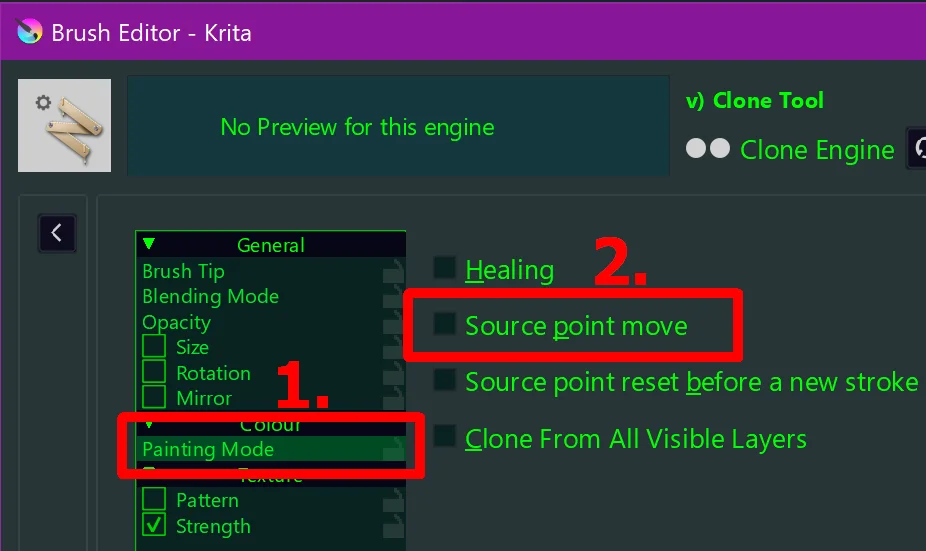
to essentialise the feature i am requesting: port over to the color smudge brush engine the feature from the clone brush engine to ctrl+click to sample an area of the canvas instead of a single solid color.
target outcome: create artwork which emulates the look of organic color variations in thick traditional paint strokes, such as the result of loading a brush with colors from a mixing palette.
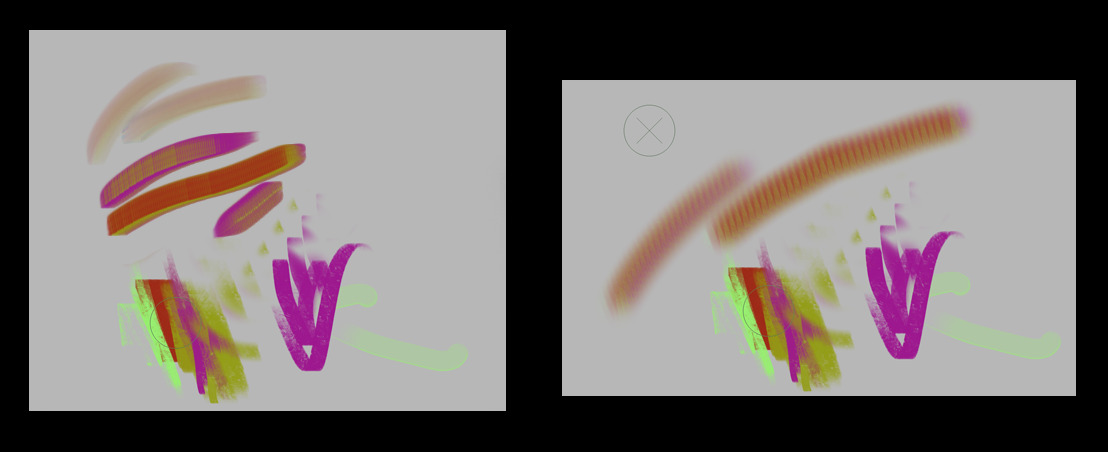
current workflow: using two brushes- one with the clone brush engine, and one with the color smudge brush engine- in order to attempt to replicate the desired effect. the process does not feel natural nor is it viable for achieving results which truly look like the real deal. using the color smudge brush with an RGBA brush tip with the lightness map brush mode is quite excellent, however it is limited to applying its organic effect to solid colors only. using the clone brush with a brush tip and pattern aimed at softening its eges is effective only for covering solid areas, however it is limited in its usage as a real media brush due to the fact that it does not blend anything at all.
desired workflow: using one brush- which functions exactly like the color smudge engine does currently, except it also allows usage of the area sampling via the ctrl+click feature which is part of the clone brush engine.
feature example: in photoshop, the mixer brush has an option to toggle between sampling solid colors only, or an area from the canvas. this offers a “creamy” result in one stroke, which also preserves the color variation from the sampled area.
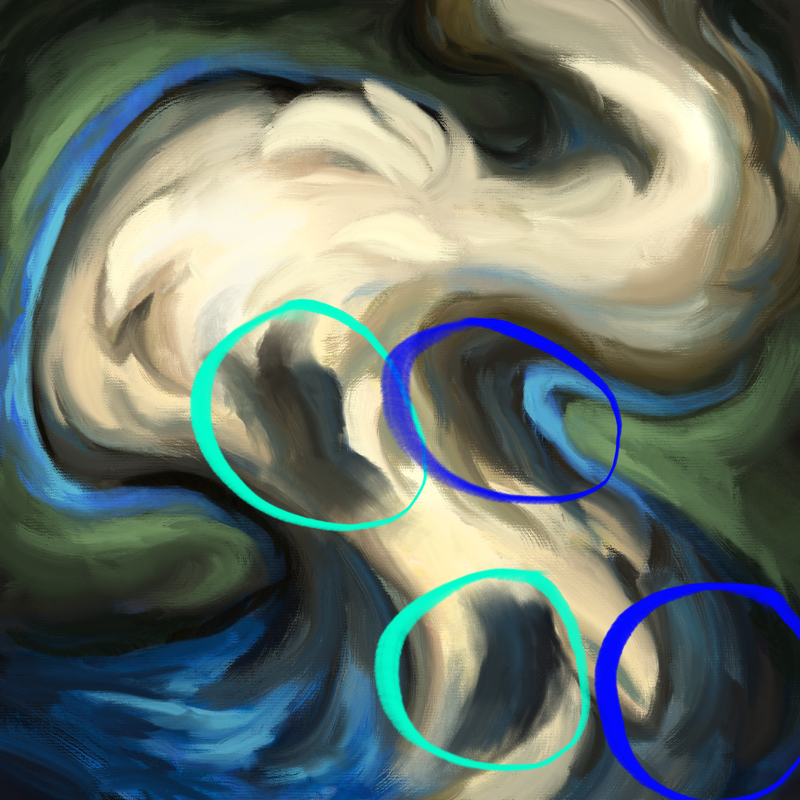
visual demonstration: the artwork below is one i made in photoshop before i switched over to krita. i circled in blue some areas where the above example is apparent. i circled in teal my attempts in krita to replicate it as per the current workflow described- not only was the result much more muddled and ineffective, it also required an artificial repetition of brush strokes- whereas in the original artwork, the circled areas were rendered with singular brush strokes.
i’ve no idea how complicated this would be to implement, but i am hoping it is doable, and i am hoping there is a developer out there who is interested in adding this functionality.
needless to say, i would be eternally thankful, as it would add the last missing piece to making krita the uncontested perfect digital art program for my usage scenario- and, doubtlessly, other digital artists who have a similar approach to mine.
regardless, i am very grateful for all of the hard work of the developers which have built and are building krita into such an amazing digital art software.