Hey guys, does anyone use Krita on a tablet? Any tips to improve the interface experience? I don’t want to give up on the software, but the Android app layout is terrible.
I’m a daily Krita user on a Samsung tablet.
Start with the toolbars; you can add or delete a multitude of actions there. A lot of us put the most commonly used tools in the toolbar (freehand brush, tool options docker, selection tools, deselect, etc.) then we paint in canvas only mode which is accessed by a 4-finger tap. To edit the toolbars: Settings > Configure toolbars.
I have 2 Krita instances on my tablet: 5.2.14 and I also load the 5.3 pre-alpha nightlies to try out. When 5.3 stable version is released next year (lol I forgot we’re already in 2026 - it’s coming out early THIS year), you’ll love the ability to action several dockers via the popup up palette (single finger tap).
At some point, Krita Android will get a mobile makeover as right now it’s simply the desktop version ported to Android.
In the meantime, I hope you enjoy Krita.
There was a good post about customizations just a few weeks ago. I’ll see if I can find it for you.
EDIT:
Here’s the link I was thinking of. It was written for 5.3 but the info is still good for today’s stable version. The member has some great ideas for workspace customizaitons.
Krita 5.3 on android is looking good
Thks a lot. Very helpful.
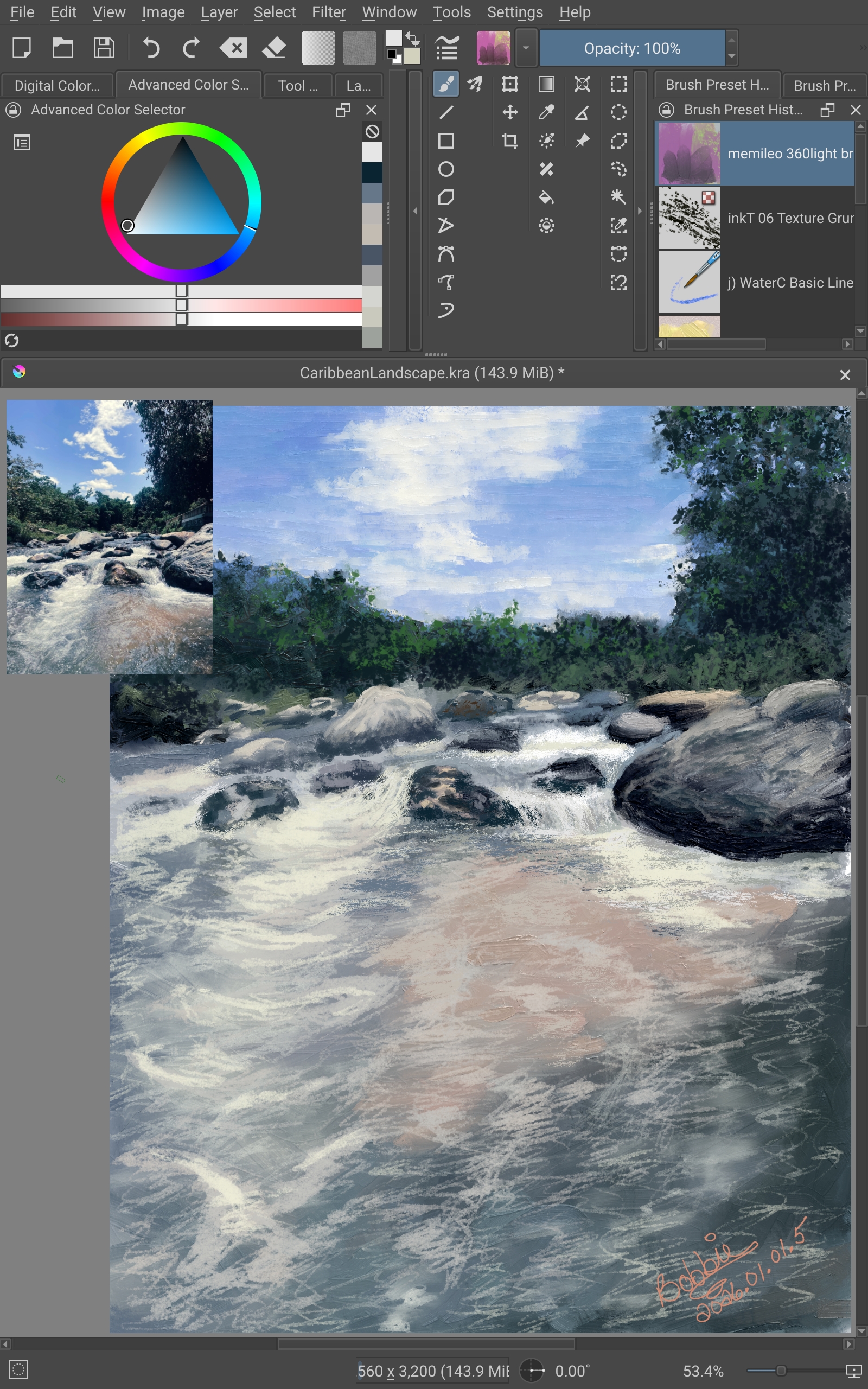
It’s scheduled to be released this February, not next year!  Or is there something I don’t know about? Don’t scare me!
@deccoy Just ask what you need to configure and we’ll help you. I also use Krita daily on my Samsung tablet and phone.
Haha I’m still stuck in 2025.
Yeah. It’s whack at first because you gotta figure out how to use the touch controls. Changed the S pen “Move canvas” button to erase. Still trying to figure out how to get mirroring right or how to use the popup palatte
You can set up 1 finger touch (for example) to show the popup palette and inside the palette you have the mirror button. You can also bind the mirror to your custom toolbar.
Hold up you can add more buttons to the palatte? I thought it was just brushes you tagged?
No, you can add buttons to the tool bars:
MainToolBar, EditToolBar, Brushes&stuff…
And in the next update 5.3 you will have 2 more custom bars and also the ability to customize the icons of the actions in the toolbar
On the bottom left part of the popup palette you have one button to mirror the canvas.