@dkazakov can’t test the zip file as binaries are designed for windows; I’ll wait for next appimage build to test the timeout value but it should solve the problem.
You might found the origin of problem 
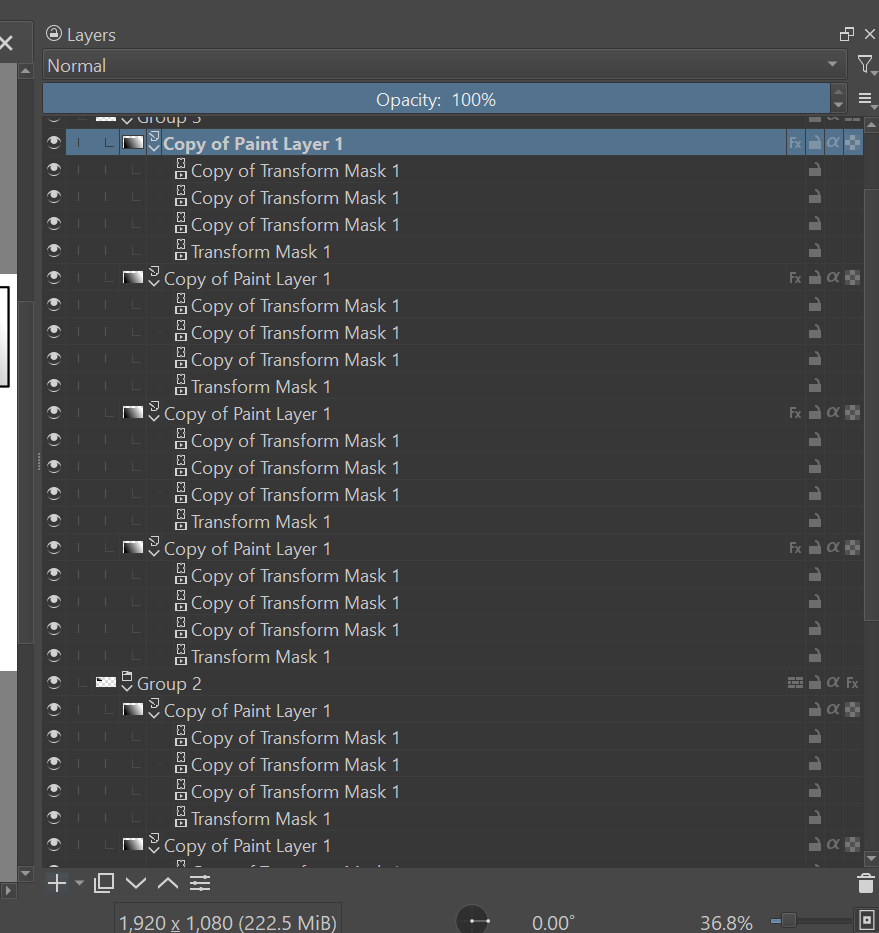
Doing tests from file test_bugs_animation_06.kra the first thing I saw was:
- Faster execution
- Need really higher number of render clone limit to reach the point of “render in failure”
Those 2 points is result of “superfluous updates of the transform masks in the hidden groups (438538 – Krita is doing some calculations on hidden layers)” you’ve fixed: I can confirm that hidden layers are not taken in account anymore when rendering.
As these hidden layer are not computed anymore, then it’s faster to execute and also, it take less time to render one frame, and then, I’ve more difficulties to reach the timeout per frame 
I think you can update the bug 438538 – Krita is doing some calculations on hidden layers
- RESOLVED/FIXED
- Add a comment to inform which commit solved it?
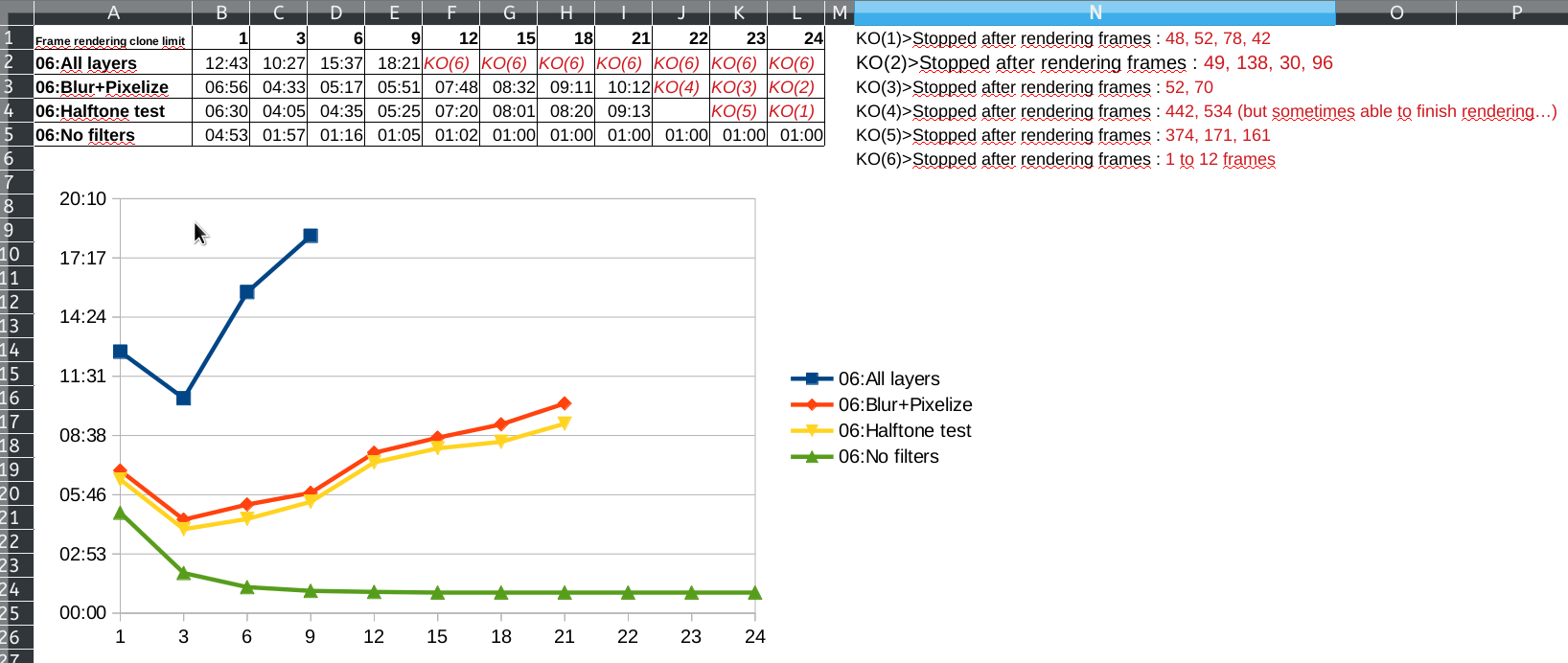
Here some statistics about execution I made on this test file:
As we can see:
- For higher frame rendering clone limit, it need more time to render the same document
- Simple layers (no filter) it’s fast in all case
- More complex layer, it’s longer
- And trying to render ALL layer (so many filters and then, many computation), it’s very long and I’m not able to use a value higher than 9 for render clone limits
I understand now why.
Because filters are multithreaded, with few render clone limit, more CPU are available to apply filters.
So, rendering one frame is fast.
But if we try to render too many frames at the same time, there’s less CPU available to calculate filters.
So it’s longer to compute one frame.
And then timeout per frame can easily be reached.
The case where 1-2 clone limit is longer than 3 might be because in this configuration, all available CPU are not used to compute filters…the optimal configuration for my computer and this animation is 3
It’s clear in my mind now.
But basically, the first thing is to think that higher the clone frame limit is, the faster it will be to render.
As a developer who understand how multithreading can be impacted, your comment make sense:
But for a “normal” user, it’s not really understandable 
The best option would be to have the render clone limit dynamically updated by Krita according to current number of CPU and thread really used to render one frame.
But it might be very complex to implement (and a potential another source of bug )
So maybe, the best option could be to review how the “render frame limit” is available for user.
Maybe a slider like this:
Minimum value = 25% of allocated CPU
Neutral value = 50% of allocated CPU
Maximum value = 75% of allocated CPU
Concerning bugs, that’s an occupational hazard but it would be better if:
It will be easier to track bugs, and close them
Also, one last thing is the timeout.
In most case 30s should be enough.
But, on heavy rendered animations with hundred of layer, filters, transform mask… and a wrong configuration, the 30s can be reached easily.
As you’ve put an hidden option, it could fixed easily
Sincerely, we’ve all passed time on this subject (you, me, @Michelist, @AhabGreybeard, @Komorebi , @emmetpdx, @eoinoneill) trying to understand what happened, and if the exact reason of why render is stopped was simply displayed, then we probably spent less time about this.
Now I’m able to understand the problem, I can think about this if I encounter this problem again.
But to help us on the forum and let users to be able to provide us pertinent information next time, if it’s possible to get at least in output log a message that inform that animation rendering is stopped due to a timeout on a frame rendering, it would be great 
Grum999