I just recently downloaded Krita on my S6 Lite and even though I’m very familiar with Krita on Desktop, I’m struggling to find my way around on the Android app! For example, I was trying to clear the layer completely and normally I would hit Delete but I cannot find that option on the menu on the app.
If you have a customized set of tips and shortcuts that work for you please can you share the wisdom?
1 Like
I don’t have Android myself, but you could check in the toolbars’ setup to see if the “Clear” button is available there, it looks like a house overturned onto its left side with an “X” in it.
Michelist
1 Like
I’ll test it out in a bit when I can but I know I looked for it everywhere! Wish there were gesture commands I could set Krita to!
There are few default guesture command I think. There some posts detailing setting up krita on Android here. @CrazyCatBird may be able to say or help you. I think @sooz too has Android tablet
2 Likes
You need the Touch Docker. It’s great. There are 2 icons on it that are not functional right now (it’s the 2 that are on either side of the save button) but everything else is really helpful.
2 Likes
Oh wow thanks so much! I will look for the Touch Docker and search for Android posts…it feels so strange to be struggling with Krita when I’m so at ease with it on WIndows!
Right now krita is just direct port of desktop to Android. Hopefully in future it will have mobile friendly UI. Check recent post for call to testing by @dkazakov which has some changes to brush editor, which if passed will help in making mobile ui in future.
Krita works now but the ui is a bit big for mobile and tablets.
2 Likes
Thank you! I will look at that post. Ive downloaded a couple of other drawing apps that i found on Google Play but I just dont like them compared to Krita, since this is my first time trying to draw on a portable
tablet!
Oh you can draw with krita. You just need to setup mobile freindly workspace correctly. And it can be a bit confusing at first.
i think i need a step by step for that… 
1 Like
I have mostly followed this video…
[Krita setup on Samsung Galaxy Tab S6 - YouTube]
Adjust to your needs.
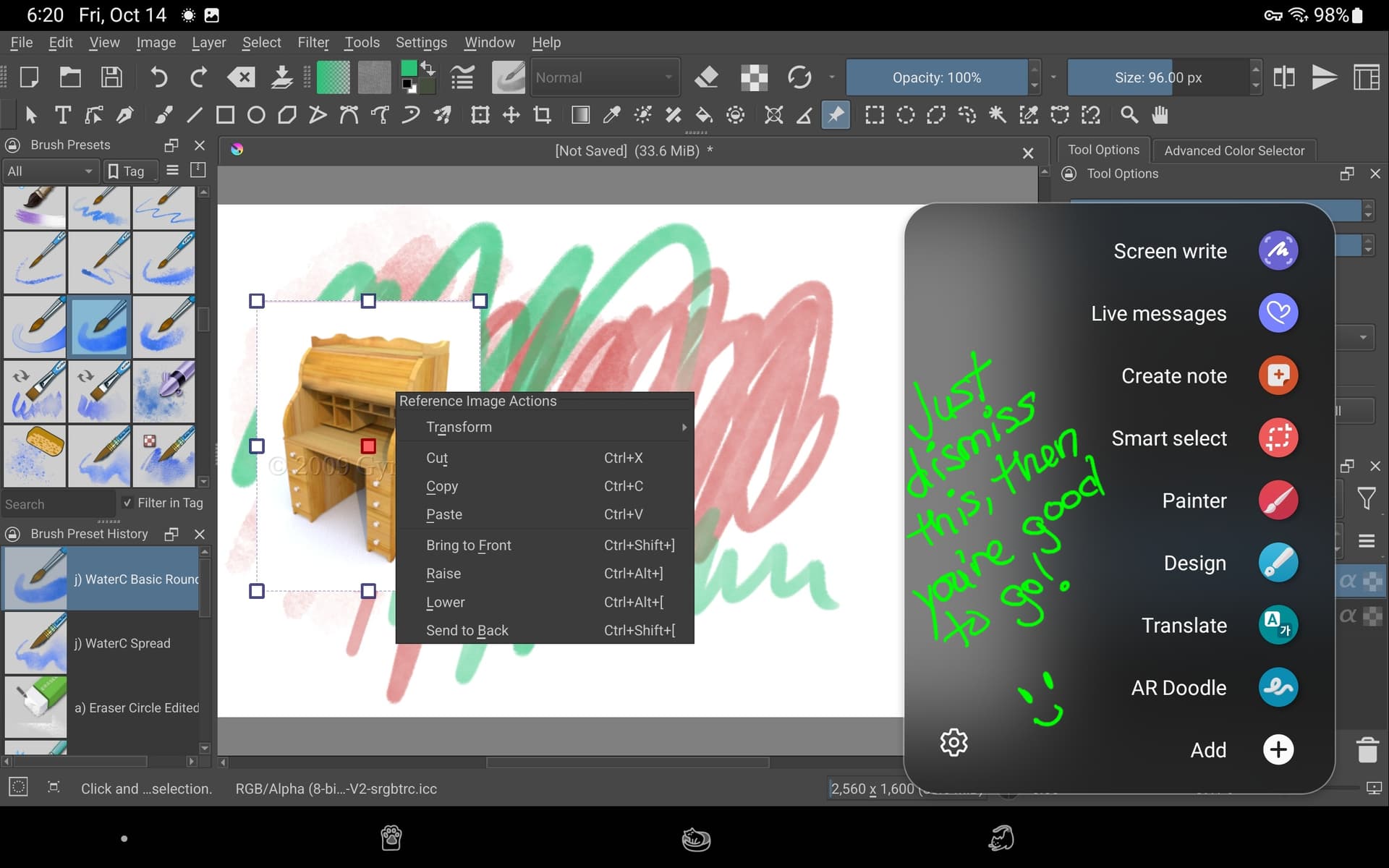
With 5.1.0 (and 5.1.1) the pop-up palette works nicely. I still have my SPen button set to call up the Actions but I just dismiss that and do what I want with the palette (same goes for the reference tool).
The trouble with disabling the SPen’s sub menu is that certain functions can only be accessed using it and if that’s disabled, the user loses that function (such as the scrolling screenshot, which can capture an entire scrolling webpage.)
2 Likes
So, you want something like this? →
Michelist
Add/Edit: Haha, looks like we have posted in the same second!

4 Likes
Thanks so much CrazyCatBird and Michelist! Im going to follow along the set up and spend some time on that tonight!

1 Like
Ahh you’re amazing ! Thanks so much I have that side bar pop up too! grumble 
so how do you bring up the pop up palette? Do you use the Spen button? and do you keep the RIA docker open always?
RIA docker? 
I just hit the site button wherever I want the pop-up palette (and simply dismiss the action menu, not much of a problem for me).
I meant the Ref Image Actions docker ( is that a pop up too?) oh the tablet side button!? like the volume or power button? As you can tell im a total newbie with this new tablet!
oh the tablet side button!?
No, the SPen’s side button.
The ref image sub menu comes up with the pen’s side button click too (as shown in the screenshot.)
1 Like
This topic was automatically closed 15 days after the last reply. New replies are no longer allowed.