
It would be nice if Krita had an Arc Tool like in Clip Studio for Out-lining illustration and Animation.
Could you elaborate what the tool does? Not everyone knows CSP. Looks like a variation of bezier curves or b-splines.
Its just a single plain Curve Line that can bend in which u can build up any grouped single bended Curve variations, so that u can keep all your lines evenly sized.
I’m still having a hard time understanding how it’s different to Krita’s Bezier Curve tool, except for the different handles. When I search for arc tool and CSP I find their manual for the Bezier Curve tool of CSP.
The CSP tool has a few more options, like drawing Quadratic curves while Krita only has Cubic ones, as far as I know (but you should be able to do the same curves).
Looks like a NURBS curve. But a bezier curve should be good enough for things like this.
This is at the end a quadratic curve. You just specify the start and end point like in the line tool (click and drag) but the next pointer interaction sets the middle control point instead of making a new line. In theory is a faster way of making simple curves.
So it’s a curve through points vs curve by handles difference. In the latter the handles create the hull of the curve, whereas in the former, the curve actually goes through the points, correct?
Nono, it is a quadratic bezier curve. In the first interaction you set the start and end control points, like in the line tool. In the second interaction you set the middle control point (quadratic bezier curves just have one middle control point instead of two like cubic beziers).
here’s a video of the curve tool in action. Its very often used with a similar no pressure pen brush together u can create a very fast inking workflow with perfect line consistency.
So you are confirming what I said. And it’s another mathematic formula than bezier, I get that.
There are 3 ways to draw these and even NURBS modellers only offer up to 2 out of the availabe 3. But that’s another topic.
Do note that there are thus many ways to draw such curves input wise, incl. options to add/ remove points (or CVs as they are called) by preserving curvature. It can lead to opening a can of worms, which is what I am saying. So the scope would need to be set up clearly up front, is my advise.
Inkscape too has this you can check it out. This is called bspline mode in it
Another interesting mode for bezier tool in inkscape is the spiro mode.
The video might not show the full extent of its abilities you can try it yourself. it is really useful to get smooth curves.
I’m guessing that by “curve through points” you mean bezier spline and by “curve by handles” you mean b-spline.
The thing in csp is a simple quadratic bezier curve.
It is not a nurbs. It is not a spline made of several smaller curves. A spline uses several simple curves put together, like that tool in inkscape (which looks like a nurbs or b-spline), or like the classic bezier curve tool.
I’m just saying that because I think that the objective is to make the tool super simple, in purpose and use:
- It draws just one simple curve, not a spline. It is a quadratic bezier, which means that you set the end points and one middle control point.
- You first set the end points, the extent of the curve. Then adjust the curvature. That separates the process in 2 clear actions. If you draw the start point, then the middle one, then the end point, I think it’s harder to set the curve or fit it to a sketch while inking for example, because you may want to adjust again after setting the end point. In this case that we don’t have a spline made of several bezier curves, it is simpler to adjust the middle point after the end point.
- I think that the benefit of this tool is how quick you can make simple precise curves, which one repeats over and over while inking.
Another example:

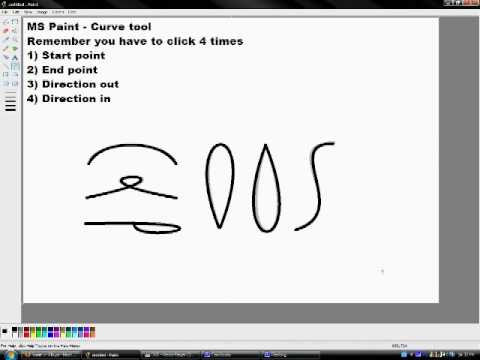
By the way, this is not a csp only tool, other apps have it. Even ms paint has it since I can remember, although it uses a cubic bezier with two inner handles, but the use is similar:
Hi
Are there any plans to include a curve arc tool, the subject was discussed in 2022 at the following topic:
I create line drawing diagrams for needlework, the Bezier curve tool is too slow and awkward to use for the amount of curved lines that I need to draw. I have attached a picture to show how I use the curved lines.
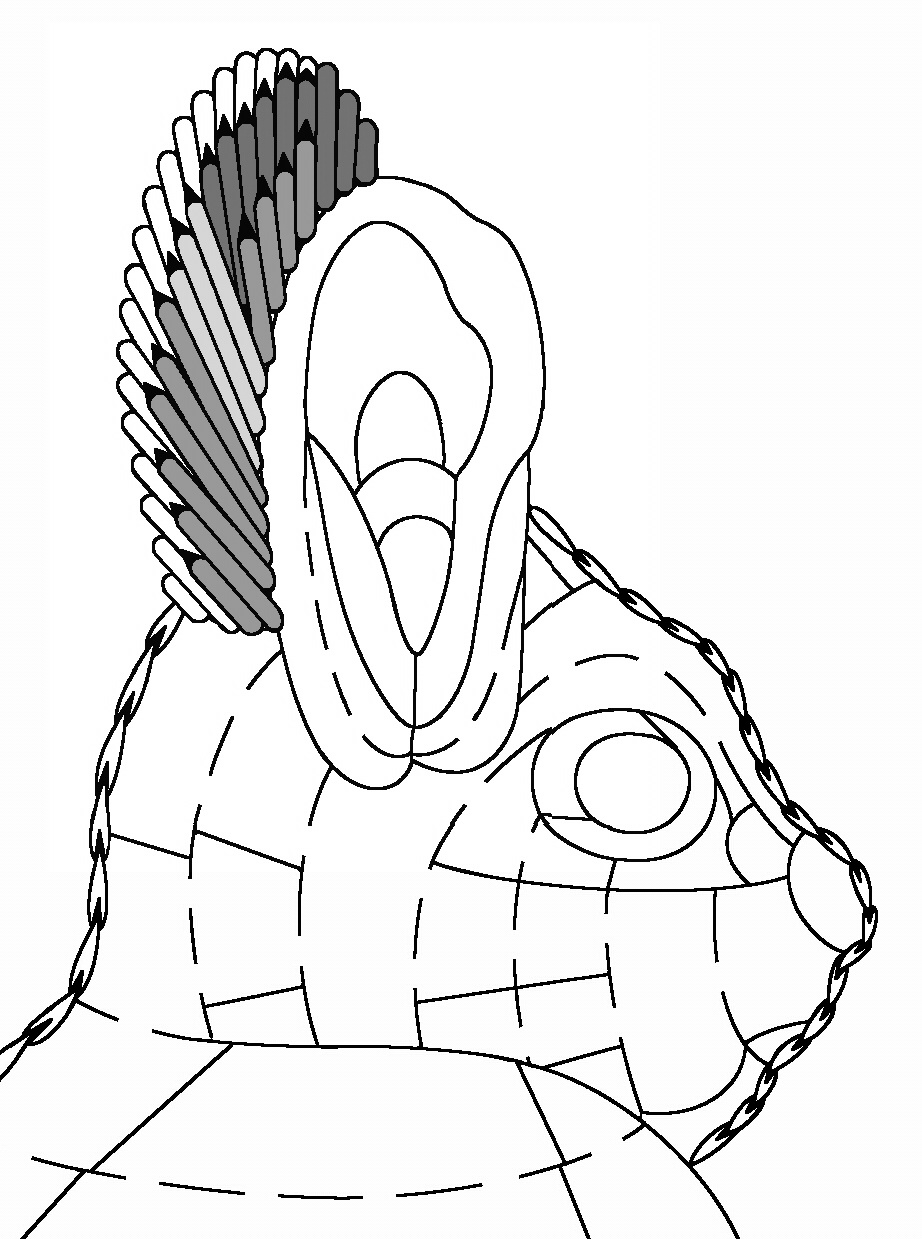
The current art program (pmpaint) that I have is from the 2000’s and is unreliable as it crashes now and is no longer available. Drawing curved lines was so quick and easy in this program. I can post a video of me using it, if this helps.
If there are no plans for a quick and easy to draw curve, please can you recommend other art programs that use it, I did see that clip studio does but I might only use the art program a few times a year so the monthly fee is too much 
Thank you and thank you making Krita available!
From the previous post, simple curve lines:
- It draws just one simple curve, not a spline. It is a quadratic bezier, which means that you set the end points and one middle control point.
- You first set the end points, the extent of the curve. Then adjust the curvature. That separates the process in 2 clear actions.
I don’t know if there are plans to implement the curve arch tool, but have you thought about running your pmpaint in a virtual-machine (VM) that runs the operating system pmpaint is made for? So if pmpaint was made for Windows XP, or at least runs in XP without errors, you could set up a VM with Windows XP or make use of the Windows XP-mode Windows 7 had, but you can use that in Windows 10 too, and most probably also in Windows 11. If you don’t know from where to obtain the needed files for the Windows XP-mode, then I can give you a link to download it from my cloud.
Michelist
Have you tried using vector lines?
With the Edit Shapes tool, you can grab and drag the midpoint of a line out into a curve and also adjust endpoint handles for detailed control of curvature:
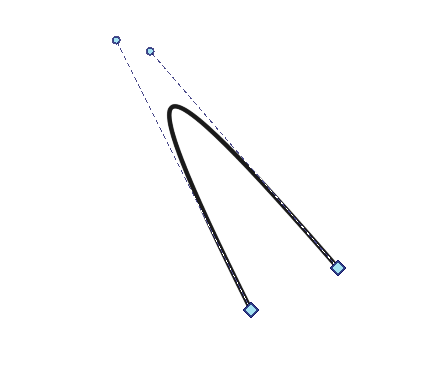
One problem I can think of is that it can be slow with a large number of vector objects. You could try it to see if it’s suitable for your needs.
In the thread you linked they mention that InkScape is capable of doing it. I don’t do much sewing anymore these days but can imagine that having the drawings as scalable vector graphics helps a lot when wanting to use the same pattern in different sizes.
If you can do it, it’s always a good reference.
Maybe it works like the all in one line/curve tool of Mypaint? Where you trace a line first (drag and origin to end point), release, then hold Shift and drag to bend the line? It can deform two part of the curve… Eg:
Have you tried the path tool on GIMP (Free)?
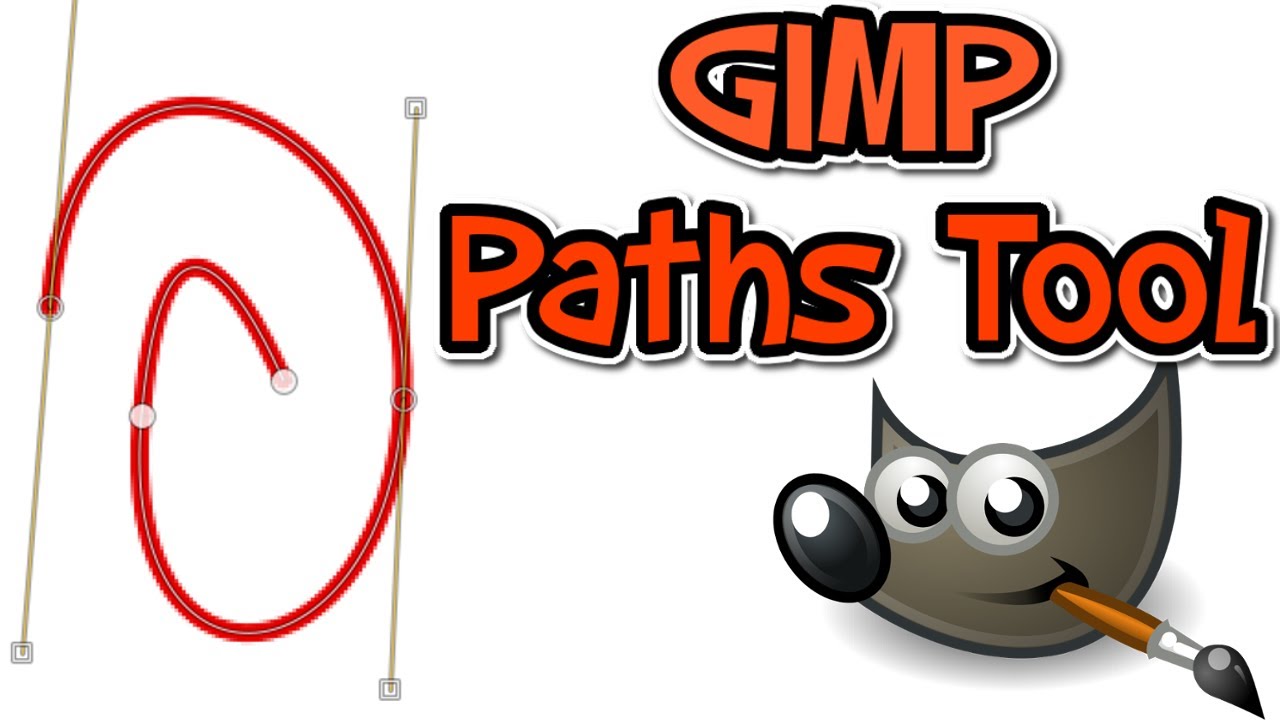
with GIMP’s path tool you can edit lines, delete sections of lines, add points and do all of the lines then with a few clicks draw all the lines at once.