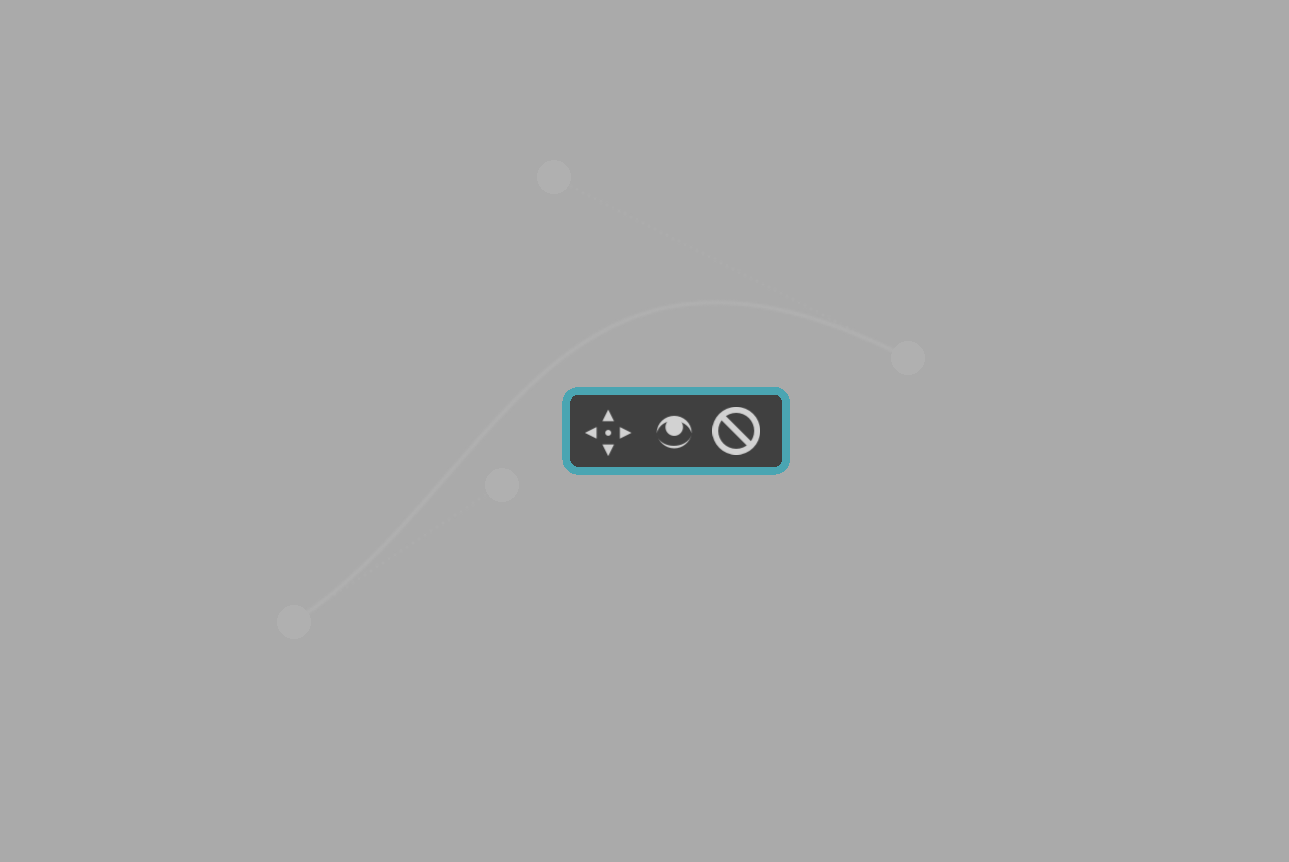
on the assistant tool there’s a little window that gives the options of: moving, seeing and deleting.
for someone who’s using it a lot, that window takes a very big space, and bother fixing the prospective.
I will ask if there’s a way to close that window and open it back by pressing some button or something?
I think every dockers size can be altered, each dockers like an individual tab that can be resized moved or deleted.
I’m talking of the little window on the bottom right of the tool when used.
Those three icons can be inconvenient and may even obscure their own and other assistant control handles.
It has been formally reported, some time ago:
396979 – assistant tool [improve]
There are some bugs that still need fixing and very many requests for changes. It takes time and effort and where that goes is decided by the developers.
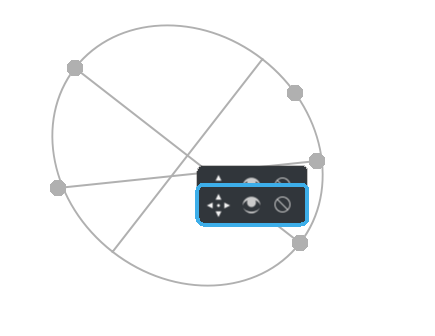
yes, that is it.
Ok thanks, I thought it was something else.
can it be closed, so I can change the shape?
No. It’s inconvenient and annoying and it has been formally reported.
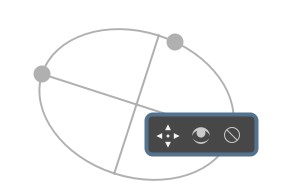
that is my problem.
I made it movable in MR Draft: Various assistant tool improvements (!1451) · Merge requests · Graphics / Krita · GitLab, does it solve the issue? I know it’s not what exactly you asked for, but moving the little widget out of the way should help when adjusting the handles, or other assistants.
See the video here: Imgur: The magic of the Internet
https://i.imgur.com/tH5K81m.mp4
@tiar awesome. Also one more suggestion the delete icon can be the trash can instead of the no entry icon
For the “assistant tool”, I’d like to make some additional feedback (I’m assuming this thread is a comprehensive one, so not creating it separately):
1.Rotation of the ruler
If you manipulate the node to rotate, the ruler changes a lot…
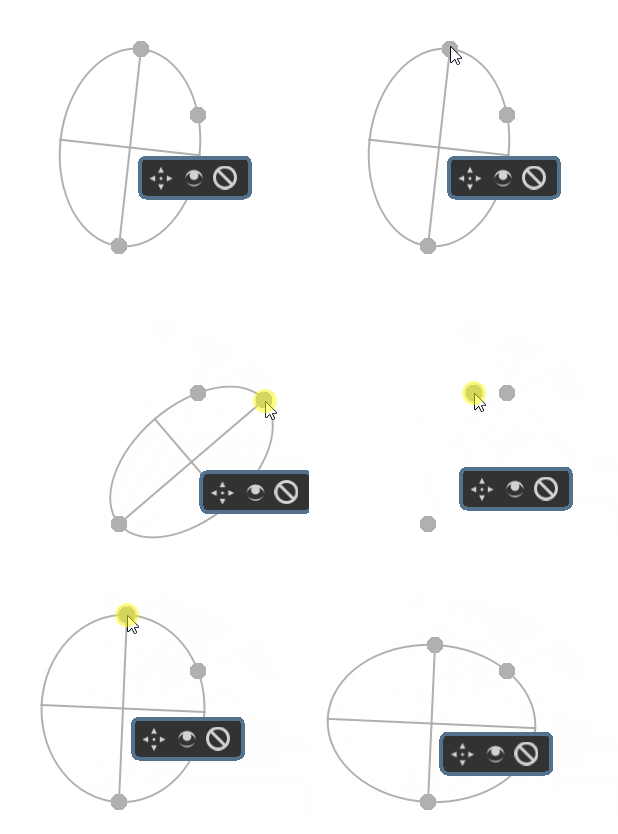
2.Right-click to undo
I sometimes get wrong clicks which cause new rulers to be generated. If it’s an assistant like “2 point perspective”, I’d have to make extra clicks to get it done and then delete it.
3.Color differentiation and line segmentation for perspective-related auxiliary lines
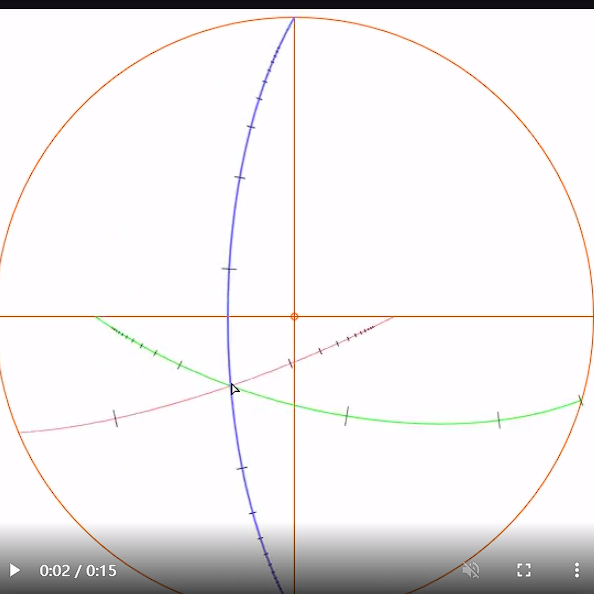
This is the effect in lazynezumi
For the last point, just the colorization is easy, the distance marks are less easy, but what I’m wondering is what are those red and green lines? I don’t think it works like our FishEye assistant, does it? I’m still not sure about the whole math about Fisheye assistant so I’d need more info on how it all works before I could plan to implement it.
Btw I am in the middle of reviewing all changes needed to be made to assistants, going through all the Feature Requests posts here and all bug reports and wish requests on bugzilla etc. When I finish, maybe I will write it all in Phab tasks, or maybe not, but I will probably make a post about various changes I’m going to make (and what other changes I think are doable but might need to wait). Some kind of battle plan  Of course, the worst parts are those mostly invisible to users…
Btw I have a brainstorming thread for a specific issue I have with assistants here: ⚓ T15524 Brainstorming ideas for assistants
I’m talking more about the “2 point perspective” (and the 3 point perspective that will come later). I chose FishEye’s image because it is more visual.
I don’t know FishEye well enough to judge the merits of krita vs. lazynezumi. It does have some unique settings. I read on their website that: Lazy Nezumi Pro - Fisheye Perspective Ruler
Ok, this is cool but waaaay out of scope for now  (I mean I think there are more useful things devs can spend time on, like making standard perspective easier/nicer). I did note all ellipse in quad/perspective features though, if anyone is interested.
For the 2pp, I did note it too, yeah. David Revoy wanted it too.
@Tiar, I hope it’s okay that I file the info for assistants here instead of on Phabircator. I had some difficulties setting up my account there and couldn’t sign in. Feel free to copy and paste this over on Phabricator for your convenience.
Scenario 1:
There are three options I can come up with to simplify using assistants during drawing.
Enable assistants within the brush tool
Option 1: is if you want to easily adjust the assistants, I think you should be able to press a button to activate a mode in which you can edit assistants from any tool (e.g. the brush) so you don’t need to enable the assistant tool. That way, you can draw on a ruler/ curved ruler for smooth lines/ curves, while you can also modify their position. Snapping to an assistant occurs within a threshold radius (which might need to be an option for the tool (e.g. 10 or 50 pixels).
Enable brushes in assistant tool
Option 2: In Sketchbook you can still draw inside the assistant tool. It is less flexible in that you can only have one assistant active. But, that could be fixed if you had a snapping radius.
This one is perhaps the most intuitive, you pick up a ruler, draw a line, put the ruler away and draw unconstrained again, like in real life. It may be difficult to save the presets in this case, then you’d need a docker.
Save assistant to docker
Option 3: To place an assistant, you need to activate the assistants tool. I think you will always need to see the assistant you are working with, except for the perspective assistant. From the canvas widget, you should be able to save an individual assistant to a docker, similar to the layers docker, but then for assistants. From there, you can enable/disable, show/ hide them, as well as enable/ disable their control points/ handles.
This could then be used to have these assistants per comic panel (scenario 3), so you enable/ disable a specific group when you start working on another panel. Also, you won’t have to switch tools to enable/ disable a specific assistant.
In Blender, the option to snap to guides, which are the equivalent of assistants in Krita, is next to the guides dropdown. With this dropdown, you can specify to which types of assistant you snap. Something like that could help switch between perspective assistants and rulers, for instance. Basically to illustrate the point above for an assistant docker.
Assistant visibility
By the way, the assistants can be hard to see by default (so I don’t actually see that I am creating one).
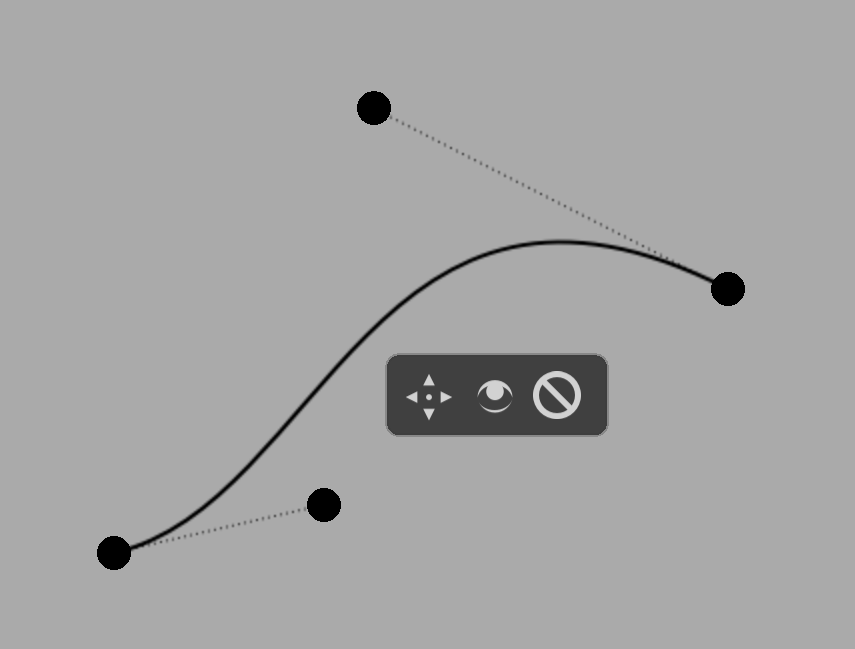
I know I can change the colour, but perhaps they could be drawn with a white interior line like this:
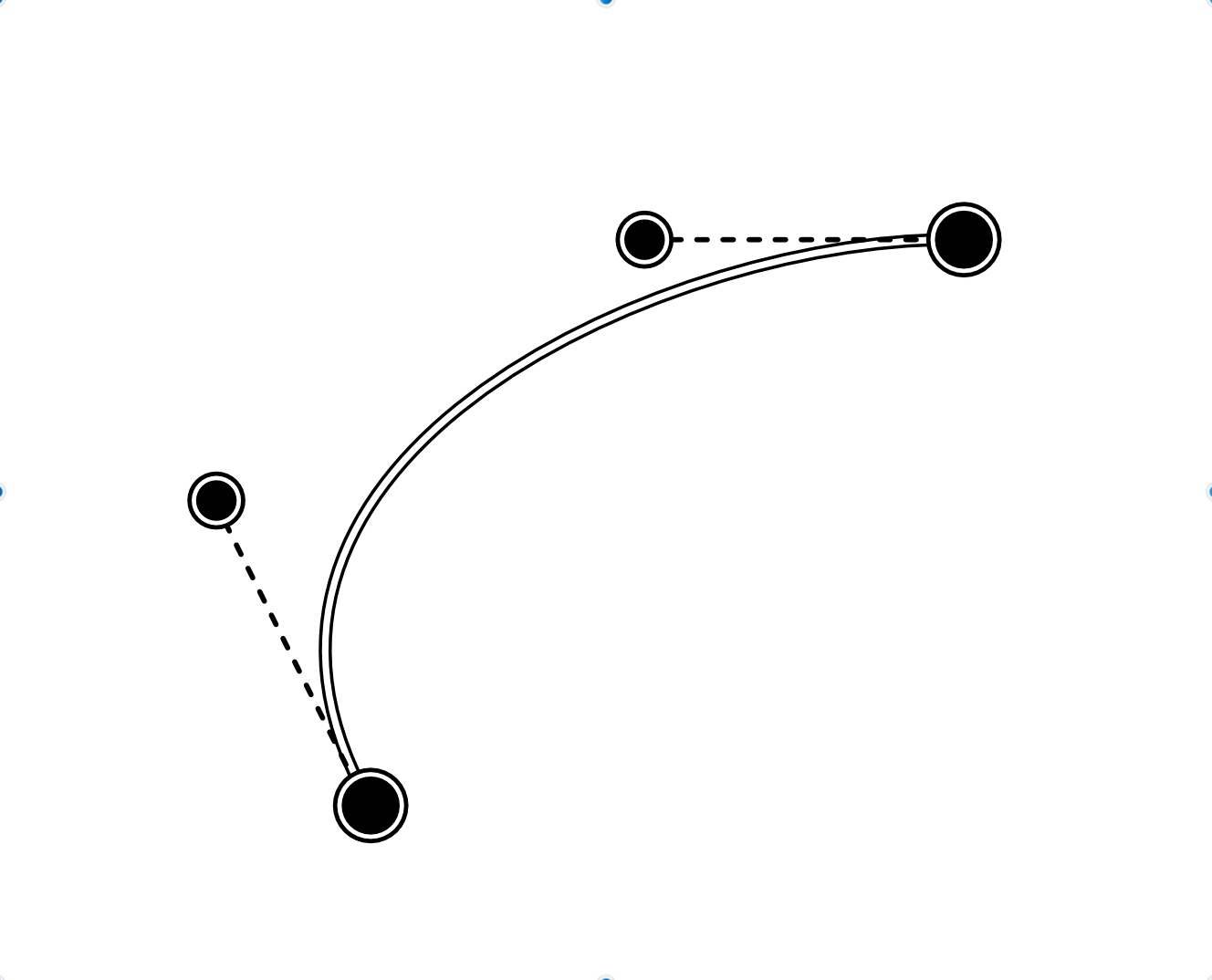
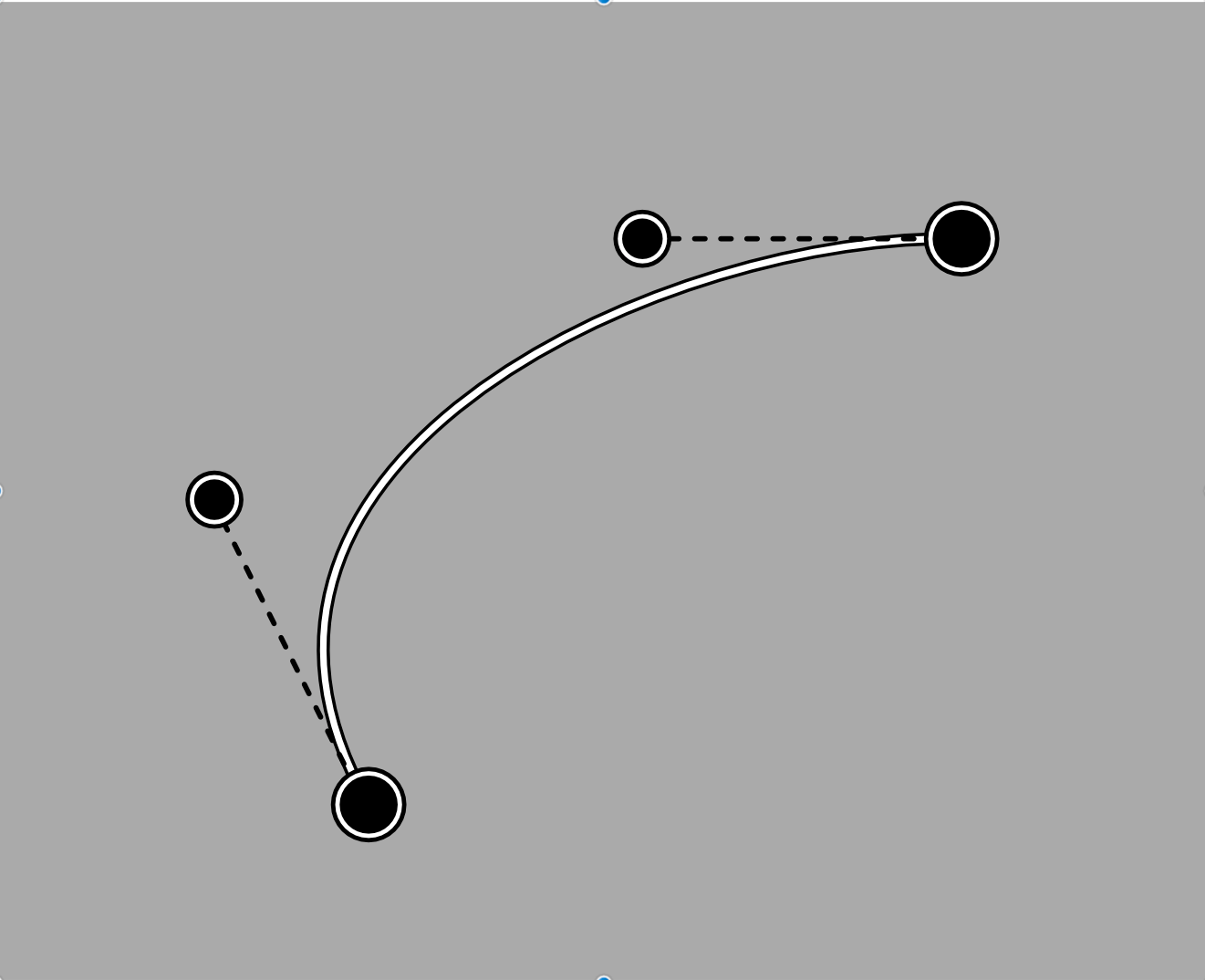
I don’t know if the inner line is such a good idea since currently changing the color of the assistants is more noticeable, maybe make them default to another color than gray.
With the white line, I still think the outer line should be user-changeable.
Maybe like a cursor for people with low vision that always inverts the currently available background color, have the assistant invert the line color? It must not be nice, it must be noticeable, is the principle taken there.
Michelist