In the past few days I have been sorting out other expectations for the “assistant tool”, some of them are optimization suggestions, some are feature requests. And made some predictions about them:
1.Rectangle and ellipse tools are affected by linear perspective ruler.
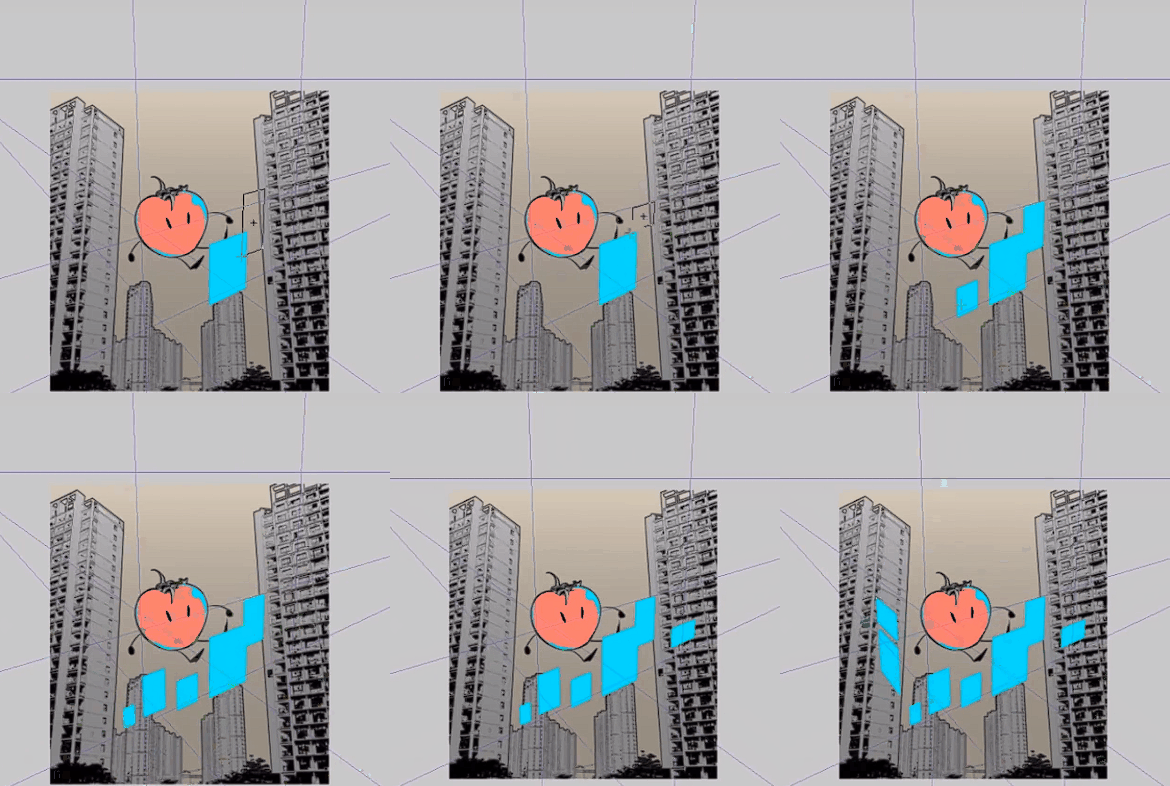
GIF images are from CSP. This simplifies the workflow of “drawing four strokes + filling color” and greatly improves the work efficiency.
But I predict that this is not a simple thing, and it is even possible to rewrite the code on a large scale…
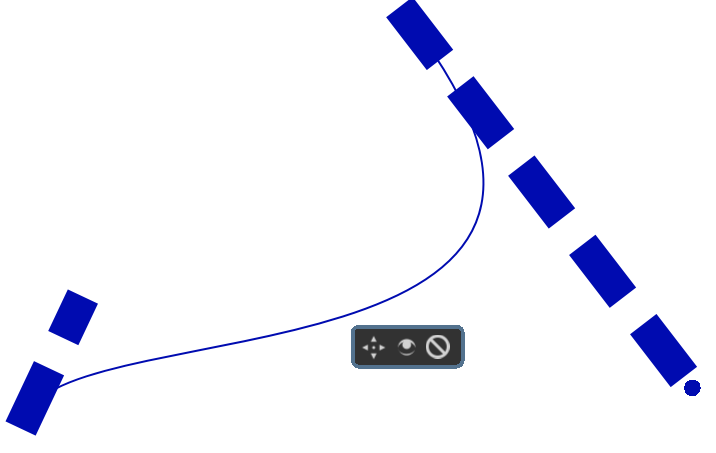
2.Unnatural leap question
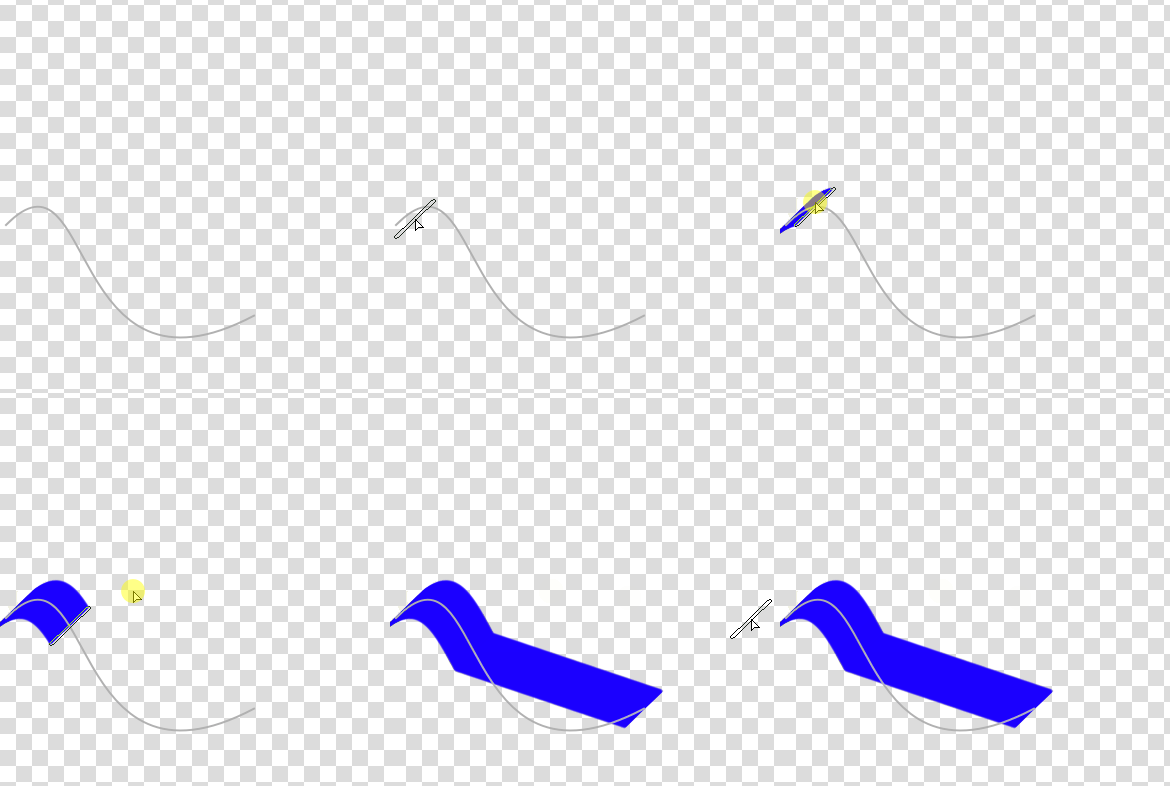
This is not a very urgent request and will not appear in slow painting. But I think it would be better to be optimized.
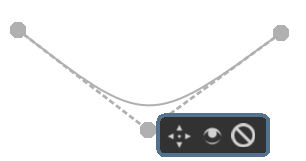
3.”easy mode“ for ”spline“
”Spline “is currently a cubic Bezier curve. In” easy mode ", it becomes a quadratic Bezier curve. It allows users to click less when creating and editing.The difficulty should not be high.
4.Binding of control points of multiple rulers
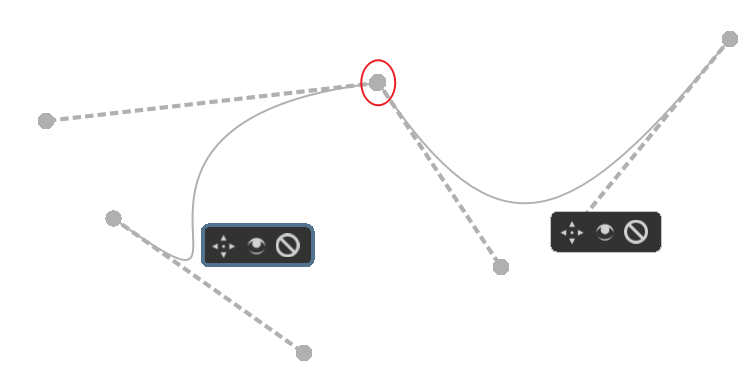
After being bound, you can drag and adjust multiple rulers at a time. This allows us to better edit complex shapes.
It should be a more difficult job. There are also some possible alternatives, such as directly creating a multi segment polyline.
5.After zooming in, the control point of spline ruler is too small
- Isometric perspective ruler
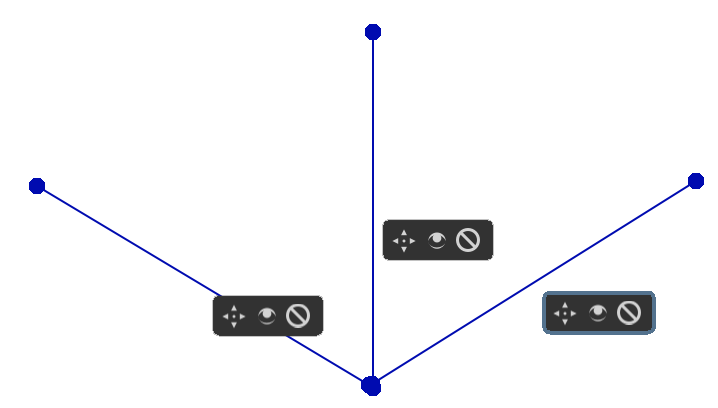
Currently, we need to create three “parallel rulers” to achieve this effect. And the angle on both sides is not easy to control.
So, we need a shortcut method. I think it’s roughly the following shape:
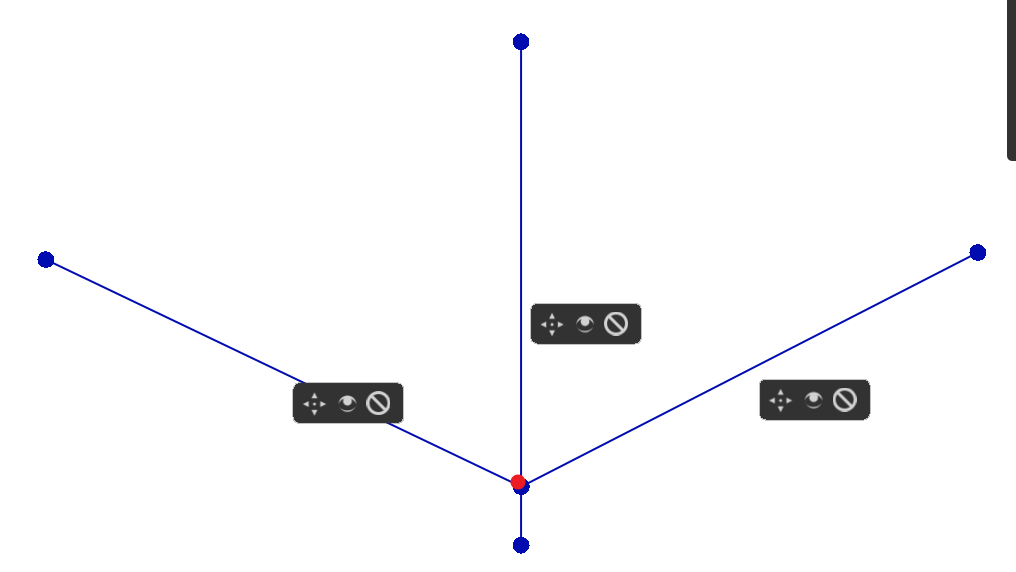
Or do some advanced design: since the vertical angle is basically unchanged, we add a control point on it. This red control point can only be moved on a vertical line, and can manipulate the angle of both sides at the same time.This is more friendly to Android users.
7.radial lines ruler
Referring to lazynezumi, based on the “vanshing point”, remove the perspective-related controller and add a control point for adjusting the radian.
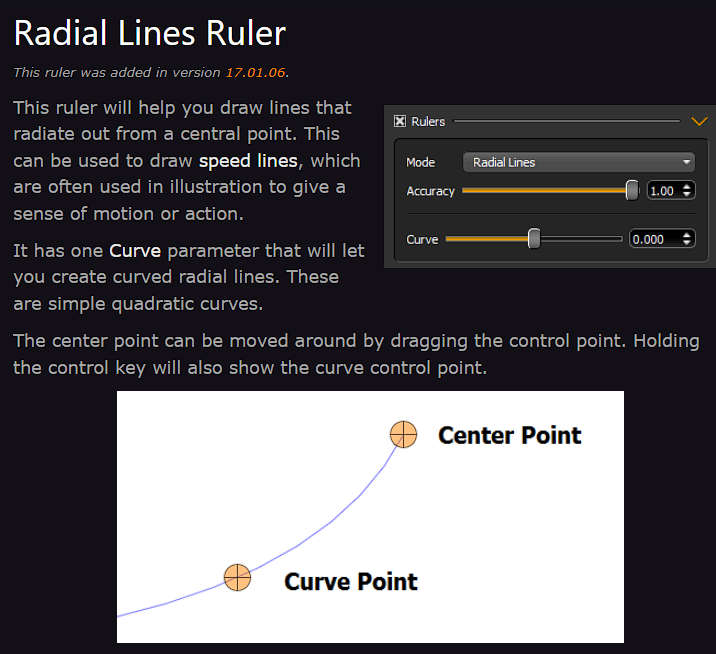
From the name, it is also more recognizable to newbies.
I also think it’s possible to add more control points to manipulate the arc.
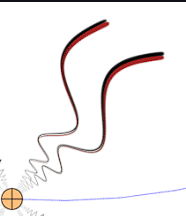
(The picture is of lazynezumi’s script, I think adding control points to achieve a similar effect is feasible)
It can be used with multibrush to create patterns. The multibrush is more regular in angle and the radial lines ruler is more regular in shape.