Type of device* : android tablet
Brand and version of the device: Wacom Movink pad pro 14 with Artpen 2
System** : android 15 / krita 5.3.2
* graphics tablet/display tablet/2-in-1 laptop/Android tablet
** Windows/Linux/Mac/Android, + version (you’ll find it in Help -> Show system information for bug reports)
Description of the issue (you can include screenshots) :
Sorry for my bad English because it is not my mother tongue.
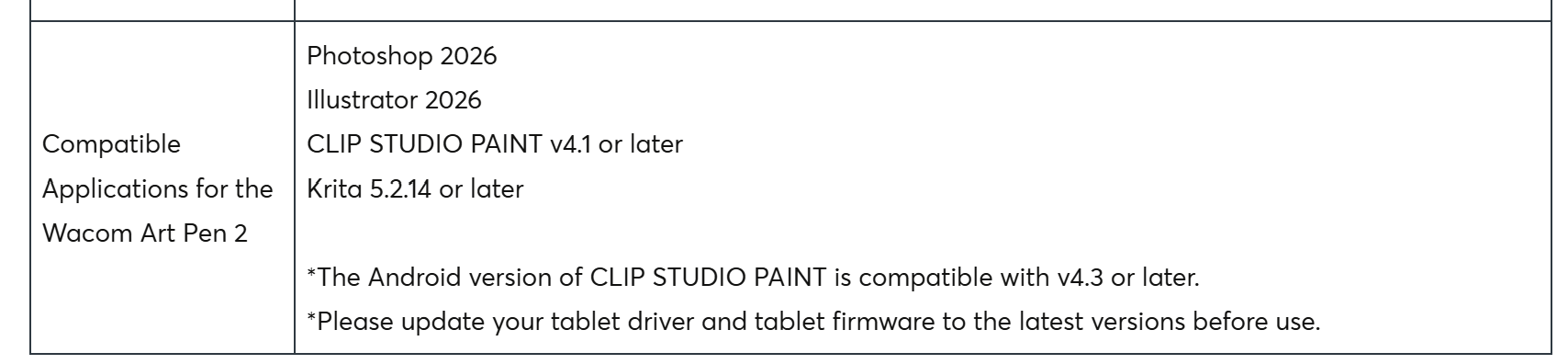
Few days ago, I bought Artpen 2 to use with my Android tablet. Wacom says it has feature of barrel rotation, as the previous version of Artpen, and it is compatible with my movink pad pro 14.
Wacom Art Pen 2 (ACP70000DZ) Information and FAQs – Wacom
In this page, I saw this information and checked that function works in Clipstudio paint. but I don’t know how to get the barrel rotation possible in the Krita
Using barrel rotation with your brush | Drawing tablets
I tried setting the brush editor option based on the instructions in the posts on that page, but It seems totally works like tilt direction option in same section. I downloaded nightly version of Krita and attempted at the same way, and I got the same result.
Is it possible to work the barrel rotation on Android?
 Hello @kwh0209, and welcome to the forum!
If you have bad luck, then Android doesn’t support it, but Krita clearly does support it on the desktop operating systems. Therefore, I can imagine that for you, Android may be the culprit, and you can only use it when you couple your Movink via cable or wireless and Wacom’s coupling software to a Mac or Windows PC. Furthermore, I believe Wacom offers no solution to couple it to a Linux PC, but here I may be wrong, but I couldn’t find information on that.
And working barrel rotation under Linux depends on the chosen distribution, because not all seem to support it. I know from SUSE Linux that it supports it because recently a user proudly stated this.
But because Wacom obviously claims it has barrel rotation using Krita, I would definitely ask Wacom’s support on the matter, because when they claim their Movink Pad together with that pen offers barrel rotation, then they have the obligation to clearly tell about possible exclusions for my understanding. At least in Germany (and presumably throughout Europe), they could be held liable for providing insufficient or misleading information.
Perhaps our Android developer, @Drawpile, can tell us more about Krita and barrel rotation in Krita’s Android version.
Michelist
Krita does read the barrel rotation input, but it may be that the stylus doesn’t transmit its rotation the normal way and instead uses some other axis. This kind of thing happens a lot with Android hardware.
I can try to fix it, but it will have to be through Drawpile, it uses the same input code. I can make new builds of that in about an hour, whereas for Krita it takes several days. Please try the following:
Install the alpha version of Drawpile, which is available at https://github.com/drawpile/Drawpile/releases/tag/continuous. Scroll down to the “Assets” and grab the “Android APK 64 Bit”. You may have to turn on some stuff in your Android settings to let you install the APK directly.
Once installed, start Drawpile, go into Help → Tablet Tester and then use your stylus on the test grid. It will show some text on the right what the program is seeing, including the barrel rotation as R=(something)°. Does that number change if you do a barrel rotation or does it always stay at 0°? Or if it’s neither, is it maybe related to the direction you tilt the pen in?
If you’re able to get that working, I can make a test build to read other properties to maybe find where the barrel rotation is coming from.
Thank you for your developing! I tried it with your app few minutes ago.
Neither the R=number is 0, nor change when I spin my pen. The only thing that changed the number was tilting the pen in a different direction.
Alright, thanks! I’ll implement the reading of other stylus properties when I get time, I’ll let you know when I got something to test.
I’ll be waiting for that. thank you!
I’ve implemented a debug view for the raw Android stylus properties now in the Drawpile alpha now. Same link as before, it gets updated in place: https://github.com/drawpile/Drawpile/releases/tag/continuous
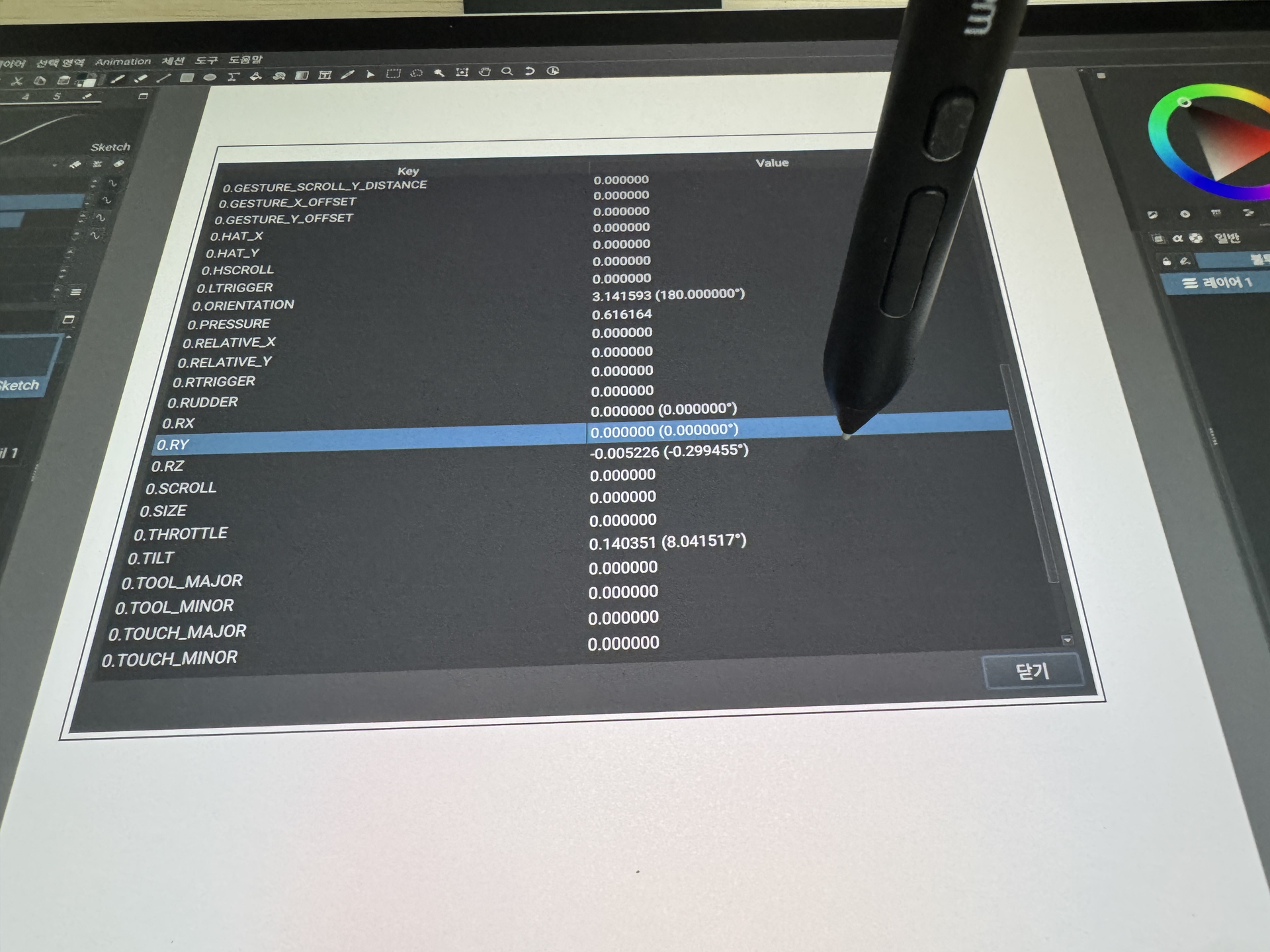
Install that, then go into Tools → Developer Tools → Debug Input Events. This gives you a table that just dumps all the information from Android. It doesn’t need a special area for its inputs, if you need a blank space to put your stylus down, just use the empty space left of the Close button at the bottom.
Are you able to find any value that looks like it represents barrel rotation? You may have to scroll the table down to see more values. The most likely candidates I’d suspect are 0.RX, 0.RY or 0.RZ ones or maybe one of the GENERIC_* ones.
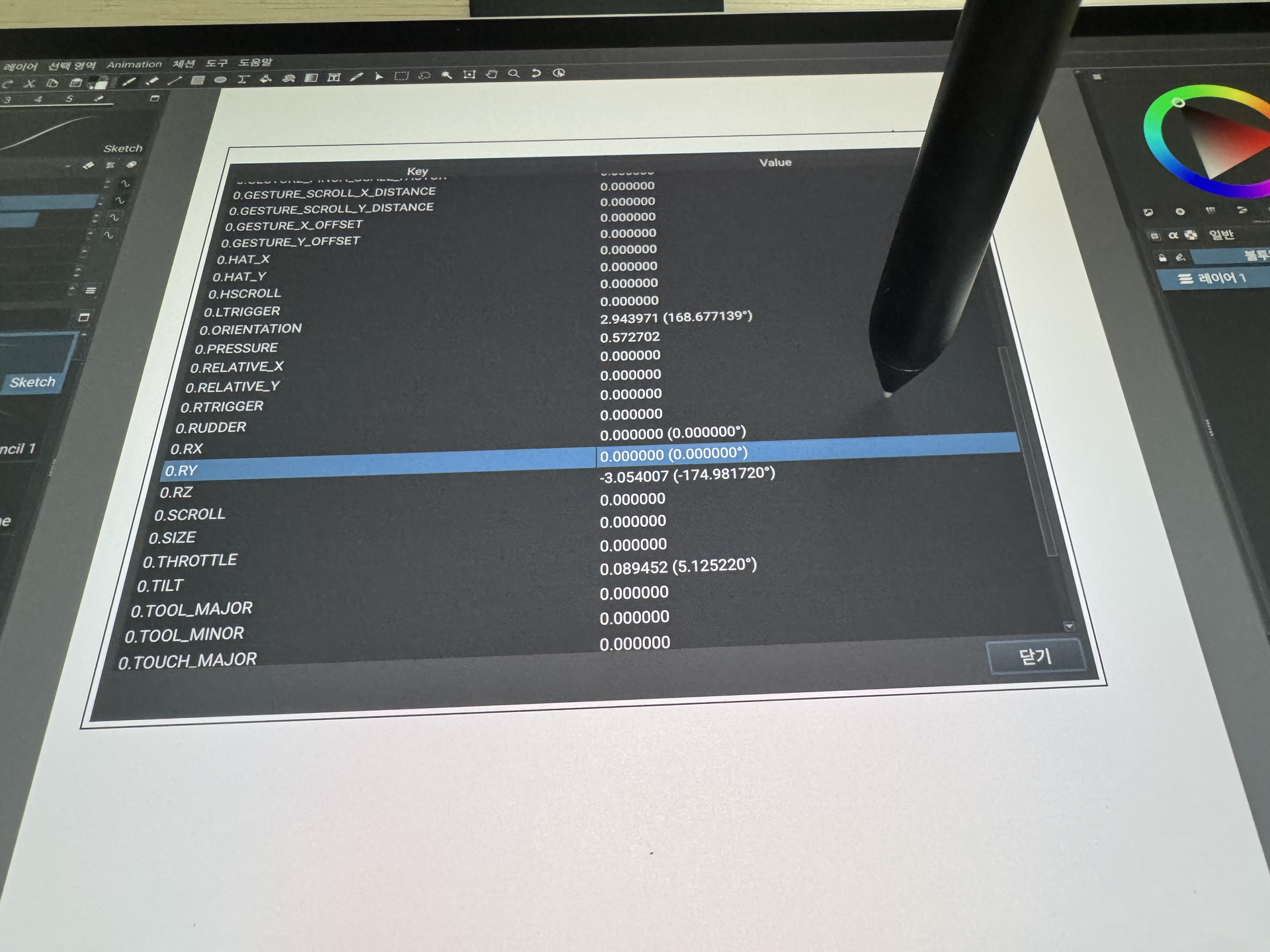
I found that the barrel rotation is related with 0.RZ
When the pen button is at the 6 o’clock position , it pointed to 0 degrees.
the degree has increased when I spin my pen in clockwise.
and when the barrel button passing the 12 o’clock position in clockwise, the 180˚ changed into -180˚
I’m attaching a photo to help you understand.
Okay, thanks! Looks like that’s the correct value then, just upside-down from what’s normal. At least that’s how I’m interpreting the Qt framework’s documentation on it, it says 0° is supposed to point toward the top, which I would assume means the buttons are directed there.
I’ve made a build of Drawpile that does this now, same link again https://github.com/drawpile/Drawpile/releases/tag/continuous
Help → Tablet Tester should show the barrel rotation now anyway. If that works, I can start the process of including it into Krita.
Otherwise, you could also test it with a brush in Drawpile, but none of the included brushes uses that input. I guess you can try to edit the standard “Knife” brush by changing its “Elliptical dab: angle” setting to remove the “Direction” input and instead use the “Barrel rotation” input.
yes the R=(number)° is changing when I do a barrel rotation with the new build
and when I tried to edit using this method and spin my pen, the brush shape appeared with two position of angle when I set the following value:
output range(x) : 0<x<90 or 90<x<180
input minimum : -180
input maximum : 180
Alright, sounds like that works as expected then. I’ve opened a request to include it into Krita at https://invent.kde.org/szaman/qtbase/-/merge_requests/19. It probably won’t be in the next release, since that’s already in the process of being built, but I’d suspect the one afterwards will have it. As will the nightly releases after it has been merged.
Thank you very much. I’ll be waiting for it.