Hi Everyone!
I hope you enjoy this, it’s not perfect but it’s honest work, feel free to tell me how to improve, byeee!
Hi Everyone!
I hope you enjoy this, it’s not perfect but it’s honest work, feel free to tell me how to improve, byeee!
Thank you, @HibaKhiri.
Nice job! 
I like to draw comic/manga art, so I often found myself wanting a quick method of drawing chains (because you can’t draw Spawn without having chains flying all over the place, right, lol). I ran into two major issues though. Firstly, I couldn’t overlap the links correctly, because one side would always be on top of the other. Secondly, each link would always extend from the center point of the brush tip, meaning only tips that were circular in nature, worked well. If you running into these issues, too, here’s my solutions:
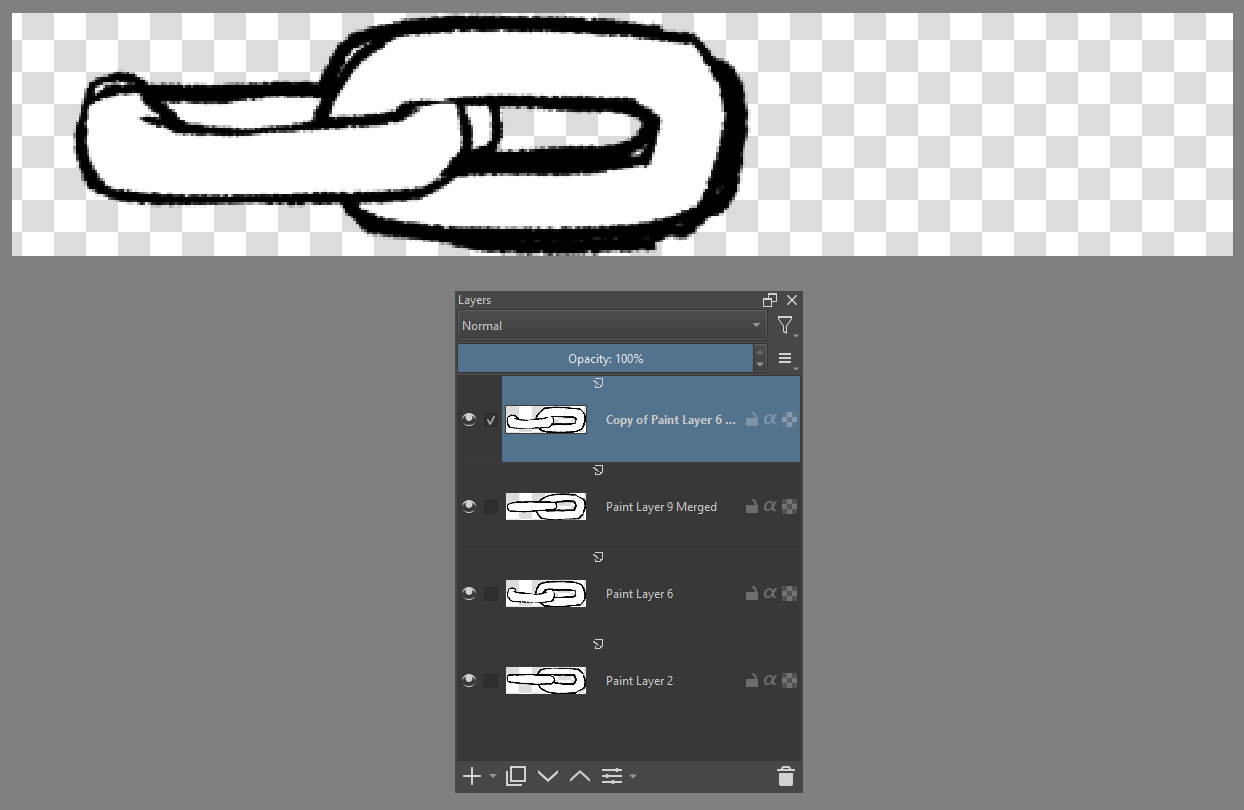
The overlapping can’t really be helped as there has to be a hierarchy. So the last link will always end up on top. My solution, combine two links, so I can bake in a false overlap, and have the “higher” link be the trailing end of the brush tip (see image below). This means, when the link stamp is created, we’ll have two link drawn with one correctly being under the other, and when the second stamp is dropped, the overlapping will look correct, because the trailing end will be over the opened link.
You’ll also notice there, I have the links offset to the left. I discovered, by increasing the width of the brush tip beyond what was needed, I could offset the pivot position for the tip (so now my “center” for the brush tip is over the right end of the chain). This affords the freedom to connect the links together at the proper location. Of course, you’ll still need to adjust with the Spacing feature, to get the end over that center point.
Finally, by utilizing the animated brush tip feature, I could add variety to the links, making them seem more organically drawn.
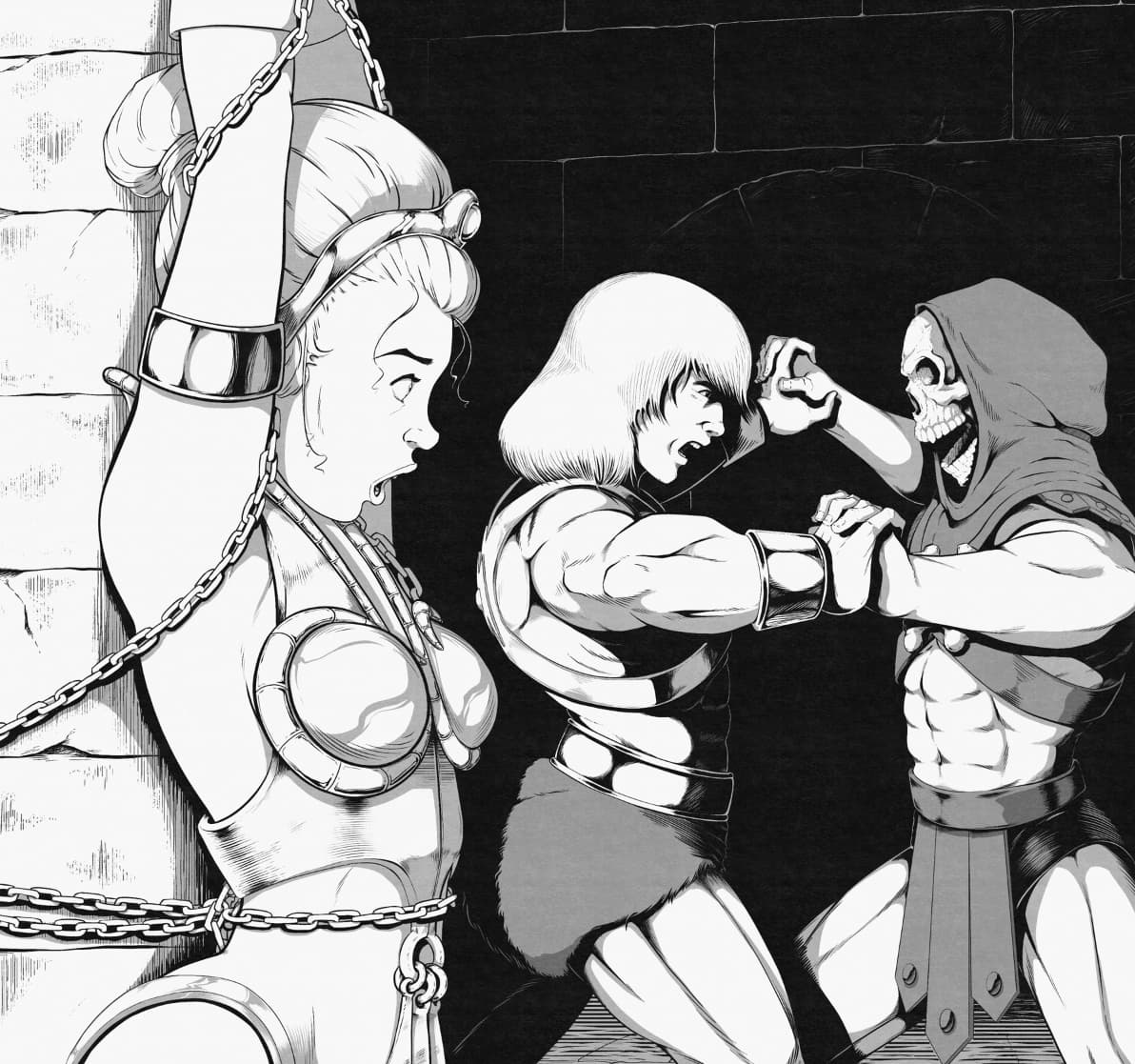
Here, you can see the preset used in a He-Man commission I did.
This is so helpful! Thank you so much 
thank uuuuuuuuu