In fact, I do need a software similar to PureRef to display kra files, but none of them support it, which is very frustrating (only supports jpg png and so on).
Why would you want the software to display the heavy and resource hungry kra files?
I don’t think it’s a good idea.
Because one is too comfortable to convert the file? I just need to look in the mirror.
Because it is convenient? It saves the time of converting it and the space of the converted file as well, furthermore it doesn’t need to be managed (as another file).
Because the person has a very powerful PC? It’s just a guess, but I would do it exactly because of that.
So there could be found enough reasons, probably even more than the few that just came to my mind… 
Michelist
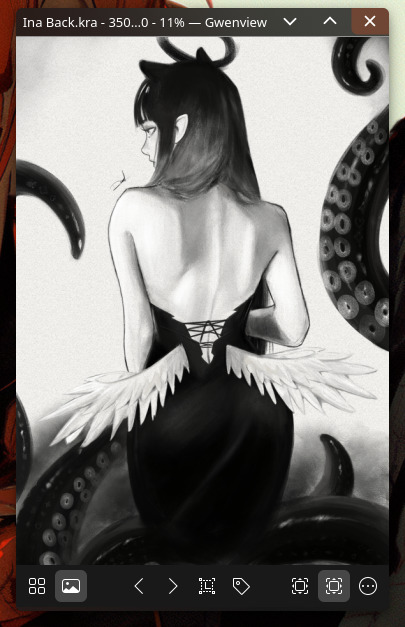
Heavy and hungry for resources? I really don’t think .kra files are heavy, I can open them without complications to review them in KDE, I think being able to do this is good, for example if you have more than one version of the same drawing that has changes in each version.
2 Likes
All it needs to do is unzip the .kra file then display the preview.png image.
1 Like
I have the linux version but cannot find an executable file. What is the executable file called?
I believe that it is the file “BeeRef-0.2.0-linux” you have downloaded, so you have to give this file executable permissions, similar to an AppImage. I believe this because its file-header is “ELF”, that is an abbreviation for “Executable and Linkable Format”, a very versatile file-format that can hold many different data-types.
Have you right-clicked the file, then chosen “Preferences” and then, in the next dialog, given it the permission to be executed?
If you want to call it directly out of Krita, you need to put the file “beeref.desktop” in Krita’s resource-folder into the subfolder “pykrita”, I suspect you’ll find it then in Krita’s toolbar-settings and can put it in one of Krita’s toolbars, if I understood the description correctly.
The file “beeref.desktop” has to be downloaded from the same page you got BeeRef from, if you downloaded it from Github, so:
Michelist
1 Like
I have a BeeRef-01.1 but it is a shared library file and already has permission but doesn’t do anything.
Is there a reason to use the older version? Not seldom, new versions are released to fix bugs and add new features, and for me, it sounds that you haven’t used BeeRef so far?
It could be worth a try. Or do you have files created with the earlier version that you need to open?
Because, there I would have to search for further information, like I did for 0.2.0, if you want me to? Maybe I’ll find a clue?
Michelist
I didn’t realize there was another version available. Anyway I have decided not to use it. Thank you anyway.
It’s okay, you’re welcome.
Michelist
Version 0.3.0 is now out. It adds cropping, editable keyboard shorcuts, a list of recently opened files, plus a couple of smaller improvements.
12 Likes
Thank you, @Rebecca.
1 Like
Unfortunately it doesn’t work for me
INFO main: Starting BeeRef version 0.3.0
INFO main: Using settings: /home/dannel/.config/BeeRef/BeeRef.ini
INFO main: Logging to: /home/dannel/.config/BeeRef/BeeRef.log
Segmentation fault
Could you try this one instead (unpack the zip, you’ll find the usual executable inside):
https://github.com/rbreu/beeref/suites/18454480477/artifacts/1070154432
(I’m assuming this is on Linux)
1 Like

Whoa, I’ve been using BeeRef since I started using Krita and somehow I didn’t realize you were the author! Thank you! 
It’s a great and minimalistic app, very intuitive and simple to use, fast, and stores the images internally. Exactly what’s needed. I used it for every “bigger” painting/drawing I did, whenever I needed to consistently look at more than one reference.
3 Likes
For me, it is working, so you can try it from my cloud:
Michelist
2 Likes
Thank you so much! Now it works, BeeRef opens without problems.
1 Like
Good to know! This version was built on ubuntu 22 instead of 20. I guess I’ll add both versions to the release.
3 Likes