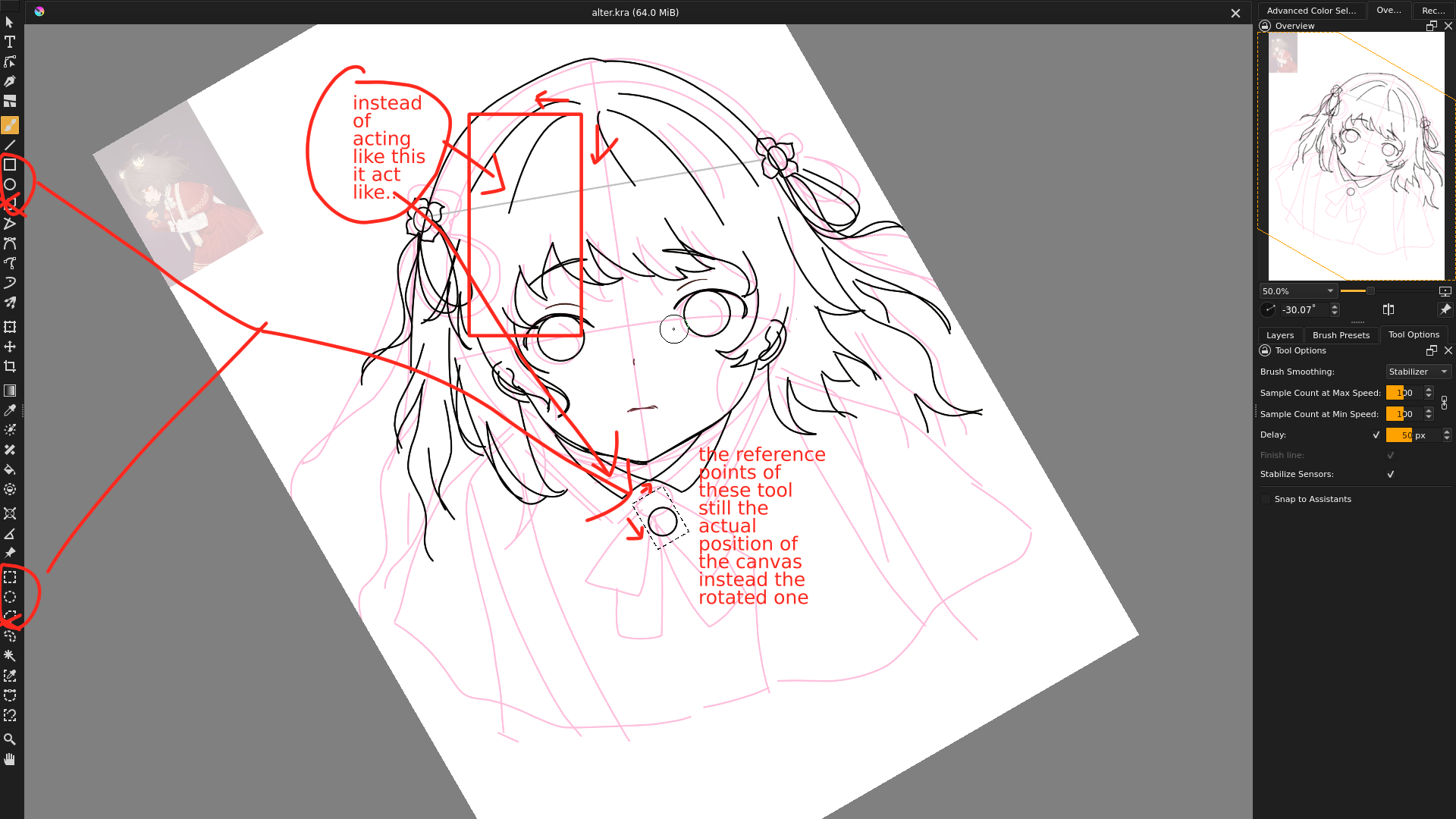
The example above is me trying to select something. Yet instead of following my cursor movement of making ⌷, my the selection move diagonally and ended become ⃟ . This behaviour is very disorienting.
When you rotate the canvas in that way, you’re rotating the composited view of the document.
The tools such as rectangular selection and rectangle drawing tool will still create ‘non-rotated’ rectangles on the actual document/layers and so you see rotated rectangles on the on-screen canvas view.
The Overview docker shows the non-rotated canvas.
The only way around that would be to do Image → Rotate which would be inconvenient and would also add distortion/smearing to the content every time you did it.