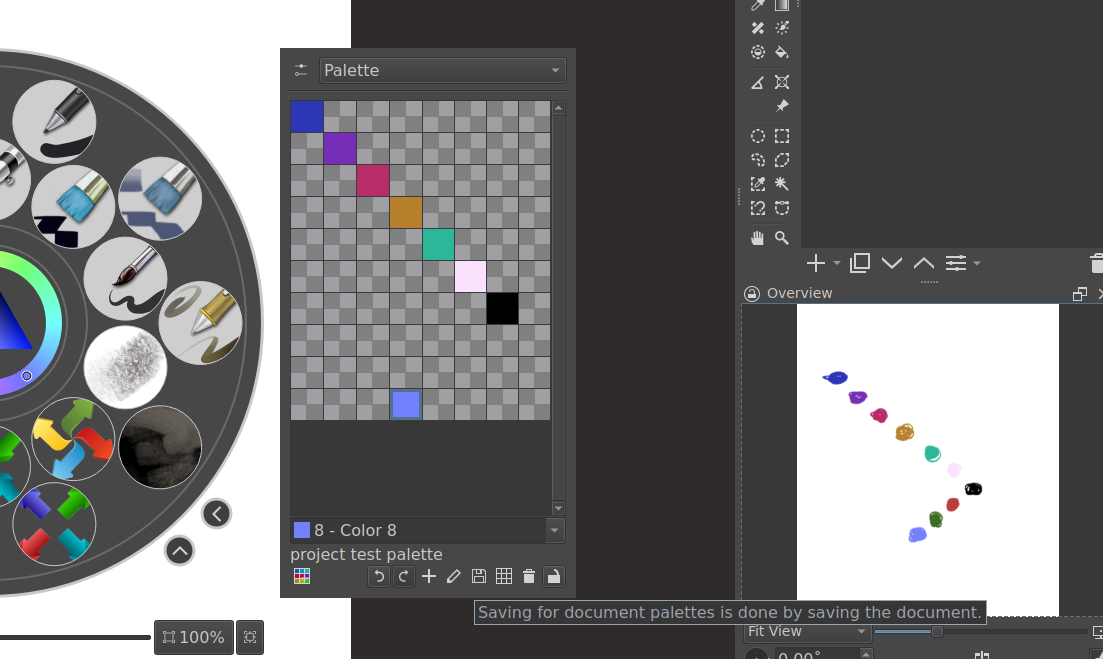
Hi, I’m one of those artists that constantly uses different palettes and brushes for her work and then forgets which ones she used on a particular piece.
So it would be great to have something like a brush history (ideally one that saves to the kra file) so I don’t need to guess which of my hundrets of installed brushes I used on one file. same goes for colours but that would be just a nice to have.
I’d also be happy to have a brush history as a plug in, so I could screenshot it and paste it into the file if needed. this would be a really great QoL feature for people that switch between projects a lot and are also as forgetful ^^’
In case you are not aware:
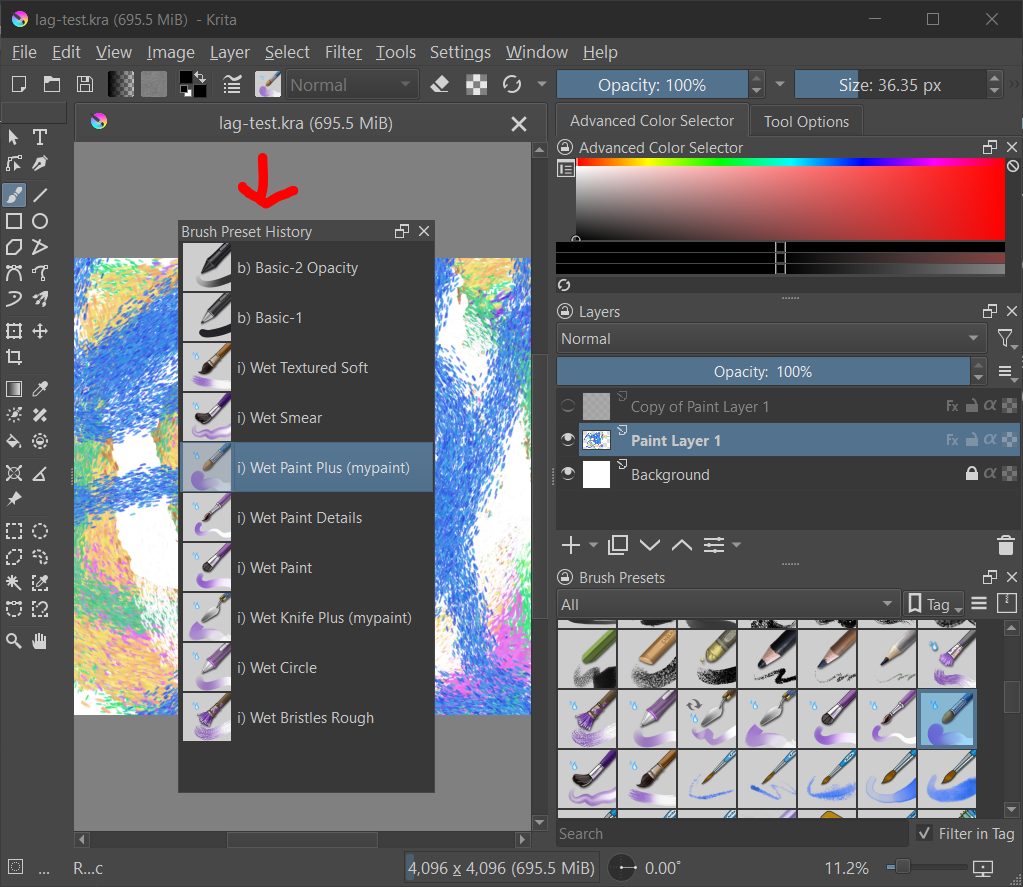
In Setting → Show Dockers - there is a Brush Preset History docker.
But that one is global and not individually saved per file. But at least you could clear it before a new session and then screenshot it at the end of the painting session.
I have voted, because I would also like it to be saved with the individual file.
“Save adjusted settings to KRA file.” Something I’d really appreciate personally is having any of the ruler/grid settings save to the kra file. Ideally the brushes and other settings that have been adjusted would be really nice too.
Not that anyone here is complaining about not having looked for or wanted the following. I know that, and this post is only intended to provide a way of bridging the waiting time for the feature request expressed here, because it only covers most of it and not all of it.
And since this is a plugin, it will not be available for those using Android, and therefore it fulfills not the request as it is made here.
See it as a workaround for the waiting time until your request is accepted and implemented, if it is implemented. Also, only PC and Mac users can use Buli Notes, Android users are unfortunately excluded. Therefore, implementing the feature request would be the preferred option, as it would allow all users to enjoy the feature.
Buli Notes allows storing the brush presets and any kind of note, be it via the editor or handwritten. And in principle you can also store any used color, so the palette you used, via this plugin, you just have to put down one dab with the currently selected color on the handwriting notes area to build up your palette used so far, or you simply note the name of the used palette so you can call it the next time you open a picture.
These Buli Notes are saved into the KRA, so into your files, and you have them everywhere at hand where you use your files (if it is not an Android device (by the way, I’m not sure about the situation on ChromeOS, and if you can install plugins to it, so it may be that you are unable to use your Buli Notes there)).
Here you can see and read a little bit about its capabilities:
The full information about the plugin is found in the Buli Notes topic.
Michelist
I’m currently working on a project that takes multiple weeks to complete, and I found that I can just screenshot the palette from a session with SHIFT+WINDOWS+S (then use your mouse to select just the palette on your screen) and just paste it next to the part I’m working on using the References function.
You can do this in less than a minute. It unfortunately doesn’t save the brush presets, but I save those under a specially made tag anyway.
Hope it helps bridge the time until they add the ‘save palette to kra file’ function!
There seems to be a somewhat ability for your palette to be saved to a particular .kra file now. I did this on my last project, but after the initial setup/ save I was not able to add a color and it save. I am not sure if I was forgetting to save in the palette docker or if there is more work needed done. I do know the original colors were there every time. You just had to open the palette by the name you gave it at the beginning, through the dockers list. Unfortunately, the brushes seem to be a different story. Maybe with these new plugins that allow you to make preset groups they can figure out how to add a save process to the .kra file
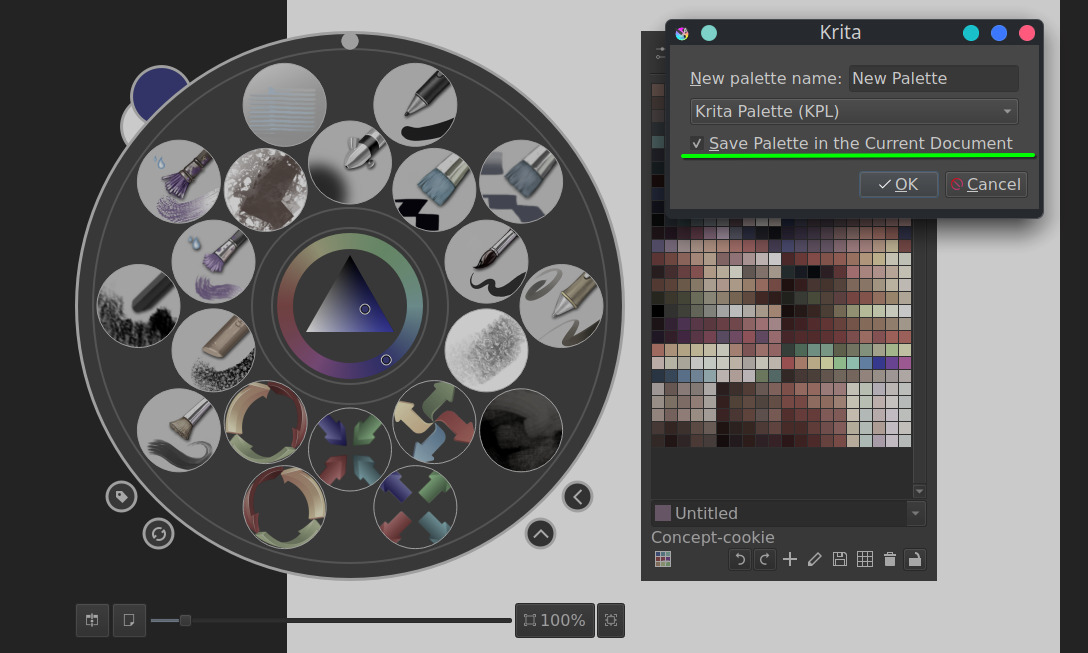
So I added colors, saved file, restarted Krita and brought up file. I was able to have the original set of colors appear in the palette after selecting from list. When I added colors, I pressed the save button, which says “the palette is saved when saving the document”. Reopen again and the colors I added are gone. I even tried “save as” and overwrite the saved file, but no luck with the added colors