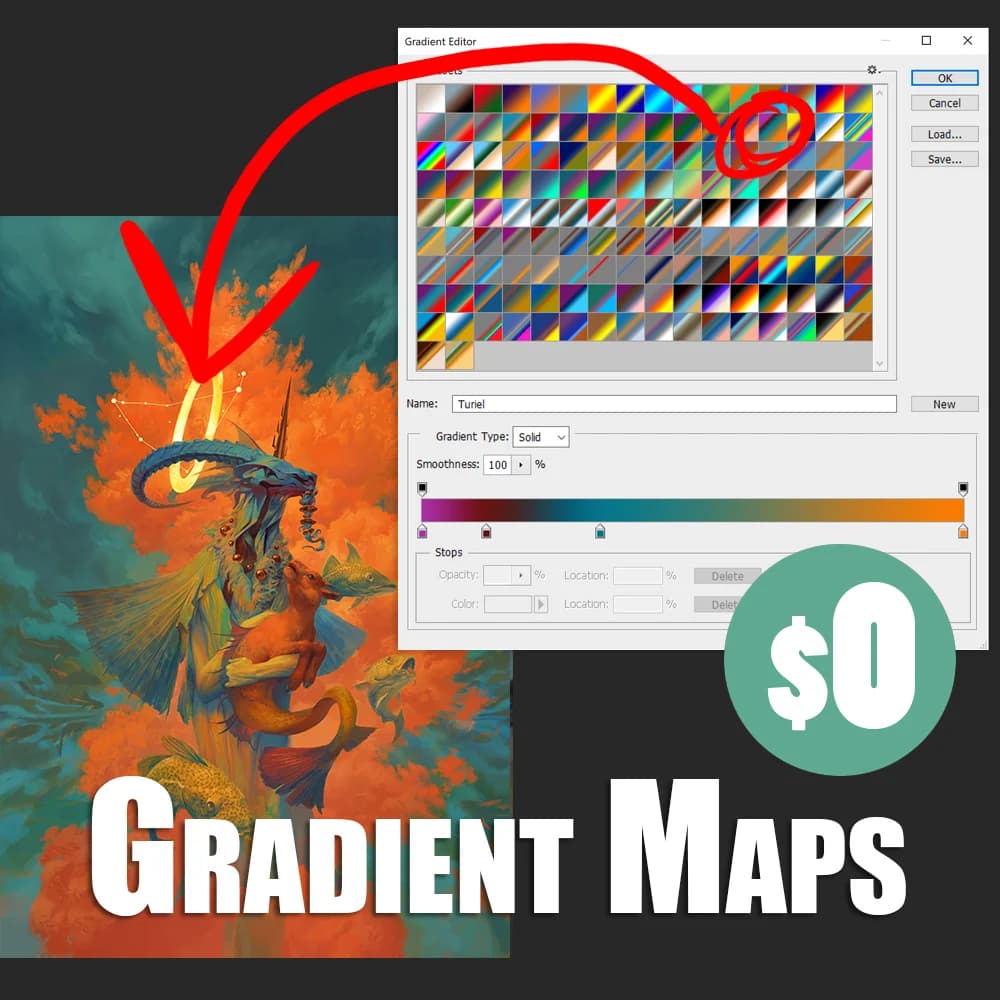
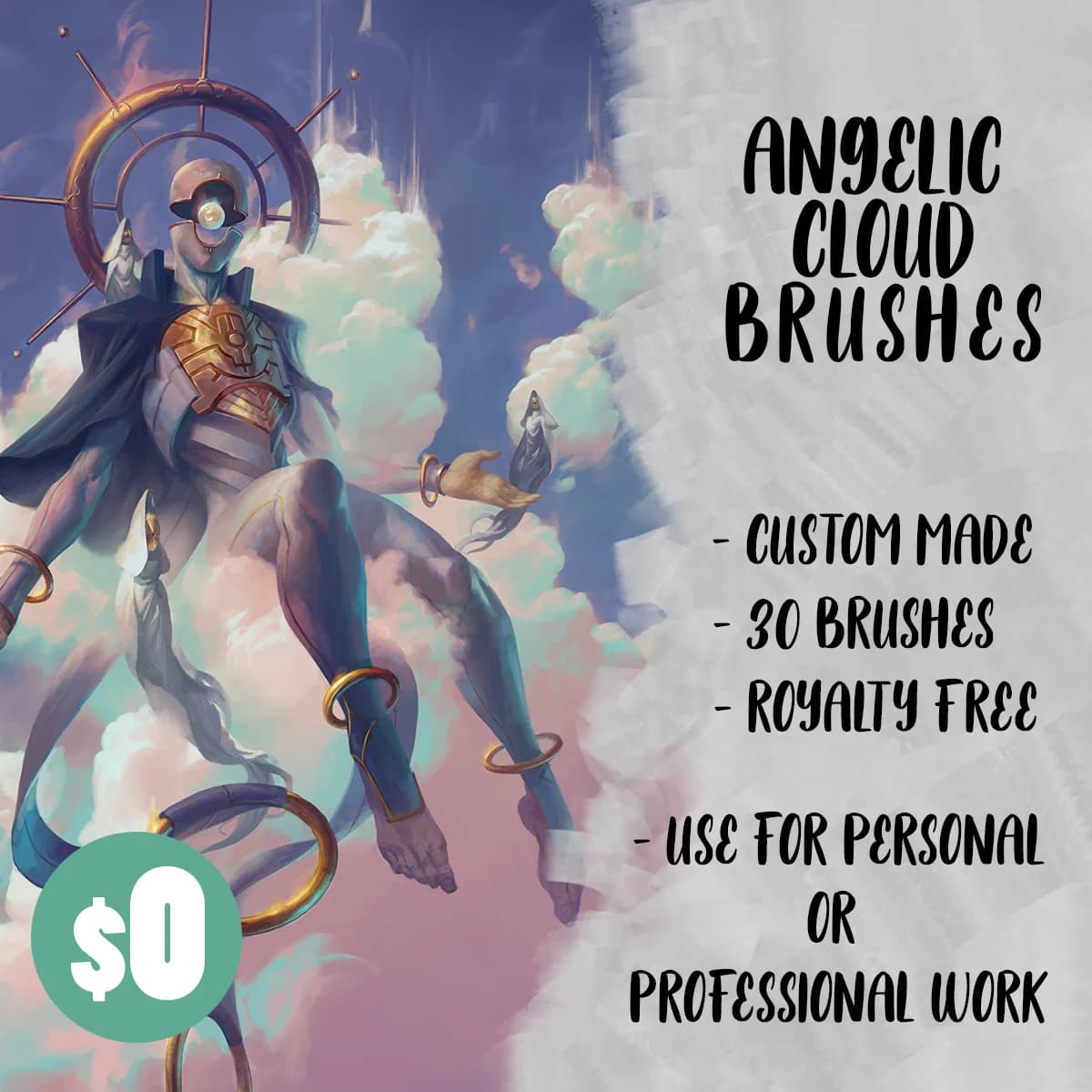
hello everyone! I have a recommendation for you regarding packs, the brushes and gradients from Angelarium that he use for his illustrations, here I’ll provide the links.
I’m very sure, to solve your issue, you simply need to restart Krita two times, and then also you should be able to see and use the brush tips these bundles contain, which are 1 brush tip for the Angel Clouds.bundle, and 10 brush tips for the Size Flow Brushes.bundle.
Additional BRUSH TIPS bundles accompanying the above bundles
For all of you interested in more brush tips accompanying these bundles, I extracted the brush tips from the ABR and SUT brushes that are offered together with the Krita bundles and created two bundles with brush tips.
The first is Peter Mohrbacher - Size Flow Brushes - additional Brush Tips from ABR.bundle and contains 5 brush tips not in the Size Flow Brushes bundle from Peter which comes with 10 brush tips originally:
The second Peter Mohrbacher - Angel Clouds additional Brush Tips from SUT and ABR.bundle contains about ~ 70 brush tips, additionally to the single brush tip in the Angel Clouds bundle:
Both bundles are under the same license used by Peter for the original bundles, CC BY-SA. If you want to download the license in HTML or PDF format, cleaned from the headers and footers of the website, so the pure license, you can get them from my cloud:
If you want to donate to Peter, you can use the links to GumRoad in the opening post.
In the case that these bundles do not work as expected, please do restart Krita two times. If the brush tips don’t show up after the restarts, you can report it to me in this topic, but please don’t bother Peter with something that must be my mistake - although both bundles work for me on different Krita 5.2.x and 5.3.x versions.
A bundle is installed in Krita via the menu Settings → Manage Resource Libraries... and in the opening dialog you have to click the button + Import in the next dialog browse to the downloaded bundle, select it and confirm the selection. Now Krita imports that bundle, and you can use its content, so the brushes in case of this bundle.
In case this BUNDLE comes in an archive-file, like ZIP or RAR for instance, then you have to unpack the archive to get the BUNDLE-File it contains, then you can proceed as described above.
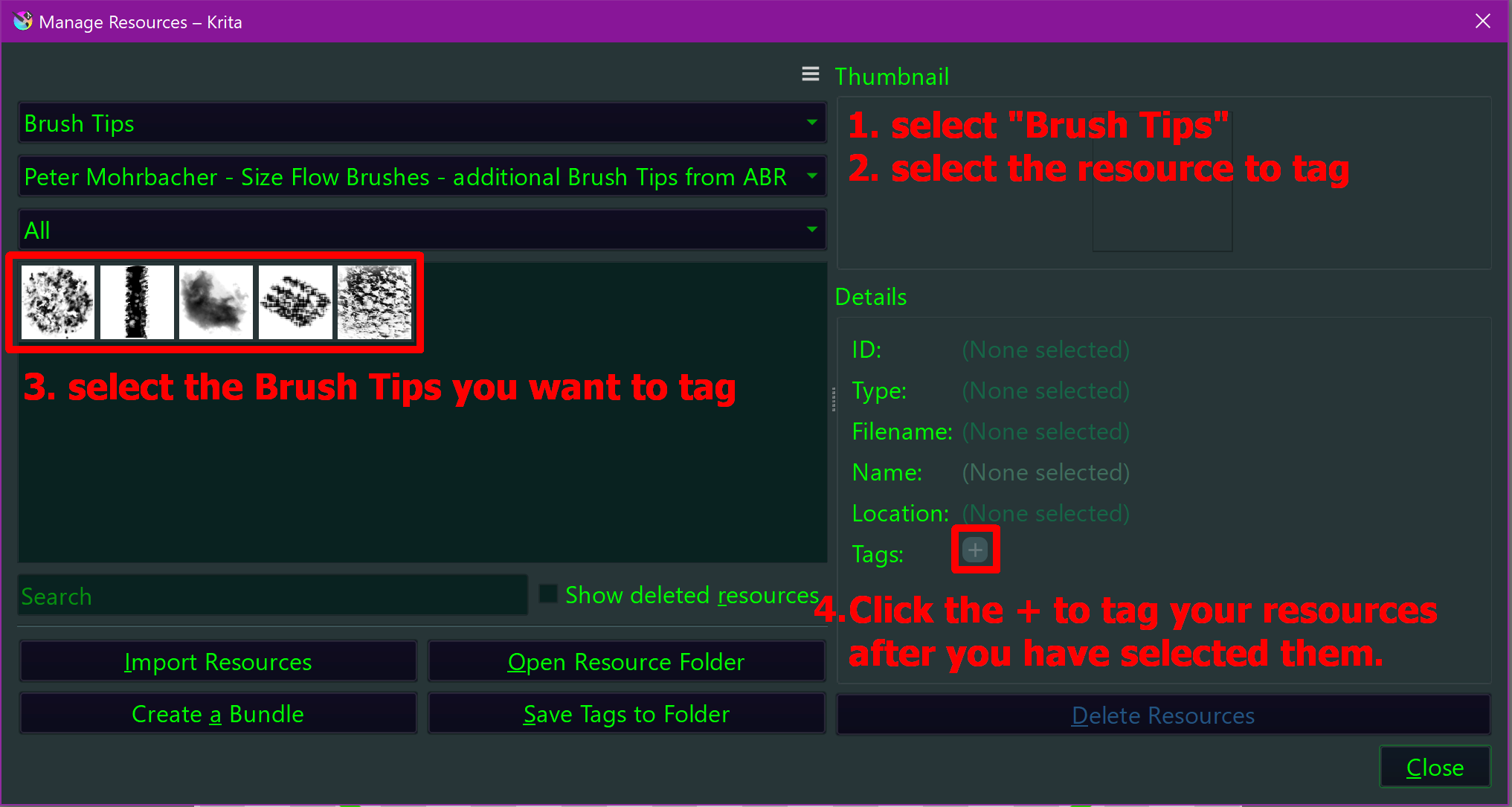
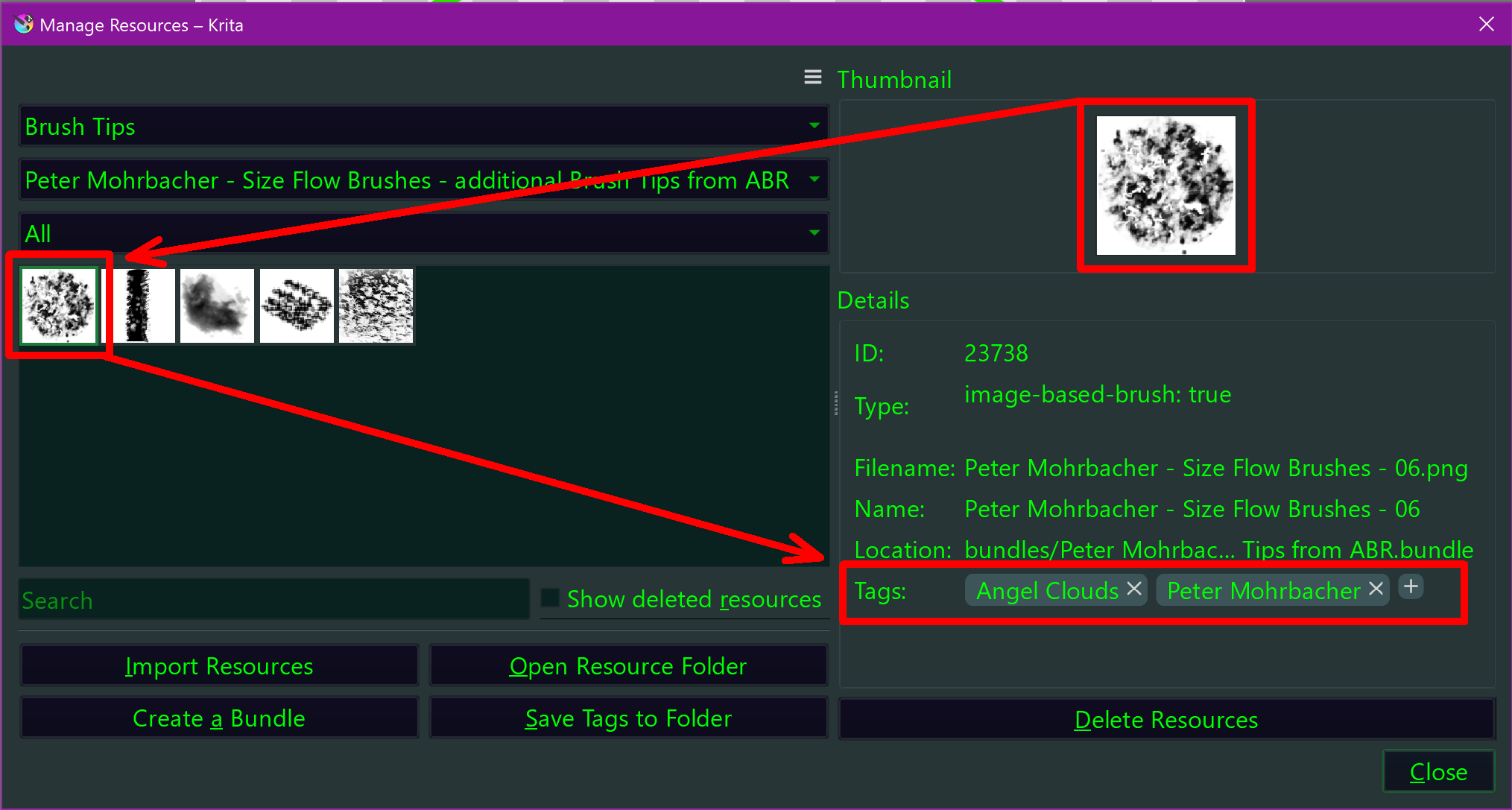
By the way, I did not tag the Brush Tips. If you want to tag them, then please open Settings → Manage Resources..., in the first drop-down menu (1.) select Brush Tips to see only brush tips, in the middle drop-down menu (2.) select the respective bundle you want to tag, so, for example:
Peter Mohrbacher - Size Flow Brushes - additional Brush Tips from ABR.bundle
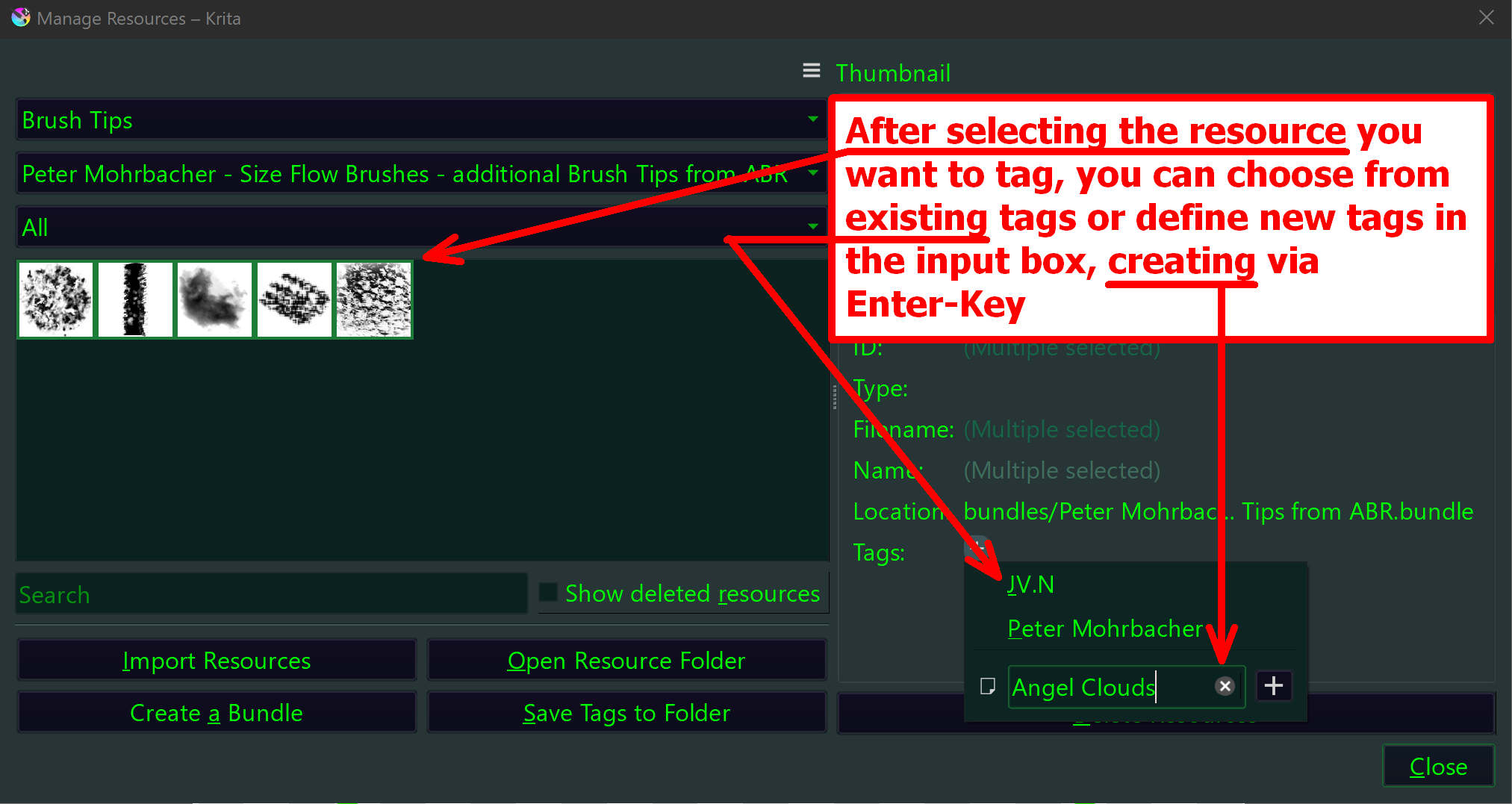
then you should see the brush tips below and can select them (3.), and when you then click on the + (4.), you can assign the tags you like to them, as you can see in the screenshot below the following screenshot:
And here you see the result when you select a now tagged resource (by the way, sometimes I have to first tag only 1 resource (one brush tip for example) before I can tag the rest at once):
Not always, but I can not tell you why it is sometimes the case and other times not. I only know, when it does not show up the first time restarting Krita, do it a second time, and funnily the resource will be recognized.
It seems you have not read, or not understood my post-headline which was:
But to hopefully clarify it:
You mixed-up things that are near together but not the same, brush tips and brush presets. Let’s imagine, “Brush Presets” are the “grip” of your Brush, they define how you can wield it, make the difference between a swab (which is more like a broom) and a bristle-brush which is for the details for instance ¹. And you took my brush tips (the hair of your brushes) and thought they are brush presets (the settings, which I incorrectly named “grip”) :
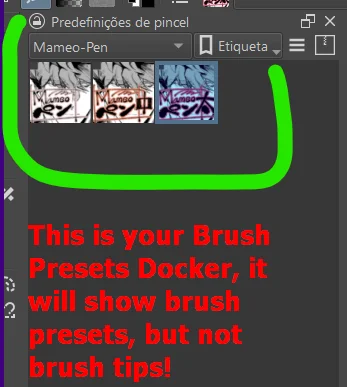
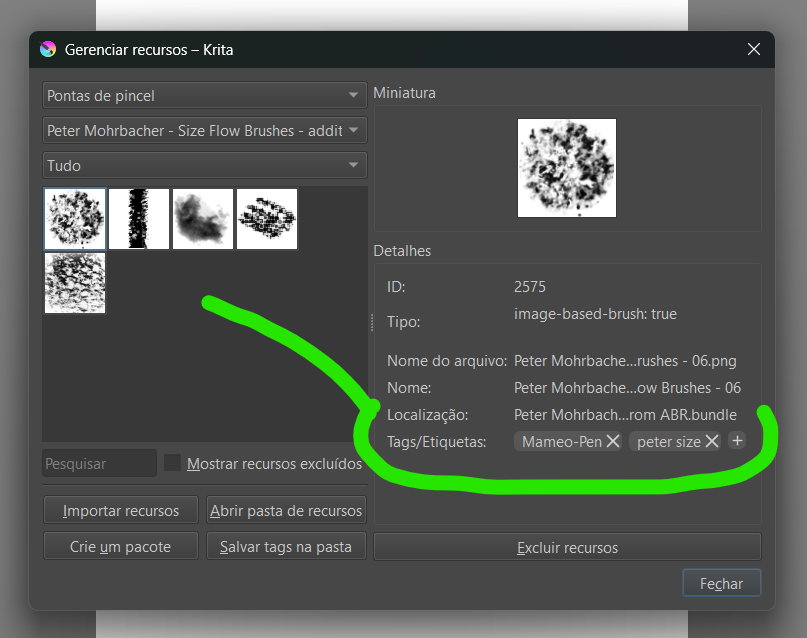
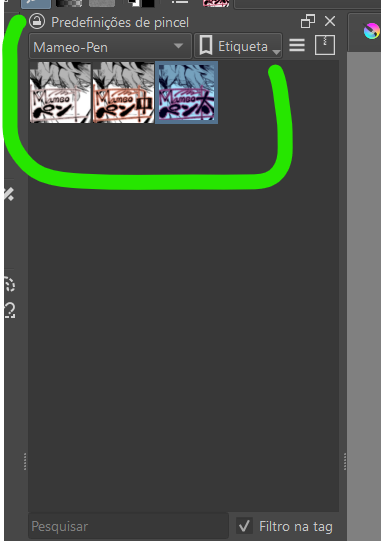
What you show in your first screenshot is your Brush Presets Docker, it will show brush presets, but not brush tips! →
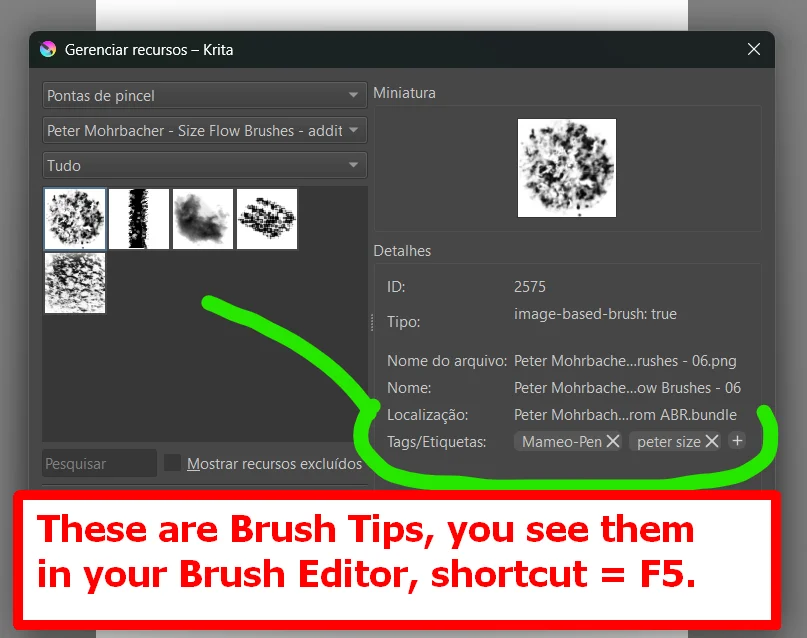
Your next screenshot shows that you are assigning tags, but see at the upmost drop-down menu, there stands brush tips (Pontas de Pincel), not brush presets (Predefinições de pincel) and that makes the difference, so what you see in your screenshot are Brush Tips, you can see them also in your Brush Editor (among many other brush tips) which you can reach via Krita’s toolbar or the keyboard shortcut F5 →
Brush tips are the hair of your brushes, some have lots of hair others only a few hairs (are bald), may be round, squarish, have a sponge instead of hair, etc., I hope you can now make yourself a picture of their difference, so the difference of brush tips and brush presets.
The next thing is, you can assign different brush tips to a brush preset to influence how your brush preset will paint (in real world painting, a brush preset will be called a “Brush”!), and you can manipulate the settings of a brush preset which then defines how it applies the assigned brush tip in the strokes you make with your “Brush” on your canvas to the canvas.
So, only the combination of brush preset and brush tip together is what you would call a brush in the real world, they have different tasks to fulfill to be able to put the strokes on canvas you can see using a brush preset.
In case of additionally questions, feel free to ask.
Michelist
¹ In reality, they hold the settings which make the combination out of “brush preset” and “brush tip” to the thing perceived as a brush.
@Michelist As always, awsome, and great thanks for these, i really like Mohorbacher’s stuff, both the art and the flowgang brush-pack, and now i can have even moore? Helt fantastiskt!! Tack, dubbel-danke and a ton of extra thanks for these! Im happy as a lark now and going straight to the drawing board..
If you at least had told us also what you expect, how these brush presets should work for you and your understanding. And of course, if you had submitted all the answers to our standard questions, whose, if answered correctly, enable us to help you in the first place, then we have had a chance to give you a first answer.
We maybe also have had a chance to answer your help request, if we could read minds, use magic, or always sit on your shoulder while watching what you are doing. But since all the above is not at our hands right now, we have to ask you a lot of questions …
So, now we need to ask you first what OS you use?
And we want to know which version of Krita you use?
As well as we need the answer to the question from where you have downloaded your version of Krita, and if you should use Windows, if you use the portable or the installer version of Krita?
Your screenshot is letting me assume that you use a tablet for painting. If that is correct, which exact model from which manufacturer is it?
Also tell us, do you have issues with the downloads offered in the first posting, or are you speaking about the additional brush tips you can download from my posting a little deeper?
I use windows 10 with the last version of krita, which i downloaded from the original krita website (so installer version). Yes, i do use tablet - Wacom Cintiq 16. I have issue with brushes in the first post (size flow brushes and angelic cloud brushes), they simply don`t work, though usually i don’t have problems with stuff i download. Sorry for misconvenience in my answer!
I can only confirm the Angel Clouds brush presets being faulty through an erroneous installation sequence on your side.
At least if the Angel Clouds - .abr was not imported into Krita as the first “bundle” of this set or combination of two resources, the already named file Angel Clouds - .abr and the Angel_Clouds - Krita .bundle, which has to be installed after the first Angel Clouds - .abr.
But I have to admit, that it is something I discovered myself only short after I published my add-on-bundles.
But okay, import it as the second file now. And now, in Krita’s brush editor select each of the brush presets on the left side after you clicked on the little leftward pointing arrow symbol to display the brush presets, then set the brush size to whatever you want before you click on the little yellow triangle that will show up below the brush presets name on top of the brush editor. After you have gone through all the brush presets and resetted them to their original size and brush tip, that is what clicking the yellow triangle does, a reset of the selected brush’s settings, you should be able using them as intended.
The other bundle Size Flow Brushes doesn’t need this, it is 100% Krita compatible and okay.
This is about TWO different bundles, if you have issues with the Angelic clouds, did you download and import the ABR from GumRoad as the first part to install from that bundle, so did you install the ABR before the BUNDLE, or at least before you used the BUNDLE the first time? If so, you should read and follow these instructions to fix your issue:
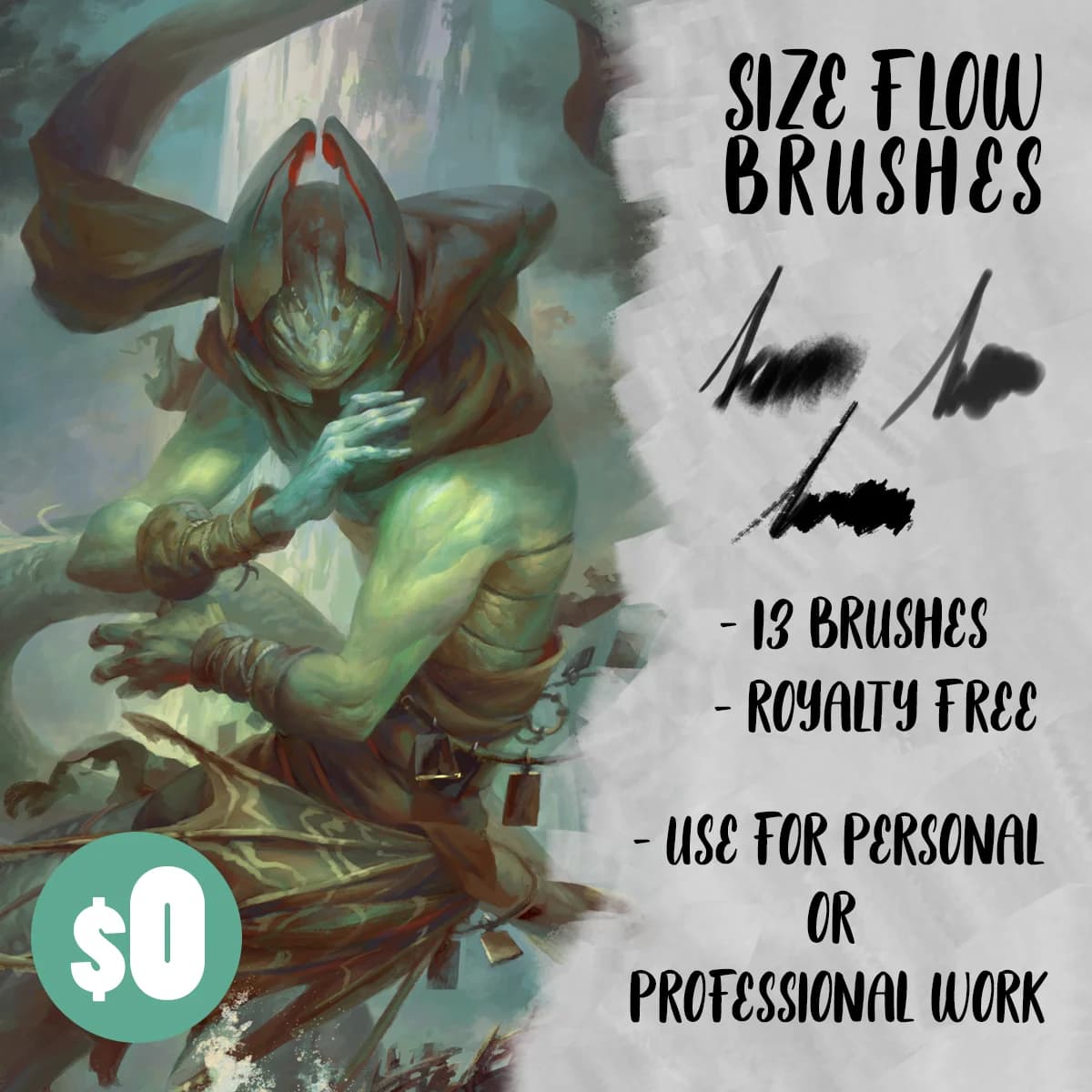
 Hello
Hello