Hi,
After checking the situation, “flat view” command works perfectly well. I did’nt understand exactly the purpose of this command at the begining, but now, it’s totally clear.
So, no problem with this command.
Concerning this screen :
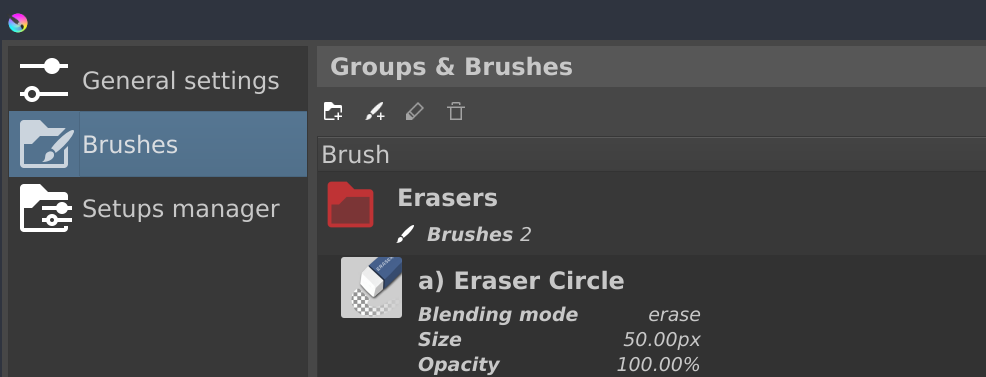
I never got it. I saw it online. This is the tutorial of your plugin. Because, “1.0.0” was written on the top of the tutorial screens, I imagined that you change your UI for the 1.1.0 update, introducing “horizontal display”. I regretted the choice, because for me, the “horizontal display” seems to be more messy. I never imagined it was a bug.
I suspected a bug when after several clicks, I couldn’t get the right content of the pages.
I’m currently using windows 10, and I also test it on windows 11. I have the same issue with the two OS, and for the 1.2.0 and 1.1.0 versions. I run a standard version of krita 5.2.2 without any change of the original code.
I tried to test the 1.0.0 version with Krita 5.2.2 and krita 5.2.1 : I can’t manage to load the plugin. I can install it. I start again Krita. But it can’t be loaded ::
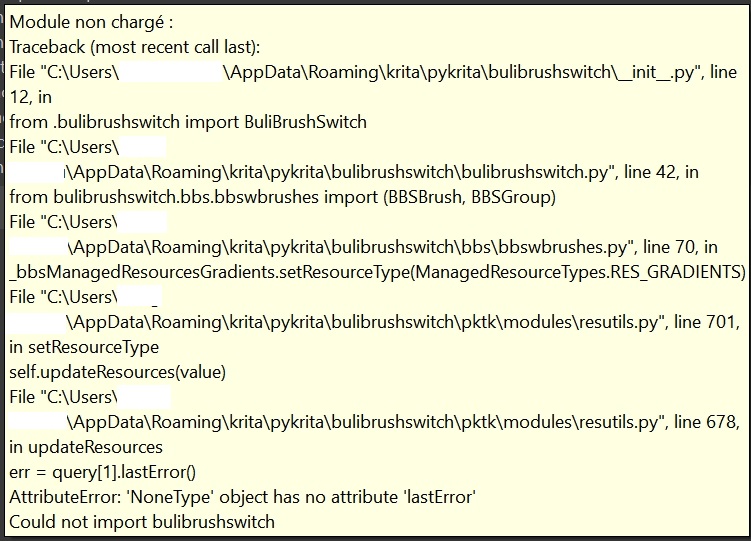
I don’t know if it can help to solve the current issue.
Additionaly, I get an error message with the 1.2.0 version. For me, it’s “randomly”. But for you, it probably won’t be of course.
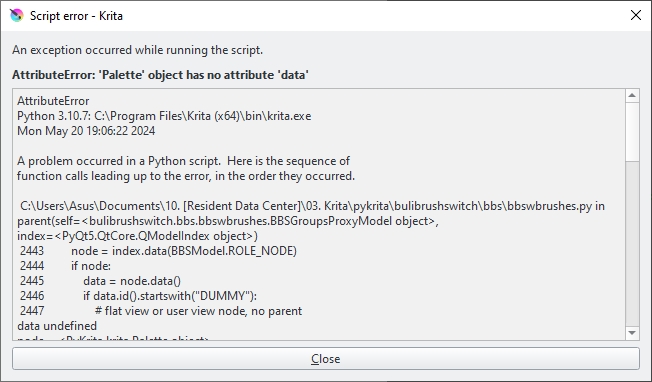
Best.
Francis