First of all excellent plugin nwn, I really like the implementation, I had tried it a long time ago but for some reason Krita was slow to use it, currently with the latest version I decided to try again and now it works much better, although there is something wrong with the other tools when you switch (except with the freehand brush).
My English is not very good so I decided to record what happens to make myself understood better.
Yes I can see it properly on the video now, I understand better what is the encountered problem.
I’m not sure why this problem occurs, I’ve to made some tests (currently on my development computer I have no lag/freeze like you)
I’ve opened a bug to be sure to not forgot it
But I currently can’t tell you when it will be fixed
I’m currently in my drawing period, and I’ll go back on coding phase when my current drawing project will be finished
if it’s the only one you have, that’s a good thing, it means plugin is not too much buggy
@Grum999 You did a fantastic job with this plugin, really freaking cool; I’ve been waiting for something like this for a long time. I saw it a few months ago but I was kinda lazy to read how it works wow, is so simple and effective. I test it out on the latest Krita 5.1.0 and it works well.
Here quick notes
The only issue I noticed:
Not sure if it was slow since the beginning but once you start adding more brushes, arranging them using the arrow buttons gets very slow. Not a biggy since I only have 24 brushes at the moment but if I want to have a specific order and move stuff around especially in between/middle of the list, it gets a bit annoying being slow.
Recommendation for future versions:
For the scratchpad for testing brushes, add an invert button to switch to black background or the same you did with the brush color (adding a color wheel/sliders).
Keep up the great work!
Testing Buli notes is next
Thank you @Grum999
Yes, I agree; not everybody has the same feeling I do, which is understandable. The good thing is that this is open source; if someday I learn scripting for Krita, I can make my changes and share them with the community.
Keep up the great work sir!
Maybe open a Ko-Fi profile so people can make donations or subscribe
Bests!
/Gio
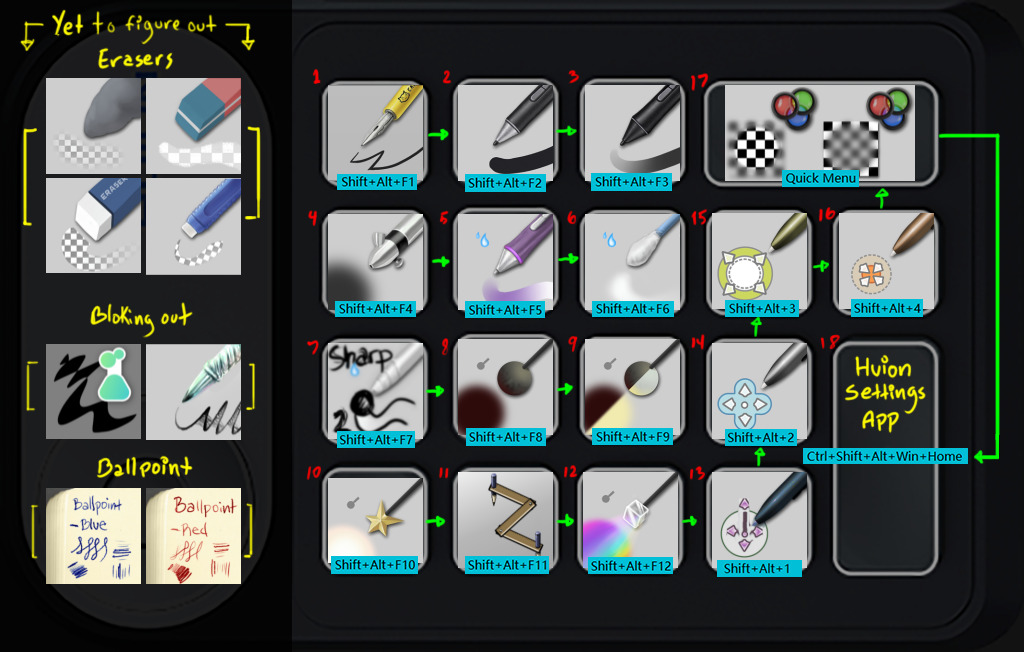
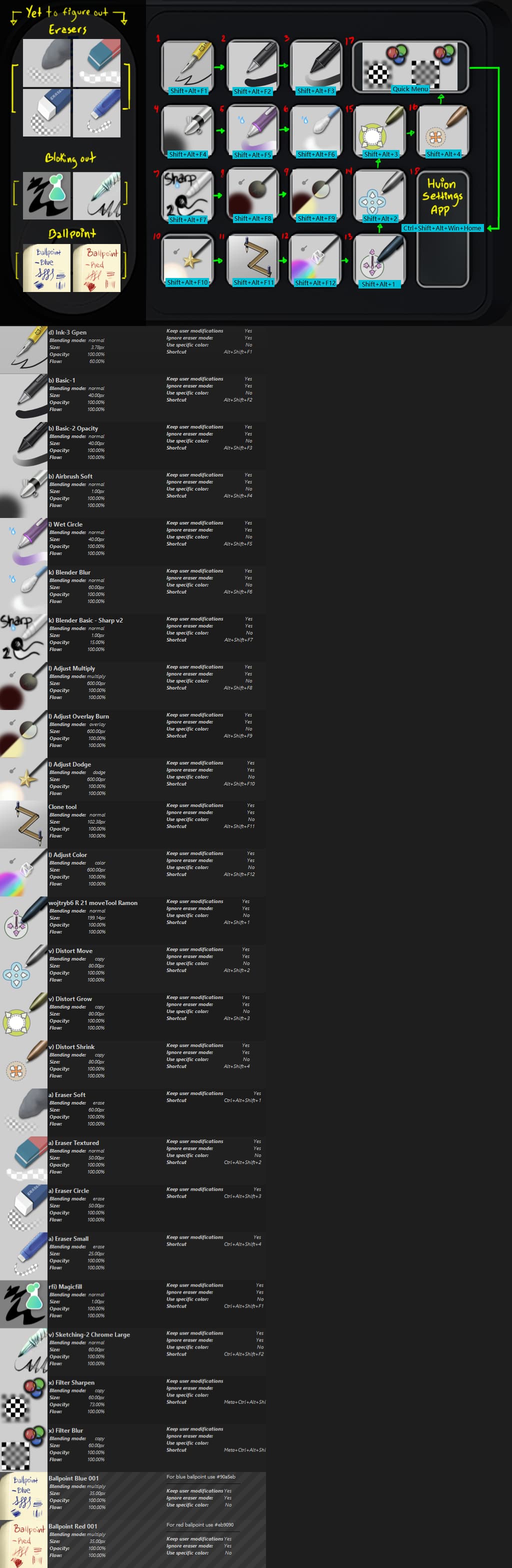
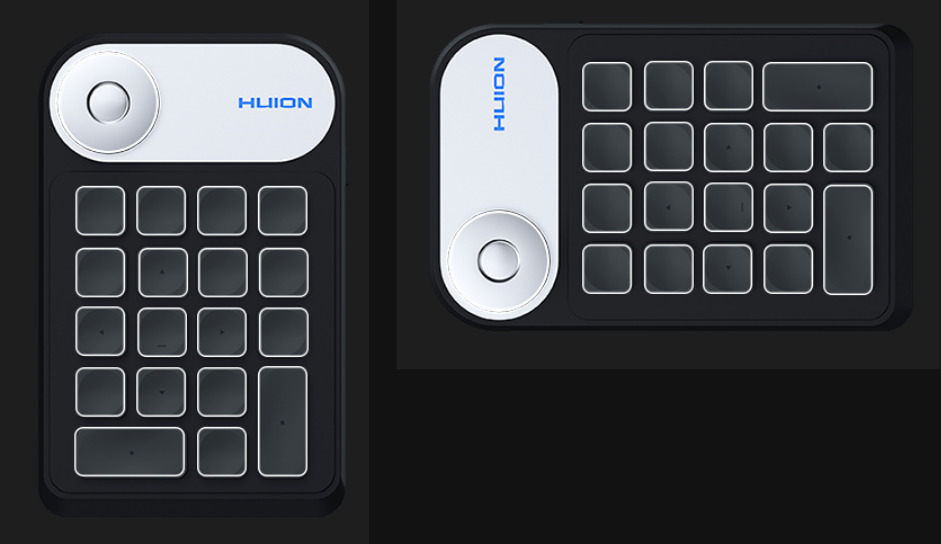
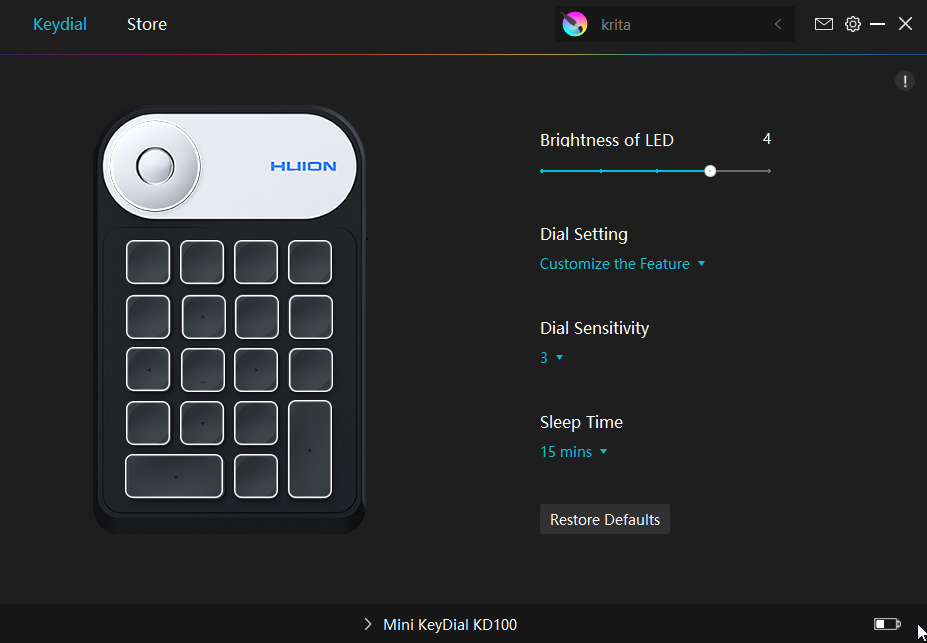
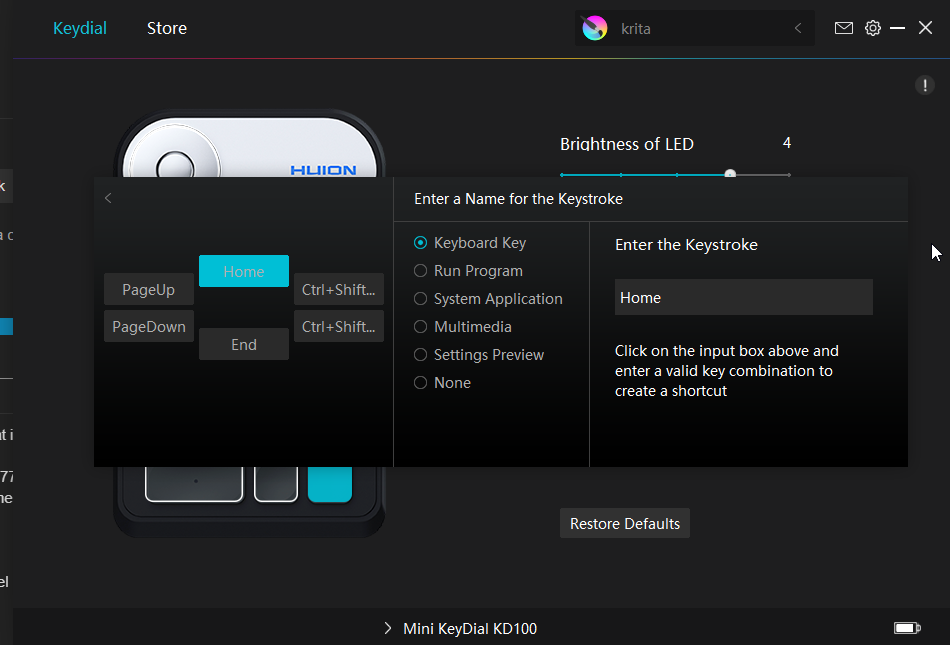
Here is an experiment for Huion - KeyDial so I can paste it using Pureref for muscle memory training . Kinda tricky to configure since the settings layout is only available vertically. Work in progress, trying to figure out how to map the rest of the brushes (icons on the left) since the settings panel currently doesn’t have an option for using the same key for switching to another shortcut (let’s say I press shift+the same key a couple of times to cycle between shortcuts).
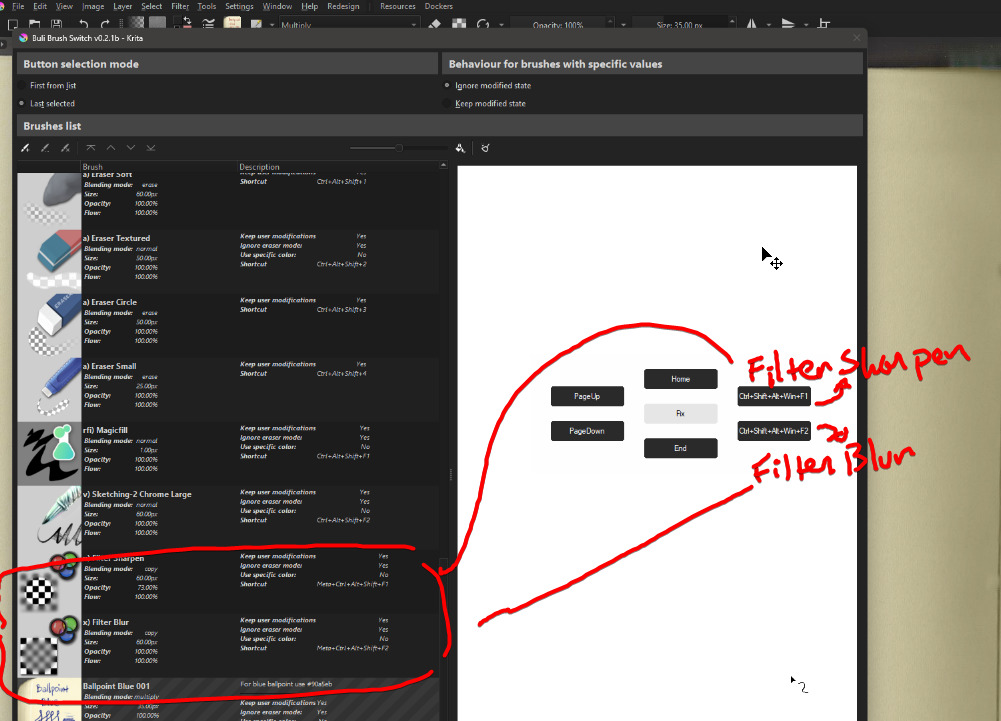
Ah, my bad, I figure it was going to be confusing since I forgot to explain. That’s a radial menu that comes directly from the Huion KeyKial, the 2 shortcut configurations on the right side are for accessing the blur and sharp fx brushes because the shortcuts are complete (no more space for keys). Curious if someone has done a third-party with open source access on Github for a different Settings panel for configuration.
I’m experiencing a lag of more than a second when selecting brushes through this addon, either by pressing the brush icon up top, or using a hotkey!
Is there any information I can provide to help you determine the cause?
edit: I see @SchrodingerCat has the same issue, but a little less lag. I should mention that it does slow down on the Freehand Brush tool for me as well!
System: Windows 10, Krita 5.1.0, Buli Brush Switch 0.2.1b
"TypeError
Python 3.8.1: C:\Program Files\Krita (x64)\bin\krita.exe
Wed Sep 14 11:09:02 2022

A problem occurred in a Python script.  Here is the sequence of
function calls leading up to the error, in the order they occurred.

 C:\Users\32496\AppData\Roaming\krita\pykrita\bulibrushswitch\bbs\bbswbrushes.py in data(self=<bulibrushswitch.bbs.bbswbrushes.BBSBrushesModel object>, index=<PyQt5.QtCore.QModelIndex object>, role=1)
  946                 if column==BBSBrushesModel.COLNUM_ICON:
  947                     # QIcon
  948                     return QIcon(QPixmap.fromImage(item.image()))
  949         elif role == Qt.ToolTipRole:
  950             id=self.__items[row]
global QIcon = <class 'PyQt5.QtGui.QIcon'>
global QPixmap = <class 'PyQt5.QtGui.QPixmap'>
QPixmap.fromImage = <built-in function fromImage>
item = <BBSBrush(a7ddb048-66bd-41fc-8d28-ad4c74a8f5e6, rfi) Magicfill 100%, None)>
item.image = <bound method BBSBrush.image of <BBSBrush(a7ddb0...c-8d28-ad4c74a8f5e6, rfi) Magicfill 100%, None)>>
TypeError: fromImage(QImage, flags: Union[Qt.ImageConversionFlags, Qt.ImageConversionFlag] = Qt.AutoColor): argument 1 has unexpected type 'NoneType'
    __cause__ = None
    __class__ = <class 'TypeError'>
    __context__ = None
    __delattr__ = <method-wrapper '__delattr__' of TypeError object>
    __dict__ = {}
    __dir__ = <built-in method __dir__ of TypeError object>
    __doc__ = 'Inappropriate argument type.'
    __eq__ = <method-wrapper '__eq__' of TypeError object>
    __format__ = <built-in method __format__ of TypeError object>
    __ge__ = <method-wrapper '__ge__' of TypeError object>
    __getattribute__ = <method-wrapper '__getattribute__' of TypeError object>
    __gt__ = <method-wrapper '__gt__' of TypeError object>
    __hash__ = <method-wrapper '__hash__' of TypeError object>
    __init__ = <method-wrapper '__init__' of TypeError object>
    __init_subclass__ = <built-in method __init_subclass__ of type object>
    __le__ = <method-wrapper '__le__' of TypeError object>
    __lt__ = <method-wrapper '__lt__' of TypeError object>
    __ne__ = <method-wrapper '__ne__' of TypeError object>
    __new__ = <built-in method __new__ of type object>
    __reduce__ = <built-in method __reduce__ of TypeError object>
    __reduce_ex__ = <built-in method __reduce_ex__ of TypeError object>
    __repr__ = <method-wrapper '__repr__' of TypeError object>
    __setattr__ = <method-wrapper '__setattr__' of TypeError object>
    __setstate__ = <built-in method __setstate__ of TypeError object>
    __sizeof__ = <built-in method __sizeof__ of TypeError object>
    __str__ = <method-wrapper '__str__' of TypeError object>
    __subclasshook__ = <built-in method __subclasshook__ of type object>
    __suppress_context__ = False
    __traceback__ = <traceback object>
    args = ("fromImage(QImage, flags: Union[Qt.ImageConversio...Color): argument 1 has unexpected type 'NoneType'",)
    with_traceback = <built-in method with_traceback of TypeError object>

The above is a description of an error in a Python program.  Here is
the original traceback:

Traceback (most recent call last):
  File "C:\Users\32496\AppData\Roaming\krita\pykrita\bulibrushswitch\bbs\bbswbrushes.py", line 948, in data
    return QIcon(QPixmap.fromImage(item.image()))
TypeError: fromImage(QImage, flags: Union[Qt.ImageConversionFlags, Qt.ImageConversionFlag] = Qt.AutoColor): argument 1 has unexpected type 'NoneType'

"
It occured when I added two new brushes and gave them hotkeys. I noticed later that one of the hotkeys (4) conflicted with a default hotkey, maybe that’s the issue?
I got a lot of popups. About 10 more popped up when I shut Krita down
edit: upon a restart, no more popups.
I did find an issue with the settings though:
That setting won’t take, and: my brush hotkeys are deleted all the time!

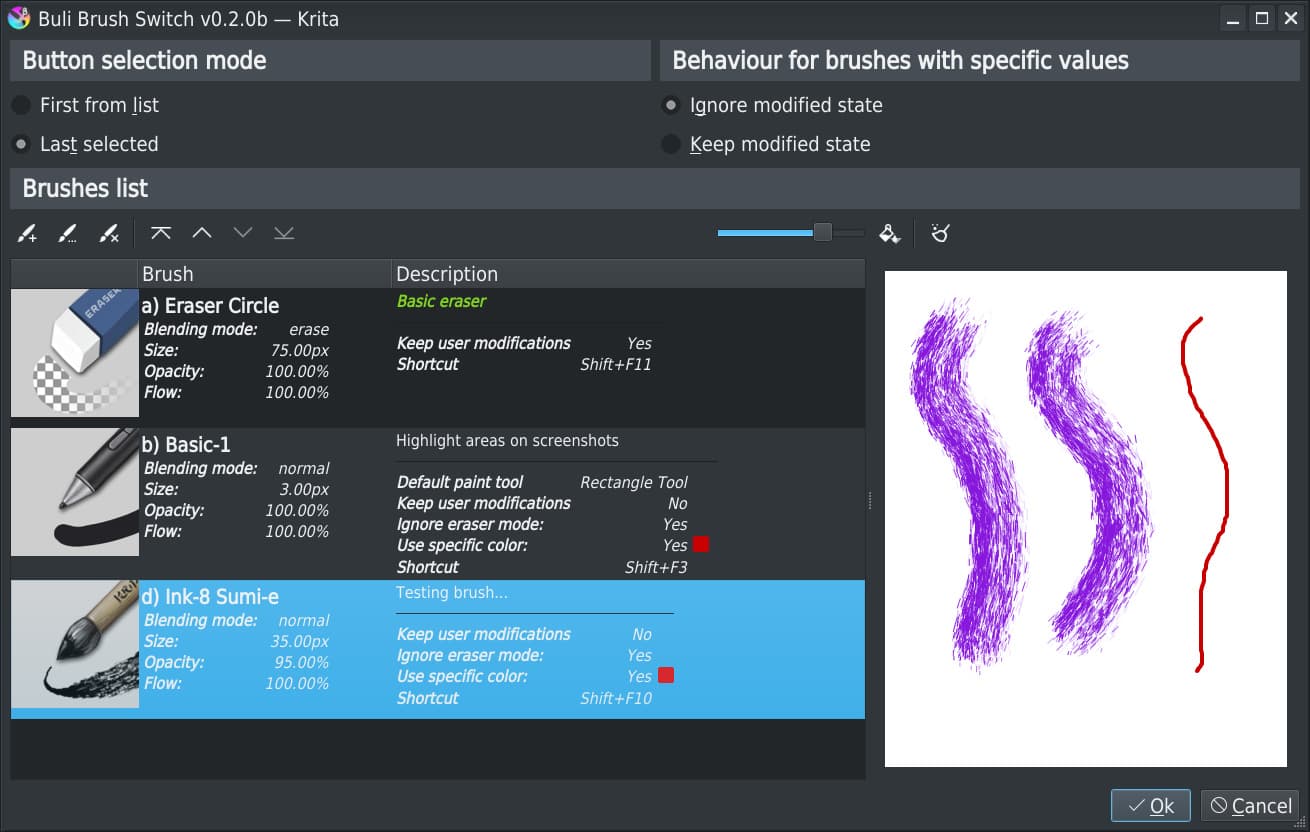
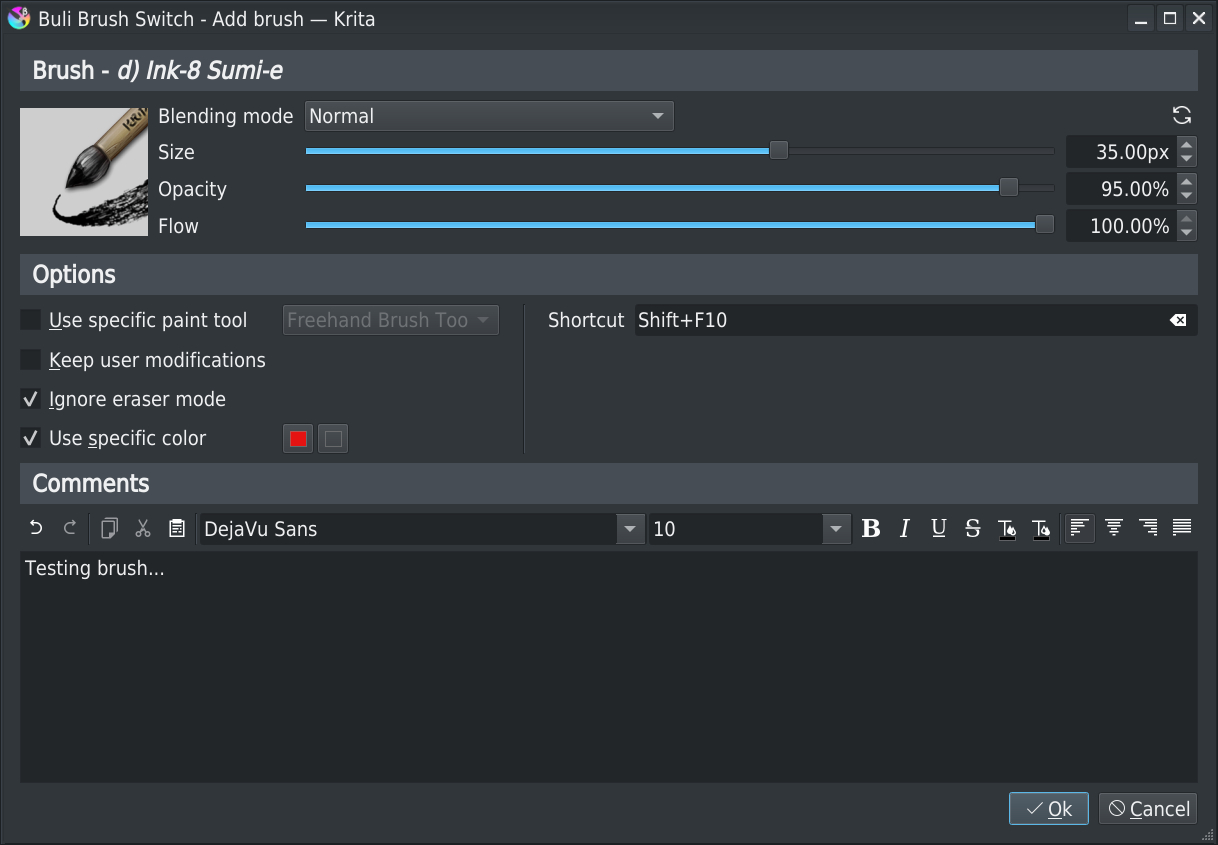
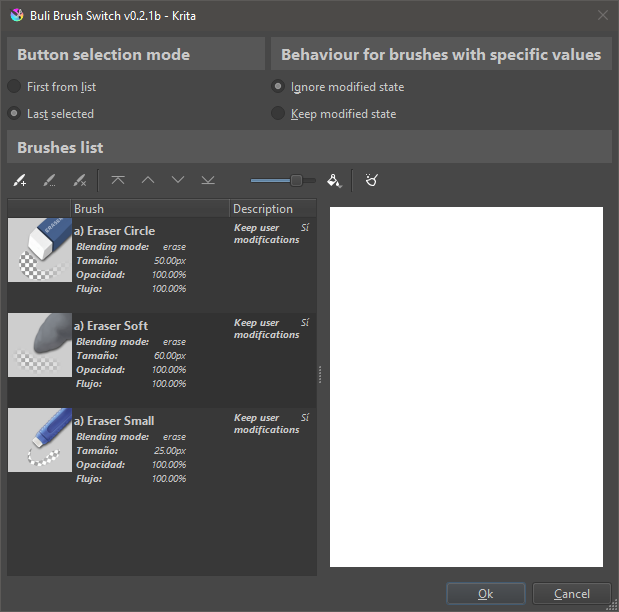
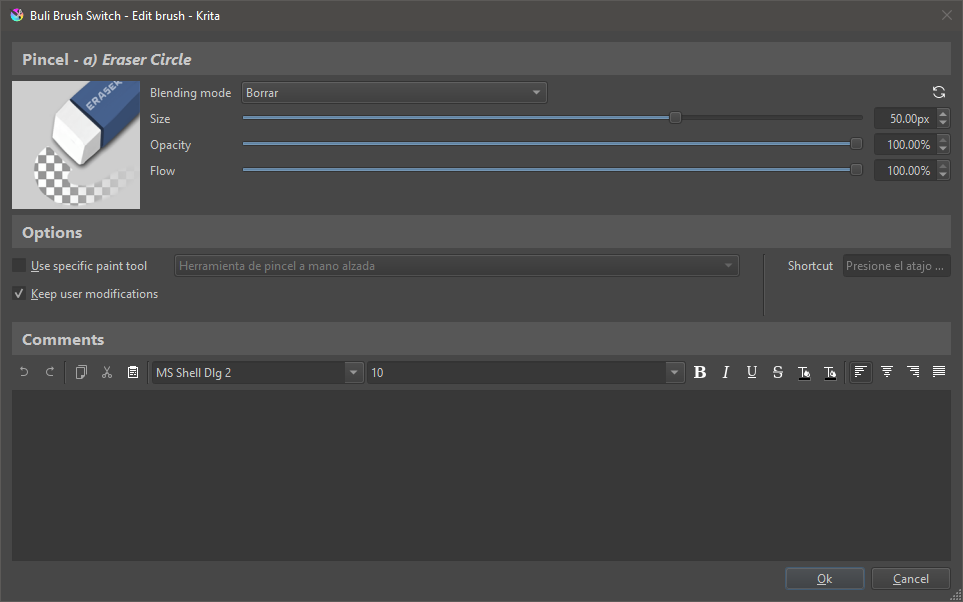


 . Kinda tricky to configure since the settings layout is only available vertically. Work in progress, trying to figure out how to map the rest of the brushes (icons on the left) since the settings panel currently doesn’t have an option for using the same key for switching to another shortcut (let’s say I press shift+the same key a couple of times to cycle between shortcuts).