Call for Krita UI Redesign Plugin Testers

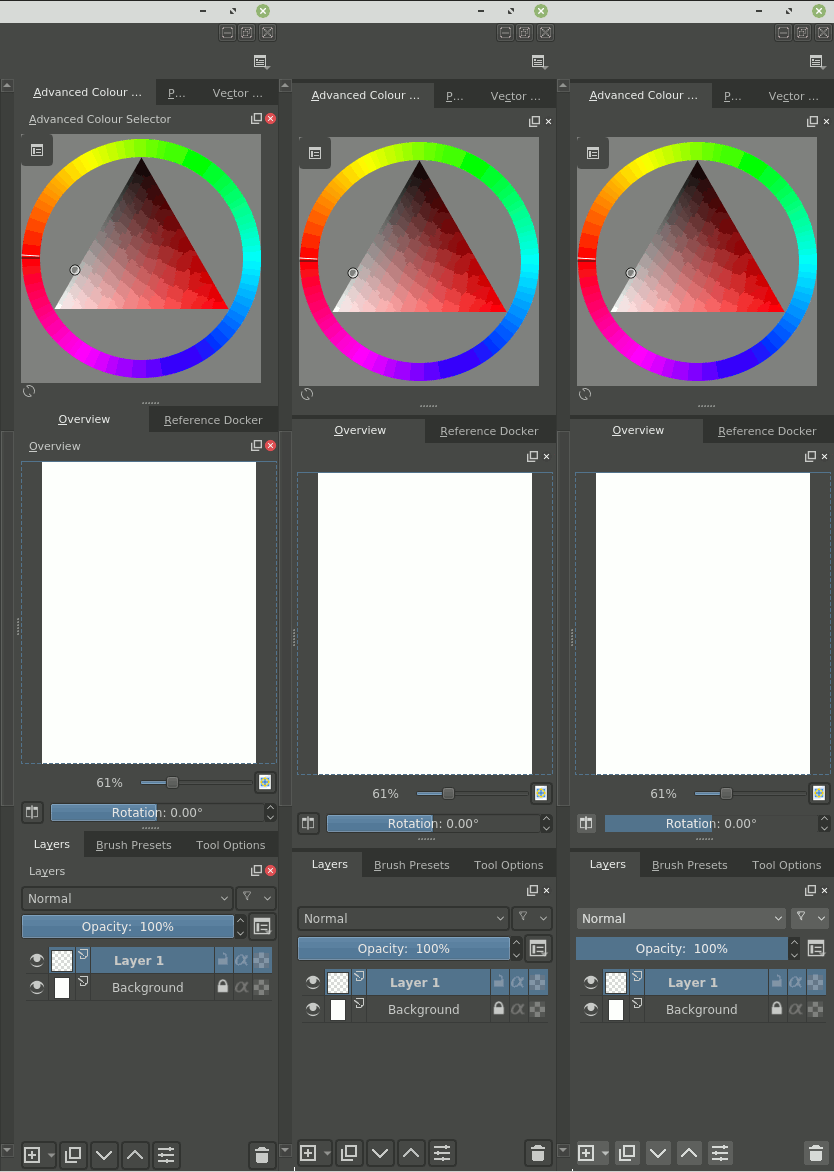
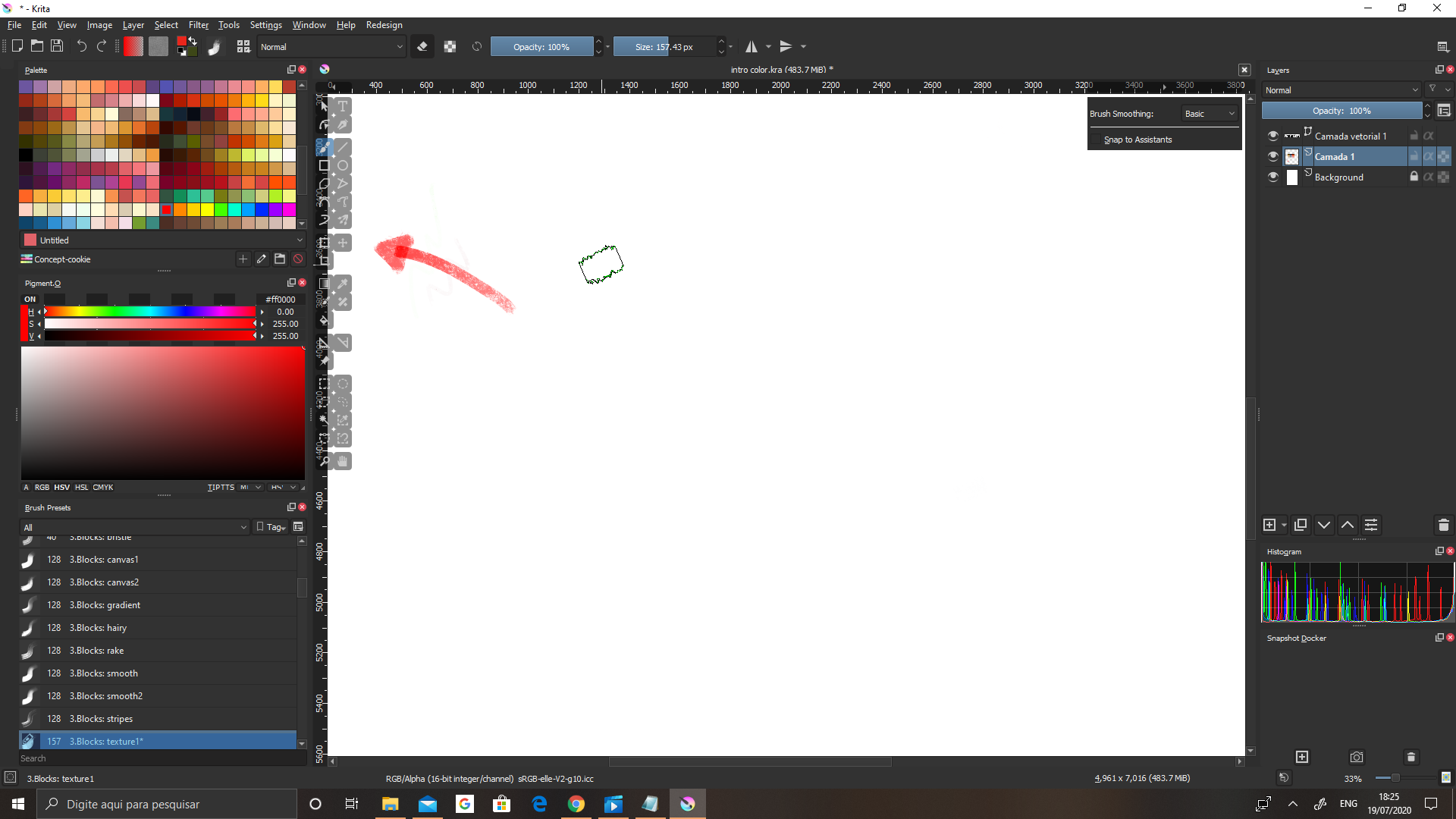
Ok, that was all my fault :smiley: - I haven’t checked that this redesign looks very different in any other theme than my custom one. So far I couldn’t get mine to work, but I’ll be working on that. Maybe I’ll have to create my theme once again for this redesign specifically.
Now as I have seen my ā€œbuggyā€ theme, I kind of like some of things there - buttons in layer docker seem to look nicer without borders. Some of those buttons in tool options in my opinion don’t really need them too (like those 5 transformation modes for example). Maybe there is some area to simplification there :thinking:
Anyway, here is my current theme without any changes yet, as I couldn’t make them work fast. I’ll tell, if I make any significant progress with accommodating it to your redesign.

EDIT: Ok, found it! View:background alternate and Window:background normal were nearly the same. I’ll make tweaks in my theme then :slight_smile:

EDIT2: or maybe, I’ll actually stay with those two being the same (or barely distinguishable) :stuck_out_tongue: I must say I really like how many of those elements have no borders or have the same background. It works quite well in majority of cases, so maybe it would make sense to start from here and then just add those changes only to areas that really, really need them. Anyway, thanks for help - maybe I’ll figure out some good solutions :slight_smile:

EDIT3: I updated my theme to not have this issue - thank you for your help. Here it can be downloaded. I left this color to be very, very close to the usual background. It makes those border nearly visible, but they are there.
Another piece of feedback - sliders:


I’ve tried to remove this bright border around the slider, but it seems it’s not a single color taken from the .color file, but rather some style setting that possibly could be switched off in python. It’s there even without redesign on. It’s also visible in scrollbars (though I usually turn them off). What do you think about those white borders?
1 Like

I have the same opinion, but a change like that is going to take a while probably, as QToolButtons and QPushButtons are used everywhere and with a very similar look to them… But I 100% agree that it is a necessary change.

Regarding the sliders, I also toyed around with that, but I couldn’t get that to work, I’m going to need to dig deeper into Qt styling for that one! Added to the TODO list, thanks again!

1 Like

i am enjoying the redesign of the UI its looking great and hope to se more, so far found one little issue

the main tool bar gets in top of the rulers creating a weird overlaping

1 Like

So far this plug-in is doing great for me. It’s responds well and I got access to the tools even when I’m in Canvas Mode. It gives a little more space to my work. :blush:

1 Like

After tomorrow I’ll have more time to work on this, so I’ll get on that after that! Thanks for the feedback :slight_smile:

Awesome to hear!

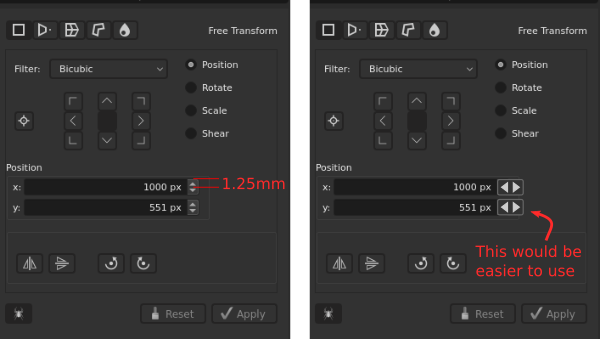
Hello. I like high resolution screens. I like the fact that the UI shrinks and leaves more work area. But some UI elements becomes almost too tiny to use, like the up/down arrows next to number input fields. If they were rotated 90 degrees, the arrows could be as tall as the input field. In this proposal I kept current design, but I wouldn’t mind if the were spaced a little further apart.


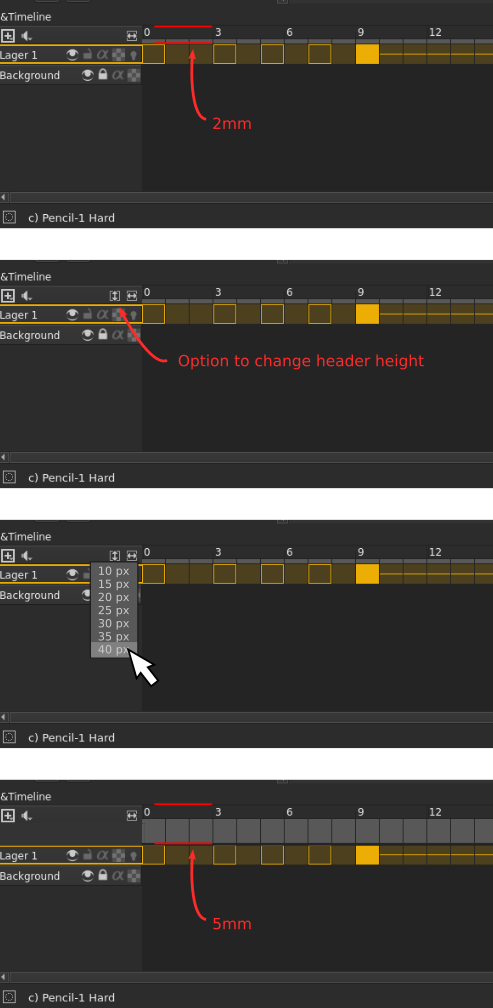
Similar problem with the header in the animation timeline:

Just a couple of suggestions. Thanks for taking the time to work on Krita! :slight_smile:

2 Likes

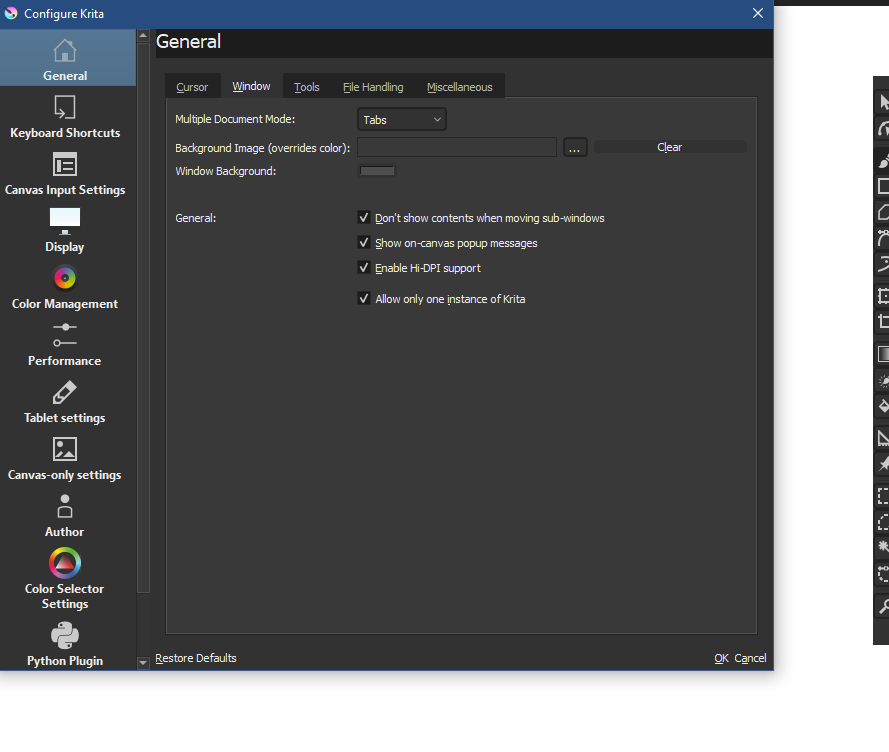
Buttons in Setting or New Document become small
Windows 10

2 Likes

This issue has been fixed, but not yet merged!

3 Likes

Hi there! Very interesting stuff!

Thanks for the amount of work that goes into this addon.
I’d like to give it a try - but I’m working with the appimage-version of Krita on a Ubuntu derived distro. - Any chance to make your plugin work together with that?

Cheers
Bernd

Hi @bernds_books ,
The plugin works on the 4.3.0 appimage on my Debian system. You get a new menu item called ā€˜Redesign’ to the right of the ā€˜Help’ item.

You have to install the plugin, then enable it in the Settings -> Configure Krita -> Python Plugin Manager, then restart krita.

Coooooollll! :wink:

Thanks for your fast reply and the instructions. Works out fine!

So much better access to the tools when in full screen mode!

A little clarification around installation on linux, though:

In the github-docu it says:

To install, download this repo and unzip it to Krita’s pykrita folder:

Linux user will find this folder at ~/.local/share/krita/pykrita/.

First, I had the folder Krita-UI-Redesign-master inside of the pykrita folder. That didn’t work. The python plugin manager couldn’t find the addon script.

When I copied the content of Krita-UI-Redesign-master directly into pykrita, it worked fine!

Now I could enable the script in the python plugin manager. Then just restart Krita and voila! A new and better GUI!

1 Like

We’re glad you think so! <3

I suppose I should give some actual feedback like I said I would… :blush:

Well, I’ve had it activated since I downloaded it and not noticed any real problems.

As I already said - the tool options is great; it solves the problem of having to resize the docker to access obscured options. Being able to access it in canvas only, and easily toggle visibility is also very cool. :sunglasses:

I was a bit torn between the toolbox in this and the toolkit plugin - they both have advantages, but so far I’ve been sticking with this one. I like the consistency of having it on one side and the options on the other. As above; being able to access in canvas only and toggle visibility is great.

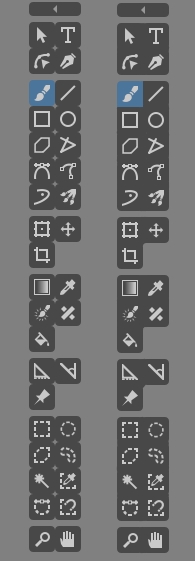
I’m less convinced by the visual design of the toolbox; The layout is okay, but the rounded compartments for every button create a fussier look than I’d like. I also still think that the transparency is problematic; It’s not a big issue in practice, but it can be harder to read depending on what’s behind it. I think at least adding an option to make it opaque would be good.

The flat theme is a difficult one to assess. On the surface it looks quite cool and functional, yet I found I was more comfortable switching back to my usual Krita Dark theme. I think it’s partly to do with spacing/padding - very subtle things which work against readability.

I had a good think about it earlier and ended up playing around with a screenshot of the theme to try and clarify my thoughts. I’ve saved a couple of variations:

In the first instance I moved things around a bit to give a touch more breathing room around elements. I added a thin bar across the top of each docker to separate the compartments. Perhaps that’s going against the general design philosophy, but I felt it was more comfortable to have things distinct at a glance. I also removed the angry red x buttons - because they totally need to go! :stuck_out_tongue_winking_eye:

Oh! - And I blanked out the duplicate docker labels! I wasn’t sure if this is possible or not because I’d thought you would have done it already?

In the second instance I tried removing the button outlines and made the buttons a lighter shade of grey so they would still stand out. I also changed the slider gradients to a flat blue to make them look more consistent with the theme.

I’ve saved a side-by-side shot and an animated gif to try and show the differences better - but bear in mind I moved compartments up or down just to give me space to make changes.

DockersTweaksGif

I also tried painting out all the rounded corners on the toolbox to simplify the design - just leaving the corners of each compartment. For me - that makes it more comfortable to look at.

ToolboxTweaksGif

Anyway - sorry I took so long getting back to you on this. Honestly - it’s already very good, so it’s not easy to pinpoint issues. I don’t expect you to agree with my suggestions, but hopefully you can extract something useful from my rambling… :upside_down_face:

3 Likes

This is very valuable feedback, thank you for taking the time to make this!

1 Like

Thank you for making this plugin. I just tried it and I think it’s a significant improvement on the layout of the workspace with the floating toolbar and tool options. Looks great!

1 Like

Thank you very much indeed for this. Floating toolbar is something had hoped for long-term, and the new UI looks amazing overall. Runs very stably. Much appreciate.

1 Like

The Power of Open Source.
Open Creativity…
Power to the People! :fist:

i was just about to write the same, i had to activate manually in python plugin manager and extract properly (.deb using)

    • i just love this Community, seems we are all tuned into the same frequency and looking for the same kind of style for our programs.

and Man those white lines burned my eyes, now i can rest in peace, si sii.

2 Likes

hi i have this error, if i have a toolbox doesn’t appear the option tools! and vice versa.
when Krita is opening appear this message:

AttributeError
Python 3.8.2: /usr/bin/python3
Tue Aug  4 21:50:46 2020

A problem occurred in a Python script.  Here is the sequence of
function calls leading up to the error, in the order they occurred.

 /home/chancho/.local/share/krita/pykrita/krita-redesign/redesign.py in createActions(self=<krita-redesign.redesign.Redesign object>, window=<PyKrita.krita.Window object>)
   98 
   99         if self.usesNuToolbox:
  100             self.ntTB = ntToolBox(window)
  101 
  102         self.rebuildStyleSheet(window.qwindow())
self = <krita-redesign.redesign.Redesign object>
self.ntTB = None
global ntToolBox = <class 'krita-redesign.nuTools.nttoolbox.ntToolBox'>
window = <PyKrita.krita.Window object>

 /home/chancho/.local/share/krita/pykrita/krita-redesign/nuTools/nttoolbox.py in __init__(self=<krita-redesign.nuTools.nttoolbox.ntToolBox object>, window=<PyKrita.krita.Window object>)
   49         # Disable the related QDockWidget
   50         self.dockerAction = self.findDockerAction(window, "Toolbox")
   51         self.dockerAction.setEnabled(False)
   52 
   53 
self = <krita-redesign.nuTools.nttoolbox.ntToolBox object>
self.dockerAction = False
self.dockerAction.setEnabled undefined
AttributeError: 'bool' object has no attribute 'setEnabled'
    __cause__ = None
    __class__ = <class 'AttributeError'>
    __context__ = None
    __delattr__ = <method-wrapper '__delattr__' of AttributeError object>
    __dict__ = {}
    __dir__ = <built-in method __dir__ of AttributeError object>
    __doc__ = 'Attribute not found.'
    __eq__ = <method-wrapper '__eq__' of AttributeError object>
    __format__ = <built-in method __format__ of AttributeError object>
    __ge__ = <method-wrapper '__ge__' of AttributeError object>
    __getattribute__ = <method-wrapper '__getattribute__' of AttributeError object>
    __gt__ = <method-wrapper '__gt__' of AttributeError object>
    __hash__ = <method-wrapper '__hash__' of AttributeError object>
    __init__ = <method-wrapper '__init__' of AttributeError object>
    __init_subclass__ = <built-in method __init_subclass__ of type object>
    __le__ = <method-wrapper '__le__' of AttributeError object>
    __lt__ = <method-wrapper '__lt__' of AttributeError object>
    __ne__ = <method-wrapper '__ne__' of AttributeError object>
    __new__ = <built-in method __new__ of type object>
    __reduce__ = <built-in method __reduce__ of AttributeError object>
    __reduce_ex__ = <built-in method __reduce_ex__ of AttributeError object>
    __repr__ = <method-wrapper '__repr__' of AttributeError object>
    __setattr__ = <method-wrapper '__setattr__' of AttributeError object>
    __setstate__ = <built-in method __setstate__ of AttributeError object>
    __sizeof__ = <built-in method __sizeof__ of AttributeError object>
    __str__ = <method-wrapper '__str__' of AttributeError object>
    __subclasshook__ = <built-in method __subclasshook__ of type object>
    __suppress_context__ = False
    __traceback__ = <traceback object>
    args = ("'bool' object has no attribute 'setEnabled'",)
    with_traceback = <built-in method with_traceback of AttributeError object>

The above is a description of an error in a Python program.  Here is
the original traceback:

Traceback (most recent call last):
  File "/home/chancho/.local/share/krita/pykrita/krita-redesign/redesign.py", line 100, in createActions
    self.ntTB = ntToolBox(window)
  File "/home/chancho/.local/share/krita/pykrita/krita-redesign/nuTools/nttoolbox.py", line 51, in __init__
    self.dockerAction.setEnabled(False)
AttributeError: 'bool' object has no attribute 'setEnabled'

i have Krita installed with PPA. i tried with api image and it works