I think this is the same bug other users have encountered, thanks for posting! We don’t know when we’ll get back to this, but we’ll keep this in mind, thanks!
Also, a huge thank you for everyone here and their good messages, warms my heart! <3
I think this is the same bug other users have encountered, thanks for posting! We don’t know when we’ll get back to this, but we’ll keep this in mind, thanks!
Also, a huge thank you for everyone here and their good messages, warms my heart! <3
Thank you very much for these plugins !!
regardless of bugs, they improve and enhance krita.
I analized it and found out that this happens due to krita translation. Addon tries to find a docker called “Tool Options” using its text parameter, while in any translation this one is translated making it impossible for addon to find. You can check my reply where I tell more about it.
It seems that this error occurs when krita is set in non-English language. I found your code fetches docker actions by name, maybe it’s what leads to the issue.
quick fix for tranlated Krita versions… (another way to find the action, without using translated name.)
        # Disable the related QDockWidget
        from PyQt5.QtWidgets import QDockWidget
        self.dockerAction = window.qwindow().findChild(QDockWidget, "sharedtooldocker").toggleViewAction()
        self.dockerAction.setEnabled(False)
/AkiR
First off: Great work. I really like the plugin. I have noticed some issues with the windows text scaling. Due to a high dpi monitor, I have turned up the windows font-size a bit.
In most UI elements its rescaled as expected. However there are some UI elements like the tools options dialog where some fonts dont scale up and where some even get cut off, due to panels not getting resized or are unresponsible towards other font sizes.
It would be great if there would be an option to adjust the UI size in krita. Like the toolbox icons or the dockers. Currently the UI is pretty good scaling with the windows dpi / text settings but it would be great to have an UI size/ UI text size option to adjust it directly in krita.
First of all, a gigantic thank you for all your support and feedback. It really means a lot to me.
Sorry that this hasn’t been more active, but I’ve been struggling to find the motivation for this lately, a lot has been changing recently, and I’ve had a lot less time, and the rest I use for leisure. I’ll come back for this one day!
Something that always throws me away is second lane of buttons with icons of undo, redo and so on. If you look at the toolbar with text tool and gradient, lines of the icons there are thick, but lines of icon to undo is very slim. Maybe if you can change undo button icon to look thicker, it will make krita experience little bit more consistent?
(I’m using a translator, so it may be in poor English.)
Thanks for the great plugin!
Thanks to this plugin, I enjoy using krita very much.
I’m using the Japanese version of krita and it’s working fine, thanks to @AkiR’s advice.
I have one question.
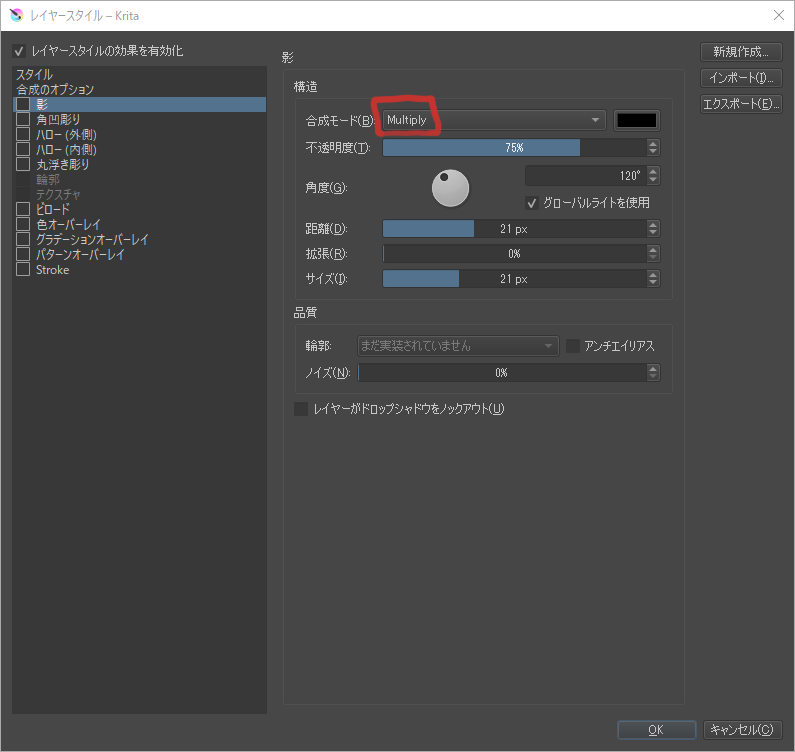
Only the name of the layer mode has been changed from Japanese to English.
Is there anything I can do to fix this?
It’s not a big problem, but I’d like to fix it in Japanese if possible because I’m not very good at English.
Finally, thank you so much for making this plugin!
I don’t think this is the fault of the plugin, it looks like layer blending modes simply have no Japanese translation in krita 4.4.0 anymore.
Unfortunately I don’t know if that’s on purpose (like removed because of poor translation) or if something went wrong…
Thanks for the reply.
I have reinstalled krita.
I was able to confirm that it was originally in English.
I’m sorry, I misunderstood.
I’m sorry to blame the plugin.
Thanks for letting me know, @Lynx3d!
First of all, thank you for the nice comments, believe me when I say you made my day! <3
Secondly, I think @Lynx3d is right on the money here, and I think it is either a bug or missing translation. If neither the brush nor the layer blending mode is in Japanese, I think it’s the latter. I’ll look into it later today, and I’ll get back to you.
If it’s really a problem of missing translation, I’ll probably need your help in the translation and do a pull request, how does that sound?
Yup, that was exactly what I was going to ask you! I’m currently at work, so I won’t be able to do a pull request with your translation right now, but I can do it later today. However, even if it is accepted and merged, you’ll still have to wait a bit until the next version, or download the Krita Next build (if I recall the name correctly) from the Krita website 
The one thing that changed is that we are now using stable branch translations for stable branch releases; previously and erroneously, we would use unstable branch translations for releases. That worked mostly because we seldom have text in the stable branch that isn’t in the unstable branch.
The problem isn’t specific for Japanese, though, it happens with all languages.
Interesting. How do you think we should go about this?
Well, I just verified that the translation exists and isn’t marked as fuzzy (in need of retranslation), and that it’s a problem for all languages, so now we’ll have to figure out what’s going wrong here.
This is to stabilize the software and
Is it correct that it’s not a bug, etc.?
Do I need to make a Japanese list to?
I’m sorry for my poor English.
It is in fact a bug, and it’d be great if you could make a report to bugs.kde.org under the product Krita, that’ll help us keep track of it. You can put a link to this thread in that report.
I’d like to be assigned to this issue when it’s created, if I could!