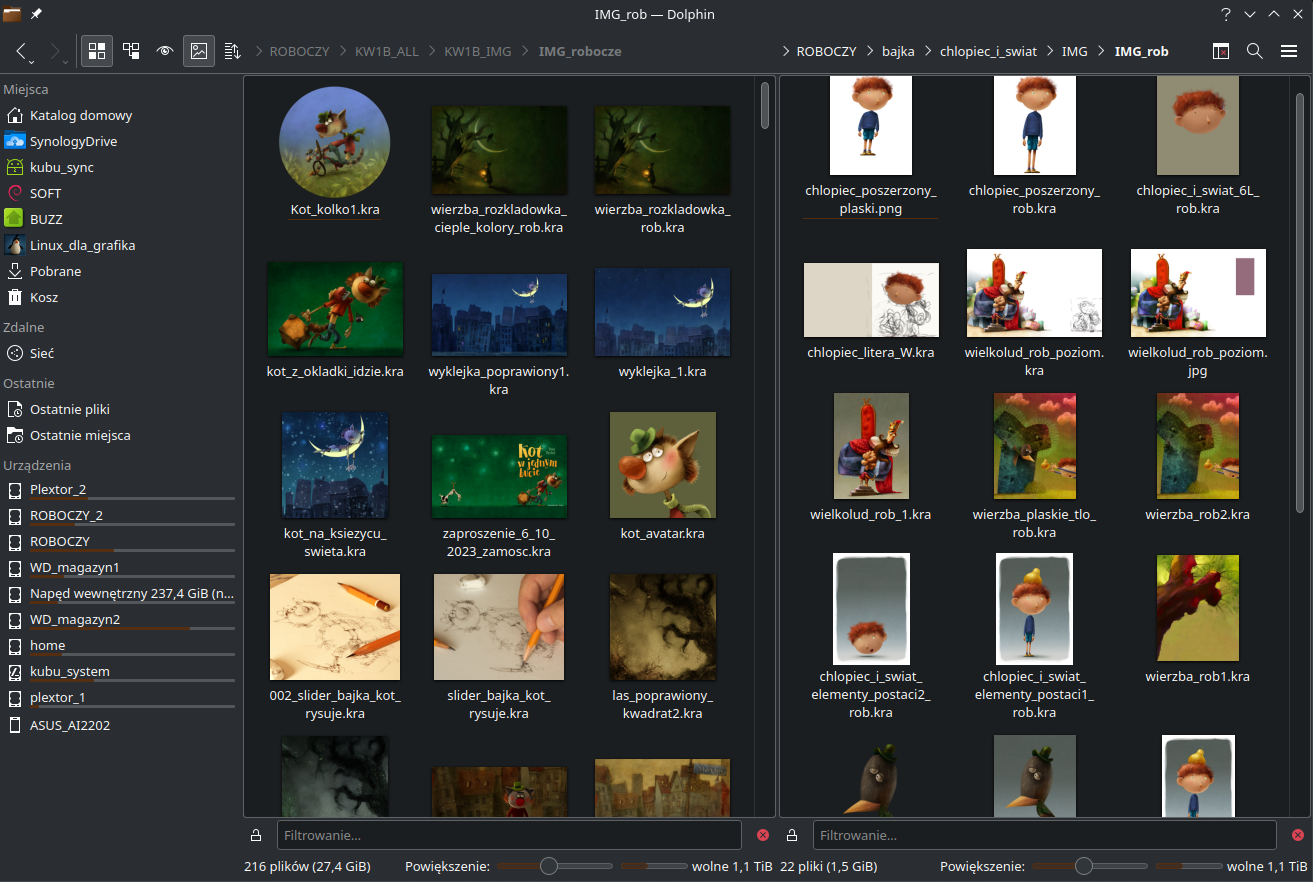
I recently converted to Linux and usually on windows there’s a little image preview for each Krita document showing the picture. However on Linux I haven’t been able to get these small previews to appear. Is it possible to make it work for Linux or is that just out of the question for the Linux version of Krita?
Any help would be had and thank you all for your time.
I think you mean the small thumbnails in the file manager, but it would be good if you could specify exactly where you are missing document preview icons, or which ones they are if I am wrong.
Which version of Krita are you using?
Where did you get it from, or what distribution form does it have? AppImage, Flatpak, Snap, RPM, repository, other?
Which Linux distro are you using?
Which window manager are you working with?
What is the name of the file manager you are using?
Some file managers have the option to enable Krita thumbnails, I believe Dolphin is one of them.
Alternatively, you can use the Krita plugin Buli Commander, which functions as a file manager in Krita. Among many other features of interest to Krita, it also offers previews, and even allows you to select the size.
Buli Commander is extensively described here, and can be downloaded from here (because the download link in the describing post is not updated, so not the current release), but you need to patch the current version, which is described here, alternatively, you can download an already fully patched version ready to be imported into Krita from here.
If you’re on a Fedora based distro, I DID saw somewhere they changed something about the app that works on the thumbnails on the update (not the file manager itself, it was something else), unsure about where I found the solution, but if it’s your case, I can try finding it again
I’m on KDE too and thumbnails for KRA files work right out of the box. The only thing I had to change at some point is to configure the file browser to also generate thumbnails for files larger than 3 MB but I don’t know if this still has to be done.
By the way, I remembered that once there was a bug in Dolphin preventing it from displaying the thumbnails. So I asked my trusted search engine how to fix it:
To patch it, you need to open the file dolphinrc in the ~/.config folder with an editor and delete the [PreviewSettings] section. Then save and restart Dolphin. This will cause Dolphin to recreate this section and display the Krita thumbnails again (which reminds me of Krita, because Krita would do the same with its settings).
And you should not touch that setting afterward in Dolphin’s UI settings: If you think you need to disable the KRA thumbnail in the UI settings later, for whatever reason, it will break again, and you will have to fix it again as described above.
Who knows, either the maintainer of your distro is using an ancient package, or the bug hasn’t been fixed (there/in it) yet. Respectively, it’s back …
These sites have KRA thumbnails as topic, if they can be of help for you, you must find out yourself, since you did not provide enough information for an answer on point. →