BuliCommander

Buli Commander

An orthodox file manager plugin for Krita.

What is Buli Commander?

Buli Commander is a Python plugin made for Krita (free professional and open-source painting program).

Initially, my idea was to implement my own open dialog box to replace the default one from Krita,
because the default one didn’t satisfy me.

But as I’m used to work with orthodox file managers like Midnight Commander and
Krusader, I finally decided to implement my own “open dialog box” as a complete file manager.

Disclaimer

Please note that current version is a beta version

While Buli Commander version is not published under version v1.0.0, please take in consideration the following points:

  • There’s bugs, some of them are known, some are not (yet?) known
  • Implementation can be rewritten, so a bug can disappear naturally on next version… or not :slight_smile:
  • All functionalities are not yet implemented or not yet fully implemented
  • Current user interface and current functionalities are not definitive and can be changed on next version

Some screenshots

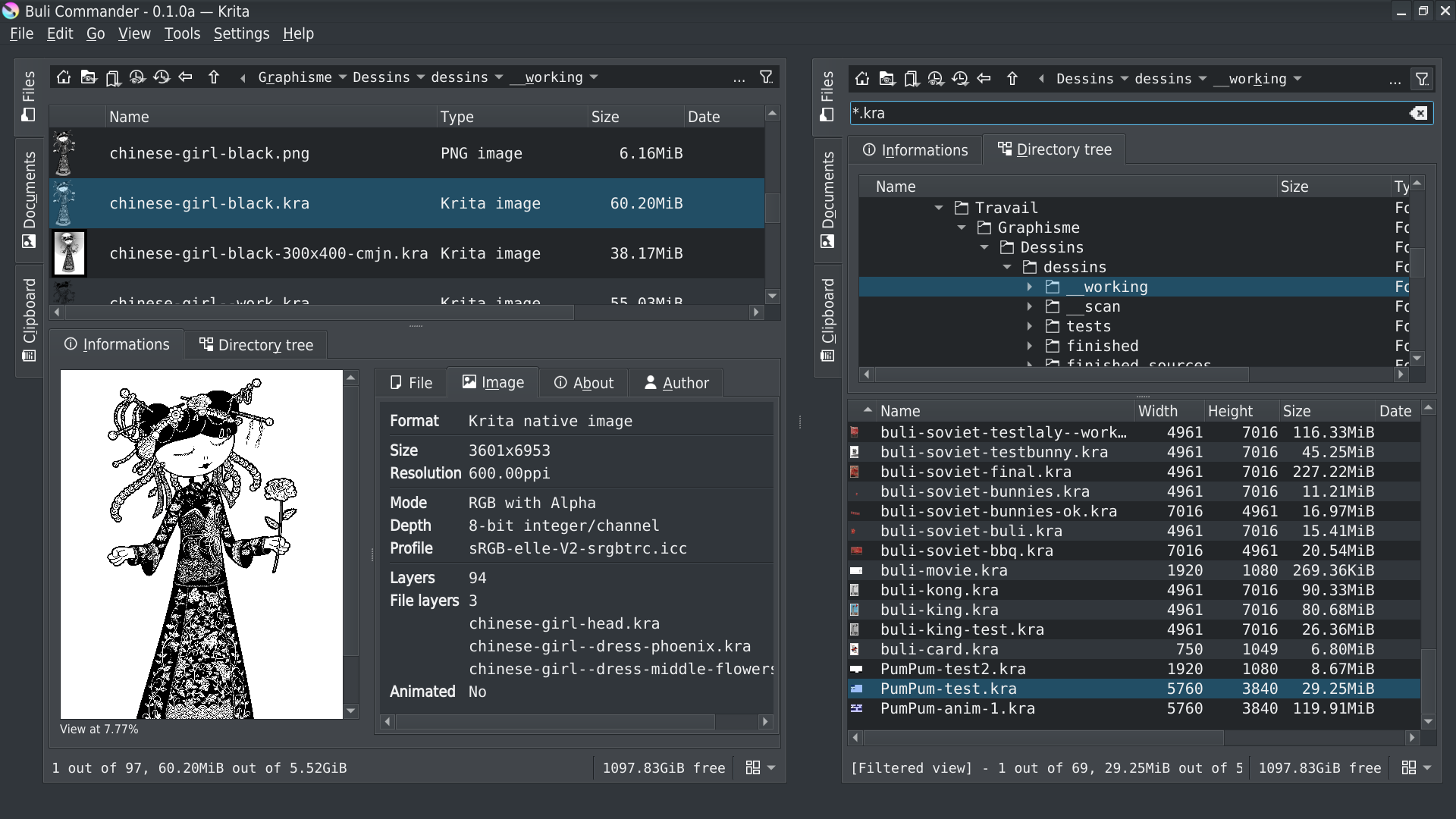
Main user interface: dual file panel mode
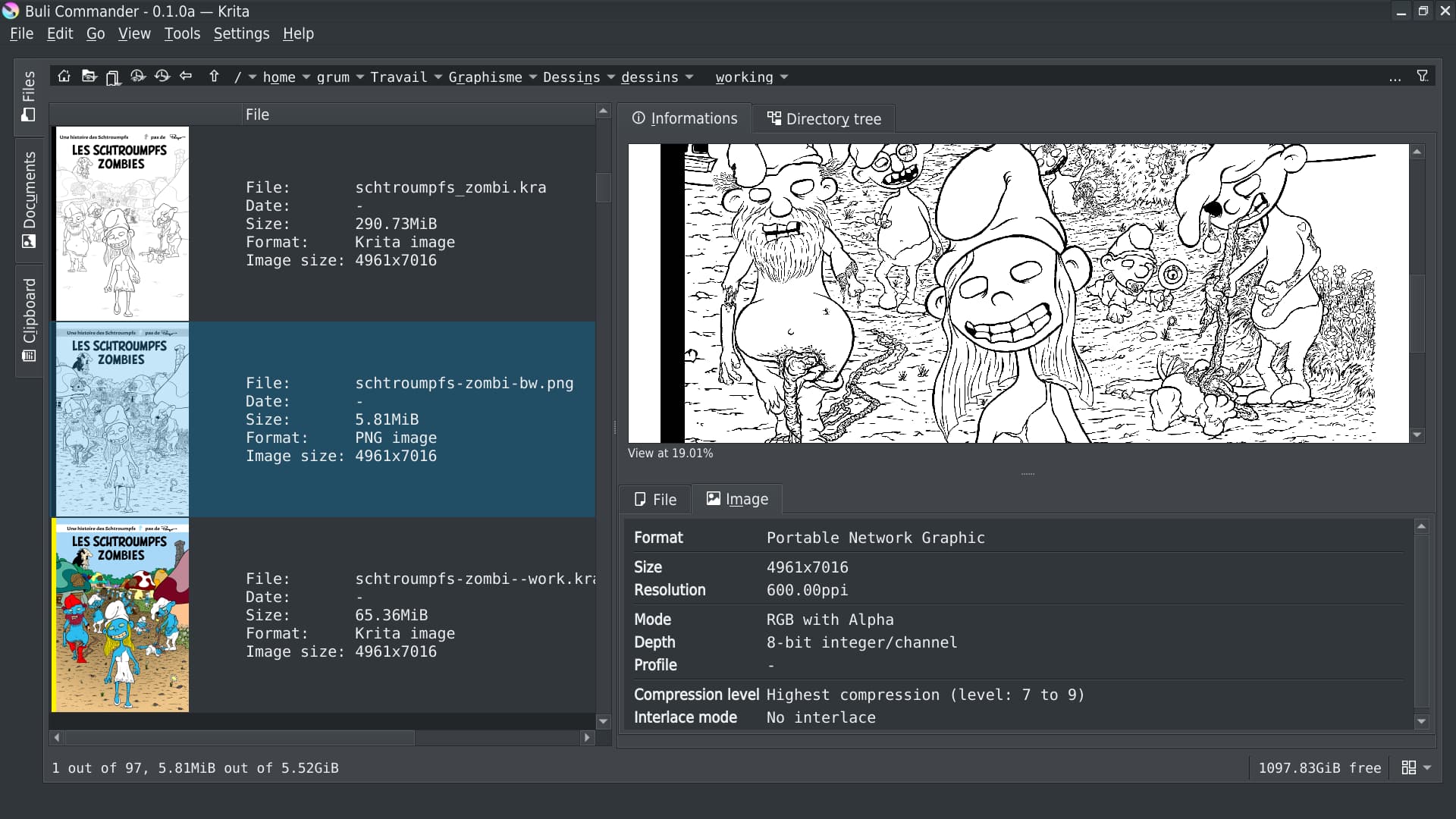
Main user interface: single file panel mode
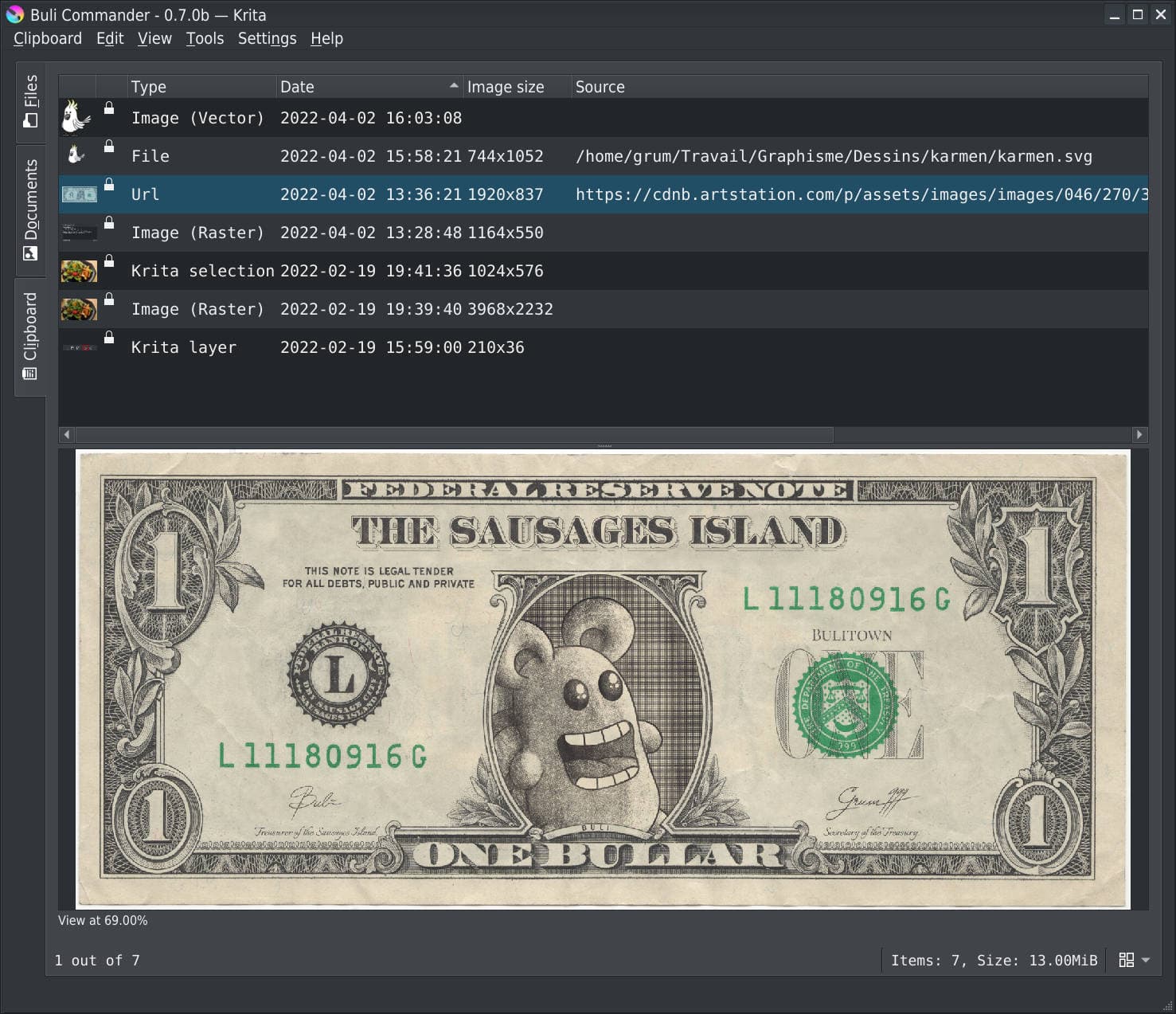
Main user interface: single clipboard panel mode with different image sources
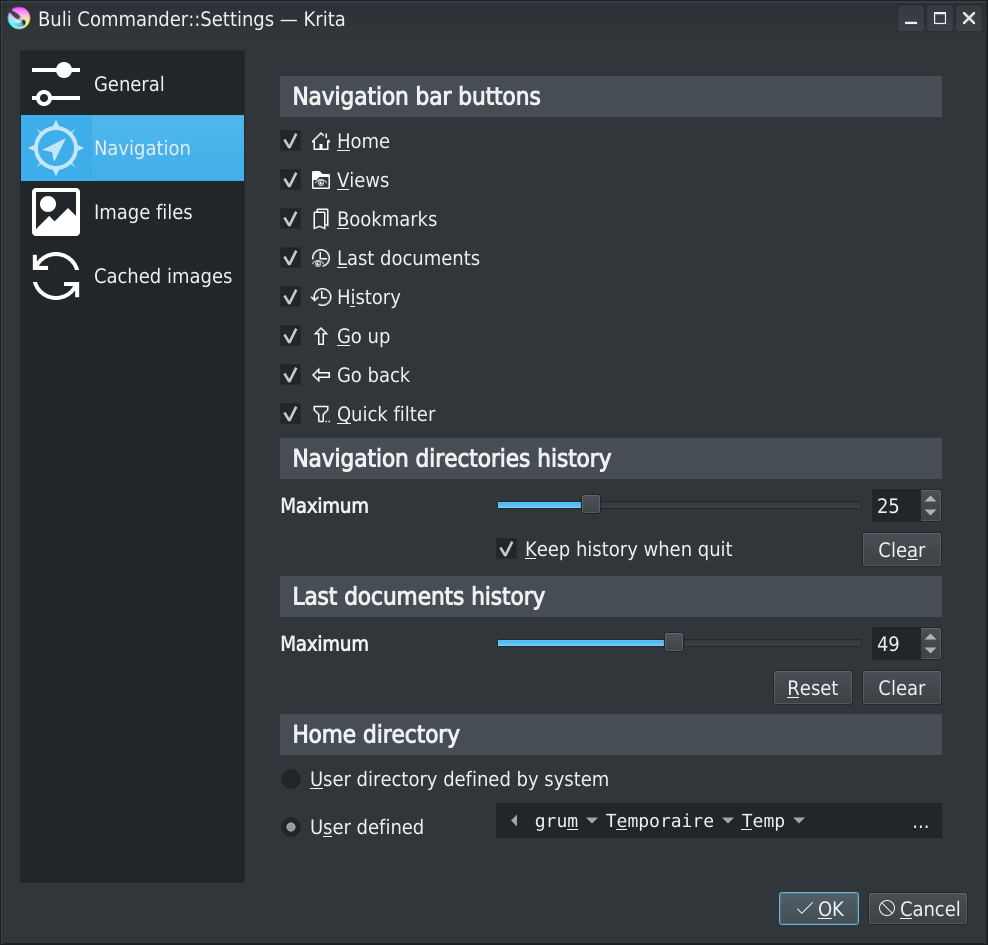
Settings interface: navigation
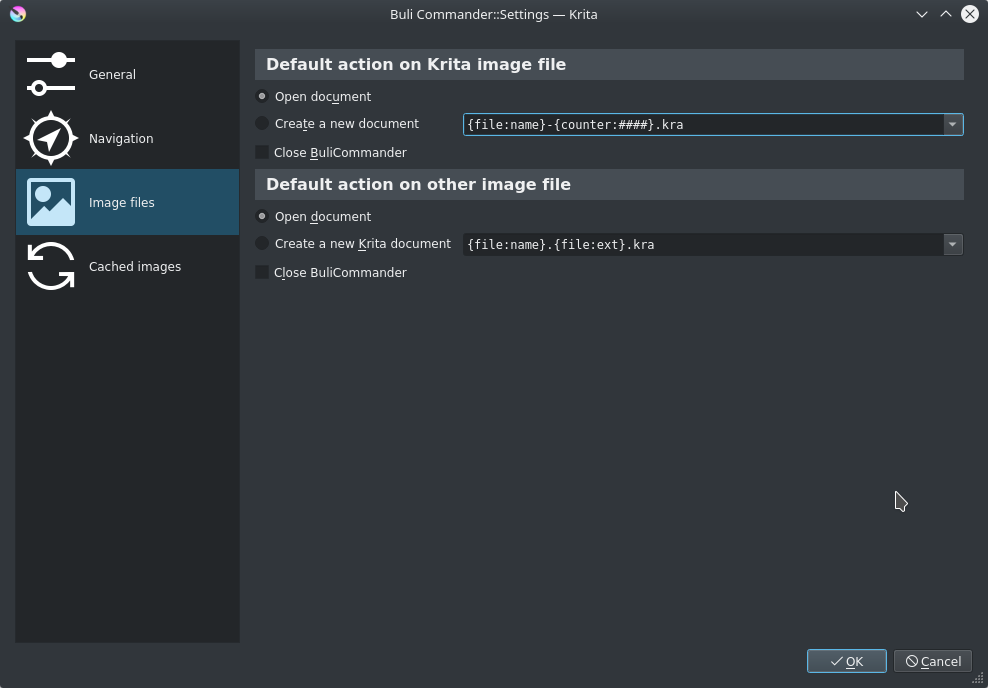
Settings interface: images default action
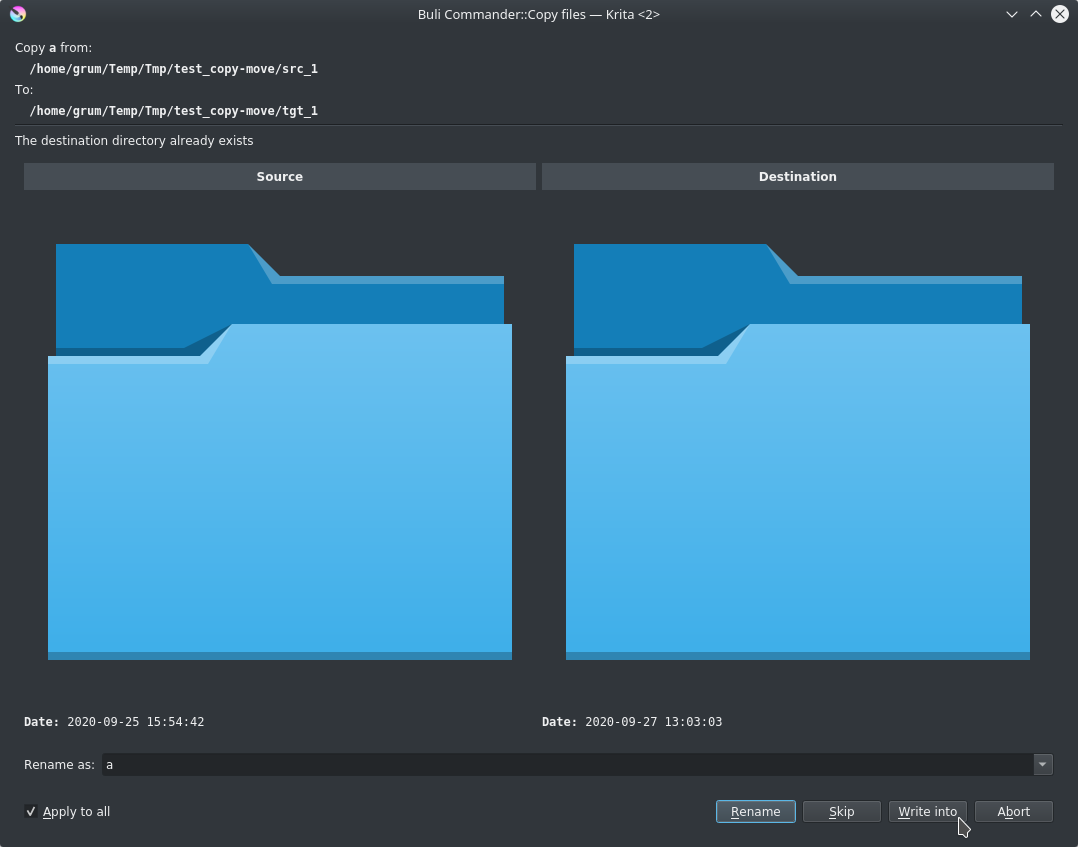
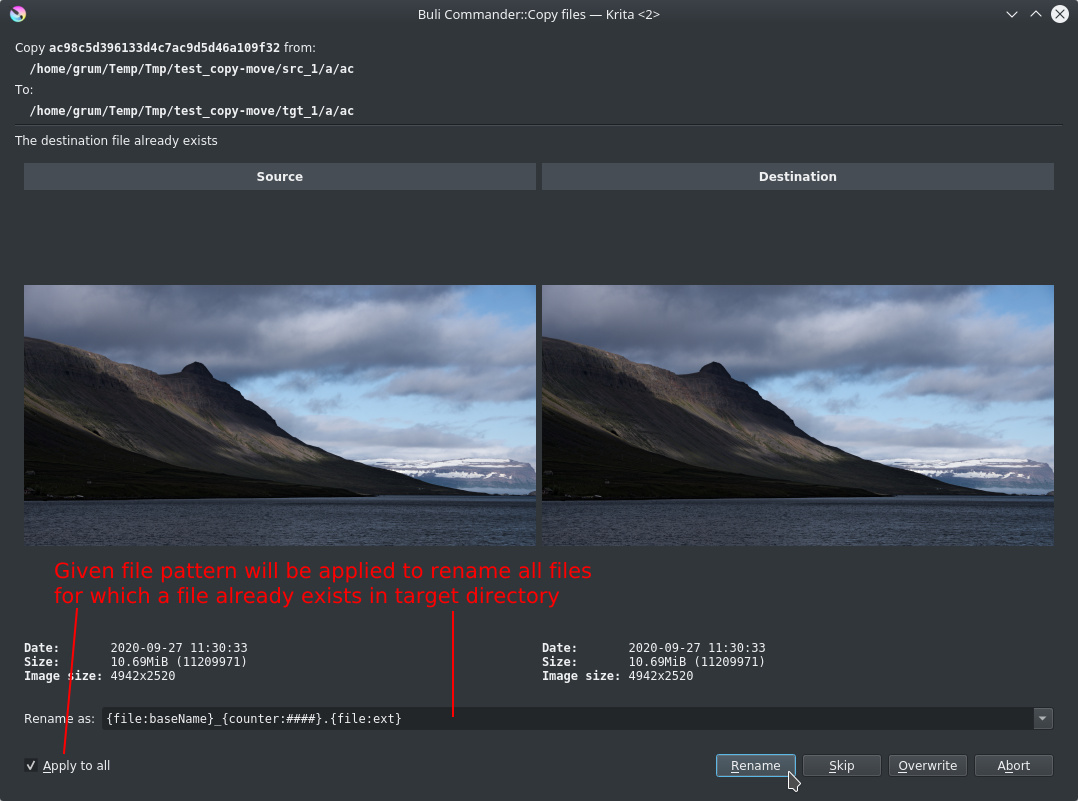
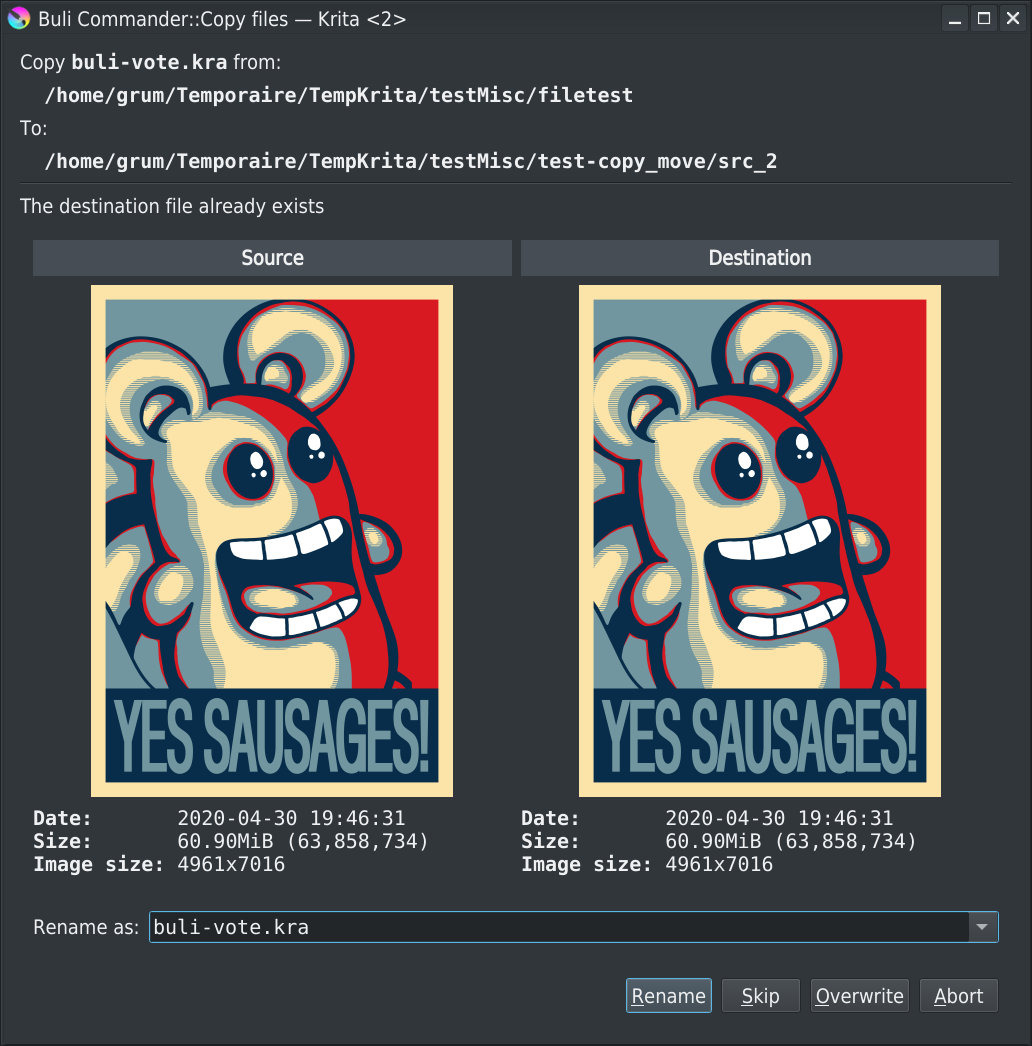
Copy file: window dialog if target file already exists
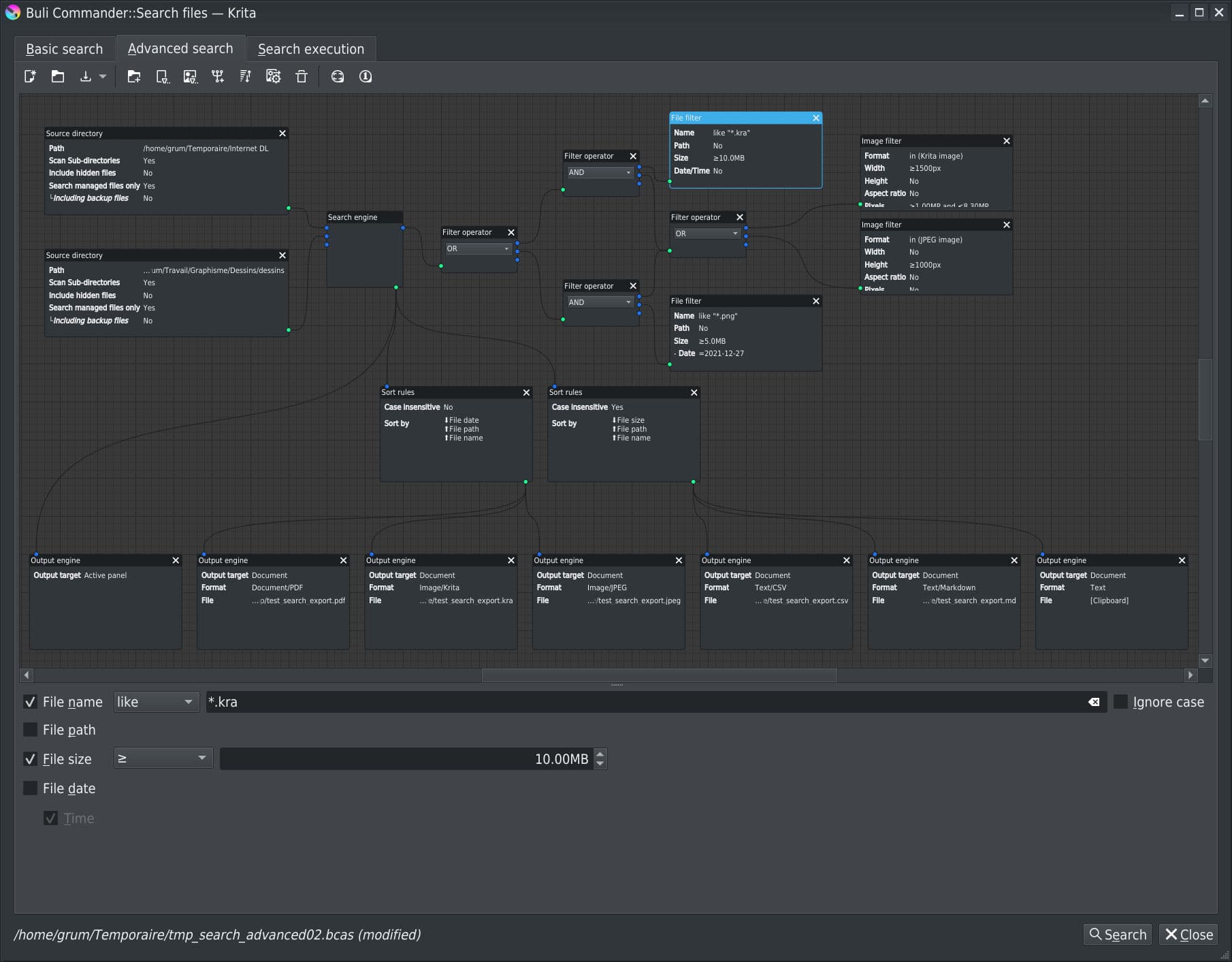
Advanced search engine: a complex, multi-source, multi-criteria and multi-output search definition
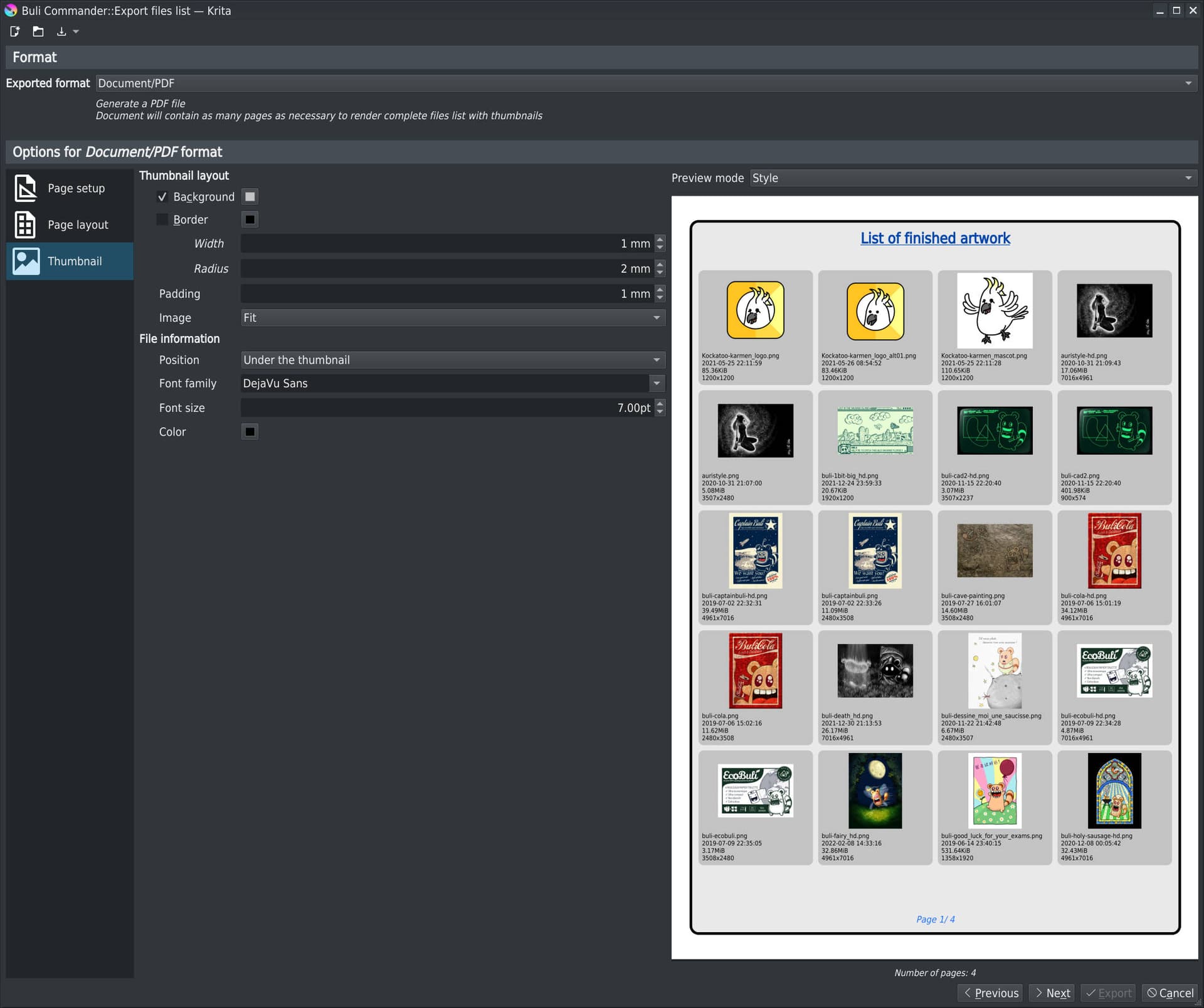
Export file list: export file list as a PDF document
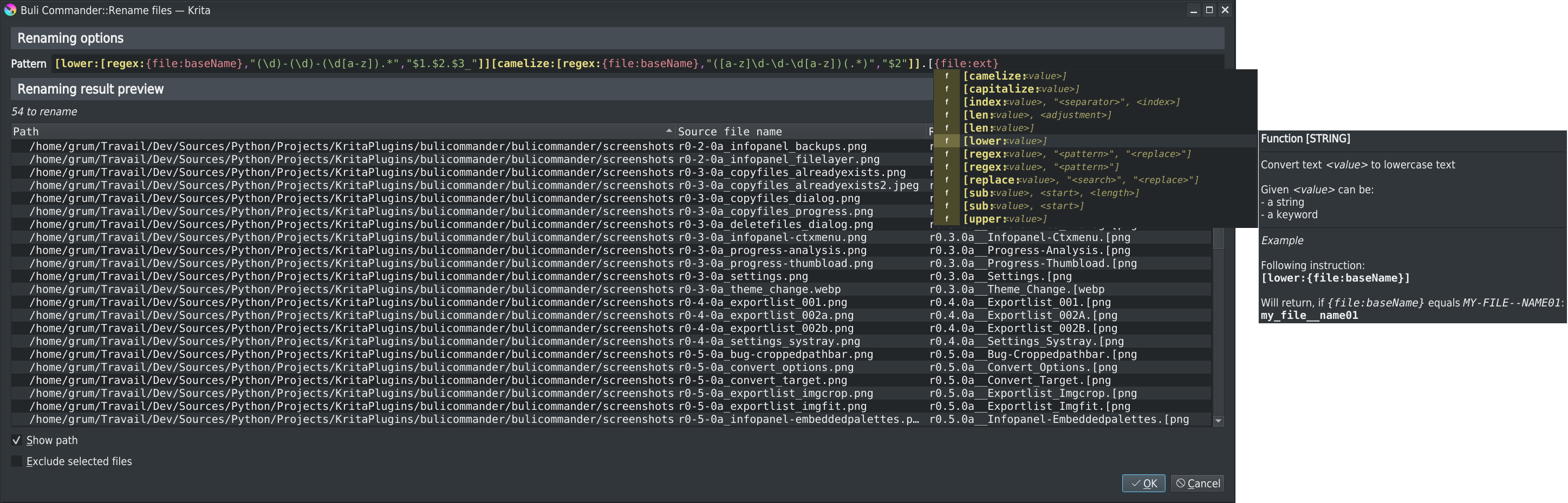
Mass Rename: use of advanced rename formulas with highlighted syntax, popup completer and help, and rename result preview
Functionalities

Here a list of main functionalities:

  • Dual panel interface, with different possible layouts

    • List and grid view mode
    • Directories tree view
    • Image information and preview
  • Intuitive navigation bar

    • Home, Previous & Up directories
    • Manual input (ie: just type path by yourself) or Breadcrumbs mode
    • Bookmarks
    • Views
    • History
    • Last opened/saved documents access
  • Quick filtering

    • Wildcards/Regular expression on file name
    • Show/hide backup files
    • Show/hide hidden files
    • Show/hide not managed (images) files
  • Image information

    • File properties
    • Detailed image properties (format, dimension, mode/depth, color profile, …)
    • Detailed Krita image properties (About, Author, embedded palettes, references images, used fonts, external files, …)
  • File manipulation

    • Copy/Move, with advanced “already exists” dialog window
    • Delete
    • Rename
      • Unitary rename
      • Mass rename with advanced possibilities
  • Search file engine

    • A basic search file interface, for basic and most common searches
    • An advanced search file interface (node based), for most complex searches
    • Allows to search from defined path
      • Including or not sub-directories
      • Including or not hidden and backup files
    • Allows to filter on file properties
      • Name
      • Size
      • Date
    • Allows to filter on image properties
      • Format
      • Dimension
      • Ratio
    • Allows to easily export results
  • Export files as list

    • Exported perimeter definition
    • Exported information selection (which file/image properties to export)
    • Different export format
      • Text
      • Markdown
      • CSV
      • PDF
      • Krita document
      • PNG/JPEG sequences
    • All format export provides miscellaneous options to define final format/rendering
  • Files conversion to Krita, Png, Jpeg format

  • Miscellaneous opening modes

    • Open as new document
    • Open as Krita document
    • Open as reference image
    • Open as layer
    • Open as file layer
    • Improved GIF/WEBP import file
    • Improved SVG import file (+SVGZ import)
    • Can read and import CBZ/CBT/CBR/CB7 documents
  • Clipboard manager

    • Automatic/manual clipboard management
    • Miscellaneous sources
      • Image
      • URL (direct asynchronous download)
      • File
      • Krita’s layers
    • Persistent clipboard
      • Everything in clipboard can be kept indefinitely
  • Settings

    • Miscellaneous configuration settings to tune your Buli Commander a little bit :slight_smile:

Download, Install & Execute

Download

Installation

Plugin installation in Krita is not intuitive and needs some manipulation:

  1. Open Krita and go to ToolsScriptsImport Python Plugins… and select the bulicommander.zip archive and let the software handle it.
  2. Restart Krita
  3. To enable Buli Commander go to SettingsConfigure Krita…Python Plugin Manager and click the checkbox to the left of the field that says Buli Commander.
  4. Restart Krita

Execute

When you want to execute Buli Commander, simply go to ToolsScripts and select Buli Commander.

Settings allows:

  • To define a shortcut for Buli Commander
  • To move menu entry in Krita’s File menu

Tested platforms

Plugin has been tested with:

  • Krita 5.1.1 (appimage) on Linux Debian 10

Plugin’s life

What’s new?

Note
As I’m a little bit lazy and don’t have so much time, there’s currently no documentation…
But detailled releases content provides some kind of documentation for some functionalities, don’t hesitate to read them :slight_smile:

[2022-09-30] Version 0.9.0b >> Show detailed release content <<

  • Improve Search engine - Reduce search execution time duration
  • Improve Search engine - Limit results
  • Improve File panels - Grid view mode - Smooth thumbnail scroll
  • Improve Clipboard panels - Save item as
  • Improve Clipboard panels - Remove item
  • Improve User Interface - Override Krita Welcome Screen “Open file” dialog
  • Improve User Interface - Implement “Save All”
  • Improve File management - Improve mass renaming
  • Fix bug - Search for condition generate python exception
  • Review code to follow PEP8 recommendation
  • Migrate to SPDX licenses headers

[2022-06-13] Version 0.8.0b >> Show detailed release content <<

  • Improve File panels - Grid View mode - File/Image information
  • Improve File panels - Toolbars
  • Improve File panels - Markers
  • Improve File panels - Multiple files selection
  • Improve File panels - Quick filter - Icons
  • Improve File panels - Breadcrumbs - Windows drives
  • Improve File panels - Context menu - Status tip
  • Improve User interface - Windows users menu icons
  • Improve File formats - New supported files format
  • Improve File formats - Open files

[2022-04-13] Version 0.7.1b >> Show detailed release content <<

  • Fix bug about thumbnail loading

[2022-04-06] Version 0.7.0b >> Show detailed release content <<

  • First Beta release!
  • A big work to get plugin fully compatible with Windows OS
  • Implement Search engine
  • Improve file panel - New available columns fields with possibility to Select/Unselect visible columns
  • Improve file panel - Grid view mode
  • Improve file panel - Selections management
  • Improve export files list - New available fields with possibility to Re-order fields
  • Improve export files list - Save & Load export definitions
  • Improve image information - Krita document version
  • Improve image information - Krita animated document details
  • Improve image information - Image ratio, pixels, dimension
  • Improve “Open as” functionalities
  • Improve performances
  • Improve user interface
  • New recognized files format
  • Many (many-many) bugs fix

[2020-12-29] Version 0.6.0a >> Show detailed release content <<

  • Implement Clipboard manager
  • Implement tool Copy to clipboard
  • Implement function Open file as reference image
  • Implement context menu for files
  • Improve Krita image information - Reference Images
  • Fix bug - Active panel not highlighted

[2020-12-06] Version 0.5.0a >> Show detailed release content <<

  • Implement Rename
  • Implement tool Convert files
  • Implement context menu for directories tree
  • Implement shortcut for quick filter
  • Improve Krita image information - Used fonts list
  • Improve Krita image information - Embedded palettes
  • Improve Krita Export file list - Square paper sizes
  • Improve Krita Export file list - Thumbnail mode
  • Fix bug - cropped path bar
  • Fix bug - Invalid font
  • Fix bug - Invalid key configuration

[2020-11-01] Version 0.4.0a >> Show detailed release content <<

  • Implement Auto close
  • Implement Auto open
  • Implement Override Krita open file dialog
  • Implement tool Export files list
  • Improve notification system

[2020-09-27] Version 0.3.0a >>Show detailed release content<<

  • Implement progress bar on background thumbnail load
  • Implement progress bar on directory file content analysis
  • Fix bug on Setting “cache” tab
  • Add “copy” context menu on information panel
  • Improve “Open as new” function
  • Update theme loading (when user change Krita’s interface theme, reload properly BC theme)
  • Implement and improve copy/move/delete function

[2020-09-11] Version 0.2.0a >> Show detailed release content <<

  • ORA file preview use (if exists) merged image preview instead of thumbnail
  • Add BACKUP files list linked to a file
  • Add FILE LAYERS files list linked to a KRA image
  • Improve backup extension file management (take in account suffix from Krita setting + numbered backup files)

[2020-09-05] Version 0.1.1a

  • Fix a dependency to unexisting library

[2020-09-05] Version 0.1.0a

  • First public version

Bugs

Probably still a lot… :slight_smile:


WARNING

There’s a very bad “random” bug that can occurs when opening Search window
Currently not able to reproduce it systematically, it sometime randomly occurs
When it occurs, there’s a really bad Krita crash :frowning:

If you want to use the search function, it’s higly recommended to save all your unsaved Krita documents!


What’s next?

Not able to define precisely in which order functionalities will be implemented, neither when, but here a list of what is currently expected for final v1.0.0 version:

  • Improve styles (especially clear style as currently plugin is optimized for dark theme)
  • Improve search engine UI (allows to resize nodes manually, context menu, copy/paste/duplicate, …)
  • Implement thumbnails generation with ICC profile taken in account
  • Implement Documents tab
  • Implement Exif/IPTC/XMP metadata read
  • Implement search by color
  • Implement search on Exif/IPTC/XMP metadata
  • Implement search on invalid krita files (missing font, missing file layers, …)
  • Implement “Predefined condition” for search
  • Implement Krita file analysis tool
  • Implement a better layout editor for Export file list (add popup completer for available marker)

Additional todo list available on Github


Edit: 2022-09-30

  • Updated topic content that was totally outdated
  • Updated to v0.9.0b

Grum999

18 Likes

good job! :grinning:

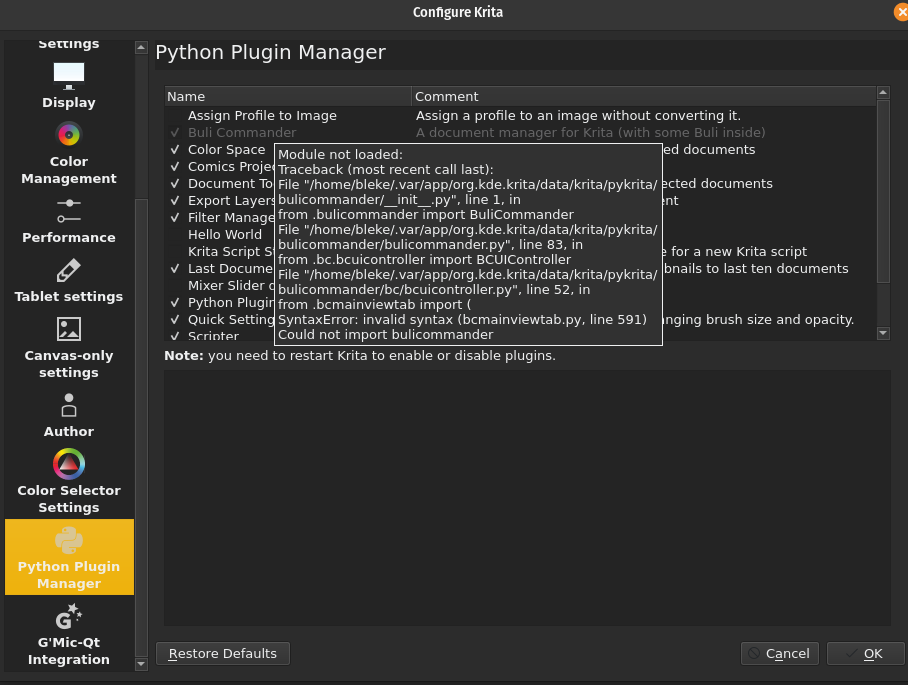
Error during import:

[Errno 2] File or directory doesn’t exist: ‘/home/bleke/Hämtningar/bulicommander.zip’

Doesn’t Krita handle non-english characters?

I can open the file fine with Gnome Files.

Hi @Bleke

Which Linux distro are you using?

Are you using plugin “Import Python Plugins…”?
If you change the file name Hämtningar by Hamtningar does the problem is fixed?

Linux manage unicode character natively.
And (normally) Krita, Qt and Python manage properly unicode characters.

Not sure, but it can be a problem relative to user/group access to directory…
Can you open a console, and type command:
ls -la /home/bleke/Hämtningar/bulicommander.zip

Have you the same problem with other plugins?

Grum999

At the moment I’m using Pop OS.

I managed to install the plugin by moving the zip file to the Desktop folder which doesn’t contain any weird characters even in my native language.

I followed your install instruction but it still doesn’t work:

bleke@beleth:~/Skrivbord$ ls -la bulicommander.zip
-rw-rw-r-- 1 bleke bleke 798251 sep 8 18:56 bulicommander.zip

I think this is my first Krita plugin. I may have activated one that came with the program before.

Ok
I see that problem is not on installation, but on plugin initialization.

And especially to this line:
if reFilter:=re.search('^re:(.*)', filter):
Which use a specific python syntax available from Python 3.8 if I remember.

This means that:

  • You’re not using last Krita 4.3.0 version
    or
  • You’re using a Krita 4.3.0 version, but not an appimage (a Krita version installed from a package provided by OS?) and in this case Python version provided with OS is not compatible…

Can you confirm which Krita version are you using?

Also, you can open Scripter (menu Tools > Scripts > Scripter) and paste the following code:

import sys
print(sys.version_info)

And then, do execute (Ctrl + R), and give me result from Output tab?

Grum999

My Krita install seems to reside in

/var/lib/flatpak/app/org.kde.krita/

So I guess it’s a flatpak.

import sys
print(sys.version_info)

==== Warning: Script not saved! ====
sys.version_info(major=3, minor=7, micro=4, releaselevel=‘final’, serial=0)

And the version is 4.3.0

Ok, doesn’t know how a flatpak is built or how it works.
But clearly, here, you have Python 3.7 used for your Krita instance.
And, as on my side I use a Krita 4.3.0 appimage which is provided with Python 3.8, I write code for Python 3.8 :slight_smile:

I can try to downgrade the code, and use Python 3.7 compatible syntax, but I’m not really comfortable with this because it will became difficult for me to ensure all the code is really compatible with a Python version that is not the expected Python version.

@halla (I’m sure you have an explanation, or at least you can refer to whom is in charge of flatpak), I’m not familiar with flatpak and I don’t know if it’s normal to have a Python version that is not the same than in an appimage.

And in a larger way, for a Krita version, can we expect the Python (and Qt library too) are always the same accross different OS (linux appimage, flatpak, windows installer/windows portable, mac OS) or can it be different?

Thanks.

Grum999

don’t do that please. that is maya all over again. it is easyer to update on the end user.

Ok, I downloaded the appimage. Not a huge fan… no nice icon, no apparent way to install them with the ‘proper’ programs, so they usually just stay in the download folder or maybe on the desktop.

Anyway! Your file manager is really nice. I like that you can zoom the image right in the preview window.

When I first started it, there was a section at the top that was half height, so the text and icons were a bit cropped. That issue went away on its own after a few minutes.

Another minor issue is that openraster images are lowres in the preview. Would be nice if you could zoom in and see the details in them too.

Hi @EyeOdin

Technically, in this case downgrading the code from 3.8 to 3.7 is not very complicated.

if reFilter:=re.search('^re:(.*)', filter):
   # do things with reFilter

just become:

reFilter=re.search('^re:(.*)', filter)
if not reFilter is None:   
    # do things with reFilter

But:

  • Need to check where I use the assignment expression “:=”, but I already know that I’ll need to check for nested if ... elif ... statements
  • I need to check if somewhere in code, I use other 3.8 specific syntax
  • While I don’t understand why it’s possible to get a Krita 4.3.0 running with a Python version which is not 3.8, I don’t want to do anything

Concerning the fact that’s easier to upgrade Python, I’m not sure :slight_smile:
It will depend of the OS you’re using.
On a Debian distro, it’s more complicated than on Windows or Ubuntu distro.

Anyway, I’ve downloaded Pop!Os (this OS sound interesting and I have to take a look on it) and installed Krita from flatpak:

  • On OS, Python 3.8 is installed
  • On Krita, Python 3.7 is executed

For me, this means that flatpak package include Python and is not build with the right Python version (as official appimage is provided with Python 3.8, I think that Python 3.8 is the official minimal Python version mandatory for Krita 4.3.0)

So, for now, I won’t change anything.
Maybe, when Krita 4.4.0 will be able as a flatpak, the right Python version will be included… ?

Grum999

Thanks for feedback :slight_smile:

Not sure to understand.
You mean, Icon for Krita in menu?


On my side, having a nice icon in menu for appimage is not a problem :slight_smile:
And appimage are just stored in a dedicated directory that is not the Download directory :wink:

I didn’t take time to take a look on Pop!OS interface, but I think it’s possible to have add a shorcut to appimage, with nice krita icon
(but ok, it’s a manual action :stuck_out_tongue: )

Yeah, that’s a problem for which I currently didn’t found a solution
I won’t enter in detail, but it’s relative to the way Qt works…
There’s might be a solution, I already made some fix about this, but I decided to not loose too much time on it for now :slight_smile: This is a problem I’ll try to fix in an another release

Oh yes.
I may need to use more ORA files for this.
In fact, the ORA file format have:

  • a mandatory thumbnail.png file (256x256 pixels max)
  • an optional mergedimage.png file (Since 0.0.2 file format revision, this file is mandatory)
    The fact is, I think all files I used only have the thumbnail file…

So, I can:

  • Use mergedimage.png file if available
  • Thumbnail otherwise

Last possibility is to (silently) open file in Krita, get projection, and close file. But it will be slower than using already available preview in file… But that’s something I can add as an option :slight_smile:

Grum999

Pop OS uses Gnome 3. The icon thing and all that is really off topic in this thread. I should harass System76 to make appimage installation a matter of right-clicking on the icon and select “install appimage”. :slight_smile:

I think Mypaint is just about the only program actively using ORA now. I would think that they use mergedimage.png if the specification says so.

So use the mergedimage if it exists.

Yeah :sweat_smile:

I’ve generated ORA files from Krita and MyPaint, mergedimage.png file is here :slight_smile:
In fact, ORA files I used for test were made with MyPaint in 2012, and these files don’t have the mergedimage.png preview.

Yes, done, will be available in next release (don’t know when a release package will be generated :innocent:)

Many thanks for the remark :wink:

Grum999

1 Like

Great!

Will it be possible to launch BuliCommander from the File menu or will it always stay in Tools/Scripts/ ?

Currently, only from menu Tools/Scripts

In my mind there’s 2 improvement I want to implement:

  • Possibility to set a shortcut to execute plugin
  • Possibility (option in settings for user’s choice) to replace current native Open dialog with BuliCommander (might be possible to hack, but I didn’t check yet, and it’s currently not in my priority, this might be implemented later when plugin will be more stable)

Grum999

1 Like

V0.2.0a is released


Main changes:

  • ORA file preview use (if exists) merged image preview instead of thumbnail
    This allows to display a better quality preview for file (thanks to @Bleke for remark/idea)

  • Add BACKUP files list linked to a file

  • Add FILE LAYERS files list linked to a KRA image

  • Improve backup extension file management (take in account suffix from Krita setting + numbered backup files)

BACKUP files list linked to a file example

FILE LAYERS files list linked to a KRA image example


Grum999

2 Likes

v0.3.0a is released :slight_smile:

Note: due to use of specific Krita’s API introduced with Krita 4.4.0, this version is not compatible with version 4.3.0 and other previous version


Main changes

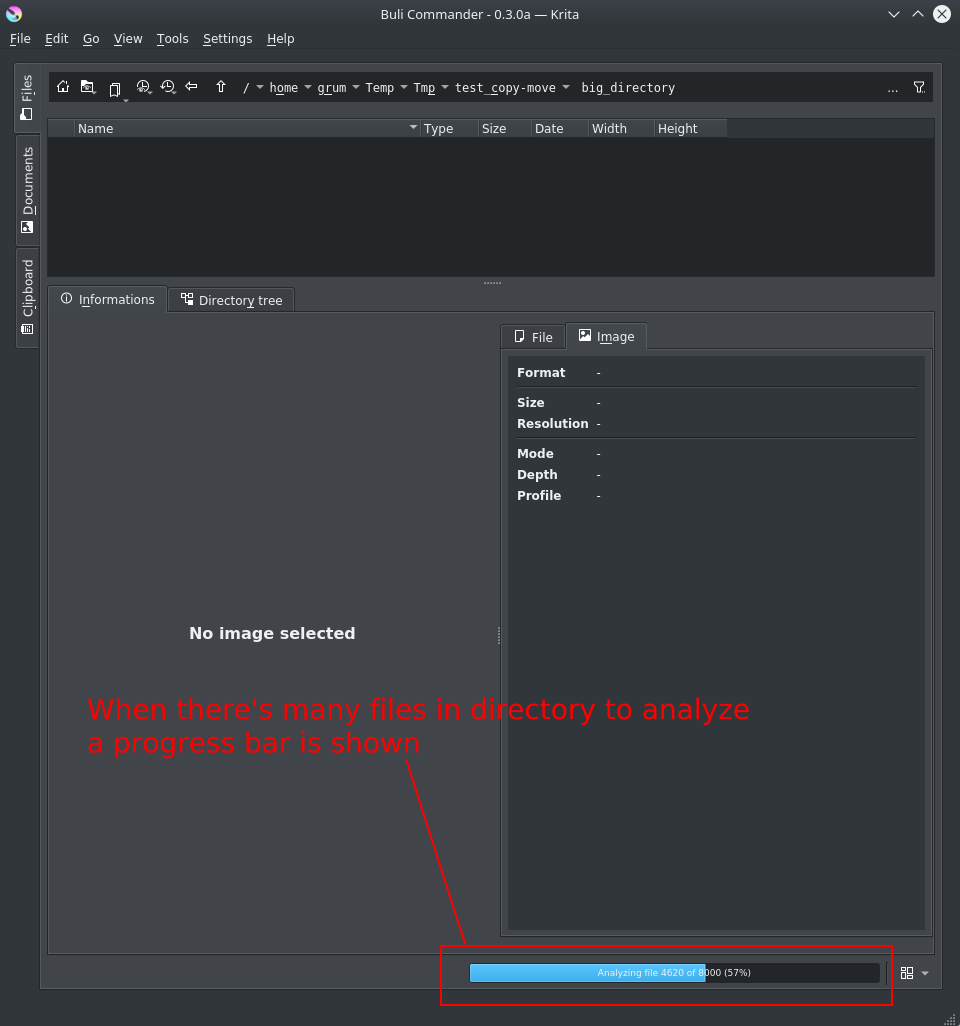
Implement progress bar on directory file content analysis

When there’s many files (hundred or more) reading files information (image size) cant take time: in this case, a progress bar is displayed while files are analyzed.

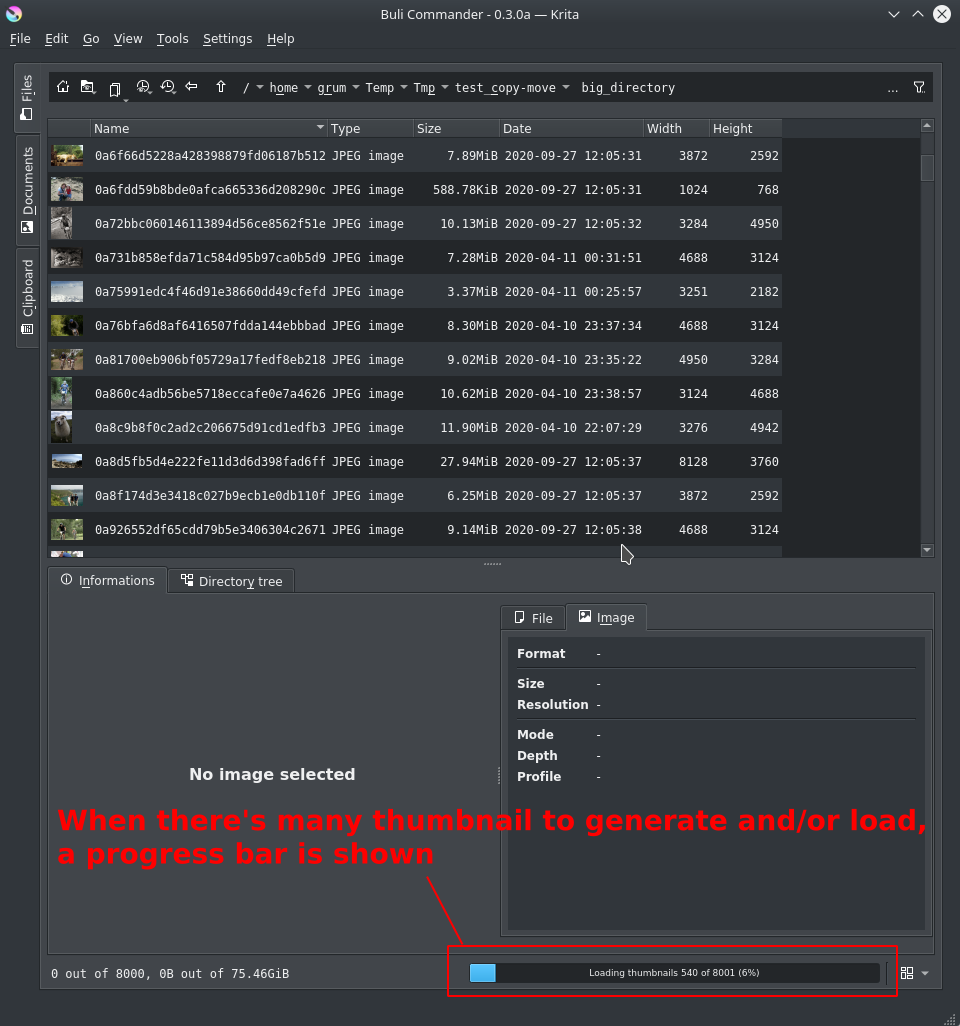
Implement progress bar on background thumbnail load

When there’s many files (hundred or more) generating and/or loading cache thumbnails can take time: in this case, a progress bar is displayed while thumbnail are loaded in background.

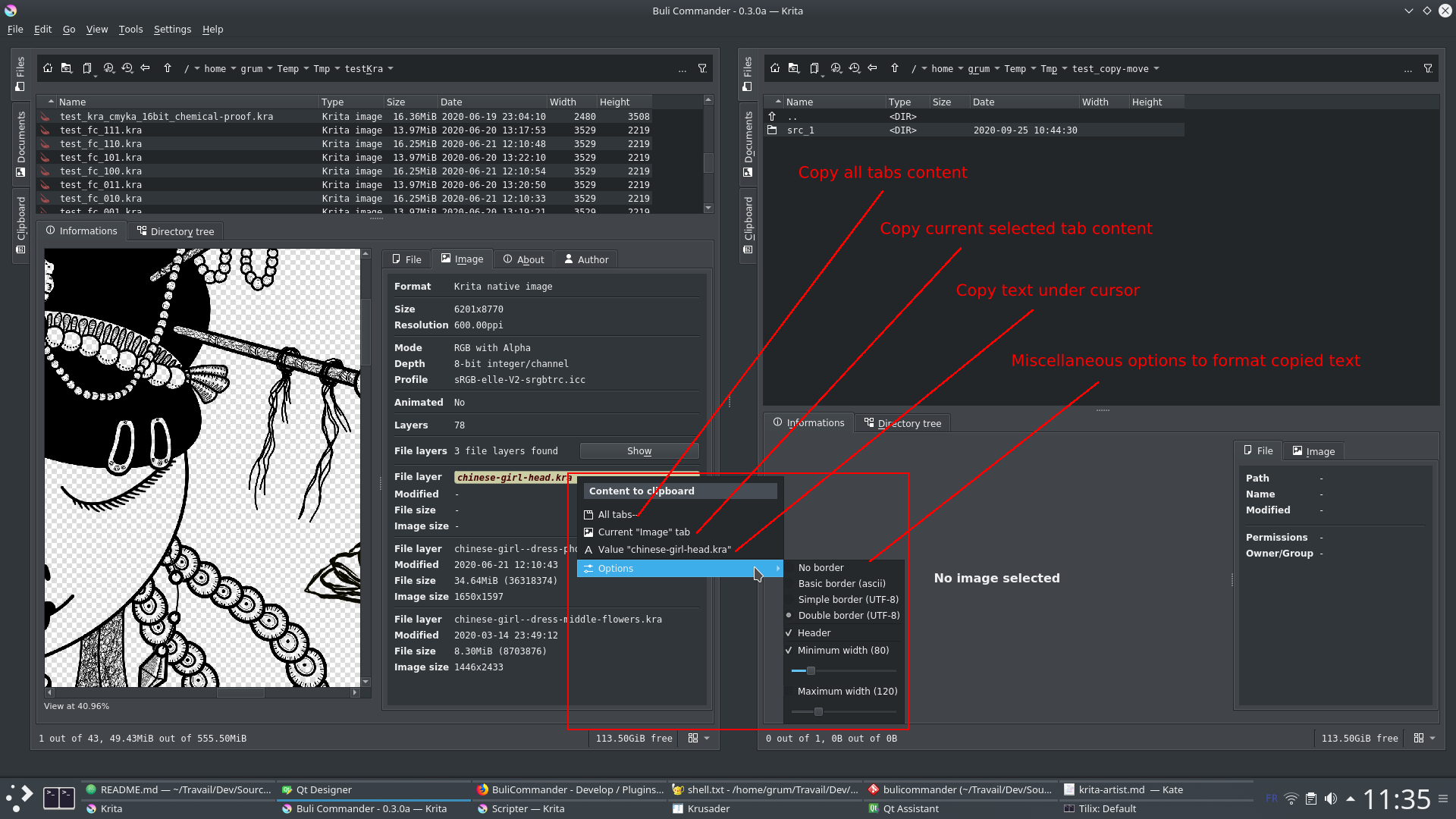
Add a copy to clipboard context menu on information panel

A right click on image information panel display a context menu to easily copy information to clipboard.

Text result copied in clipboard:

[ Image ]
╔═══════════╤══════════════════════════════════════╗
║Property   │Value                                 ║
╠═══════════╪══════════════════════════════════════╣
║Format     │Krita native image                    ║
╟───────────┼──────────────────────────────────────╢
║Size       │6201x8770                             ║
║Resolution │600.00ppi                             ║
╟───────────┼──────────────────────────────────────╢
║Mode       │RGB with Alpha                        ║
║Depth      │8-bit integer/channel                 ║
║Profile    │sRGB-elle-V2-srgbtrc.icc              ║
╟───────────┼──────────────────────────────────────╢
║Animated   │No                                    ║
╟───────────┼──────────────────────────────────────╢
║Layers     │78                                    ║
╟───────────┼──────────────────────────────────────╢
║File layers│3 file layers found                   ║
╟───────────┼──────────────────────────────────────╢
║File layer │chinese-girl-head.kra                 ║
║Modified   │-                                     ║
║File size  │-                                     ║
║Image size │-                                     ║
╟───────────┼──────────────────────────────────────╢
║File layer │chinese-girl--dress-phoenix.kra       ║
║Modified   │2020-06-21 12:10:43                   ║
║File size  │34.64MiB (36318374)                   ║
║Image size │1650x1597                             ║
╟───────────┼──────────────────────────────────────╢
║File layer │chinese-girl--dress-middle-flowers.kra║
║Modified   │2020-03-14 23:49:12                   ║
║File size  │8.30MiB (8703876)                     ║
║Image size │1446x2433                             ║
╚═══════════╧══════════════════════════════════════╝

Improve “Open as new” function

When opening a document “as new document”, BuliCommander can now define automatically the file name of new created document, according to defined pattern.

Implement and improve copy/move/delete function

Note: copy/move function is now working properly, but it still recommended to not use it with production work as more tests still need to be made

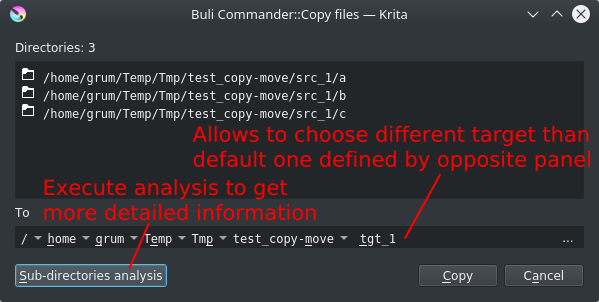
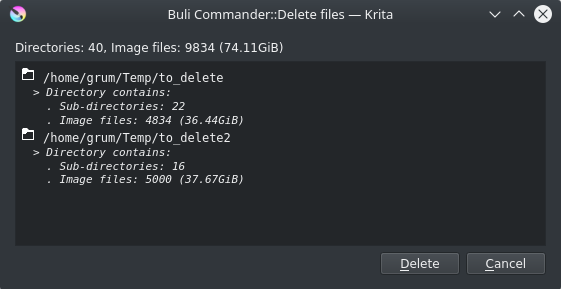
Confirmation of action allows to display detailed information about what will be copied/moved/deleted.
Example of confirmation dialog box for copy and delete actions

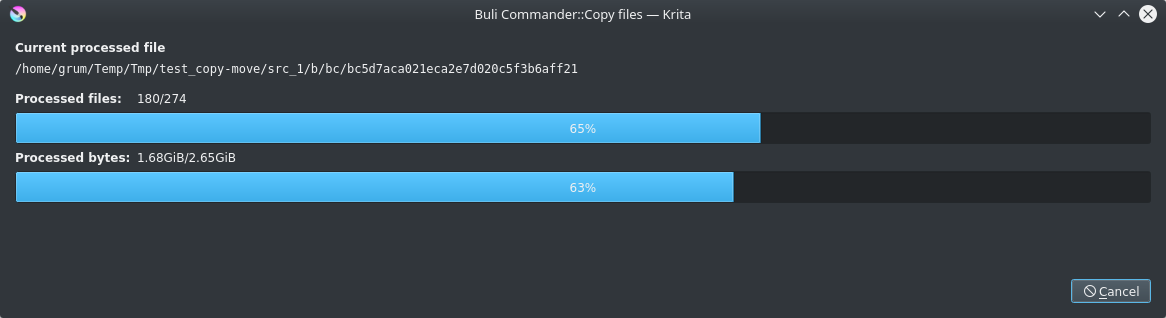
Copy in action

For copy/move action, when a target file already exists, a choice is asked to user with the following possibilities:

  • Directory:
    • Rename directory
    • Write into existing directory
    • Skip action for the directory
  • File:
    • Rename file
    • Overwrite existing file
    • Skip action for the file

Renaming option allows use of pattern (like for “Open as new” configuration) to apply automatically a new name for file.

Target directory exist example

Target file exist example

Update theme loading

When user change Krita’s interface theme, theme is now properly applied to Buli Commander.

Fix a bug on Setting “cache” tab

Cache information wasn’t updated properly, it’s now fixed


Grum999

4 Likes

Hi

Few days ago the v0.4.0a has been released.

[2020-11-01] Version 0.4.0a

  • Implement Auto close
  • Implement Auto open
  • Implement Override Krita open file dialog
  • Implement tool Export files list
  • Improve notification system

Too lazy to continue to update details here :slight_smile:
You can read detailed release content directly on github repository, that’s simpler for me to keep a unique place up-do-date than trying to maintain it everywhere.

Grum999

1 Like

Hi

Just released the v0.5.0a

[2020-12-06] Version 0.5.0a

  • Implement Rename
  • Implement tool Convert files
  • Implement context menu for directories tree
  • Implement shortcut for quick filter
  • Improve Krita image information - Used fonts list
  • Improve Krita image information - Embedded palettes
  • Improve Krita Export file list - Square paper sizes
  • Improve Krita Export file list - Thumbnail mode
  • Fix bug - cropped path bar
  • Fix bug - Invalid font
  • Fix bug - Invalid key configuration

For screenshots and functionnalities description, you can read the full detailed release content directly on github repository.
And main BuliCommander page.

Grum999

3 Likes