Debian 12, AwesomeWM, Krita 5.1.5 (not Appimage, it’s from Debian repositories).
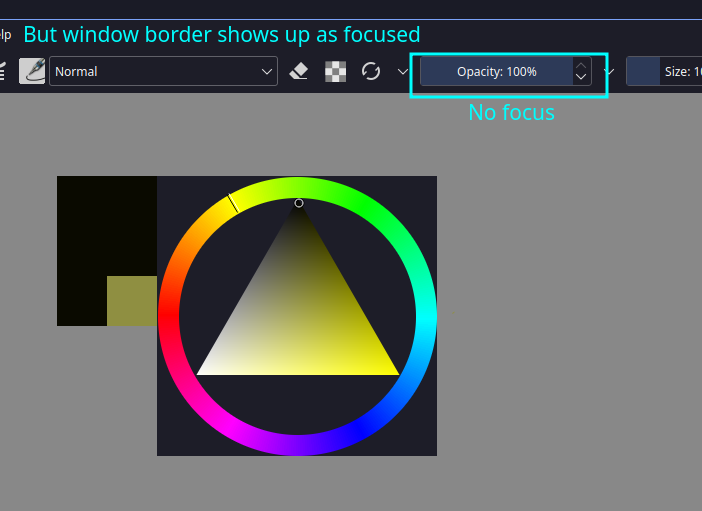
I have a problem when I’m drawing in Krita, a popup color selector/shade selector steals focus and that focus doesn’t get restored when the popup is closed. I can keep on drawing but I can’t use hotkeys (any, even canvas hotkeys. Except for Shift to resize the brush).
Things to note
- If I exit the Krita window and get back to it then everything starts working again.
- If I use a mouse click instead of a graphic’s tablet stylus then the focus gets regained. I tested different tablets and no stylus will be capable of regaining focus.
- Unless I re-enter the Krita window then (with a stylus) everything is stuck in a “zombie” state where I can draw but can’t use any hotkeys and all sliders show up as being unfocused (see photo).
- This only happens in AwesomeWM, on KDE (with Debian’s version of Krita, not Appimage) everything works fine.
Using Appimage or the Debian repo’s Krita doesn’t matter, both have this bug.
P.S. I used to have a (maybe?) similar issue on KDE: Canvas shortcuts don't work when changing windows
Workaround
The popup widget (Pop-up Palette — Krita Manual 5.2.0 documentation) doesn’t have this bug. It’s bearable but I would rather use the minimalistic color selector popup.