Problem
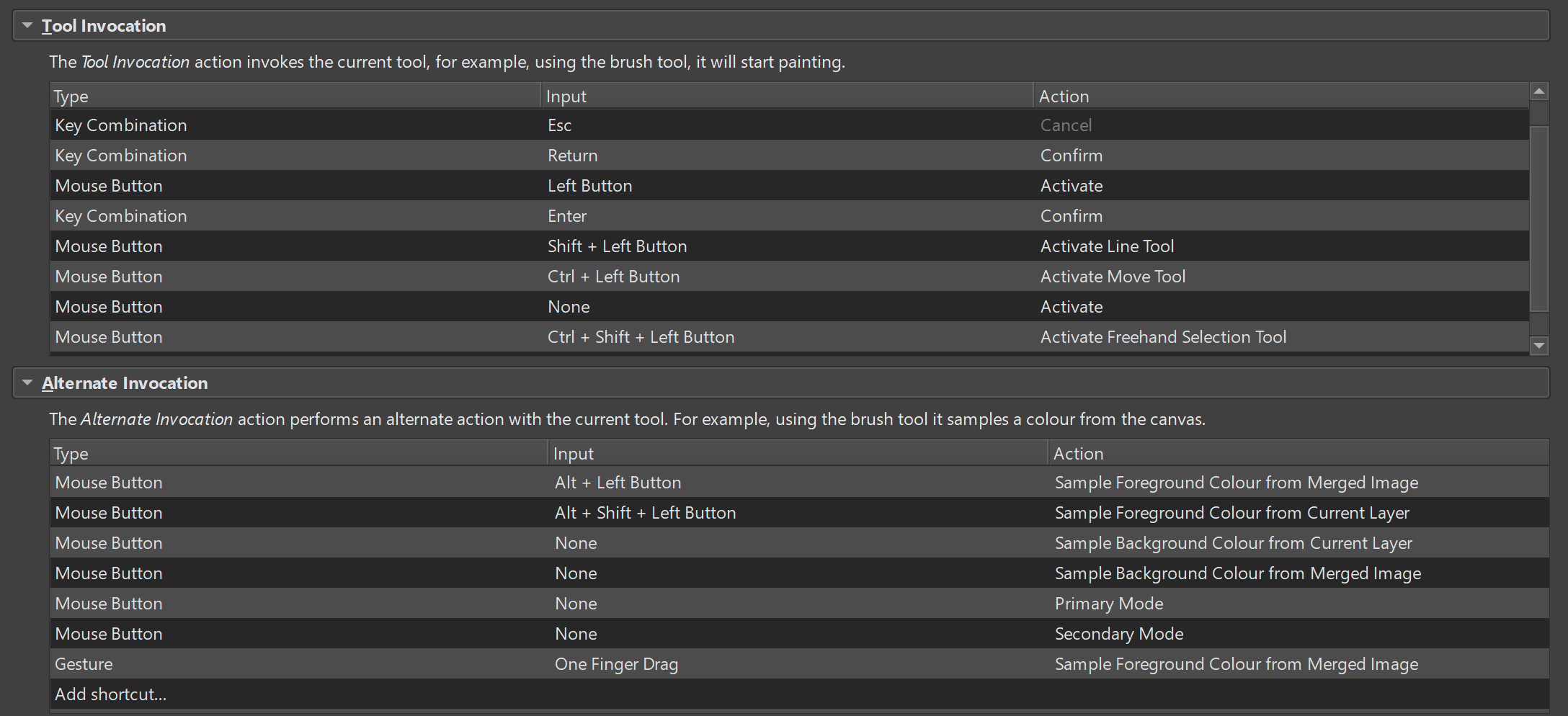
Using the Photoshp compatible Canvas input settings, there are some inconsistencies which take away functionality when using selection tools. In particular, the setting that the line tool is activated while holding shift, which overrides the option to add to selections. Furthermore, there is no way to specify that dragging a selection window while holding Alt would remove from selections.
Proposed solution
A possible solution would be to change the move selection modifier over to the spacebar (which corresponds to the way Photoshop, Blender and Affinity handle this), see below:
This would free up the Alt key to either duplicate the selection window over to other areas of the canvas or to remove from the selection.
In general, I think it would be great to have access to the configuration of modifiers for selection tools, so that users can customise shift to add to selections even within the Photoshop compatible mode. That way, the functionality is not lost, instead, when configured for selections, it would override erratic use of the line tool when selecting.
Ran into the line tool issue myself today and found this thread when I came to report it. Removing that shortcut helps for that specific scenario. As a side note, that particular setting isn’t really “photoshop compatible”, shift+left button does not activate the Line Tool in Photoshop, it enables a whole separate mode that works quite differently from the Line Tool. Since Krita does not appear to have a comparable mode, I think it might be better if Shift + left click to Activate Line Tool wasn’t included in the Photoshop Compatible settings.
IMO a good fix for these kinds of conflicts would be to provide an extra “Context(s)” field to canvas input settings (and maybe to the keyboard shortcuts?) to allow limiting certain shortcuts to specific active tools, or to have sections for inputs for specific tools. This would allow shortcuts like the above to be limited to only while using the Brush, and could allow the same shortcut to do different things while using different tools. For example, one might want holding Shift to toggle erase mode while using the Brush, and to toggle filling similar colours on the Fill tool. (Of course, this example scenario would also require adding more activation options, I don’t think it’s possible to hotkey the different Fill Tool modes at all currently, for example.)
Had the add-selection-line-tool issue today (first time using krita) and that was a headache and a half to figure out the cause
Really hope that gets fixed too!
In the 4 years since this feature request was created, only 2 users have voted for it. Votes don’t guarantee a feature will be worked on, but it does serve as a valuable meter for developers to gauge how much interest there is.
Most of us edit the shortcuts in Canvas Input Settings to suit our particular likes and requirements. You can do that, too.
Edit:
PS - I’ve never used Photoshop so I’m assuming the changes wanted are doable in Krita
They are not doable in Krita, hence my suggestions above. The best I can do is make Krita’s line tool not get in the way by removing the tool invocation shortcut for it, I cannot make the invocation behave in a way I find useful. In Krita, if I want to draw horizontal and vertical lines (which is what PS does when you hold down Shift while making a stroke), I have to switch to the dedicated Line Tool so that I can hold Shift to trigger the mode that snaps to specific angles.
On a somewhat related note: Pressing Alt while using a painting tool brings up the color sampler, but apparently this is a distinct “tool” from the Color Sampler Tool, and does not respect the tool’s settings. I often like to use the “sample current layer” mode, but this appears to be entirely inaccessible with Alt, and I can’t find any way to customise it such that I can get the behaviour I want. In PS, the Alt sampler uses the Eyedropper Tool’s settings. I don’t think Krita should copy PS’s behaviour as it’s not very convenient to switch tools to briefly change the mode, rather I think holding some additional modifier should change the mode, e.g. Shift+Alt to sample current layer. Something similar would be nice to have when using the actual Color Sampler Tool too. And I think such behaviour would be most convenient to customise with the more context-oriented input settings set-up I suggested above, or at least with additional options for things canvas inputs can do.
It looks like PS and Krita are both inconsistent in whether shortcuts bring up dedicated tools or special modes, but in opposite ways xP And I can’t customise Alt to bring up the real Color Sampler Tool because it’s simply not among the tool invocation options (plus, without the ability to limit this shortcut to a context, it’d probably break the Alt modes on all the other tools).
Edit: I suspect a reason for the low vote count, aside from the difficulty of finding posts on the forum, is that many people bounce off Krita when they run into issues like this. That’s what I’ve observed with my friends who tried Krita - when they find they can’t make Krita behave in a familiar way, they back to PS or go to CSP. A lot of PS users also do everything with the mouse and thus don’t really care about shortcuts and don’t report these issues. Another part of it is that people using PS and other proprietary software aren’t used to being able to effect change, and probably don’t even go looking for a place to report issues.
I think Krita can be better than PS (and in many respects is better even out of the box), but the limitations in customising inputs and tool behaviour have been a roadblock, whether I’m trying to imitate other software or not (I’ve complained about my zoom tool woes elsewhere xP).
The “many people bounce off Krita” is super correct.
Ive tried krita on and off for about 5 years (pretty much since i started drawing) and i always went back to photoshop because of issues such as this.
Im currently giving it my best shot yet because i want to move to linux and photoshop is literally the only ‘anchor software’ that i use. I am very happy with the plugins I’ve found and managed to make krita more comfortable to use, to the point I’m 100% ditching photoshop.
That said, it takes a lot of tinkering to reach this point, and actual determination to search up how to change all the little differences krita has to photoshop. I don’t think that should be the case considering the Photoshop-compatible options.
Notice how selections options aren’t possible to setup.
I would prefer to set up these combinations for selection tools, so there could be another header for those.
Just found this thread because I’ve been running into this problem and couldn’t figure out if it was a bug (something broken I should report) or a feature (something that works as intended but doesn’t suit my preferences). Honestly after reading this I’m still not sure! My specific use case is that I have Shift + Left Click mapped to Activate Line Tool in the Tool Invocation menu, which means that any time I press the Shift + Left Click combination, no matter what tool I currently have active, I switch to the line tool. This means that it’s impossible for me to shift + select multiple objects because any time I press shift, I get switched to the line tool no matter what.
This interaction happens with any tool invocation setting involving modifier keys–the invocation of a new tool via the tool invocation settings blocks the modifier keys from being applied to the current tool. In some cases this behavior is desired (pressing shift to activate line tool while the freehand brush is active) and in some cases it is not (pressing shift while trying to select multiple objects and instead getting switched to the line tool), so I’m not sure if this should be considered a bug report or a feature request. The fact that any tool invocation shortcut involving the shift key breaks the selection tool seems significant, but needing to figure out how to determine when tool invocation shortcuts should/shouldn’t apply turns the issue from a bug fix into a design problem and that makes me nervous about scope.
I’ve built plugins before but I haven’t actually touched Krita’s codebase, are there any more experienced developers who could weigh in on this?
I don’t think it’s a bug but more so a missing feature/consideration.
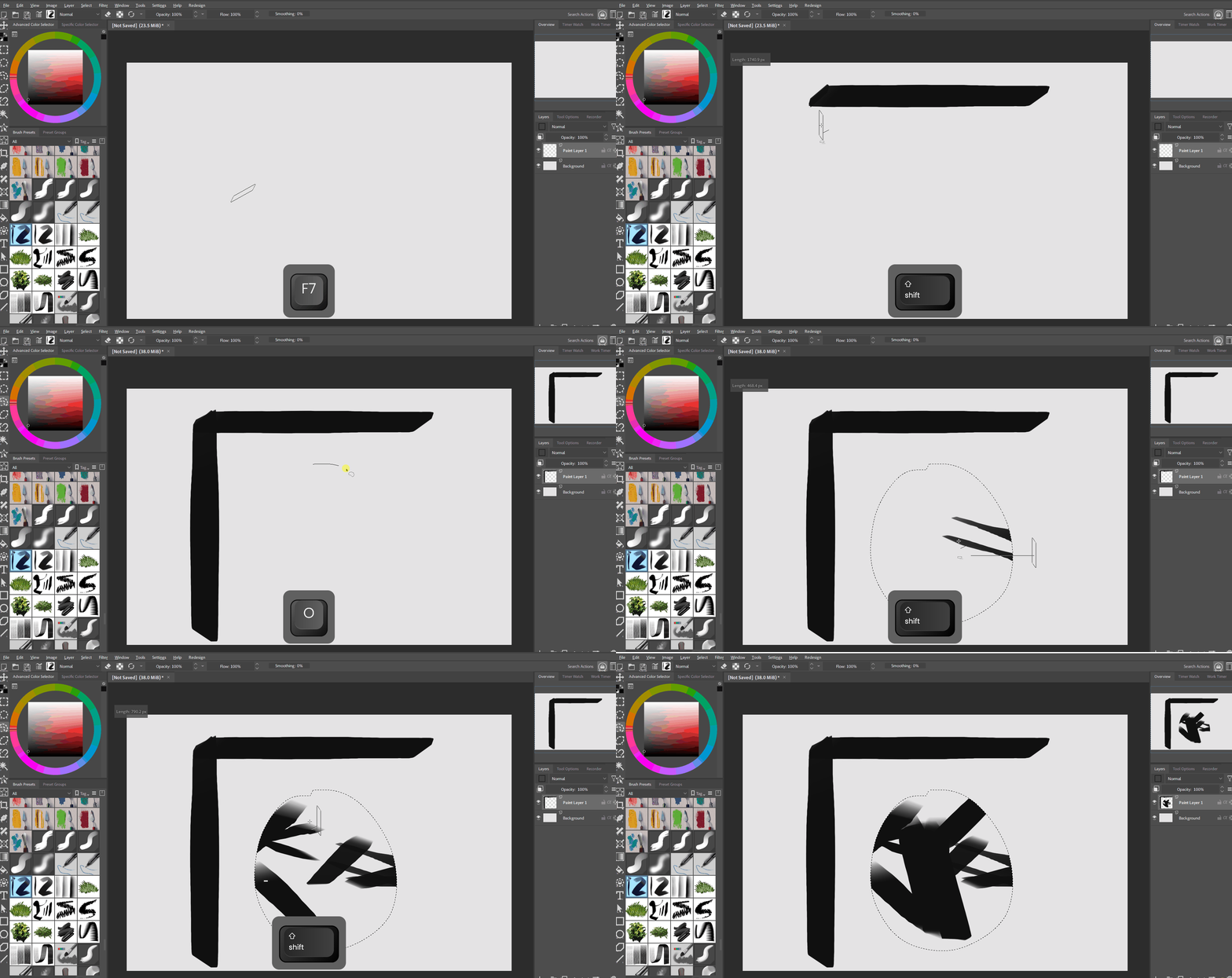
The expected behavior from those coming from Photoshop is that the Activate Line Tool action should only work when the Freehand Brush Tool is currently selected, not when you’re using a different tool like the Freehand Selection Tool. Krita however doesn’t have a conditional for what tool you’re currently using so the Activate Line Tool always triggers and can block the modifier keys from being applied to the current tool like Shift + Left Click.
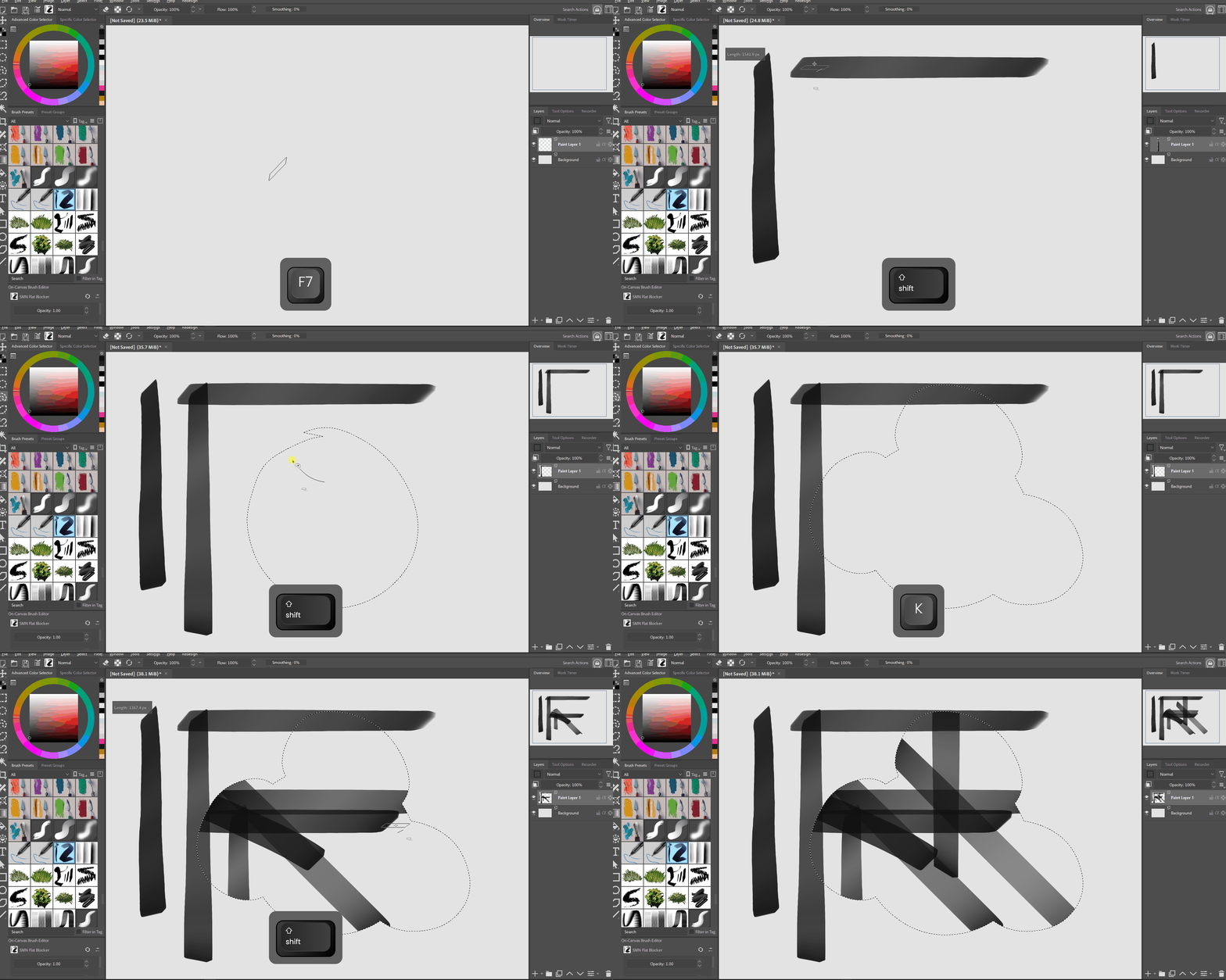
This functionality can’t work as a plugin because plugins can’t override canvas input actions but you can get it to work in your own build of Krita by editing kis_tool_invocation_action.cpp
Before:
After:
This feature is possible and should be implemented as a default for Krita.