Please consider the idea of adding the ability to change the height/width of toolbars. Sometimes users add too many functions to these panels, so much so that they cannot fit all at once, and constantly clicking on the arrows to expand it is not very convenient. I think this would be a good addition to the toolbar lock feature.
Is this a feature request or a request for help? Because no matter what it is, it’s wrong in this category!
For a help request the most important information such as OS, version and download source of Krita is missing, for a feature request it would be good if you would stick to the requirements for creating a feature request, if only to have a chance of it being implemented.
You can read here how the developers would like this to be done:
Michelist
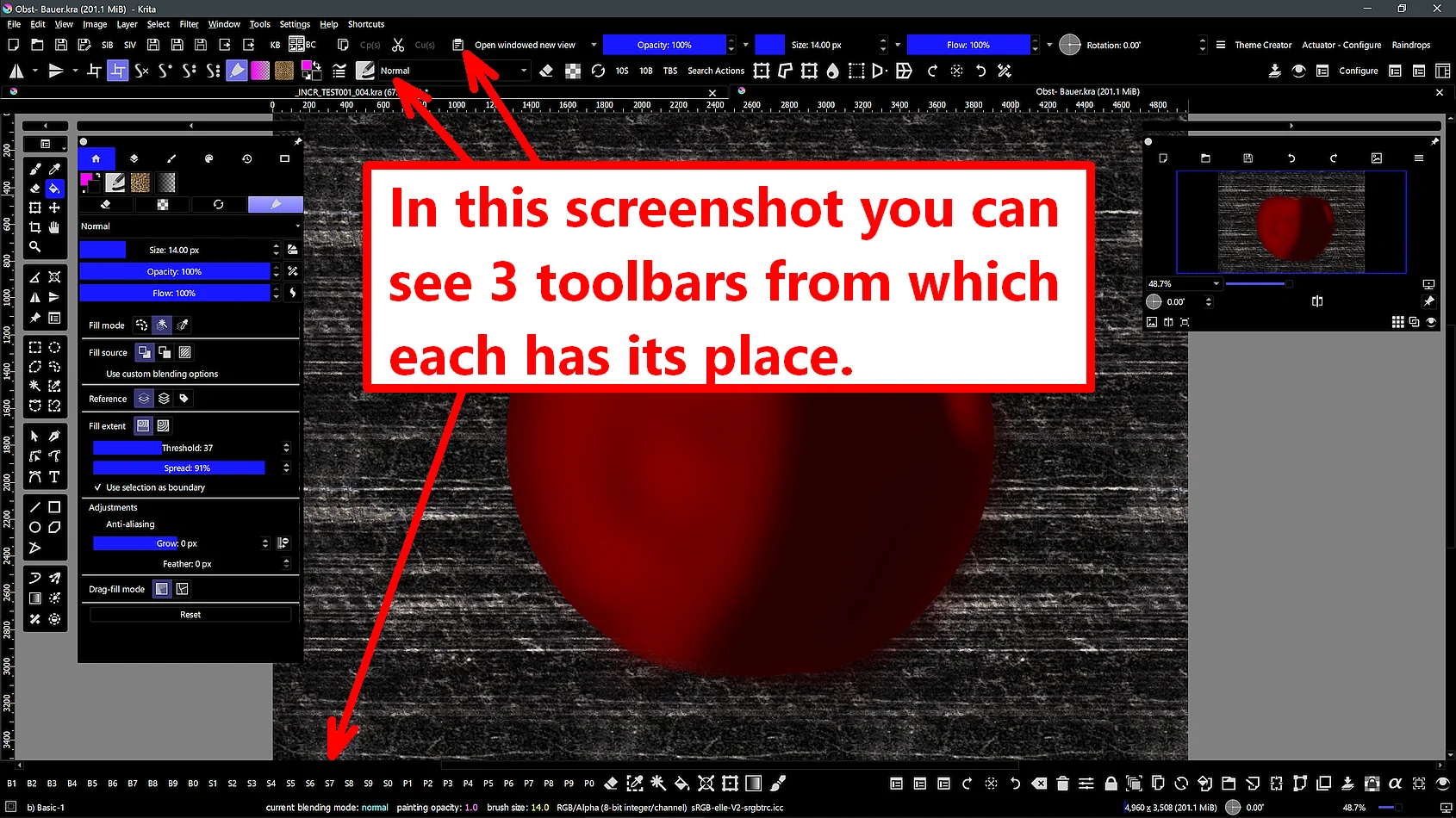
I know that it is possible to move the panel data to different sides, but my monitor does not allow me to place all the functions I need on the panel, and it is not convenient for me to constantly click on the arrows. Based on this, I propose to make this panel more flexible so that it can be stretched out and these icons can be arranged in two or more rows, or to make it possible to customize its behavior so that it collapses only when the user clicks the mouse button outside of this panel.
Okay, how many toolbars do you need?
4, 5, more? If you can tell me that and send me your krita5.xmlgui, that is found in your resource folder ‘‘Settings’’ >> ‘‘Manage Resources…’’ >> ‘‘Open Resource Folder’’, then I’ll manipulate it in a way that will give you the desired number of toolbars, at least for the time it needs to implement your very sparse “feature Request”. You just need to put the manipulated krita5.xmlgui back in the resources folder and start Krita, then open ‘‘Settings’’ >> ‘‘Toolbars shown’’ and activate them before you go into the ‘‘Settings’’ >> ‘‘Configure Toolbars…’’ dialog, to configure them the way you like.
Or you take this krita5.xmlgui which is from a fresh installed Krita but preconfigured with 3 additional toolbars that you can activate/deactivate anytime via ‘‘Settings’’ >> ‘‘Toolbars shown’’.
Michelist
Adding a new toolbar sounds like the ideal solution.
I think this is an inherent design of QToolBar that it can only have one row. Otherwise you’d need something like the Tools Docker, which can be resized in any way and the tool icons float freely inside. But this is not possible with a toolbar.
Could you give us a quick mock-up for your idea? where that change of the size would be placed? please 
That is easy, just look in the krita5.xmlgui I offer above.
Michelist
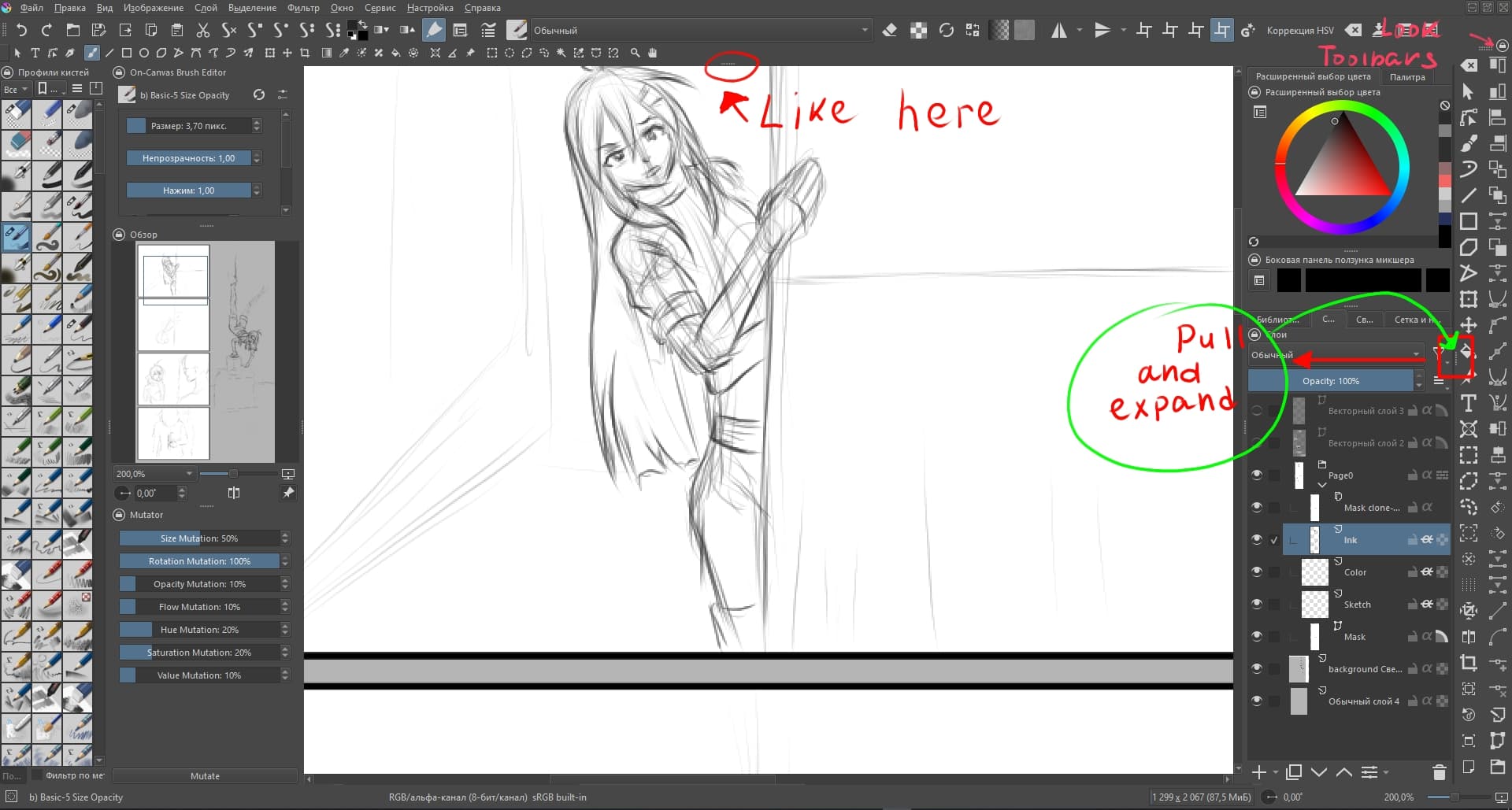
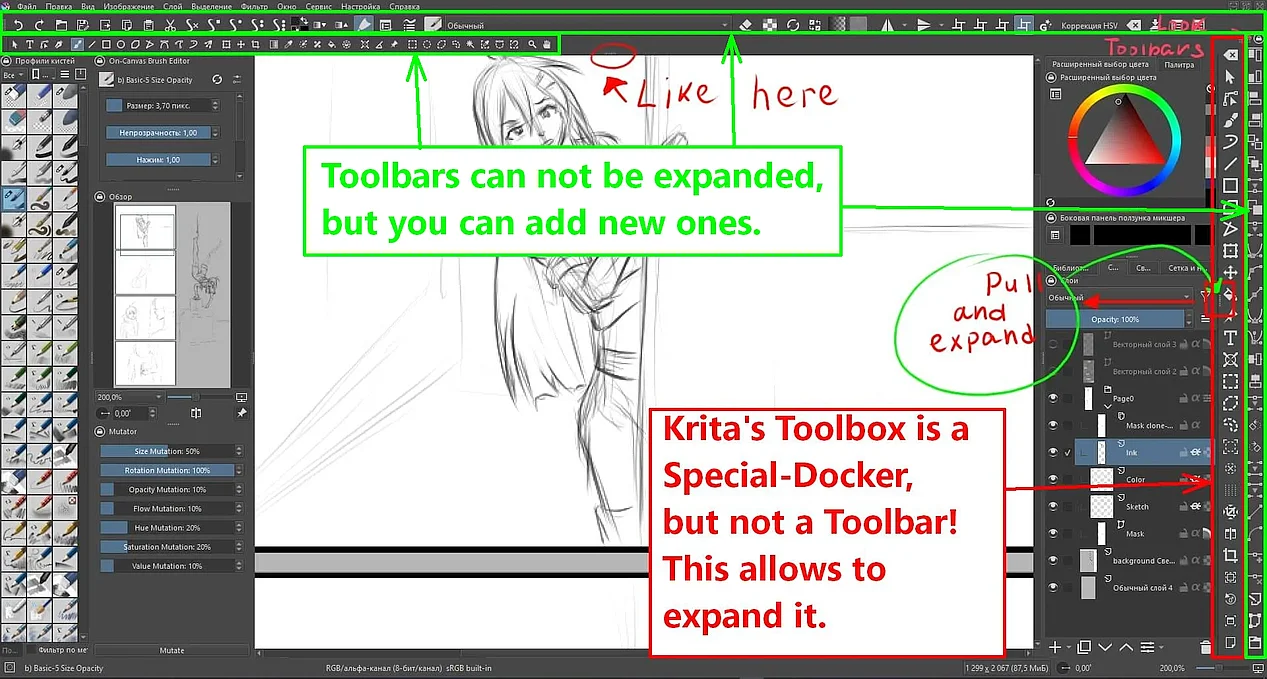
But there is a difference between Toolbars and the Toolbox of Krita. You can not “stretch” Toolbars the way you want, that can only done with dockers from which the Toolbox is a special kind of docker.
But as I already wrote, you can send me your current krita5.xmlgui and I’ll modify it for you, or you can use the one I offer in the posting above and populate your toolbars from scratch.
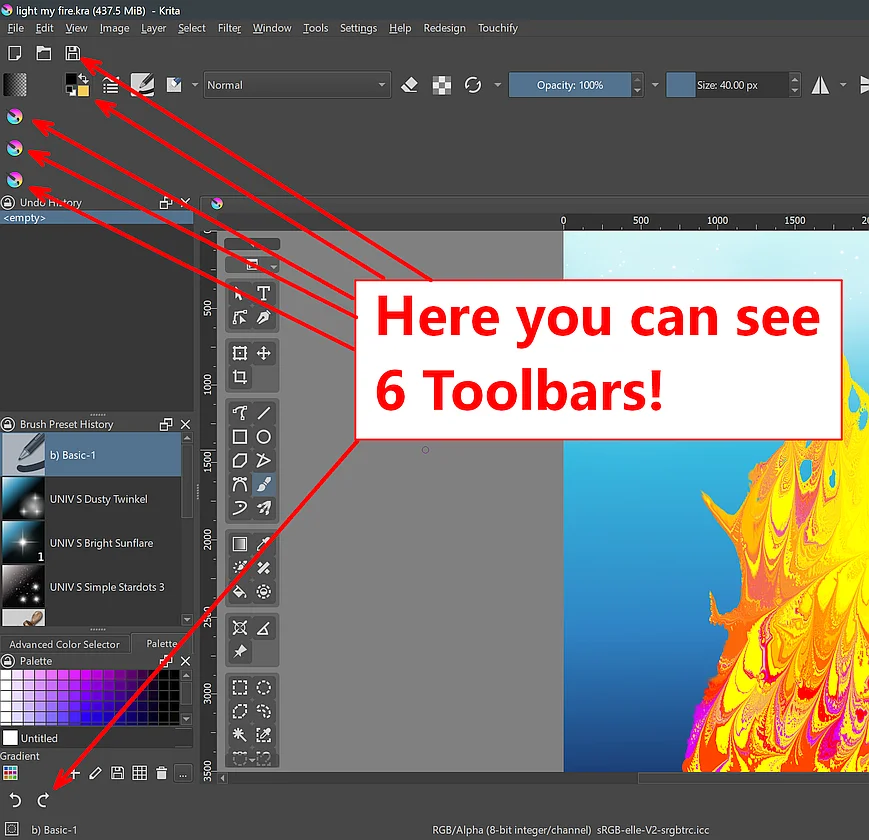
Here you can see6 Toolbars, simply by using the file from above:
Michelist
I figured out how to add additional panels, there are only two tags. But two questions have become interesting to me.1) in this case, why not add a button in the toolbar settings that would automatically add the necessary tags to this file and programmatically add the required number of panels in the program interface. 2) it became interesting what this xml file refers to. since I plan to draw the missing icons for the toolbar, I would like information on where to link the icons and the function itself, and the localization of my language contains some logical errors.
The first part of this file describes the structure of the menus in Krita, it is a very simple but effective method to build them. If you know how to deal with it, you can edit the menus and even add your own entries.
This is a question I can not answer, I’m only a user, not a dev.
To point to your own icons you need Krita’s action files (exactly, create your own for this task). Those are found in the folder actions in your resource folder. Then you will need a tool like the Python Plugin Developer Tools to figure out the ID’s or pointers of the actions you want to give your own icons. I never did this myself, only know roughly about the principle, here you need users with a better knowledge of Krita’s internals.
Michelist