Thank you, that’s very useful! I can use the same images to compare with our attempts.
While testing GIMP, I discovered that their implementation is based on a research paper and that the paper’s authors created a G’MIC gap closing filter, which is already available in Krita! Of course it is a bit clunky to use (compared to the fill tool), but it works very well. Here’s an example with my test image:
The lines:
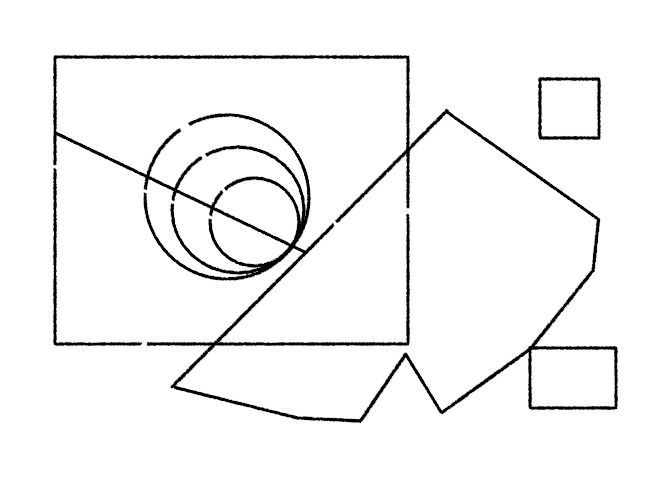
with G’MIC Colorize Lineart [Smart Coloring] filter:
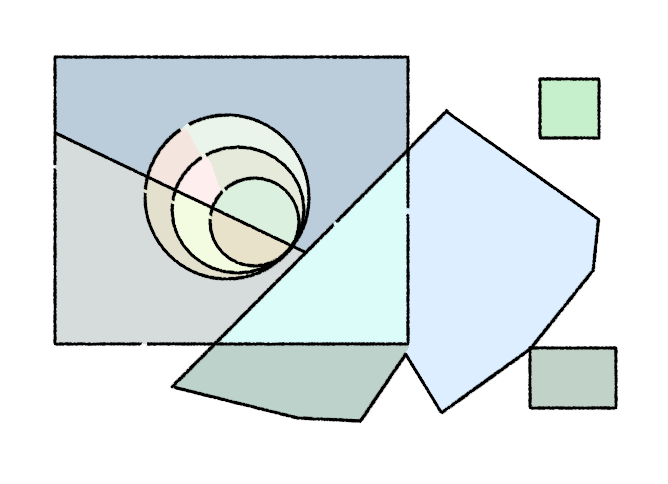
Wow! And as you can imagine, now you can easily fill the regions with the same color and get a larger flat fill of your desired color. To separate it to a new layer, you can fill with colored label reference, etc.
As to my “postprocessing” implementation, I managed to fix the issue with the fill not registering near the edges (due to the selection shrinking and the seed point going outside of it), but the corner problem remains. I have an idea how to compensate for it in the corners (a similar problem to an outside stroke with sharp corners), but I doubt it would work with curved shapes like these concentric circles in the example, and at that point it requires enough computation that it makes more sense to implement a proper algorithm that won’t have this issue in the first place…
I think I need to analyze GIMP as that’s already in C. Plus it has a very detailed explanation in the form of the paper. Maybe that would be the optimal implementation path for us.
And lastly, I did start writing a prototype app, so I have a sandbox to debug algorithms pixel by pixel if needed. But yeah, sorry, it will take some time.