Yes, that is the somewhat standard/simple way of doing it, and the way to go I think. I talked about it here.
It should also fill the corners, which makes it more difficult to implement, and in my opinion it should also have a parameter to control what to do with the gaps (fill them, leave them un-filled, other possibilities).
Another issue is that the naive implementation can be too expensive. For example, your implementation fills twice. The first time it fills with no gap closing, which can make it select a much larger area than it is finally filled, giving the impression that filling a small area took too long. It should fill adaptivelly to make it faster, finding the gaps as it fills to avoid expensive/unnecessary computations.
If you are interested, ping me on the irc and I’ll share my ideas with you.
Thank you! I’ve been to Krita irc once, I’ll see when I can drop by again.
Hmm, I’m thinking now… Even though this is naive and flawed, maybe it still makes sense to add this feature (let’s think of it as a 0.1 version  ) to Krita, in case it would be already useful to some users? Then, we can work on an improved implementation with all bells and whistles.
Say, if I manage to do something about the corners, I think it would be pretty workable already, even if it’s slower than it could be. And maybe we can still do some improvements during the code review. This is just the first thing that I managed to get working, with my current understanding of this part of the code.

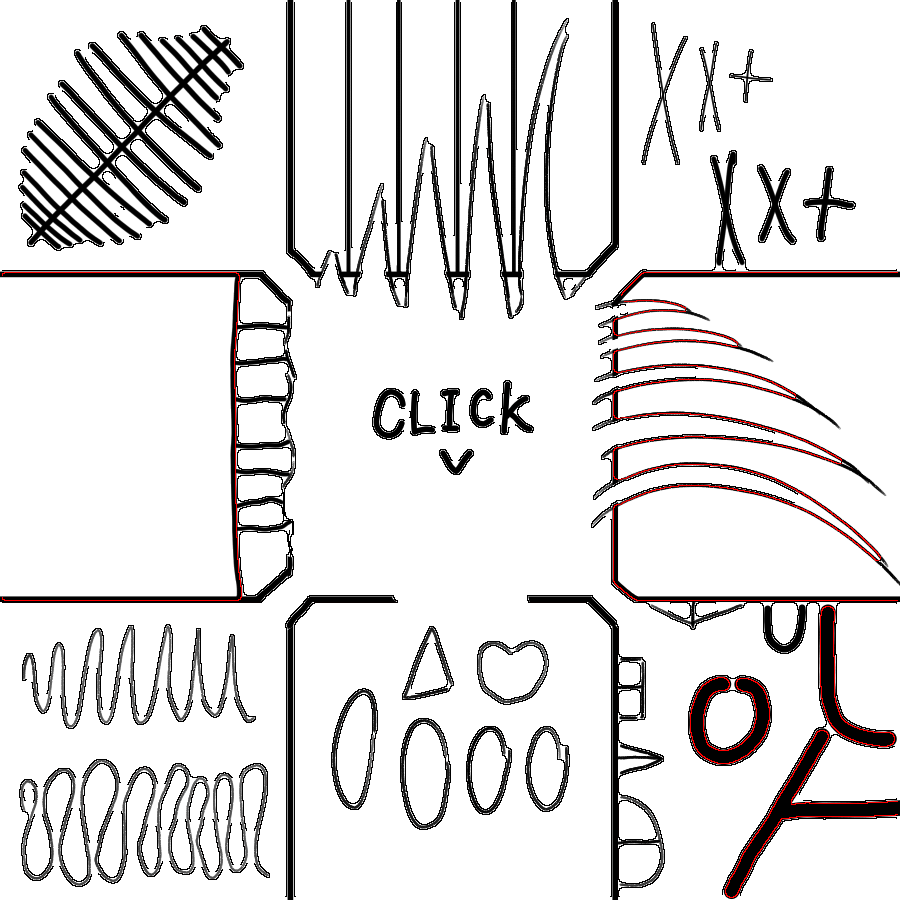
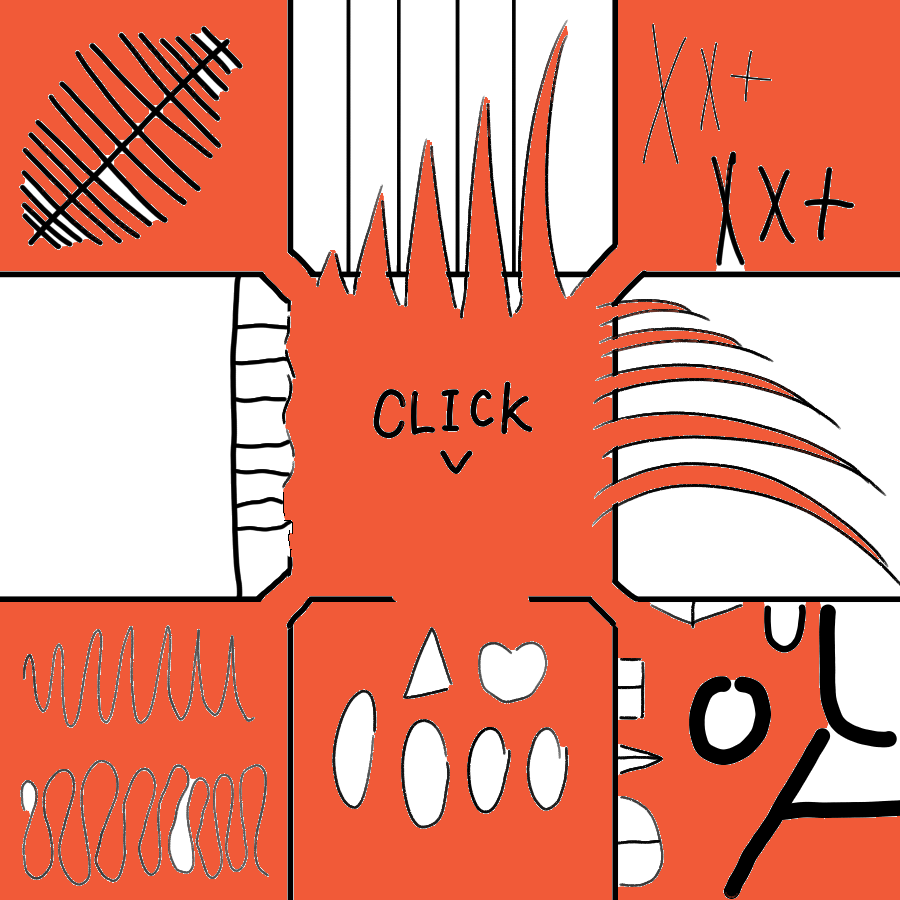
Thanks, I read it once before when it was originally posted, but I have to check it out again. I see it fills those narrow spaces rather well!
You can try. The only problem I see is that it can introduce compatibility issues in the future if the options change, but since there is no tool presets or something like that I don’t think it is a real issue.
I plan making a document explaining my approach (which starts in the same way as yours basically), and explaining how to tackle the corners and gaps, and then a possible solution to making it all faster, but I don’t have much time these days. I’ll try making it asap so you can check it.
That would be ideal for me, thanks!
And I don’t think we need to rush it, really. It should be fine to get a basic algorithm in first and then refine it once we get a better idea how to do it. It should be better than the current situation where we had a lot of attempts and discussion and eventually not even something basic in the software to use already.
I would only consider not adding it if there’s feedback from the users that the feature is useless in practice unless some specific requirements are met.
Well, filling those inner corners correctly is a must in my opinion, otherwise you have to fill them manually, and then it may be better to just close the gaps manually.
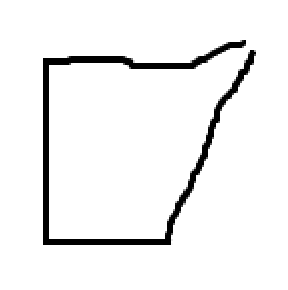
I did some more experimentation yesterday, and I’m afraid we can’t fill the corners easily with existing methods. And there could also be a corner with a gap in it, if we want an ultimate challenge 
Just to try it, I implemented @dk8 's script in Krita, which really is a very crafty solution to this problem (nice!  ). Unfortunately, it’s a no-go for two reasons:
- I had issues closing gaps in a larger resolution image (the lineart from the first video), where the gaps were bigger. Maybe it’s an issue of tuning the parameters (I mean, even more, I did use a variable gap size)
- And, it’s very, very costly to compute with multiple grow/shrink/border passes.
I downloaded Drawpile to check how their implementation works, and it behaves very similarly to the naive method. It also fails to fill the corners.
My conclusion is that there’s really no middle road. We either have this naive implementation (with corner problem, the performance is actually not bad), or we go all the way and write a dedicated selection algorithm.
My plan of action is the following:
-
Try to fix the issue with filling near the edges (if the click point is in the shrinked area, it won’t work). If successful, open a PR for this basic algorithm, even though it cannot fill corners for large gap sizes. If it gets shot down in the review, then well, at least I tried.
-
Start analyzing MyPaint implementation and write a proper selection algorithm for gap filling. It’s hard to say how long it will take, so I’d prefer to at least have (1) available until then.
Ok, let me clarify how I define some of the terms.
- I call a “main region” some region that is big enough so that it has at least 2 poins that are far apart more than the gap size (the regions left after the shrink/grow step).
- I call a “gap” some region for which the distance between any of two of its contained points is less than the gap size and that touches/connects at least 2 “main regions” (the regions excluded after the shrink/grow step that are connected to at least 2 main regions).
- I call “corner” some region for which the distance between any of two of its contained points is less than the gap size and that touches/connects only 1 “main region” (the regions excluded after the shrink/grow step that are connected to only main region).
- There may be corner like reguons that do not connect to any main region. Those can be treated main regions or corners and be just filled.
With those definitions a corner can never be a gap or viceversa.
The corners should always be filled since they are just an artifact of the shrink/grow step and should be part of the main regions.
Filling the gaps is optional. I think there should be options for filling them and not filling them, and maybe some other more complex options like filling them until an area where the gap shrinks and then expands, or something.
If the point where the user clicked is in a corner then the corner should be filled and after the main region it is connected to is filled. The same if the point is in a gap. In this case all the main regions connected to the gap are filled after the gap region is filled.
When filling a main region there should be some mechanism to track what corners or gaps are connected to it. For krita this would mean implementing a modified version of the flood fill. In any case, after filling the main region, the tracked corners are filled unconditionally and the gap regions are filled according to the option selected.
I think that should work. Filling the corners is not difficult but it requires a modified version of the flood fill algorithm. Filling the gaps should not be difficult for the fill_all/dont_fill cases, just similar to filling the corners. The way of differentiating between corner and gap regions is by checking to how many main regions they are connected.
Well, imagine you have a blank 4k canvas with a bunch of small “c” like shapes (think of handdrawn circles with small gap). Then if you want to fill the interior of the shspes then I think the user would spect it to be fast because the region filled was small, but it would take even more time than fillingbthe entire canvas, because that would be what it is doing internally. I think that can lead to bug reports.
Also, if the corners are not filled correctly, there will be more bug reports because people will be confused.
I vote for this, and have this gap closing thing tackled once and for all. In the code you shared you took more of a post processing approach. I think we should make a new version of the flood fill (kind of similar to the curent one but that can save info, for example of neighbor regions, as it fills) because it would be easier to do things as we want and gives more room to performance boost (the adaptive filling for example)
I encourage you to not rush and work with me on a better solution. I like to first implement things like this in small apps and see how they work and make a document explaining the approach before so that the developers can give me advice.
I found Mypaint’s code very hard to read since it is intertwined between python and c. But basically i think that in the end it finds gaps as it fills, not as a post processing step (i think, not sure).
Thanks, your definitions make sense to me. Alright, we can do it this way too. I mean, it does feel bad because this thread gets bumped every now and then and nothing happens, so I thought maybe having anything would be better  But your arguments are valid too.
My main gripe with Krita is that debugging is a bit problematic because of the RelWithDebInfo config (or maybe the compiler or QtCreator make it more difficult) and sometimes I get weird lockups if I break in a wrong place. Maybe I’ll create a helper app to prototype this, I’ll see. I believe I have everything I need to work on this, just need to dive a bit deeper into the inner workings of the fill and select code.
If anything worthwhile happens, I’ll be updating y’all here.
PS. This is the mythical gap-corner
I will say that having the naive algorithm would be already a huge help, because more often than not it’s the very small gaps of a few pixels that cause me the most headache since they’re hard to spot.
Maybe it can be implemented as a “fast” method and later add the “accurate” option and a drop down can let you select between the two.
I think if we develop a superior algorithm, it will just replace the basic one. The idea is that it should not be slow at all.
Anyway, give me a couple days to see if I can get something better working. If I really get stuck, we can reconsider adding the current basic algorithm despite its shortcomings.
I think it’s a great idea, I think the same, I feel that having something even if it’s super basic is better than having nothing since I often waste time looking for parts to fill in and that takes up a lot of my time, it doesn’t matter if there are uncolored spaces, I can do it manually .
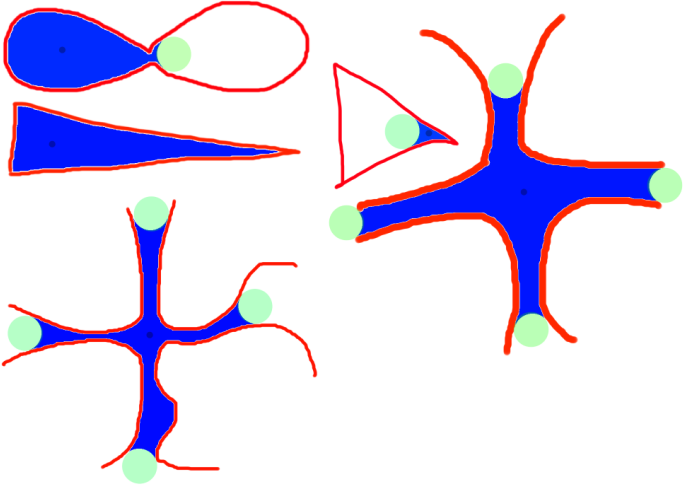
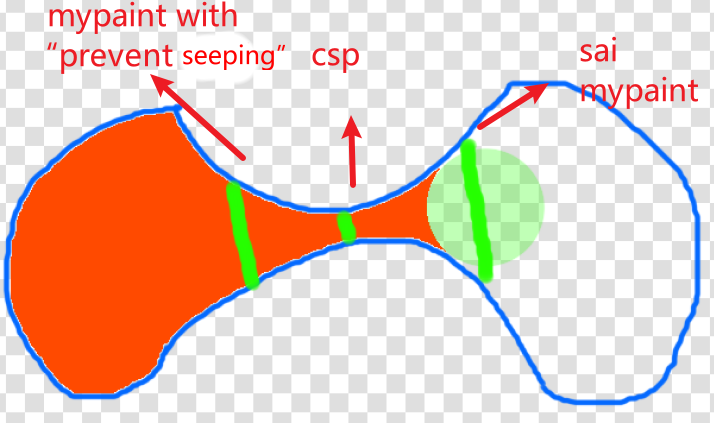
I conducted some tests in SAI, CSP, and MyPaint.
Firstly, let’s talk about SAI. I adjusted the gap to 100 pixels. The green part is a 100 pixel brush.
It won’t lose corners, but it can’t expand out in the corners (see triangle)
From the test of “∞”, it stops during expansion.
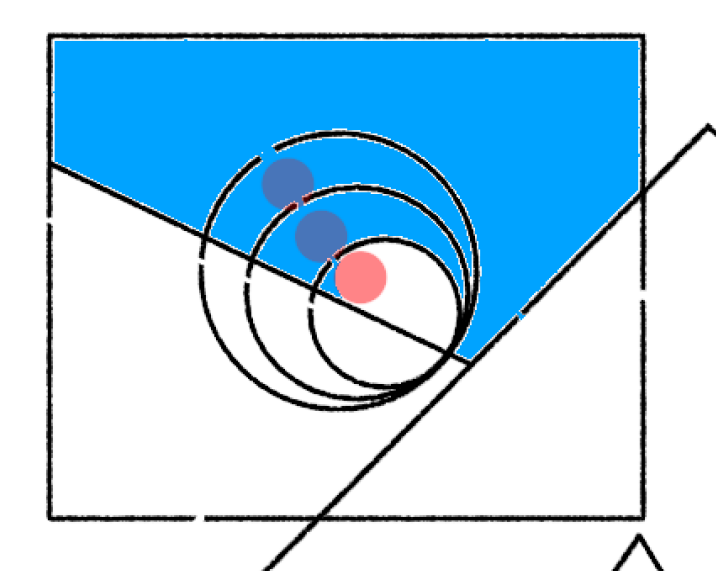
32
Then there is CSP, which mostly has the similar results as SAI.(also 100px)
And it seems to terminate at the narrowest point.
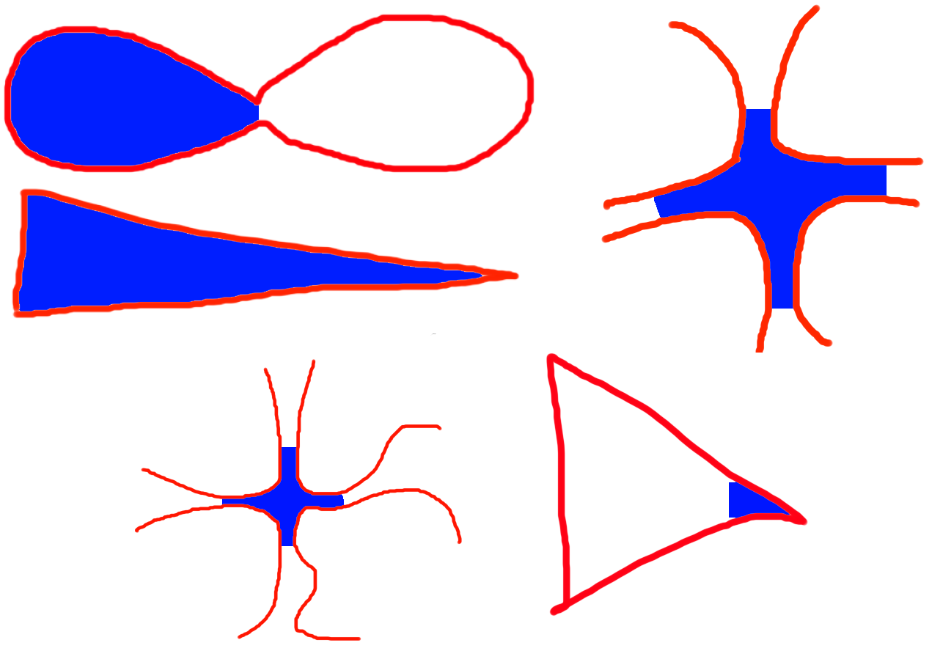
Mypaint looks somewhat flawed (I set the gap size to maximum and tested the switch “prevent seeping”)
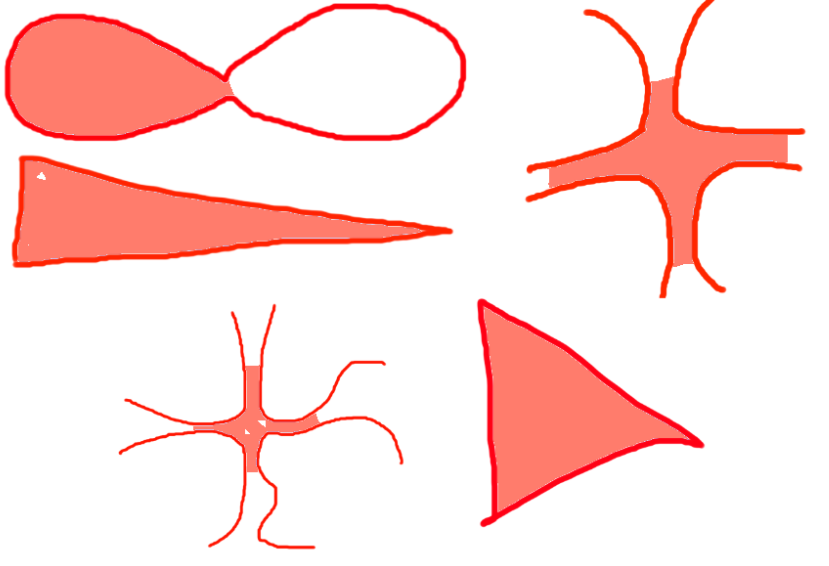
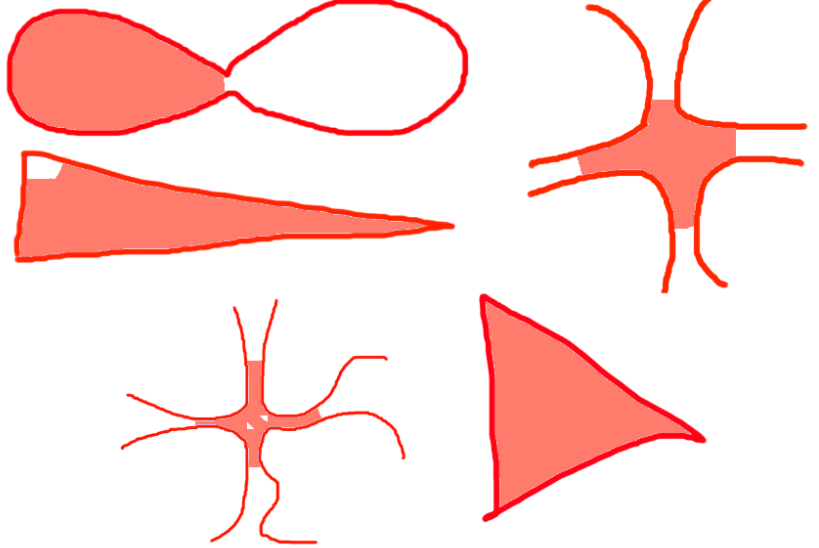
Enabling “prevent seeping” will reduce expansion. I think it stopped at the first gap.


summary:
Thank you, that’s very useful! I can use the same images to compare with our attempts.
While testing GIMP, I discovered that their implementation is based on a research paper and that the paper’s authors created a G’MIC gap closing filter, which is already available in Krita! Of course it is a bit clunky to use (compared to the fill tool), but it works very well. Here’s an example with my test image:
The lines:
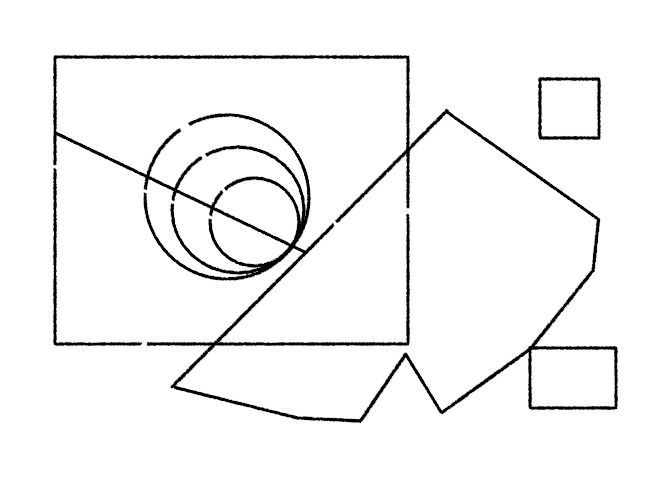
with G’MIC Colorize Lineart [Smart Coloring] filter:
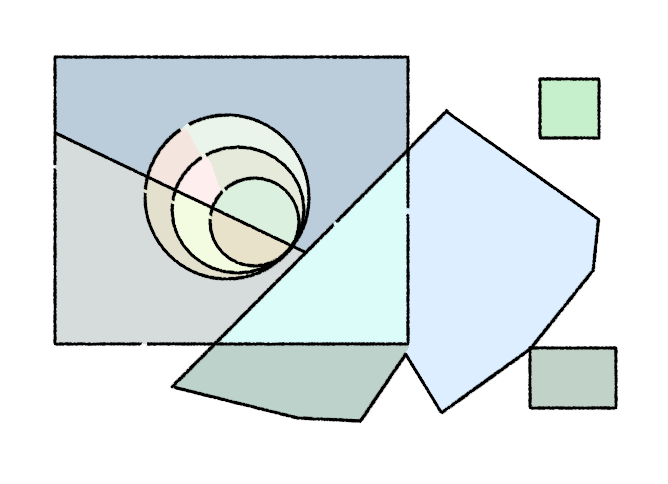
Wow! And as you can imagine, now you can easily fill the regions with the same color and get a larger flat fill of your desired color. To separate it to a new layer, you can fill with colored label reference, etc.
As to my “postprocessing” implementation, I managed to fix the issue with the fill not registering near the edges (due to the selection shrinking and the seed point going outside of it), but the corner problem remains. I have an idea how to compensate for it in the corners (a similar problem to an outside stroke with sharp corners), but I doubt it would work with curved shapes like these concentric circles in the example, and at that point it requires enough computation that it makes more sense to implement a proper algorithm that won’t have this issue in the first place…
I think I need to analyze GIMP as that’s already in C. Plus it has a very detailed explanation in the form of the paper. Maybe that would be the optimal implementation path for us.
And lastly, I did start writing a prototype app, so I have a sandbox to debug algorithms pixel by pixel if needed. But yeah, sorry, it will take some time.
Yes, since 2017 
I wrote a blog post in that time about my tips on how to use it: https://www.davidrevoy.com/article324/smart-coloring-preview-of-a-new-gmic-filter. I used it to flatten my webcomic before the “Colorize Mask” feature of Krita. I’m also almost sure that this method was recently used by Crazyjn here on their featured comic.
Ehehe, funny what you can discover… 
I wasn’t aware of this feature when I saw the comic and was really confused. I thought, hmm I don’t get it, but the colors are so pretty! 
BTW, I’m not a fan of colorize mask, because of the elaborate preparation required, but by contrast the G’MIC filter is quick and easy (I just ran it with the defaults and it worked perfectly).
If I wasn’t on the hook for developing the gap closing fill, I would totally start using the filter now for my drawings 
The parameters of gimp make me a bit confused, and I always find it difficult to debug it to the appropriate place. Sometimes it fills the entire canvas, and sometimes it doesn’t fill the corners.
Whenever I debug parameters, it pops up a prompt saying “computing”, perhaps it extracts a vector line draft to fill in.
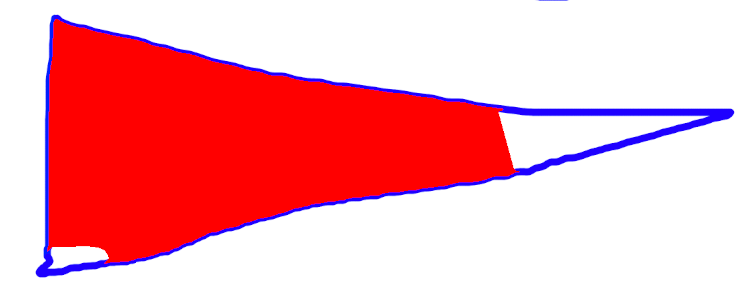
I found some issues with the algorithm on that paper when I looked at it.
- It is finetuned for lineart and it does not have anything in common with the generic floodfill approach, and in gimp it seems that it works if you have dark lines over light background but not the other way around. This is because when analyzing the image it has to make a decision of what what pixels constitute lines and what pixels make the background. It does not fill this correctly, for example:
- It over segments the image. This means that a big area that can be divided in several sub-regions and more than one fill operation will be needed to fill it all (with the drag to fill feature this is less a problem).
I would like something that has the floodfill as a base, like in csp (although it is not perfect either), so that the tool can fill the same kind of shapes in gap-closing mode as in normal mode.
@TheTwo I didn’t see these problems in GIMP. It’s probably the matter of tuning the parameters. Or this issue of colors, as @Deif_Lou said.
I don’t think we should be worried about that, it should be something that we can easily customize in our implementation.
As for the segmentation issue, as you can see this only happens with more complex lineart. It’s probably a matter of tuning the threshold (low opacity counting as transparent). For lineart with hatching, it would confuse any algorithm, I’m afraid. That’s on the artist to use the feature at the right moment in production workflow, e.g. do plain lineart first, then flat fill, then do cross hatching.