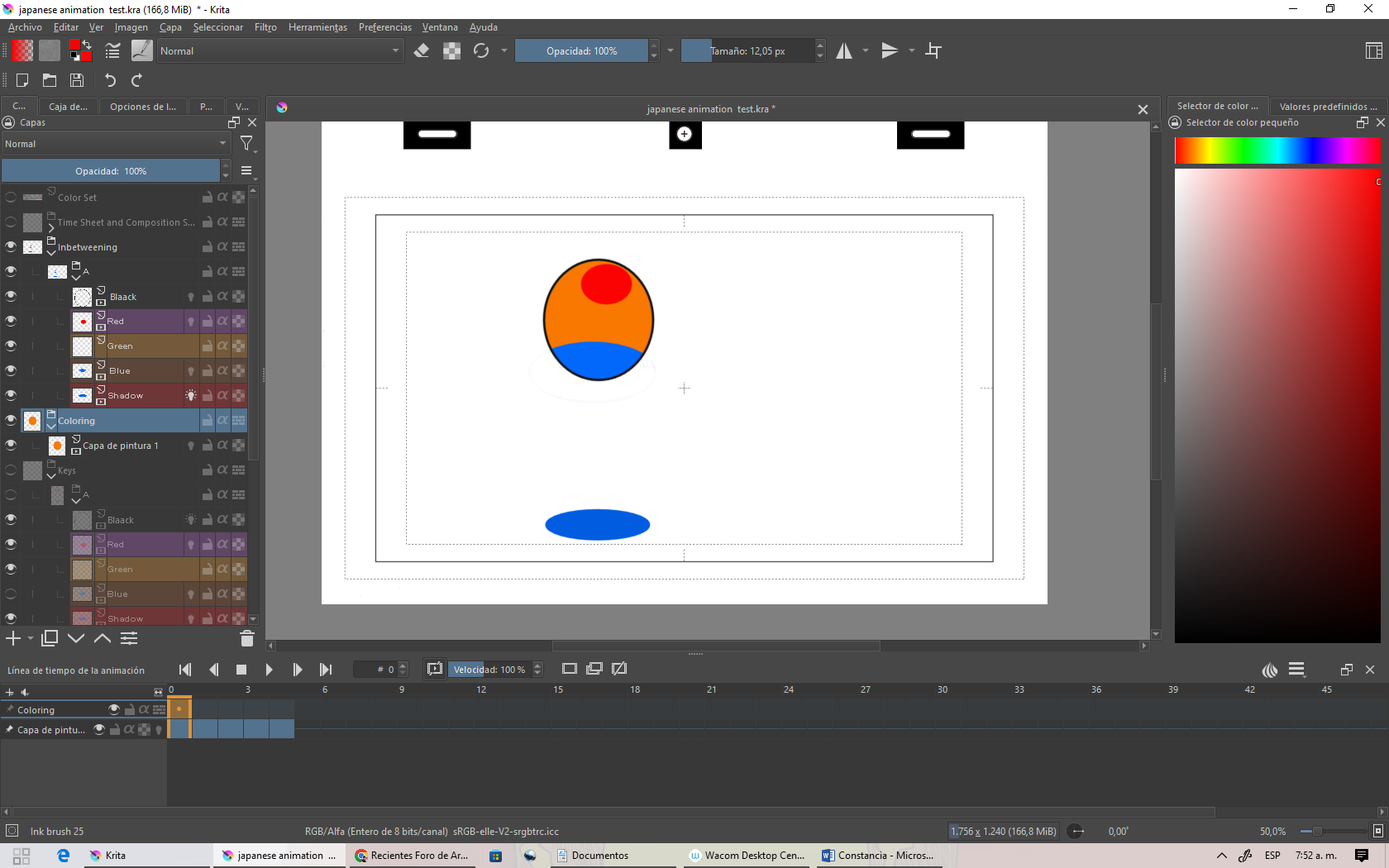
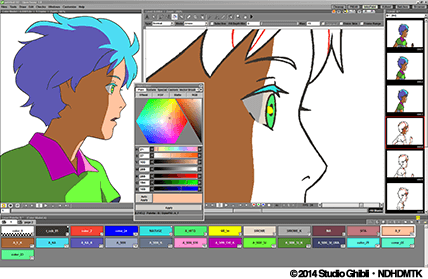
Hi, I’m Diego morales and I am trying to color my 2d animation in the Japanese animation template, following Krita’s manual instructions.
using black layer for lineart
red layer for highlights
blue layer for shadows
and shadows layer for the ground shadow
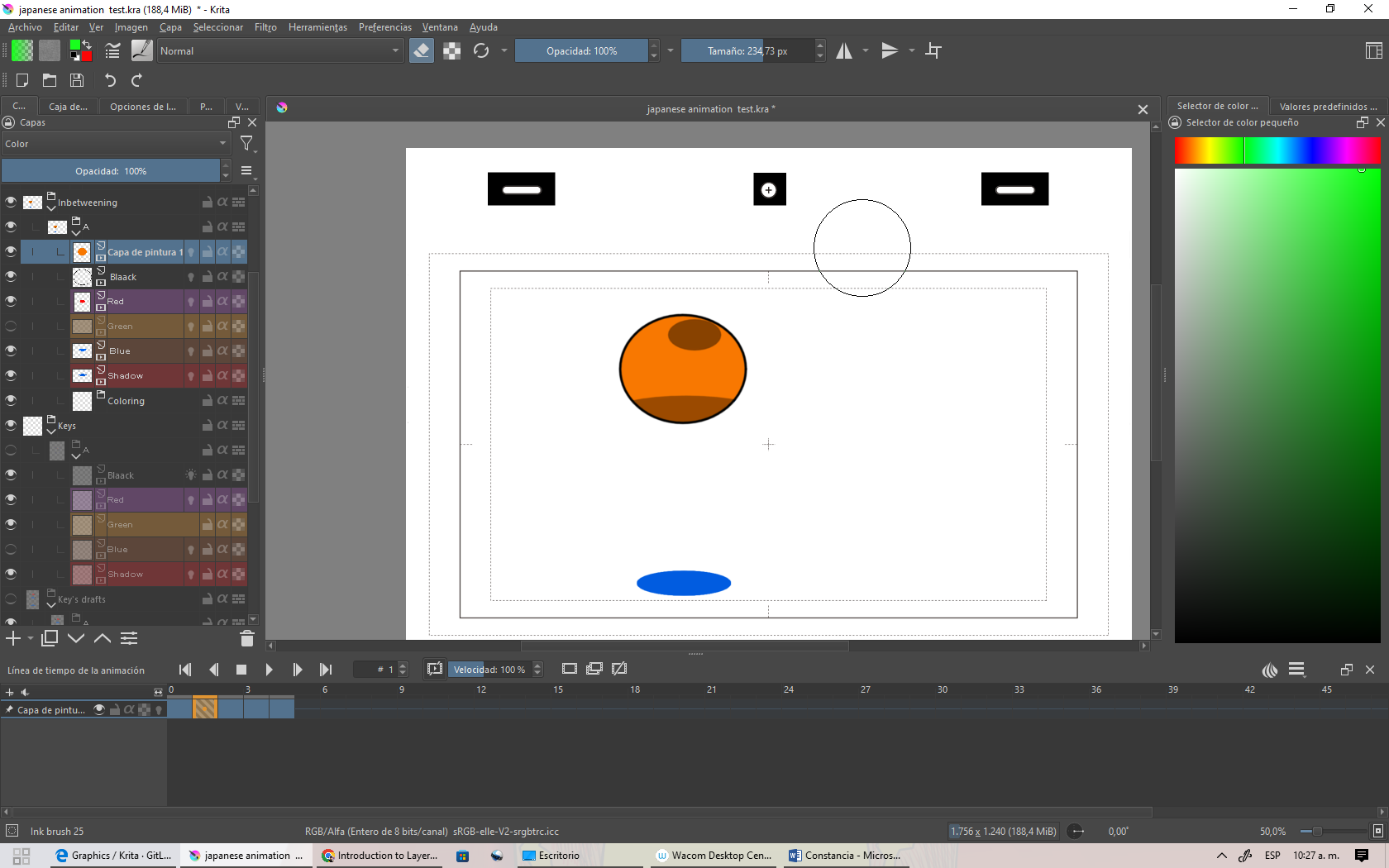
how it is seen, I am in the inbetweening process, Krita manual says “If you do the colors in Krita, please use the Coloring group layer.” but once I try, it doesn’t work, so I dont know how to use it, if you have any solutions, Ill be glad to read them.
and the manual Im following is this : https://docs.krita.org/en/user_manual/japanese_animation_template.html theres not really an error, but is that I don`t know how the process for coloring work for the Japanese template. happens that I want to use the layers as if they were in fusion mode, but with color, (like the Japanese do), and I would like if I could then just paint with base colors and let the layers add the shadows, lights, etc…
You’re using version 5.0.6. The latest formal release is 5.1.1 so you should update to that to get bug fixes and any new features.
Which operating system are you using?
I know nothing about this aspect of working but someone else may know about it and be able to give advice.
but instead of just darker dots, have a lighter orange in the red space, and a darker in the low, as in opentoonz, but i cant use opentoonz cuz my computer is from 2007 and crashes at the beggining, but that`s another history apart
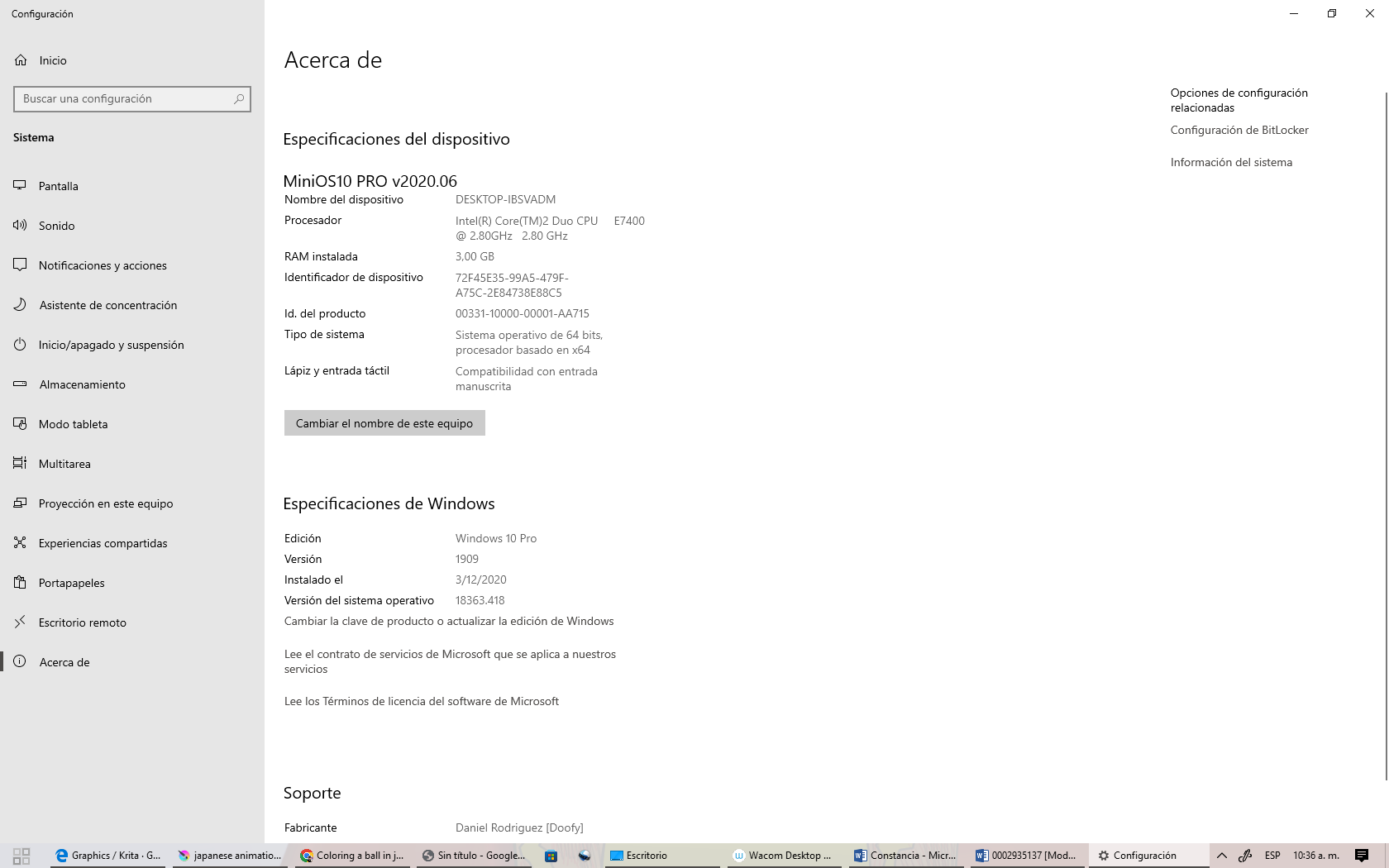
You have only 3GB of RAM with Windows 10 as your operating system.
That can cause problems because Windows 10 needs lots of RAM just to exist and do its tasks. On my computer, Windows 10 uses 2.2GB of RAM as soon as the computer is started.
You will have difficulty with making large artwork/animations in krita.
Is this a laptop?
I suspect that you have a 2GB RAM stick and a 1GB RAM stick fitted if it is.
It would be very useful if you replace the 1GB stick with a 2GB stick to give a total of 4GB. Even better, replace the 1GB stick with a 4GB stick to give 6GB total.
You’d need to read the specifications for your computer and consult a RAM reseller for expert opinion.
its not a laptop, it is a pc computer, with its table, and yes it is really difficult to increase the quality and duration for 1 animation, also when I use too many layers it goes sloooooow, but goes :sweat_smile: thats something tricky to do, but I’ve never have given up, also cant use many others software like blender for 3d or kdenlive for editing, or obs studio to capture screen… now I think I should think on buying another pc. but thats not the point, is it? thanks for your help, and I would like to know if theres a way I can emulate opentoonz on krita or if I just need another pc. thanks
ok thanks in conclusion I ll keep using my actual settings for animation, still seems that krita haven’t developed this option as well as opentoonz , so thanks
I think you have to explain better what you want to achieve and how that opentoonz option works to get better help. You can color in multiple ways in krita, who knows, maybe there is even a better way of achieving what you want.
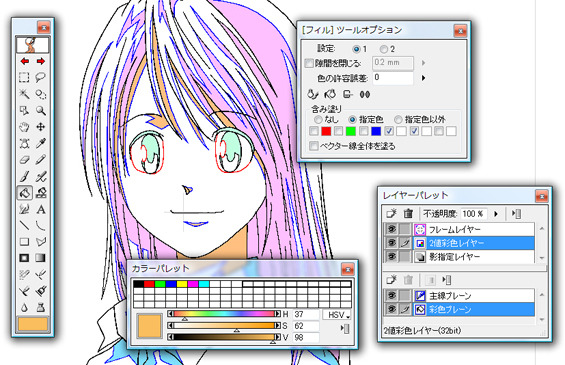
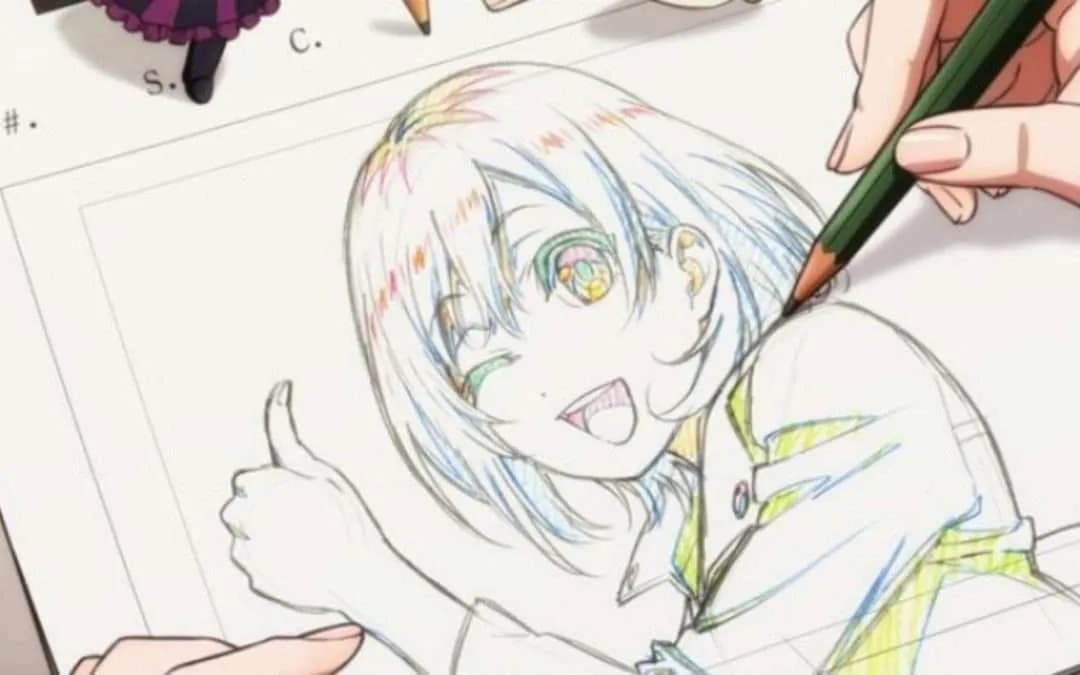
You want this kind of process traslating into Krita maybe? i understand what is the path are you gonna go, but i am not sure. This is from RETAS Stylus, but you can do the same in Opentoonz.
As far i know many features of Opentoonz related to the coloring process its not ported at all in Krita.
yes, anime key animation coloring, is the process of putting, those red and blue lines for later coloring on top of that with pre-established colors or something like that, and as long as I notice that Krita has an anime-style template, I thought I could do the same…but thinking about it, if it`s not possible to do that in Krita yet, then why is even there an unfinished template for anime (Japanese template) animation, I am still thinking that I missed something important, or maybe the process is just for the export to another software like retas or opentoonz, now I come to think, maybe these options are left to draw the key animation (the image you did send) and once the work is done, we are supposed to send the animated frotograms(frames) to the company in japan that we are supposed to work for, in a hypothetical way, for then they to color that animation in their software.
this is an example of my point of view:
then as I can’t color (i can color in Krita but I refer to it that way ) I then add the “color layers” and once done I send them to them and keep doing it.
I am maybe getting away from the main theme which is coloring the ball with Krita’s Japanese template. but as you say, those tools arent still ported by Krita. so I think that yes if Krita does have a j.a.template it could let you do a part of the process until the coloring stage. but if you want to color you`re Japanese-style animation you should export it to another software and then color it.
You have to do it manually.
My suggestion is that you have a layer for the highlight lines and another for the shadows (or more than 1 layer for each one). You then assign a different color label to each, to be able to differentiate them and use them as reference in the fill tool (you already seem to have a similar setup). Also assign a different color label to the lineart layer.
Then draw the lines (maybe using a brush with a hard edge to avoid filling problems).
Then make a separate layer to fill the regions. Use the fill tool and select as reference color labeled layers and the color labels you used for highlights or shadows or both, and also the color label for the lineart layer. Then use the fill tool.
Note: a problem that may arise is that the regions are filled but not the area where the lines are. To try to avoid that you can use the grow option on the fill tool.