Templates are just predefined setups for layers when you create a new file, nothing more. Existence of a template doesn’t imply the existence of any features. You can even make your own templates, the ones that come with Krita are basically just examples.
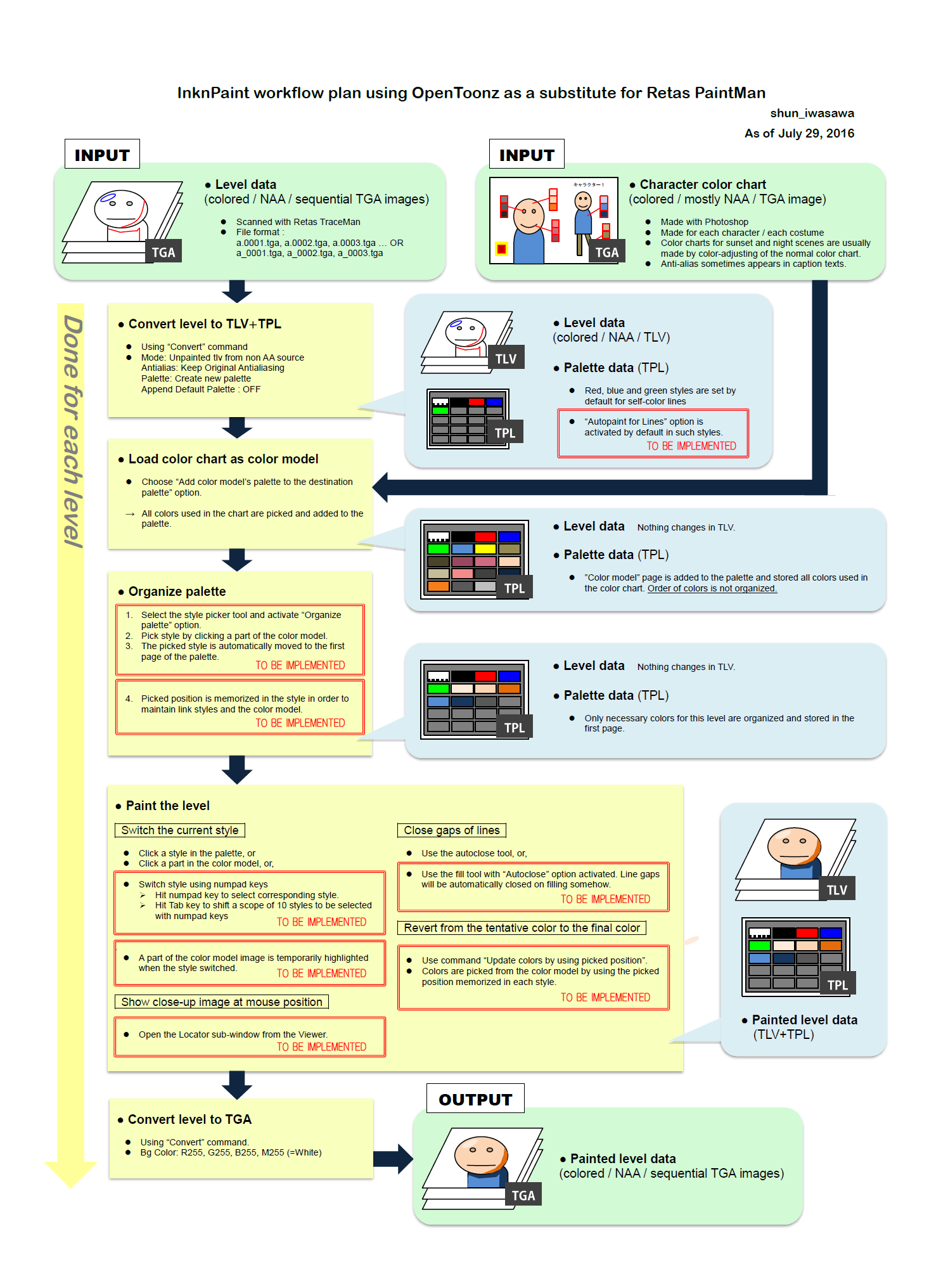
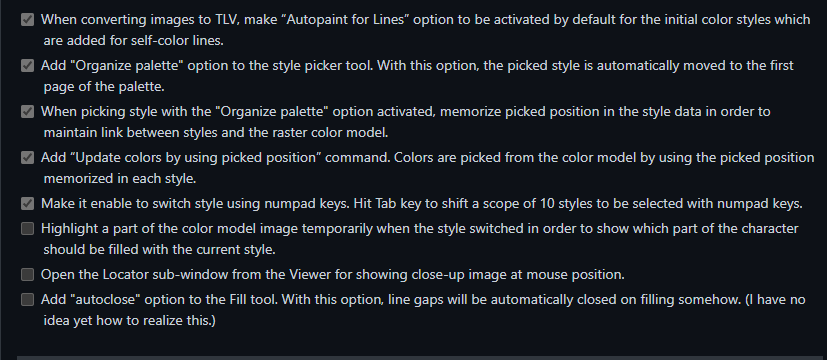
Yes, but i wanna poste some of the features related to this, Would be a great idea if this process of InknPaint for animation they considered in the future of development of Krita, ported from Opentoonz. I mean they are some nice features could be useful.
Of course i just talking in an hipotetical way of this kind of themes.
I am not a krita developer  also TLDR. having to make all that research just to GUESS what you might want to say is something I wont do.
If it is not important enough to write down it is not important enough to read.
Sorry, my english its bad, i just want to share the things i know for this thread, sorry if my words sounds very direct. I just have the habit to speak of more of the things related to this. If you can understand my words i hope you dont misunderstand. Because this thread its related to the animation stuff, 


I think its a lot better to write a detailed feature request.
Not all of us here are animators and understand the term for animation or what exactly it is.
that even if we try to research it to understand we probably be searching wrong.
if its not yet in opentoonz an app dedicated to 2d animation, most likely its not yet here [in krita an app that leans to digital painting] or even thought out by the devs in detail that someone with knowledge to process do.
So even if we know this is animation, our knowledge of this specific animation is so little , that the context is hard to grasp without the context and detail.
I suggest you write a feature request, with that document, in this format:
Feature Title: ---------------------------
what open toonz is trying to implement as reference: -------------------------
if a video the japanese animation industry explaining the key coloring exist , add it.
add that pic you send there.
How does it work in general?
How do you expect it to work in Krita?
If you have work around , what is it?
I understand, you mean to use layers of colored lines to analog the red/blue/highlight/shadow stuff, it could be useful working with other people to let them color it once you traced all the lines ( to fill).
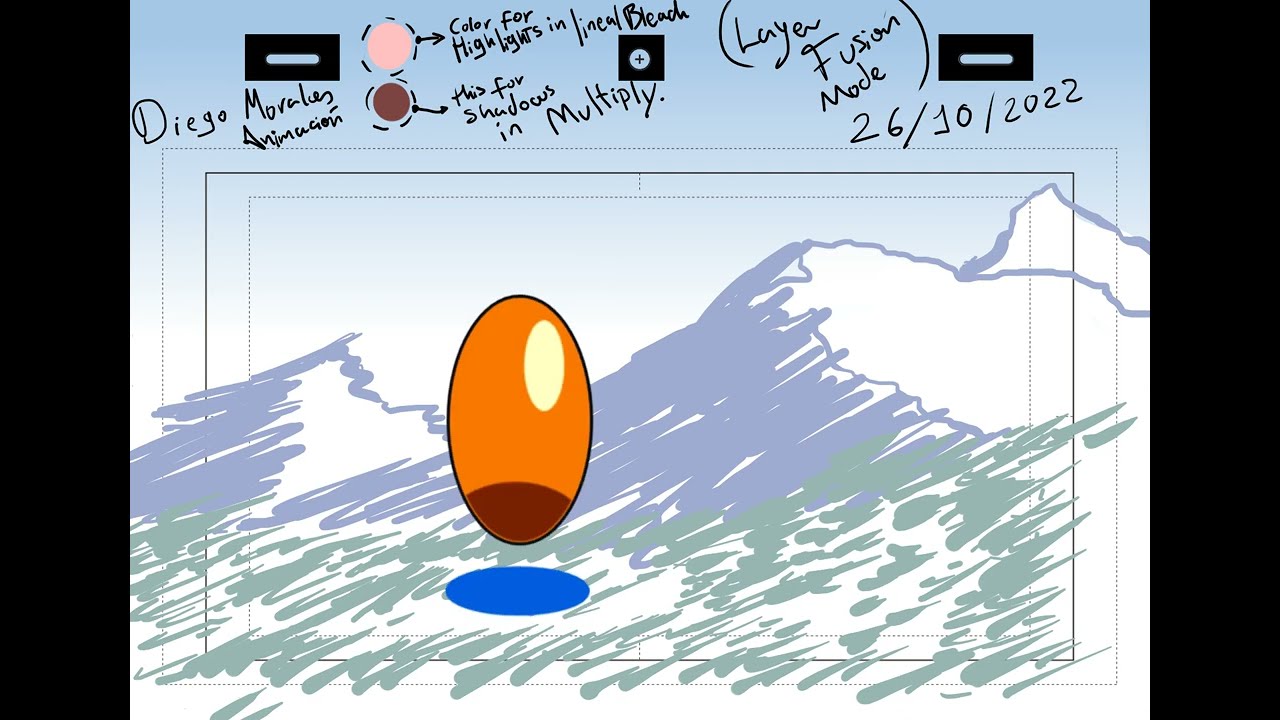
but asking for efficiency and not for the eastern production method, using fusion moded layer can be worth it.
I can see the advantages and disadvantages of this template, and now I exposed this doubt on mine and gotten feedback, I can see more options for producing an animation, as well as different ways of working with color, we could work on separating stages (animation - lines - color) or working all in one road.
in terms of Japanese animation,(production) Krita can be useful if we work in collaboration separating stages. we just need to know what kind of production we gotta have for the animation before using Krita.
also this could be still missing something, there could be more options hide but i think that it would take to make another tittle
thanks but I already have animated in Krita, i wanted to explore a different option
no worries, I can understand how you feel, I am learning and writing questions to learn more and be able to have more options related to the use I give to Krita, which is the animation. because Krita was the only software that my 3gbs ram /2009 table pc, (almost my ww2 machine war) could run and I am thankful for what Krita has given me, that has given to all of us. the chance of a way of doing it
thanks, bro, at the beginning of the thread I just wanted to color a ball in a different way from my usual, and then I started to feel like there could be more options hidden in the template (also the opposite way in which I could just be imagining those options where there due to the feeling) it could be, that Krita develops the option if I write that request, but at the moment I’m good knowing the answer of my actual request.
that is that no matter what I do, that red space won’t become a brighter orange in highlight and darker in the blue space… you know, the keyani stuff. buuuuut , it can be still useful if we instead of actually coloring the animation, let others fill with color the “trace” assuming that the red spaces are highlights and the blue … I am sleepy … spaces are shadows, etc, etc. as @Deif_Lou said, can be done manually. also, @THE_CULT_OF_BERSERK is right, talking about that (the research he did) can be cool if we have a Krita coloring option like that in our power, then I could make another thread talking about how to animate on paper using Krita. jejeje
I can’t fault anyone trying to push this software to its limit - even if its frustrating at times. Kinda inspiring 
It’s actually interesting and I do love the discussion made - that’s why i suggested a FR thread because seems that there’s more that can be talk about.
Good luck on the ball animation ^-^. Do share to us the finish work.
i was triying to share all the knowlegde i got, but seems there is few people misunderstood my words in a bad way, thats why i get for being very passional in this kind of conversation i got in animation development, even if i talk in hipotetical way however, i recomend you maybe waiting for the next update or the next Krita 5.2, because the feature i think you want its something they got into the RETAS STYLUS , maybe but this tool are already implement but in Krita. So maybe they need to elaborate another option for that tool for working for painting , i am not sure. Maybe you can try with Csp the feature for paiting cells too and try for for elaborate new ideas for this.

Maybe the coloring Process its been related to this "Close gap" in Fill tool?
Because its in his first implementations. You can try it in Krita for drafts drawings. But its very difficult if you gonna painting all the drawing with the method from Opentoonz, i tried many times its kinda messy and the result its not the same , like the way they do in Opentoonz.
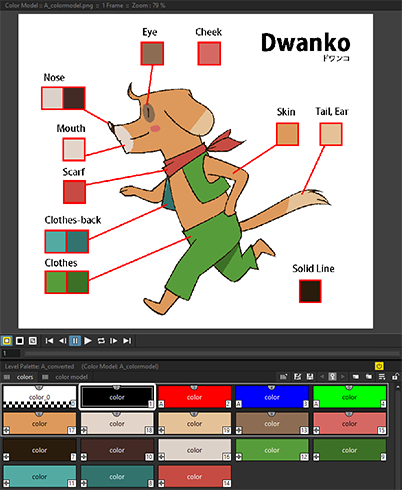
it would be cool. but is it in Krita? how do I look for it?
also, this was how the animation went. I used 2 layer fusion mode layers.
Hello its been a while this Thread i hope with this new addition to the Close Gap in Fill tool would be the solution, but i am not sure if this feature can be the one you want. Besides they are already added in 2023 or this 2024.
Could you let me know if you tried this tool?
Hey, the gap closing fill (and a lot of other new stuff) is available in Krita 5.3 builds, “Krita Next” nightly master builds. However, these are always considered testing only and can be unstable.
I’m not sure when it will be available as a regular release.