Hello everyone!
I’m a long time lurker who learnt how to create brushes thanks to this awesome community, and downloaded far too many bundles for me to even try to remember.
I have recently started creating my own brushes, so I thought of giving back to the community 
UPDATE June 16, 2025:
First of all thanks to all the people who downloaded and tried these brushes, I love seeing your drawings and how you use them!
I have been tweaking some brushes and adding a few in these last few months, and finally settled on the changes after testing them for an extended period of time, so I put the new bundle on the same link in google drive: here!
I also updated the demo which I’ll also put here so that you can check the changes out before clicking on the link
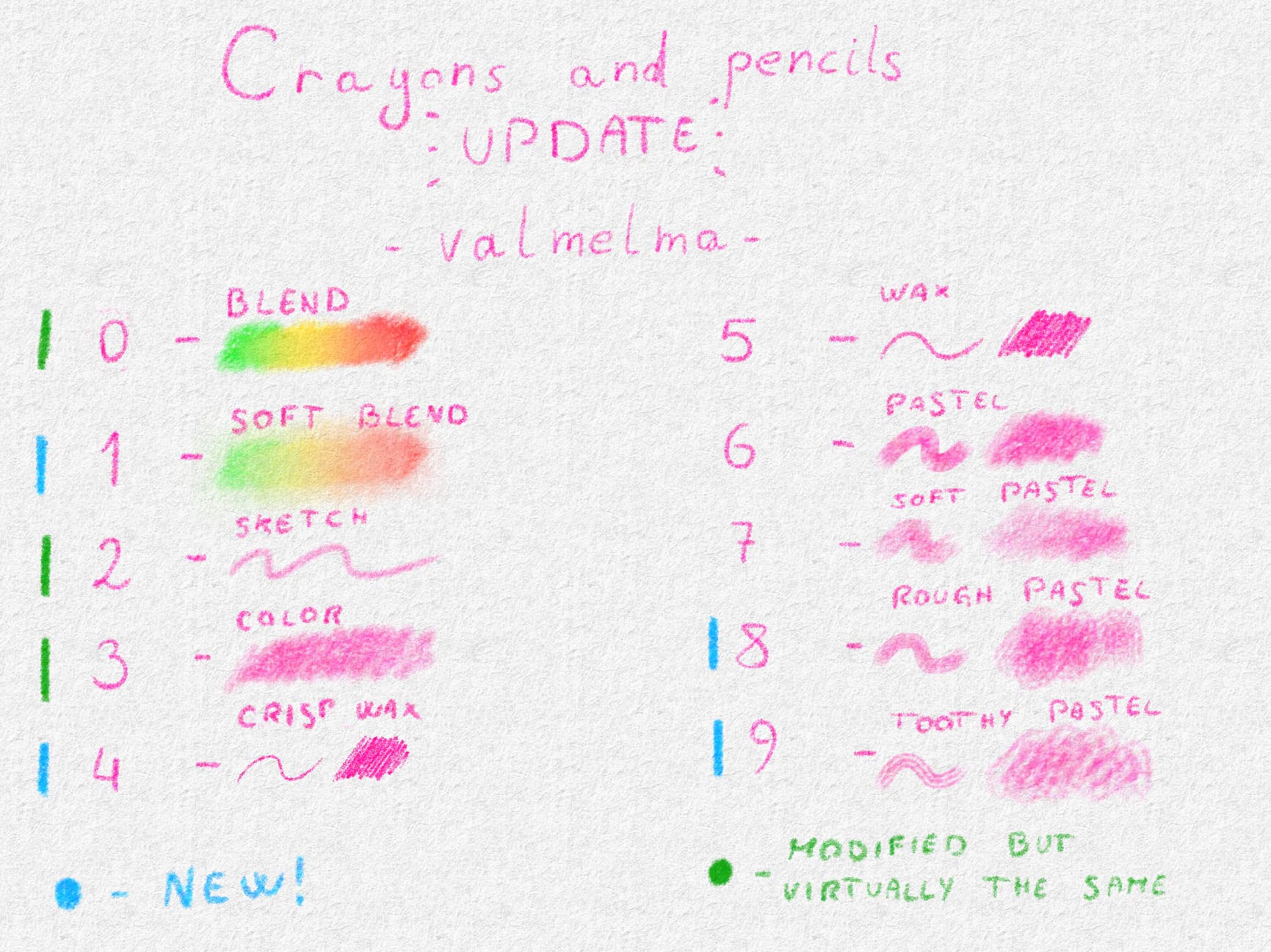
Note: the former “rough pastel” is now the “soft pastel”, the brush is still the same
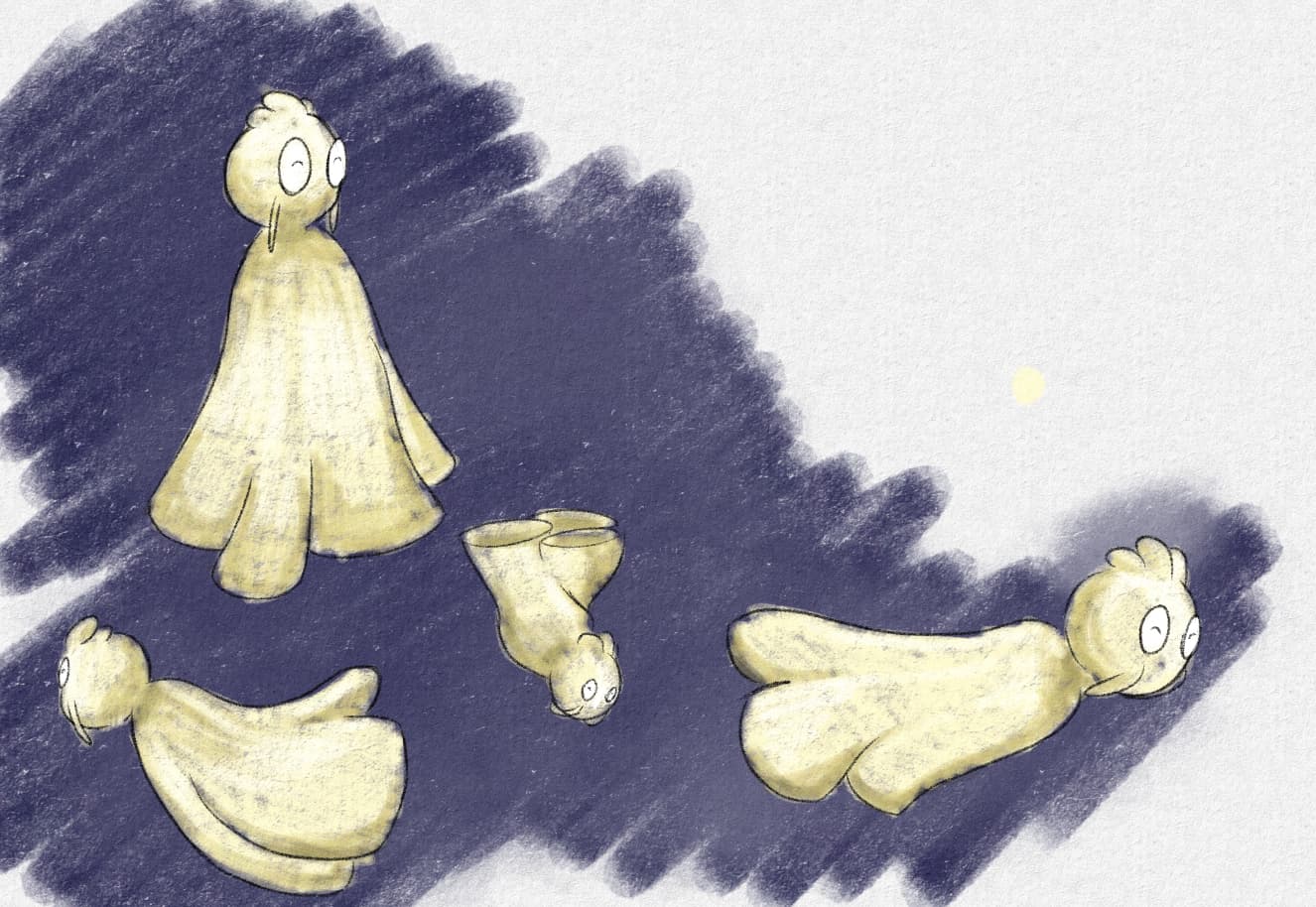
Here is something I threw together by first sketching using the “Sketch pencil”, then using the “Pastel brush” with the “Soft blend” for the background color, the “Crisp wax” for the lineart and the “Rough pastel” with the “Blend” brush for the coloring, to get an idea for a possible workflow:
For more details, my thought process behind each brush is:
0 - to blend colors together with minimal texture removal
1 - mostly to remove whitespaces that come with texture and blending large chunks
2 - first draft
3 - mostly to color, can be used for lineart as well
4 - mostly lineart or hatching
5 - mostly to color, can be used for lineart as well or to shade
6 - color large chunks with a bit of texture
7 - color large chunks with more texture
8 - textured coloring tool, the outcome is kind of similar to doing a lot of soft hatching, so really it’s for speed and ease of use
9 - to texture when needed
Of course these are the ways I experimented that work best with my workflow and my style of illustrations, so experiment!!
I’m looking forward to seeing what all of you can make with them 
If you read all this way (thank you!) and want to download them click here!
ORIGINAL POST:
This is a set of brushes meant to be very light weight and emulate the way pencils and crayons look on paper, it contains 6 brushes as of now:
1 - sketching pencil
2 - colored pencil
3 - wax pencil
4 - pastel
5 - rough pastel
6 - blending stump
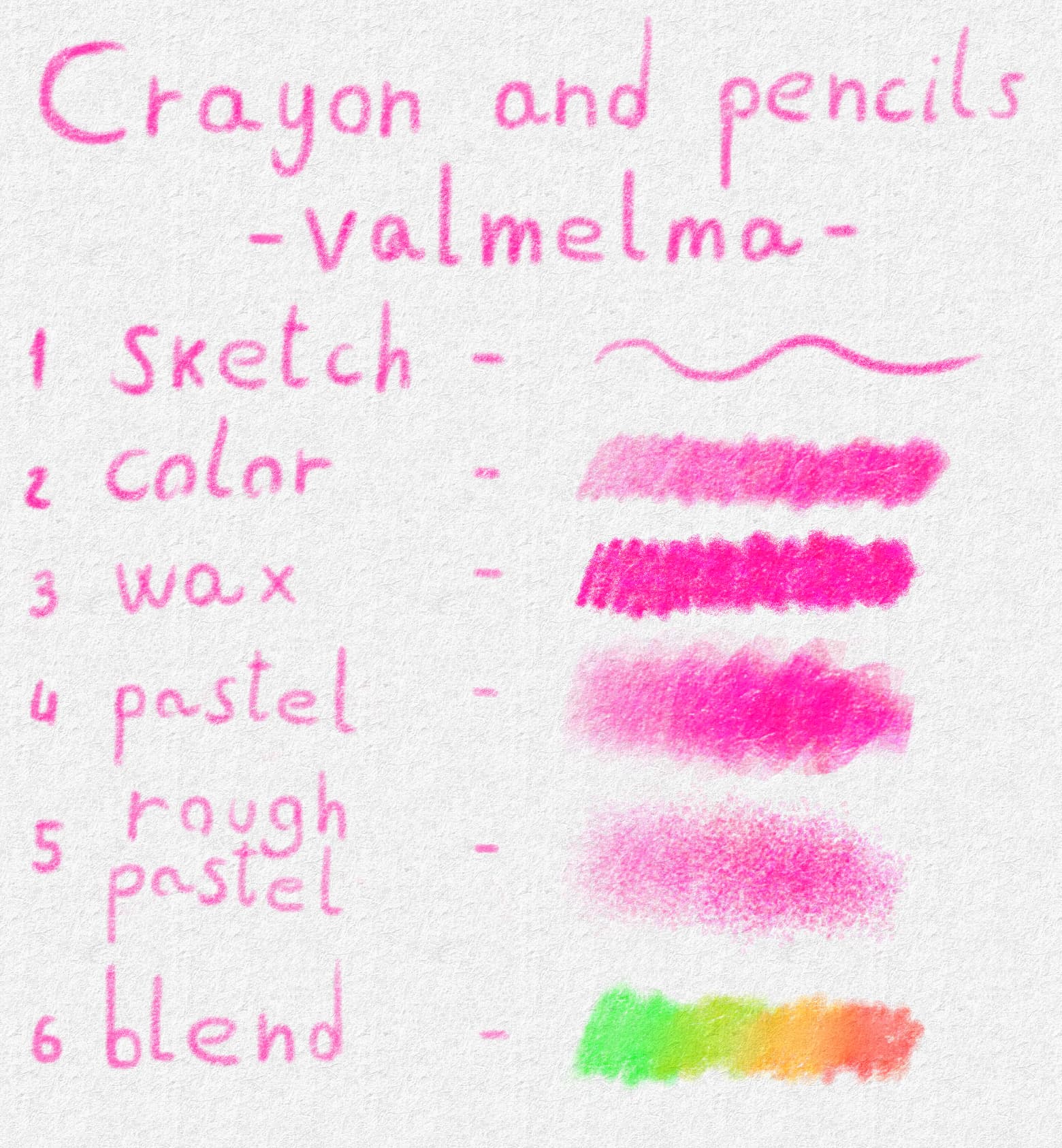
All the brushes (except 1 and 6) have some color jitter (hue) to them, to make them have some randomness, and to slightly emphasize the way the lines overlap on each other.
Here is a quick drawing to show you what you can expect as a final result when using them:
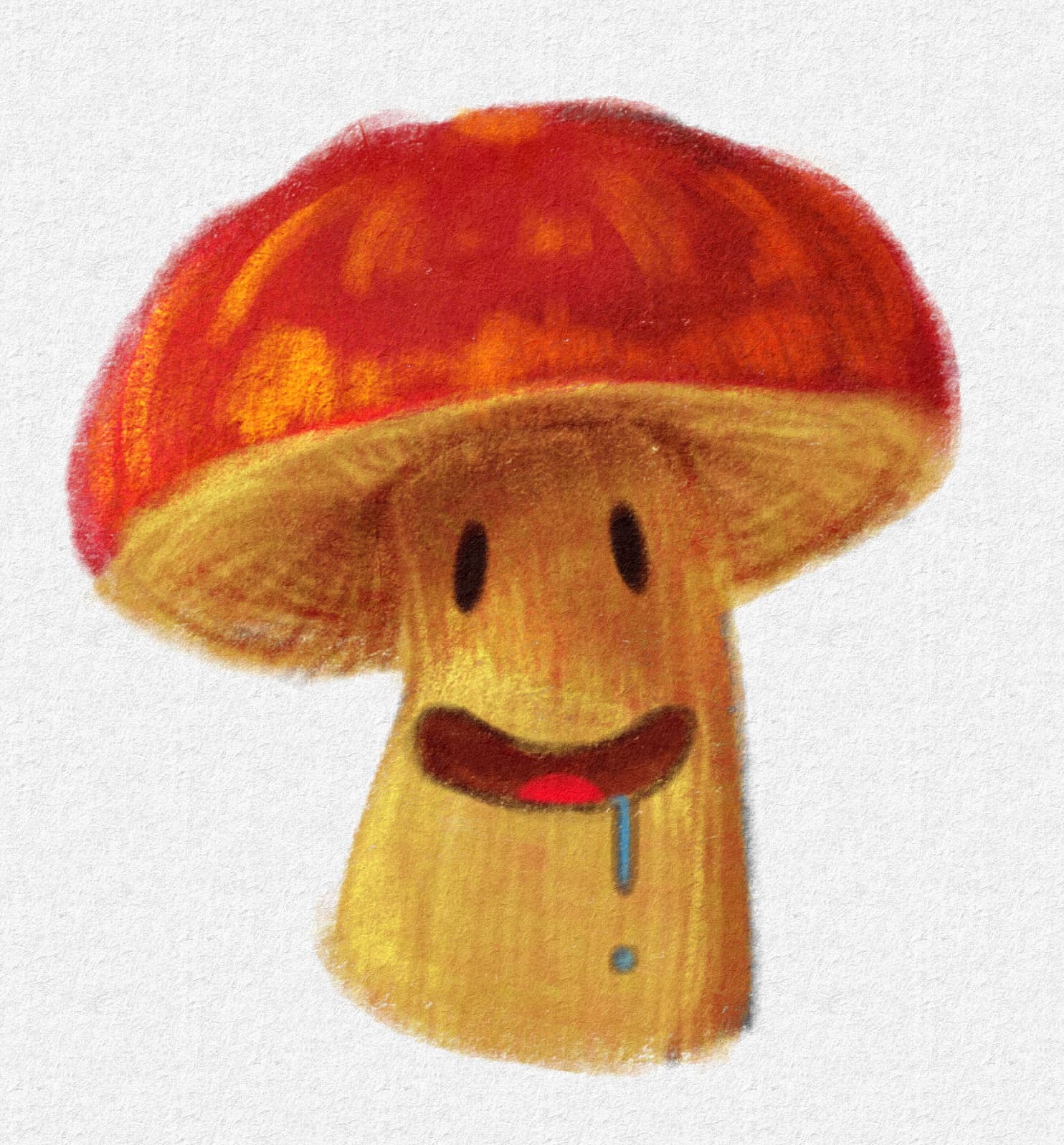
I’m using the smart canvas template with watercolor paper in this example, as I think it enhances the way the brushes look; however, they all are already textured so they can be used on blank canvases
If you do use them I’d love to hear your opinion and see what artwork you create!
 Hello
Hello