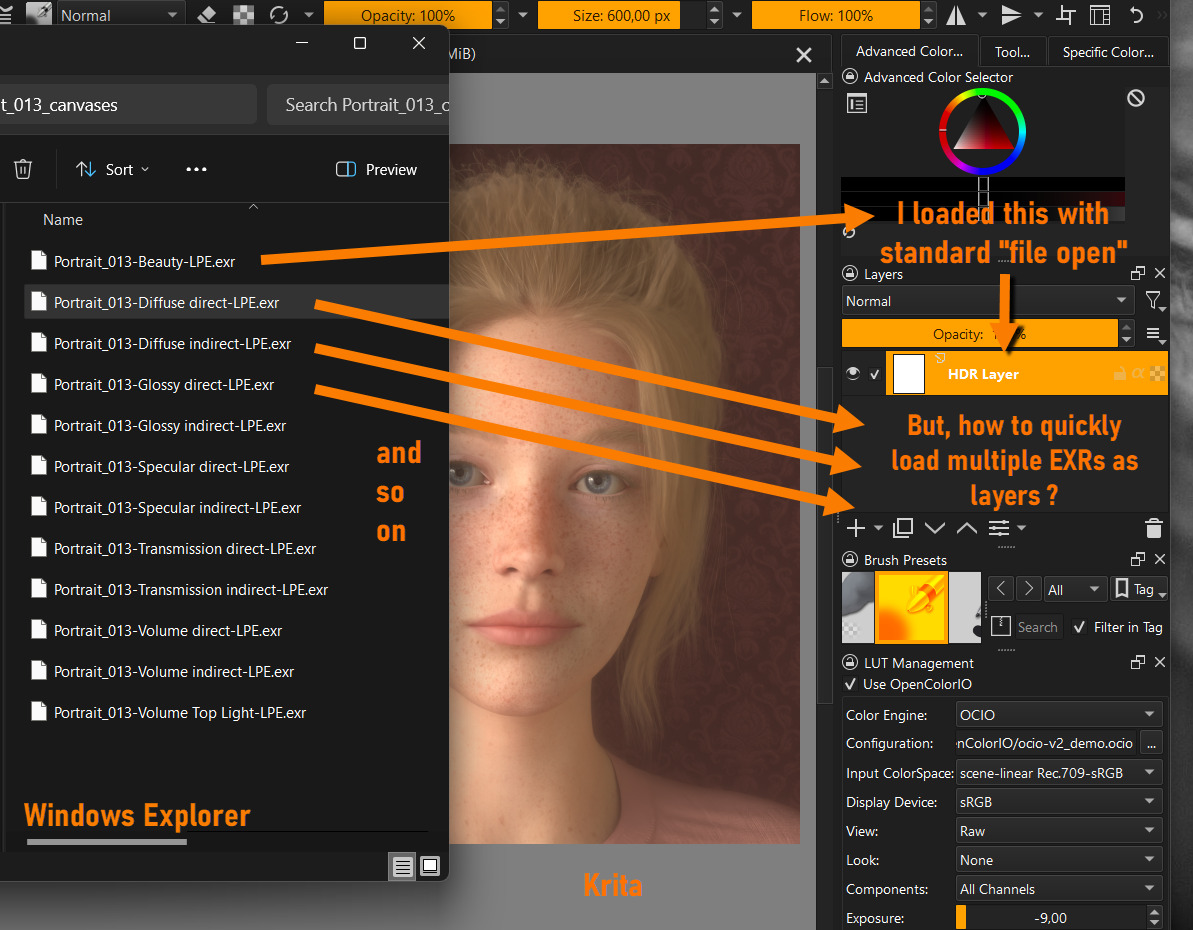
I have multiple files in a Windows folder.
I like to bring each file into one layer of a Krita document.
E.g.:
file1.exr goes to layer 1
file2.exr goes to layer 2
and so on.
I only found a way to do it one file after the other:
Create new file layer
Set link to the file
Set blending mode to Addition
I need to repeat these steps multiple times.
Is there a quicker way to do this?
For .png and .jpg files, I do Layer → Import/Export → Import Layer
then select multiple files in the file chooser and click Open.
I don’t know if that would work for .exr files.
If not, try Layer → Import/Export → Import → as Paint Layer.
You need to have an existing open document to do that so just make a new one with a size at least as big as the largest image file you intend to import.
If one layer has an image that is larger than the canvas, you can select it in the Layers docker then do Image → Trim to Current Layer and that will increase the canvas size to accommodate the content of that layer.
Thanks Ahab,
it works with exr as well.
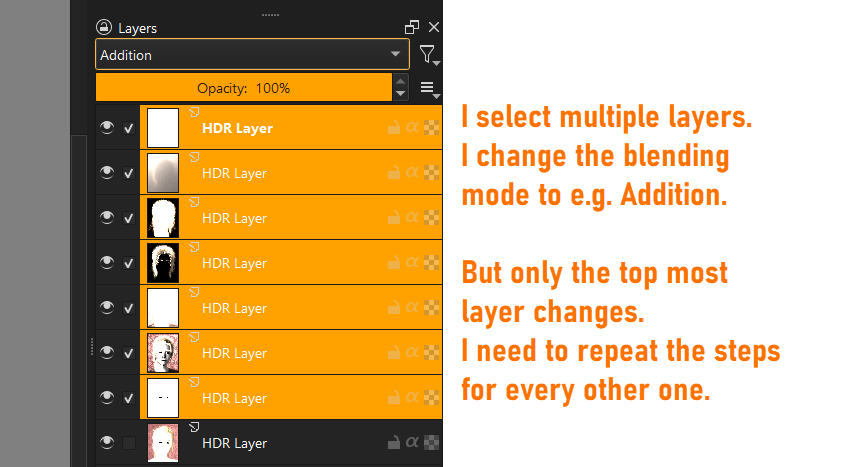
But the blending mode change is only one after the other, even if I select multiple layers. Is there a way to change multiple layers at once?
I guess this could (should?) be doable with @yetanotherpainter’s paid plugin Actuator - Automate Sequences of Actions. To begin with, you need to create a sequence of actions that you can later “re-play” as often as you like, just like a music or video playlist.
The plugin is about $10, and may be worth the investment, especially if you have to do this day by day, or it is for your job.
Furthermore, I assume, for changing the blending modes, you can create a sequence that will change them for you too. That will be done one by one, like you were doing it, but here you only need to wait till it is done.
Maybe you ask @yetanotherpainter beforehand what they say about your tasks and if they think they are feasible?
from krita import *

w = Krita.instance().activeWindow()
v = w.activeView()
selected_nodes = v.selectedNodes()
for n in selected_nodes:
    n.setBlendingMode("add")
It will set selected layers’s blend mode to Addition. Bind script file to Ten Scripts plugin or directly run it in Scripter.
Thanks @Aqao,
the script worked (I had to google about scripter first of course).
But how to have the code available whenever I start Krita?
By default it seems to run once and then gets forgotten.
I can save it as a file, but then I need to search for the file and reload it, etc.
Is there a way to have it as part of a default Krita startup?
Use Ten Scripts plugin, it’s official plugin already installed in your Krita. Open topmenu → Tools → Script → Ten Scripts(If not, go configuration to enable it), bind python file to an item, then set shortcut key in Configuration for it.
In the feature request I got an answer with a simple solution.
Just hit F3 for layer properties and change the blending mode there.
In that case all layers get the change. So no need for scripts or plugins.