I have experimented in krita with many different things,but never tried creating comics with it.
I have tried it with other softwares,but not krita… I guess it was some kind of mental block !
So recently I have decided to practice making random demo comic pages in krita and get more used to it. In that process I can learn about the advantages and also find out some trick to overcome the disadvantages.
In this demo practice I have used some selected brushes created by @Pesi, @RamonM
@hulmanen @razcore-rad and Rudluff’s mypaint inking brushes.
I have also used the gradient map sets created and shared by @Rakurri . Only problem I have faced about these gradient maps that they are working fine in KRITA 5.1 pre alpha, but when I am using in KRITA 5 beta 2,it’s not saving the file and shutting down .
Maybe I am making some mistake…need to check later !
Lastly,I wanted to use Kaichi’s vector speech bubble set to check out the final part of comics making.
but somehow,the vector shape properties are not working/showing inside Krita 5 versions,but working fine in 4.4.2 version onward.
So I was not able to merge/group different vector shapes (bubble,tails etc) in krita 5 and avoided adding the speech bubble shapes part .
Anyway,this is my first take on making a comics page fully in krita.
Maybe I will learn more as I keep practicing  !
!
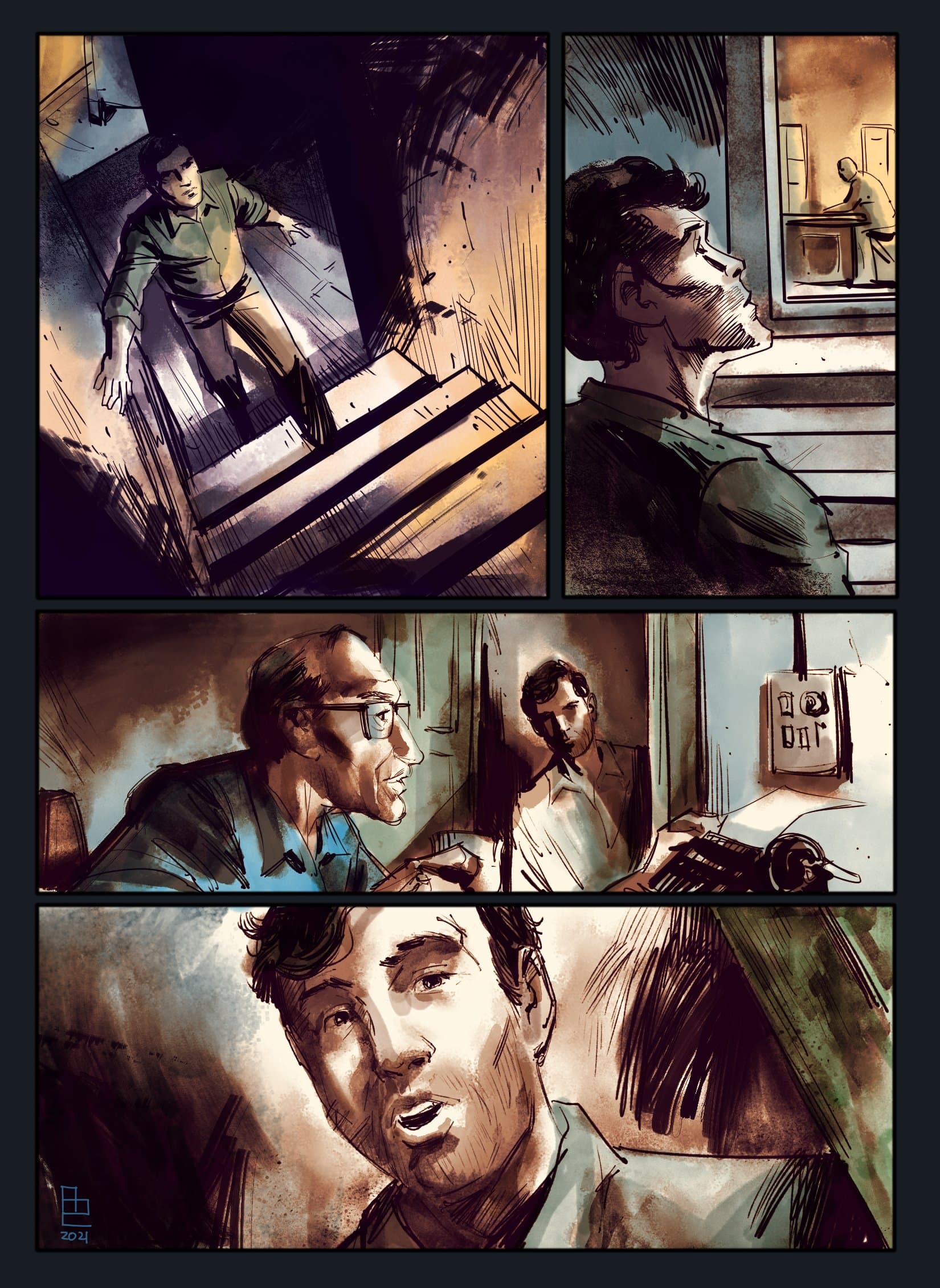
The comic page looks awesome, great brushwork and colours! 
I had the same problem when I was developing and using Gradient Maps in Krita 5 beta 2 actually, beta 1 worked well for me too. The Krita developers fixed the bug in later betas so I recommend downloading Krita 5 beta 5 
Thanks  !
!
I have downloaded and used krita 5 beta 5.
it is good,but I am finding it little laggy and slow,compared to Krita 5 beta 2.
So in the end, most of the times I am using the beta 2 version.
but I will surely check out K5B5 also .
Thanks for the input .
@ari I’ve just downloaded and used the Manga Style speech bubble vector libraries by @kaichi1342 as described in this topic:
Manga Style Speech Bubble V2.0 - Vector Library
I had no problem with showing and manipulating (but you have to Ungroup them) the vector shape properties when using the Dec 16 5.1.0-prealpha.
I could also group them and ungroup them.
Can you explain in more detail what was going wrong for you?
Maybe in a separate topic?
Thanks for this prompt feedback.
I do have very limited knowledge about vectors .
As far I know to ungroup or group any shapes ,I have to select by using select shape tool.
I have faced no problem in dragging,resizing or selecting shapes together.
but problem arises when I am trying to clicking RMB on shapes.
Nothing is happening and vector shape action option docker is not showing/opening.
So in no way,I can access the group or ungroup option.
This is the problem I am facing through all versions of KRITA 5 .
I will try to reinstall the vector set later.
It may be this bug:
437241 – If Canvas Input Settings are 'Paint Tool Sai Compatible', there is loss of functionality
You can try selecting Krita Default if you are currently set to Paint Tool Sai Compatible.
You might also want to try finding any clashing settings and fixing them, assuming that is the cause of the problem.
Thanks.
I have checked ,canvas input setting already in krita default mode.
I think it will be better to reinstall the bundle.
Because another strange thing is happening…sometime by default all the shapes are showing borders and sometime they are showing as fill only.
Let’s see if it changes after reinstlling.
Thanks again for these small important tips .
Hello, Just a note:
There are 2 types one white is fill only (-base), while the other has border. (-standard) .
I hope its not the issue and i hope everything gets fix for you. Vector is a bit more stabler now compare to when i made them.
Yes!
Sorry,my fault  !
!
I was little absent minded and not watching closely which kind of speech bubble I was picking !
I have tried reinstalling the files,changing few settings ,but still unable to find any solution in krita 5 version.
They are working perfectly in krita 4.4 + versions and I am getting the access to group /ungroup them by RMB click.
But the moment I am using vector shapes ( be it your set or any custom shapes made by me ) in Krita 5 versions,the RMB click remains unresponsive.
Until I can find some logical way out of this,I will keep using your pack inside Krita 4.4 + versions.
Thanks for creating such beautiful,organic and extensive pack !
You can also assign custom keyboard shortcuts to things like group and ungroup (under Interactive Tool)
That said, I would back up your resource folder, then try fresh from there.
Thanks for this useful tip !
Assignied custom keyboard shortcut for group,ungroup & bring in front and that was enough for my requirement.
…and via shortcuts,they are working perfectly inside krita 5 versions !
Im quite happy people like you, are finding it useful. 
Honestly I need to update it and clean it up also more burst bubbles.
For me ,this set is more than enough !
Just an UPDATE :-
Recently I have been trying out vector layers in latest KRITA 5.
Earlier in Krita 5 beta versions,I had faced an issue with accessing VECTOR shape option via RMB cliick.
For me,this issue has been fixed and it’s working perfectly in KRITA 5 version.
Thanks a lot ,Krita team .