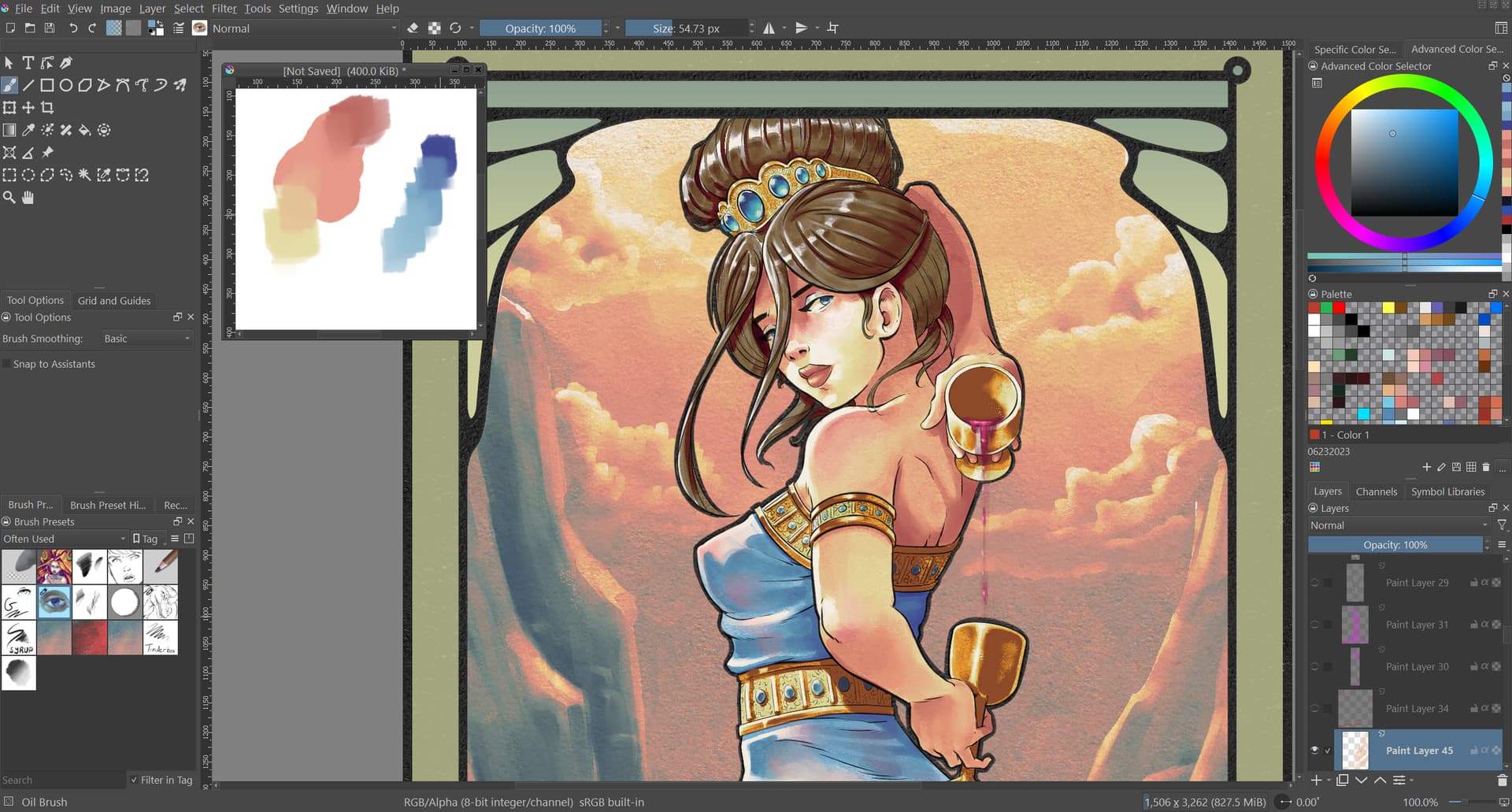
One other alternative would be using a second window. You’d need to set Krita to use subwindows for the canvas handling, rather than tabs (if you don’t already use them). This would allow you the flexibility to have two working projects opened at a time, while also allowing you to set one of them to always be on top of the others. In your case, the “always on top” canvas would be your mixing palette, while the other canvas could be fully expanded to the borders of your screen and be your working canvas (also fully functional in full screen mode). I’ve attached a screen shot of how this would work. For a more in-depth walk through of how set this up, please refer to this thread: Reference Images
The only drawback to this is that it requires each screen to be refocused upon, when you plan to add or grab a color from it. I’ll leave it to you to decide if that’s more of a hinderance than help.
Admins please note: All artwork visible in the screen shot below is my own.