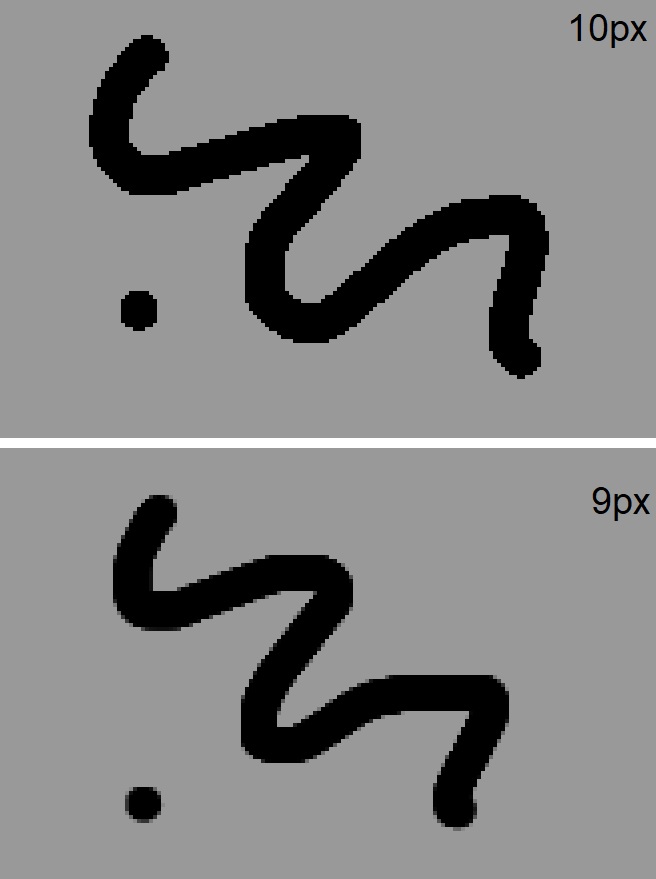
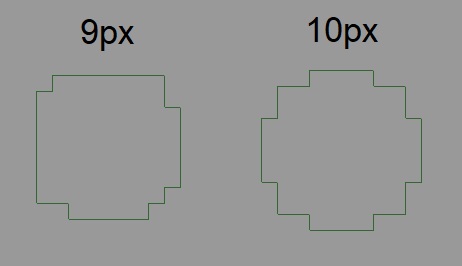
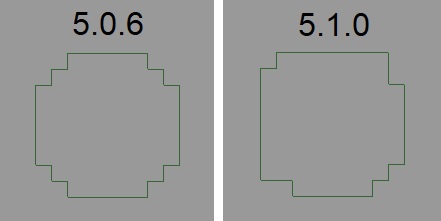
Hello everybody! I’m having this weird problem, whenever I use a brush smaller than 10px it looks blurry even if I uncheck “anti-alias” on the brush options.
It’s not really anti aliasing it’s more like Krita trying to get the subpixels right. What brush preset did you use for testing? Try using the pixel art brushes and check if it happens there too.
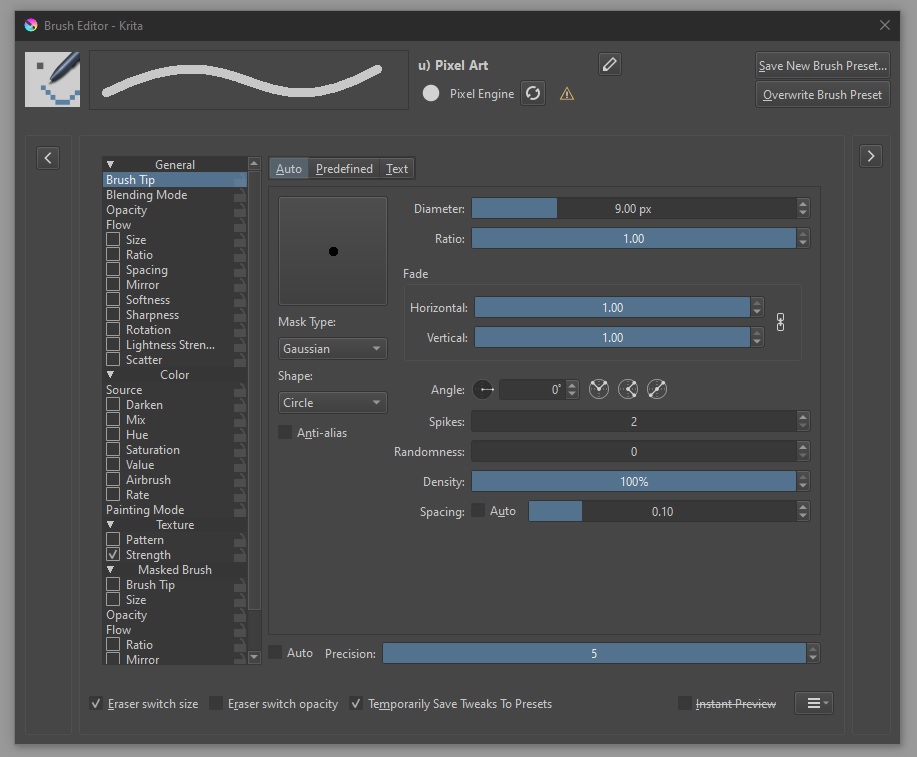
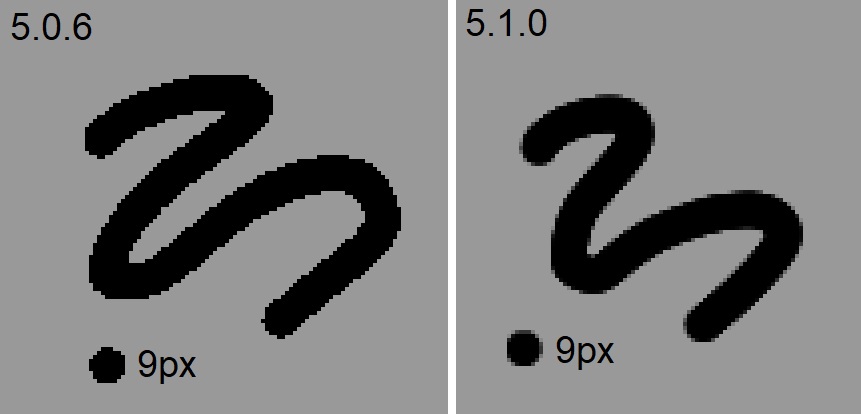
Hey Takiro, thanks for answering! Sorry I forgot to mention I am using the pixel brush, I just disabled the sharpness filter. Also it worked as expected on 5.0.6, the problem started when I updated to 5.1.0.
Yes, it is intended. It is good for natural media recreation apparently (when using small brushes), as per David Revoy’s last image in the Merge Request.
However it seems to be a ‘shot in the foot’ for pixel art or pixel art-like drawings.
I hope they find some kind of a workaround. Not a big deal on windows but I draw on an android tablet from time to time and some changes on 5.1.0 are really useful, don’t want to go back to 5.0.6 if possible. Any way to make sure this reaches the devs? Either way thanks for the help everyone!
I don’t really know how it all works but maybe they could add another “Mask Type” just for pixel art and have supersampling disabled for it? Just an idea
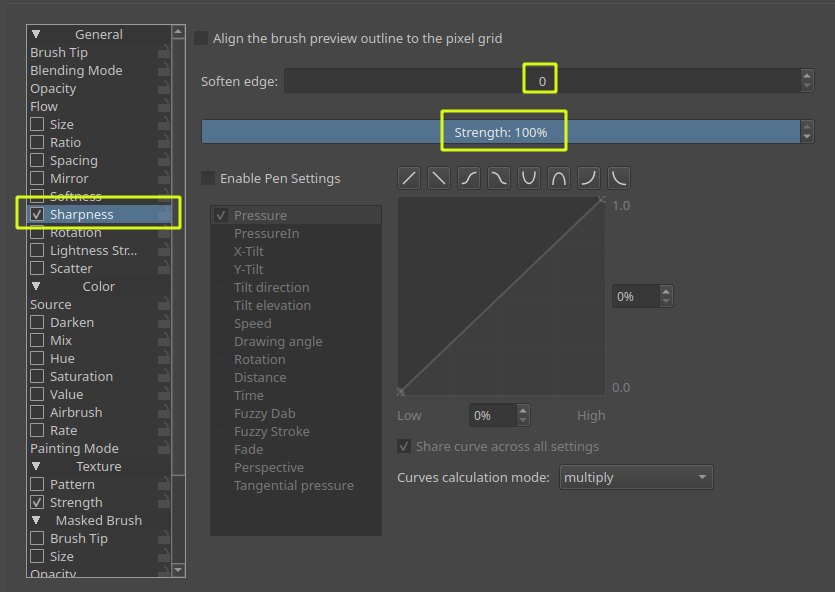
@Ecac : Hey, ‘Sharpness’ can be used to override the supersampling and retrieve the aliased look of your brush (you saw it, that’s how works the pixel brush). You might need to test many strokes to find a suitable dosage of 'Soften Edge" and “Strength” settings, but I’m confident you’ll find a way to inject back the extra crispness you look for in your brush stroke.
Another possible investigation; play with the b)_Basic-1 brush; this one is based on another brush engine (quick brush engine, super performances) with fewer options.
Am I reading this right - the official reccommended solution to brushes failing to draw the way they’re supposed to, is to screw around testing each small brush’s sharpening setting until you figure out the individual manual adjustments necessary to UNDO the distortion Krita incorrectly and indiscriminately applies without the user’s permission - and these sharpening settings do not actually currently work?
There aren’t any “official” comments in this thread as of yet. Developers are busy with a variety of things, and with a new 5.x release there will be some notable regressions early in the cycle.
The bug I pointed out above should be fixed for 5.1.2, and is relatively easy to work around.
Yikes @Alesis88 - I don’t know if you meant to sound angry or if I’m reading this wrong… The ability to make infinite adjustments to brushes is one of Krita’s strengths. If there is something we can help you with until the next update comes out, feel free to start a new thread.
After thinking over the issue, I would say the root of the problem is that supersampling is forced despite the fact that anti-aliasing on the brush tip is disabled. This goes against user intentions in basically the majority of practical cases I could think of.
@Ecac, do you think the following simple fix would be good: Just don’t force supersampling if anti-aliasing on the brush tip is disabled.
Or is there something more ideal/practical you’d suggest?