Well, you trade making two precise inputs (Select → Select All) with three or four less precise inputs (switch to a selection tool, make a pointless selection, hit select all, switch back to the tool you actually want). That you can intuit that you first need to make a pointless action to do the action you really want is probably false, having to take a detour is not intuitive. So that is not a well-designed feature, if we want to give easier access to the select all action, that ought to be possible in a better fashion than this mess.
You’re right.
Then I also found that Drawpile’s “Select Layer Boundaries” is really nice. I really wish Krita could have this in the right-click menu of the selection tool, or even in the “Selection Actions Bar.”
How come selection action bar has no button to bring up transform selection? I thought I was missing something but it doesnt seem to be in the manual either.
That’s one of the things we’re discussing in this thread.
You have the ability to add “select all” to a toolbar. I don’t understand why you would do that, but everyone has their own workflow.
Rotating the selection with the canvas makes sense as you sometimes want that shape to be rotated. But I guess it would make sense to add the rotation features from the shape tools to the selection. Something like transforming the selection, tweaking it and lastly committing it to get the final selection. You can already do all that with the global selection layer, but it would be convenient.
I guess you could also add “ show global selection mask” to the action bar…
How about making the action bar configurable like the toolbars. So that everyone can have their own? I mean you could deselect the action bar, customize a toolbar to have all the features you want and the action bar is obsolete. But an action bar that I configured is something I would love to have.
I’m surprised I haven’t seen anyone else mention that this bar is a feature from Clip Studio Paint (maybe it showed up somewhere else first but that’s the first place I saw it years ago).
Can Krita not just mimic the behavior CSP has? It stays out of the way when you pan the camera etc. if I recall correctly. I can’t test it myself at the moment, but I don’t recall ever being annoyed with it being in the way while using it (the fact that I can’t even really remember exactly what it does supports this).
Yea that’s what i want to do eventually, and it should be relatively easy to do in the code.
Tho problem with that is how to determine which actions to allow to put in the toolbar, since every action must have its own dedicated icon, i can’t allow any arbitrary action
I think our toolbars now let you configure icons? And you can probably punt to just taking the first letter (well, the first grapheme, to account for certain languages) and paint that into an icon as a fallback, rather than restricting the actions because of it.
No, while this would allow greater flexibility it would be absolutely awful design wise, i really don’t think it’s a good idea
Let the user decide which actions they want. Just disable saving the action bar without icon.
Btw. Does anyone know how I can add my own icons ? I would like to put my icons in a resource folder and then access those icons for the toolbars oder action bar.
Ok so after checking CSP’s selection bar behavior, it just anchors to below the location of the selection on the canvas, instead of on the viewport like in Krita. This is below the selection by default.
As you pan around, it stays anchored to this point, unless you move the selection out of view, at which point it tries to stay in view on the viewport edge where the selection is. It stays anchored to the lowest point of the selection even when the view is rotated etc., thus staying out of the way.
It’s also draggable like Krita’s currently is in case it still gets in the way.
So most of the behavior described here, actually.
I also think it would be better to allow customization, but can you add the transform first? Transforming is very commonly used after making a selection.
I also previously mentioned other issues about the ‘Selection Actions Bar’ in this topic. I don’t know if you saw it, so I’m restating it here.
I forgot to mention earlier that zooming the canvas should not affect it always following the selection.
The ‘Selection Actions Bar’ should always follow the selection; only in this way can common operations after creating a selection be performed with just a short movement of the pen to click.
I was thinking about how to make it more intuitive to disable this panel, if a user doesn’t want it.
So i came up with this solution
It would be great if they added as an optional checkbox, because i imagine if people miss click the selection bar tool.
What do you mean?
If this is a right-click: many devices can’t perform a right-click. Turn on Settings → Configure Krita → General → Miscellaneous → Long-press to open context menus and see long-pressing summons your context menu. If not, check KisLongPressEventFilter, it has a property you can set on a widget to force-enable it which hopefully will be enough, although the bar does some weird event filtering that may prevent it from working for other reasons. Which will then probably make the bar “hitch” when you start dragging it because it has to disambiguate between a long-press and a drag, but that’s kind of inevitable with this design.
To easy to miss click. I would suggest, that the configuration tab gets a new item, just like the toolbars.
- Show action bar and
- configure action bar.
That should be easy to find. Although it should be called selection action bar, so that the user can easily understand what gets configured.
And when you start Krita the first time the quick setup-menu (looking at @freyalupen) should ask the user if the selection action bar should be used or not.
Slightly updated version. There aren’t any actual settings yet in the preferences dialog, but i decided to add the configure option for when there is more stuff there.
I made the following animated GIF to help illustrate the situation where the ‘Selection Actions Bar’ does not follow the selection.
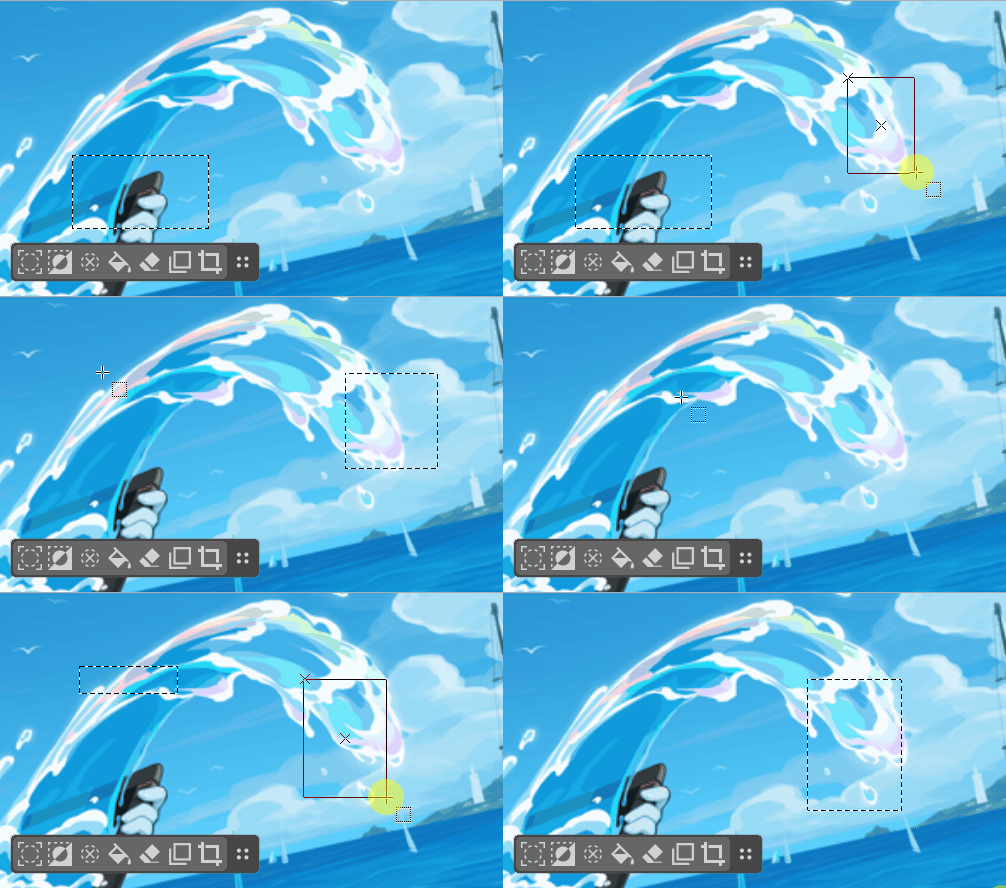
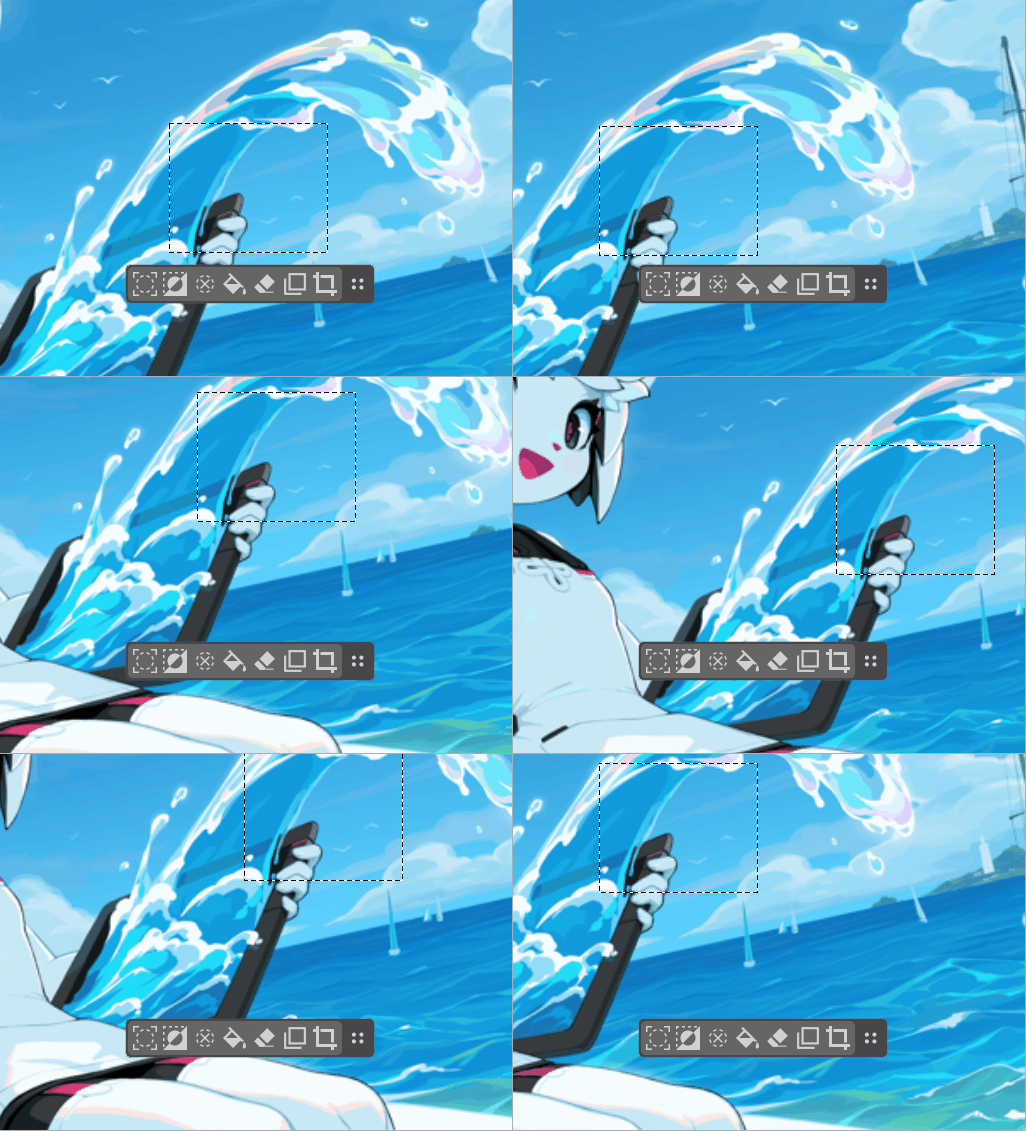
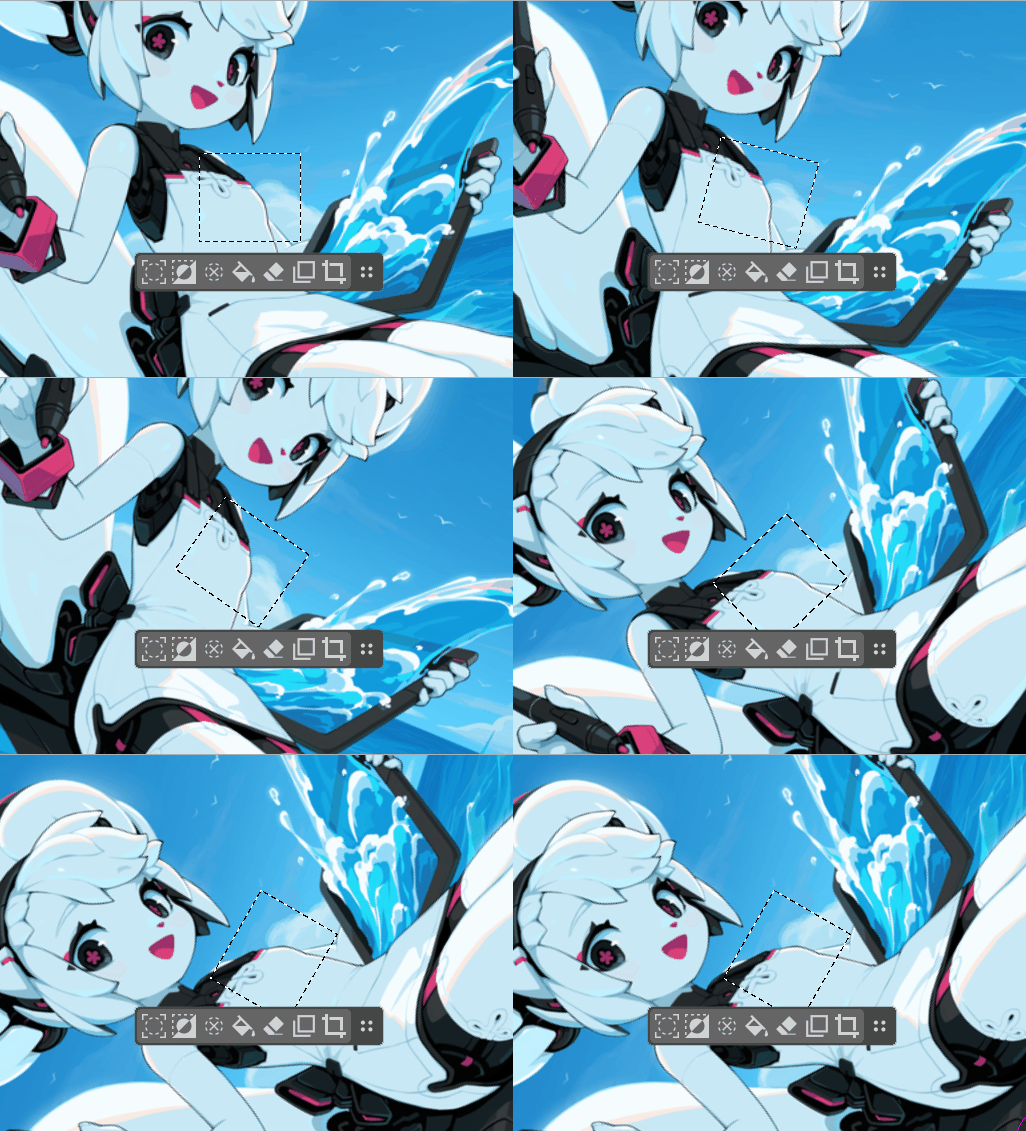
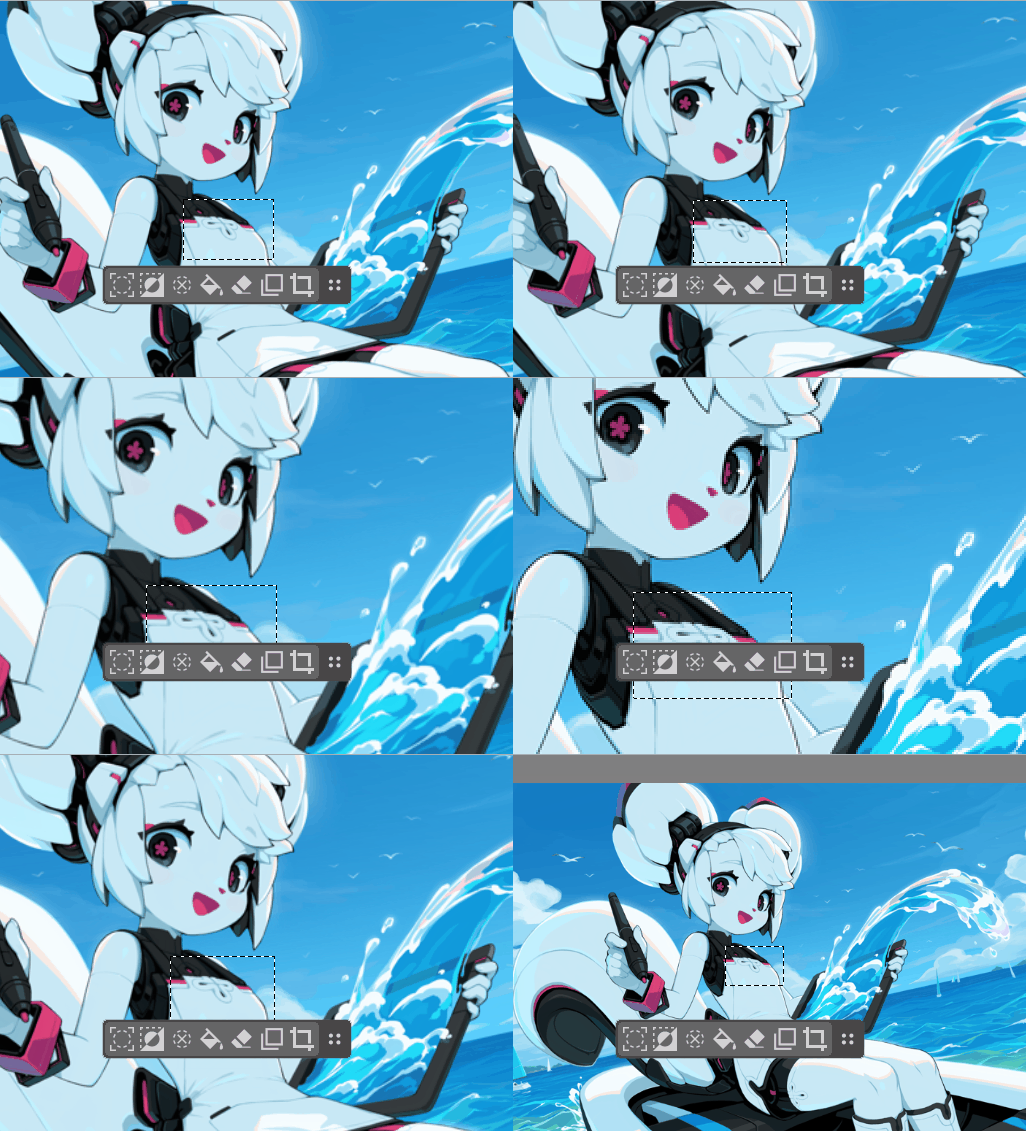
These cases where the ‘Selection Actions Bar’ does not follow the selection result in longer movement distances to click it, making it even slower than the right-click menu.
Just pasting here my feedback about the SAP from [this MR](Fix SAP disappearing when toggling selection visibility (!2749) · Merge requests · Graphics / Krita · GitLab), to keep track of it in this thread.
I really like the “The selection actions panel”, I really tried to adopt it. But I kept pushing it away. It’s now deactivated on my side via the Settings. Moving the selection of an eye, a head, it was always a dark value, a block, on my way, often hiding the neck, the nose.
I wish there was a possibility to just move it away by 200 or 300 pixels by default or have an option for that, or best: make this panel ‘learn’ the push distance once the user move it away a first time. Because I liked the convenience of buttons, but I really had to turn this off.
I also wish the brush outline decoration could disappear when the cursor hover the buttons: sometime, it gives the feeling that pressing one of these button will accidentally paint something with the outline still visible. This feels more like a bug.
Last wish; new icons:
-
A toggle to Ants-decoration/hidden(no decoration)/mask mode: making this feature more discoverable.
-
A transform tool (and I really wish Transform Tool had also an action toolbar to switch between Free/Mesh/Liquify/etc , and a “apply” button.)