Krita already has a fill tool which constraints within the boundaries of a line art and
can close gap in the 5.3.0 alpha version.
I just want to ask. Is there equally a brush tool or option which achieves the same based
on where you start your stroke? Something like a boundary-aware fill brush tool?
And which also takes into account, the current layer or all layers together, etc?
Unfortunately not, though it has been suggested before to make airbrushing easier.
The workaround I’ve been using is to set a shortcut for the magic wand, select your area, use your brush, then deselect all.
@Ralek I always wondered why the paint bucket tool won’t fill a selected area. I do what you do… use the freehand selection tool or the magic wand, then fill it in with a brush. The GIMIC tool will fill within lines, but I don’t much care for it. May as well just use the selection tools and a brush.
No it does not because, the the fill brush tool
doesn’t need you to select area first.
It already operates as is, based on where you land your first pixel data.
But I understand that an approximation can be done using the selection tool for
the time being, so thank you.
That’s what the Enclose and Fill tool does in Krita. You’ll want to set the options as I have here, with the “Target Regions” being specific to whatever color (or transparency) you want to apply color over. Selecting “All” there, will target any color you paint over.
No. It’s not a brush in your example.
The enclose and fill is a form of selection tool.
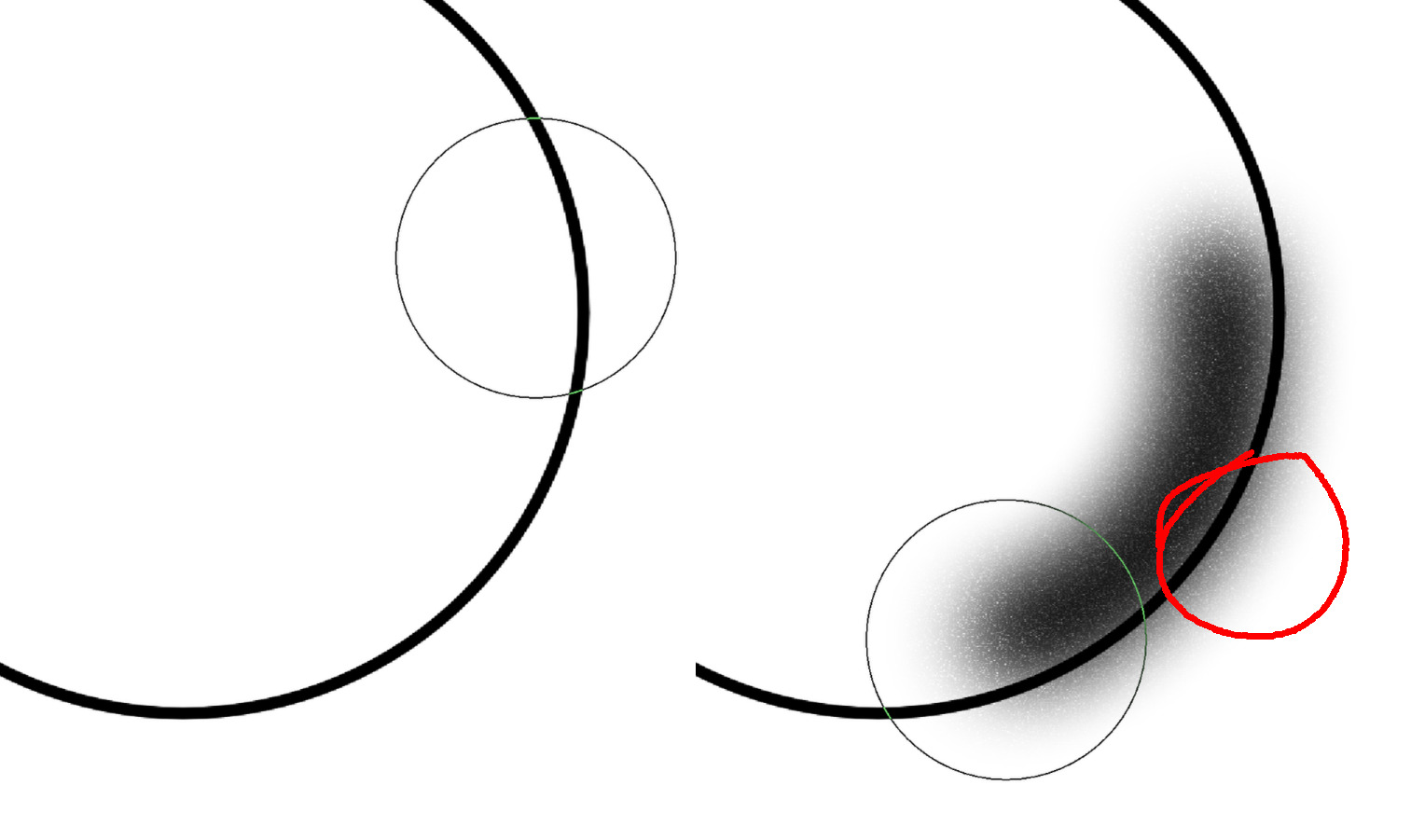
In other words, you have to “paint” with the anti-overflow or boundary-aware fill brush.
Not select and have it filled.
CSP’s tool use comes from the ability to not fill the entire space in, such as airbrushing. Enclose and fill doesn’t do that, it’s just another way to flat color an entire area.
There sort of is a feature request for this over here, although it confusingly only asks for erasers. It probably makes sense for someone to create a proper feature request for anti-overflow and move the votes there.
How does Drawpile handle drawing in the lines of open-ended spaces? Can it draw on one side of a line as long as the boundary of the brush tip doesn’t hit the end of the line?
I personally wouldn’t have much use for this if all it does is do a quick ‘magic wand’ selection to define the area before the stroke. The entire beauty of it is that it’s locally focused. That’s the last thing we need is just a 4th way of ‘coloring in an enclosed space’
It works mostly like it does in CSP from what I can tell. It doesn’t do a magic wand selection before your stroke starts, it does one for every single dab (“brush tip” as you called it), originating from your cursor position and only extending to where the dab is. So yes, it can draw on one side of the line as long as individual dabs don’t spill.