Erased pixels creating ghost images in export of 16-bit .exr files

Hello. I’m using a Linux workstation, Rocky 9; using Krita 5.2.2.

I’ve got a reference plate and I’m painting into a different layer to create fx. Then I’m turning off my reference plate and using Render Animation to export my fx work on a largely transparent image sequence. 16 bit EXRs, RGBA - flatten image selected in options.

Often (though not always), when importing these frames into Nuke we’re seeing very strange behavior. When the eraser has been used we get very funky “artifacts” in the RGB channels. Ghosts of past work that’s been erased. But not all the erased work, and what’s left behind changes every time. It sort of looks like the raw RGB when you’ve exported a straight alpha.

For a technical reason in our deliverable we’re trying to get these images without this schmutz/ghosting/garbage outside of our desired fx artwork.

I know I can just apply the alpha channel to remove this additional pixel data from view. We’re specifically looking for a solution where the garbage information is removed. This could be through preferences, through export, through change in workflow. Open to any ideas.

The attached gif shows:

  1. the image rgb solo
  2. the image alpha solo
    (EDIT - apologies there a few frames of 1 again)
  3. applied over a background with alpha as a mask (looking good!)
  4. applied over a background without alpha as a mask (lots of junk)
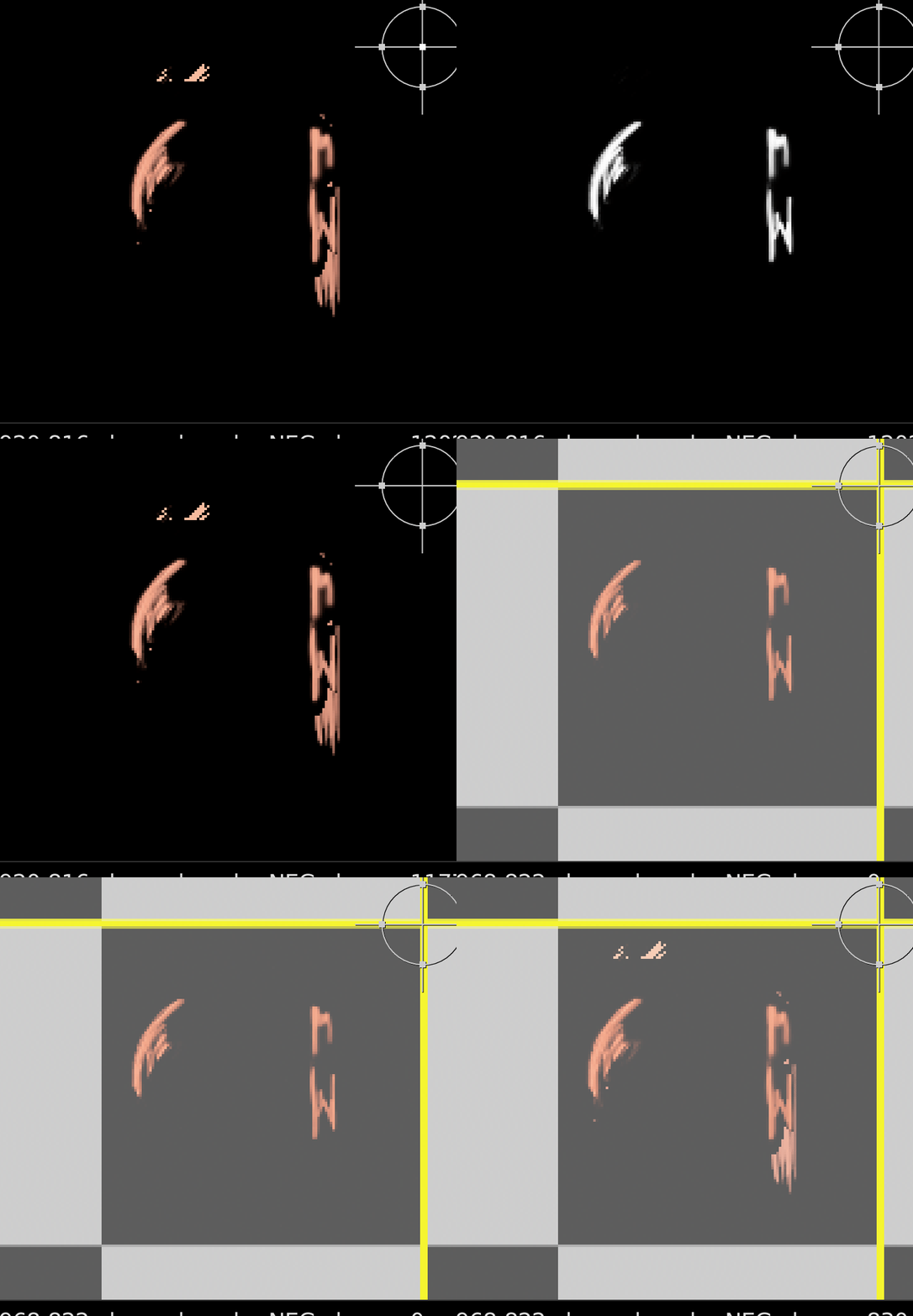
Peek 2024-10-14 15-53

If it helps - during my working session in Krita I can’t see the ghost images at all. It’s been erased/removed. There is no trace of it - it is only showing up once the exported files are being ingested or viewed elsewhere.

Hello @bloarg and welcome to the forum :slight_smile:

I’ve never worked with .exr files or 16-bit images or anything like Nuke but I’d ask you some questions as follows:

If you use the Colour Picker (Eye Dropper) tool on the layer with the supposedly erased pixels, immediately before you Export them, what results do you get in the Tool Options docker?

If you do a New From Visible layer, before Export, what does the Colour Picker show in the supposedly erased pixels of that new layer?

If you Export to .png, then open that .png file in krita, what does the Colour Picker detect in the supposedly erased pixels?

Are you sure you used a ‘solid’ (fully 100% opacity) eraser brush preset for the erasing strokes?

Which colour profile are you using for the document?
Do any layers have any different colour profiles?

What are your image Export option settings?

Can you provide the .kra file via a link to a file sharing/download service?
If the .kra file has confidential images in it, can you make a new .kra file with non-confidential content that exhibits the same problem and share that?

The answers you give and any .kra file you provide may help someone with more knowlege of this subject area to give you advice.

If you use the Colour Picker (Eye Dropper) tool on the layer with the supposedly erased pixels, immediately before you Export them, what results do you get in the Tool Options docker?

The Values for RGBA all remain blank, or don’t update from the most recent values calculated. Same behavior you’d see with a freshly created ie empty layer.

If you do a New From Visible layer, before Export, what does the Colour Picker show in the supposedly erased pixels of that new layer?

I get the same results with a newly created New From Visible layer.

If you Export to .png, then open that .png file in krita, what does the Colour Picker detect in the supposedly erased pixels?

I also get the same results with export to png, krita views this area as blank/empty.

Are you sure you used a ‘solid’ (fully 100% opacity) eraser brush preset for the erasing strokes?

I am, and this was an early concern of ours - that possibly small positive values (from incomplete erasing) in a channel caused Krita somehow get confused in export and adversely effect the rgba. But we have exhaustively erased these areas and the issue remains.

Which colour profile are you using for the document?

The document profile in Kirta color management is
sRGB-elle-V2-srgbtrc.icc

Do any layers have any different colour profiles?

Interesting. I just looked at the layer color profiles and they are
sRGB-elle-V2-g10.icc

Not sure why those are different.

What are your image Export option settings?

We’re using the Render Animation for export. Within that we’re using the EXR File format settings, with the flatten image option checked.

Can you provide the .kra file via a link to a file sharing/download service?
If the .kra file has confidential images in it, can you make a new .kra file with non-confidential content that exhibits the same problem and share that?

https://file.io/6SzFCojNDflX

This .kra file has everything proprietary removed. I have exported from this to make sure the problem still persists in this state. Layer “NEG_fxpaint” is the trouble on this file, specifically frame 196. Within the krita file you won’t see anything, that that is where the exported file creates the garbage data. You will see a keyframe there, but zero data within the frame. Here is the file as we export it currently

https://file.io/6SzFCojNDflX

This is what the offending data looks like when viewed inside the EXR. I know this is a bit awkward with the plate removed, but I wanted to give you a location for where to be looking. For specifics, the center of this offending data is at [560,625] on a 1920x816 frame.

The answers you give and any .kra file you provide may help someone with more knowlege of this subject area to give you advice.

Thank you in advance for any time you spend on this or advice you can give. Really appreciate it.

I’ve edited the title of your topic to provide more details.

I don’t know and probably wouldn’t understand the details and possible consequences of using 16-bit with .exr output so I’m hoping that someone who does know about those subjects will be able to come along.

I don’t know either. Did you import any images as layers or is everything painted in krita?

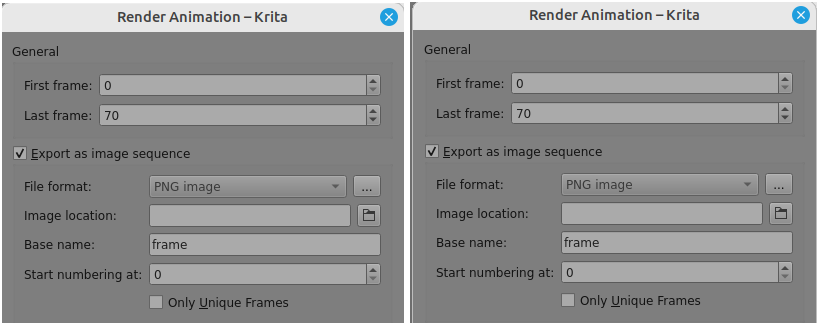
Now I’m lost. As far as I can tell, there is no .exr option. A Render Animation exported image sequence only has File format: PNG image.

How do you produce a rendered out .exr image sequence?

I can’t say that I’ll be able to look at this shortly but I will be interested (probably tomorrow). This really needs someone with experience in this area.

Did you import any images as layers or is everything painted in krita?

We import a couple plates and then paint on new layers. All of them have the g10 color profile, regardless of origin. A lot of that is automated by a script we wrote, so it’s potentially a setting there.

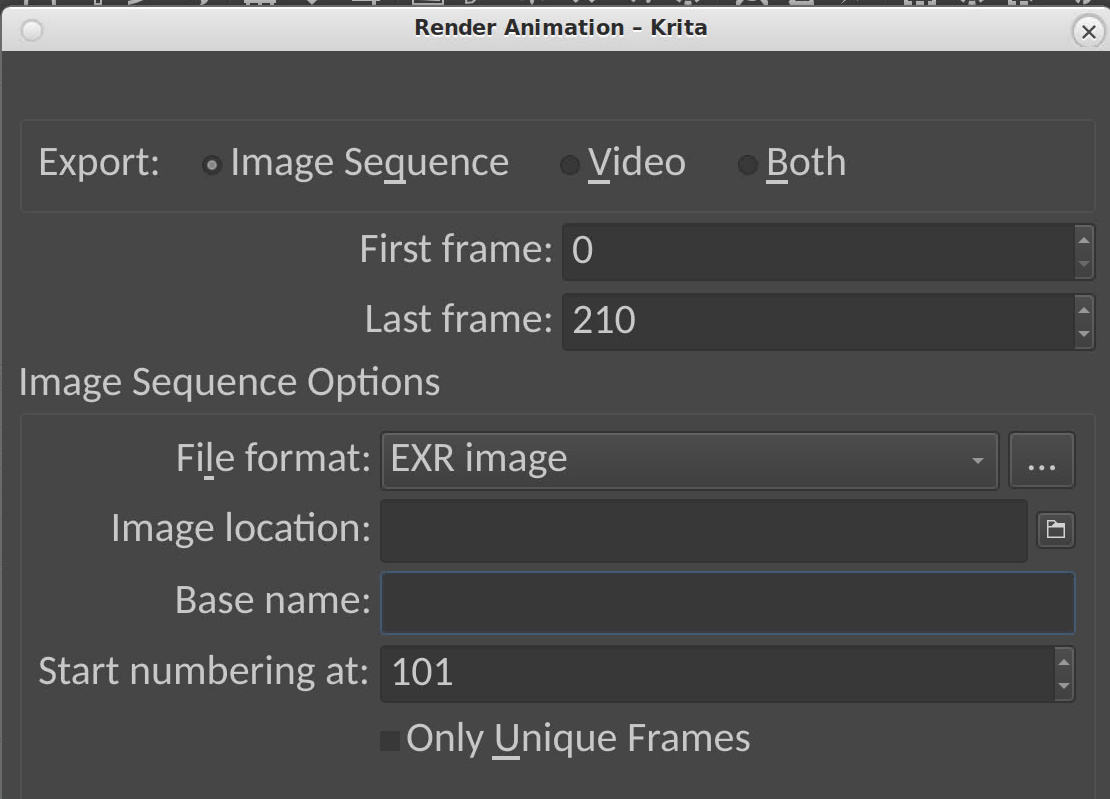
Within Render Animation, the drop down inside of Image Sequence Options has many options for file format, and they include EXR (and OpenEXR).

Not with the 5.2.2 appimage (left) or the 5.2.6 (latest) appimage (right) with me using Linux Mint 21.3.

The Render Animation window you posted looks like quite an old version.
Please check which version you’re using with Help → About Krita

That’s weird, the File format dropdown is not disabled for me with the 5.2.6 appimage…

Anyway, the issue looks to be related to this:

Basically, Krita doesn’t clear color channels on erasing, but since EXR is considered premultiplied, it needs to do it on export, but didn’t do it properly.

1 Like

You are correct, I made a mistake in identifying this as krita 5.2.2 we are using 5.1.1.

Am I to understand that in newer versions that there are fewer export options? We can potentially alter our workflow for a different file format, just trying to understand the scope of what would be different.

I think @Lynx3d would be much better able than me to explain this area to you.

It’s always been disabled for me :frowning:
I’ll try some OS variations tomorrow, maybe.

Ah wait, there seems to be a bug…once video export is enabled, the dropdown is stuck in disabled state. It should only force PNG when you export frames and video, but the only way to enable it again is to open the export dialog again after disabling video export.

I’ll try to fix that tomorrow…

3 Likes

The fringing issue has been fixed for the next release by Dmitry

1 Like

That sounds promising and I’m guessing I can ask the studio to upgrade. This upcoming update (by Dimitri) - is that a specific version number I can look out for?

It has been applied to Krita Plus, which is 5.2.7. It’s a stable version of a pre-alpha. I’m using it now. It also has had some tweaks to the import and export of exr files. Dmitry just jumped on this and nailed it for us. Absolute legend!!

4 Likes

I’ve finally got around to having a look at this and there is a strange area of very faint (low, low alpha) painted pixels.

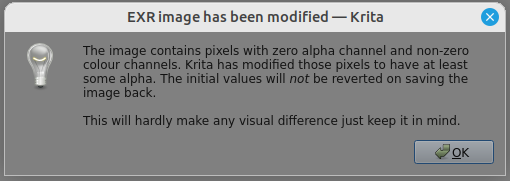
Opening the dreampaintLFT.196.exr file gives this warning message:

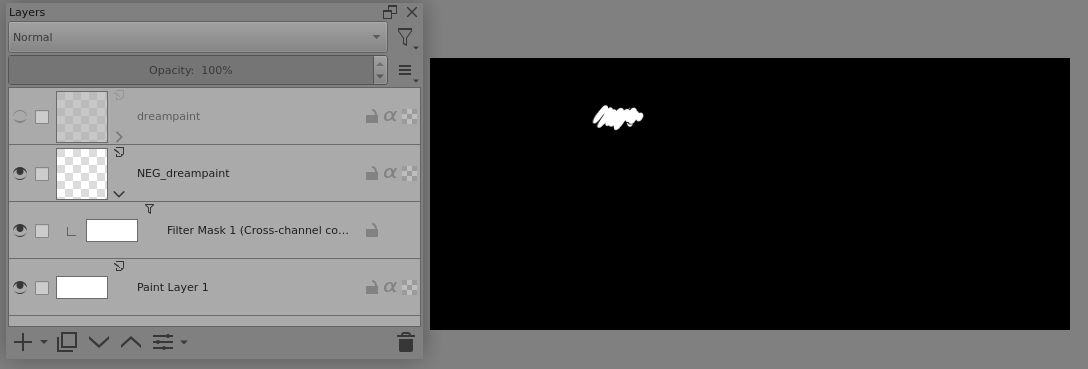
Sure enough, pushing all alpha all the way up to 1 shows that small area:

The black is the normal transparent default pixel (black, zero alpha).

In the sq600_s7fxpaint_00share.kra file, then frame-196 does have that very faint painted region:

I’ve tried to pinpoint the alpha value but it’s very small indeed.
It’s so small that it’s not registered by the colour picker but it is processed by the Cross Channel Adjustments filter.

It can not be erased with a brush preset.

I tried selecting it the applying a Cross Channel Adjustment filter to reduce all alpha to zero. That did not affect it.

There is the question of whether the Cross Channel Adjustment filter would be fully and properly effective on a RGB/A 16-bit float image. I don’t know.
Asking @Lynx3d and @Andych56 for advice.

I’ve gone as far as I can with this and I’m now lost.

1 Like

You’ve certainly captured the problem. We’re getting some pushback to installing a pre-alpha here at work so haven’t gotten to try 5.2.7 on this issue yet.

If you’re staying on 5.2.6 do this it’s probably the best work around. Thanks to Dmitry.

  1. Right click on the layer → Split Alpha → Alpha into a Mask, then click on a mask then right click Write as Alpha. It will clean up the dirty transparent pixels.
3 Likes

This topic was automatically closed 30 days after the last reply. New replies are no longer allowed.