I dont know if it is only my device but exporting images especially as pngs or webps is extremely infuriating in mobile
I know how to export on krita mobile its just in order for me to even get one proper png copy of an image i have to do the same process several times ( usually more than 5 and sometimesi might i have to export the same image more than 10 times for it to be successful) i do all the other things required like flattening the image or when exporting as png to also save as krita file i also tried other file types like webp but the entire window/docker that appears for it so big the part of it where i confirm the export is cut of by the screen
Saving and exporting for krita mobile in general could be improved/reworked its really slow compared to other drawing programs on mobile ( ex - ibispaint )
Also please tell me if other mobile users face the same issue and if there are any temporary workarounds?
I’m using krita on an Android tablet and haven’t experienced this. Can you tell us a bit more about the problem? You’re not using a phone by any chance?
Do you have your system scaling set too high? Or the font size in Krita? For the scaling, look in your device’s settings, not Krita’s. For the font, see here:
Im using a samsung tablet the issue is that i do expirting an image as normal but its almost always unsuccessful with me usually having to exporting multiple times until i hopefully get an image copy that appears in my device files app and my gallery
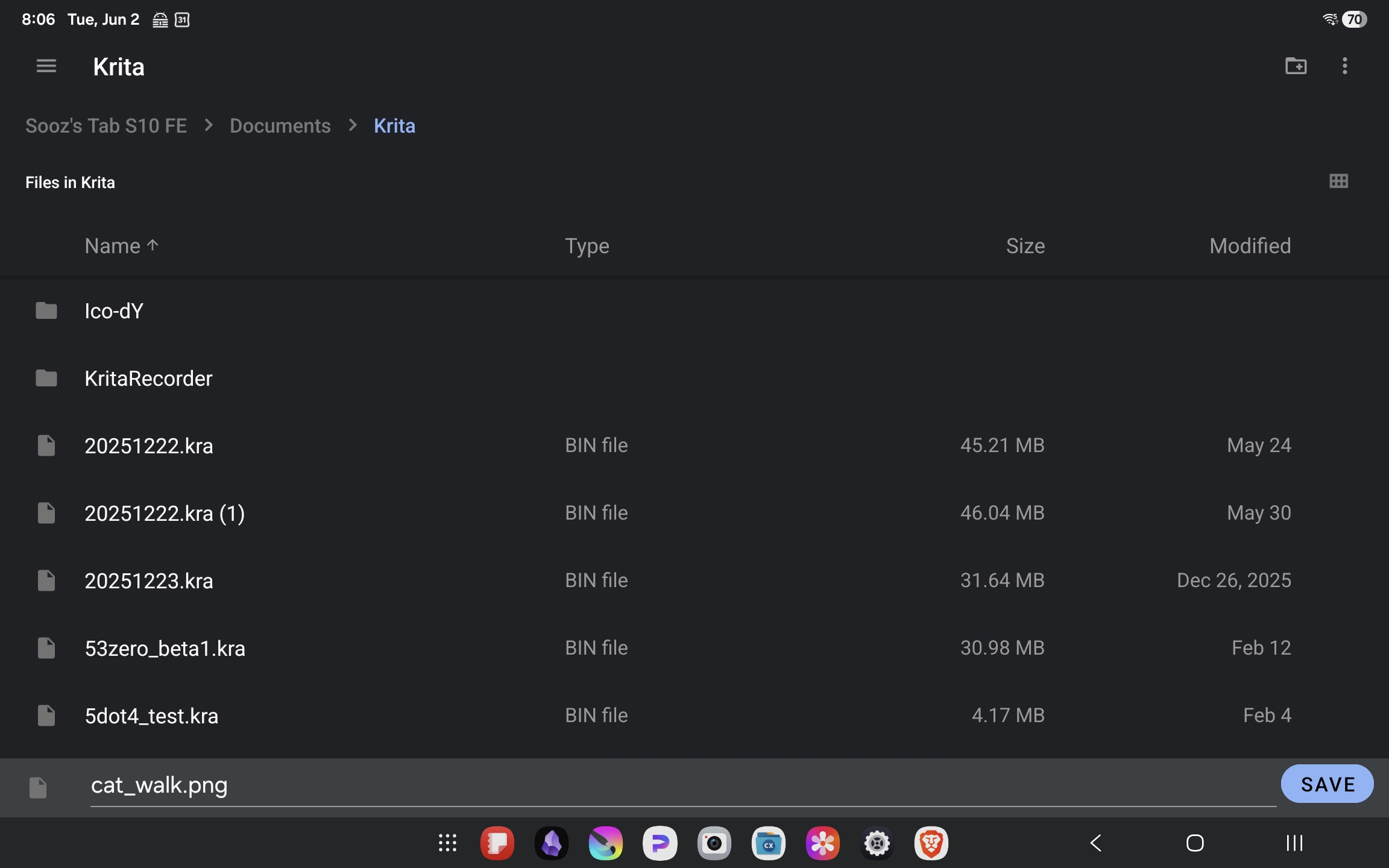
At the bottom of the screen you are given an opportunity to name or rename your file before hitting the save button on the right. More importantly if you read the top of the screen krita is telling you exactly where it is filing this document. If you don’t like the location (folder) this is the time where you change it by tapping on the file location at the top of the screen and selecting a different location or folder.
Lately I’ve been encountering a lot of people who hit the save button too quickly to notice where that file is going to be saved. I’m wondering if that’s what’s happening in your case.
I dont usually name my files or take to long to save becuse trying to do almost always causes krita to crash and close drawing file but it finally worked after a few more triess i’ll see if i can prevent less crashing for krita mobile later
No I think the problem is that when you export, on android. You create your file. Say example.png
When you export a second time. The name example.png will be selected again, but it will not override the existing example.png but will create example.png (1) like you show in your screenshot: 20251222.kra (1). These images then do not show in your gallery. You have to select the image in your file selection directly to override the image. That means you have to find it before overriding it. Or you have to rename the file every time manually. There was a time, where the name on android was created by extending the filename automatically like example_1.png but it is not the case anymore.
Maybe @Drawpile can look into it if he has the time for it.
The behavior you describe is a bug in Android. It doesn’t seem to have anything to do with what’s going on here anyway, since files having funky names is not fixed by repeatedly saving files.
What this sounds like to me is that the device is running out of memory. Which Android reacts to by unceremoniously terminating the application without telling you what happened. It’s the only explanation I have why you would need to hurry (giving less time for some background service to run and demand memory) and would also explain why exporting is “really slow” (huge image) anyway. To tell more, more information is needed.
What does an “unsuccessful” export look like?
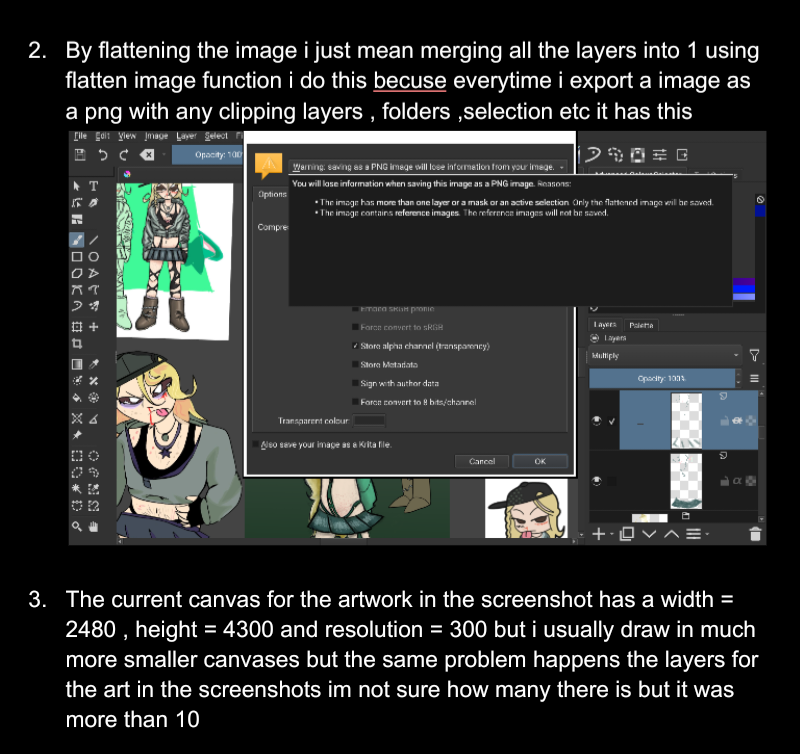
How do you “flatten the image”? What makes you think that that’s requiered?
How large is the canvas you’re trying to export? Both the dimensions and how many layers are involved.
Do you still experience the issue if you export a blank canvas?
How many images (“tabs”) do you have open simultaneously? Does the issue go away if you close the excess ones?
Please answer all of the questions clearly separated and referring to the number. Your explanation so far jumbles together several things making it hard to understand.
With regards to flattening: you don’t have to do this manually, Krita flattens the image on export. What you’re seeing is just a warning. Even with the warning there, plenty of users save a file as PNG and JPEG and then are confused when they open it again and all their layers are gone.
And I assume you mean 2480 pixels by 4300 pixels, since that’s the only unit that makes sense with such large numbers. In which case the resolution is irrelevant, that only matters if you print the image or if you measure it in inches or centimeters. It’s not excessively large anyway.
That the files show up weirdly might be the issue with the names after all. Can you check in your file manager what the files are called? If they are called Untitled.png (1) or something, do they start working if you rename them to a proper name? Like, without the number after the file extension, they should end with “.png”.
If that doesn’t fix it, could you maybe upload some of those non-working files somewhere for me to take a look at? The forum will probably not accept them if they are corrupted, so it might have to be in Dropbox or Google Drive or something.