I’m glad to announce the first alpha of my GSoC 2020 project. For anyone not in the loop, I’m working on integrating Disney’s SeExpr expression language as a new, scriptable type of Fill Layer.
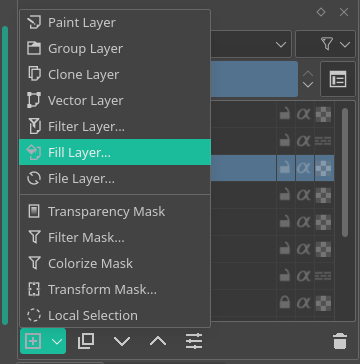
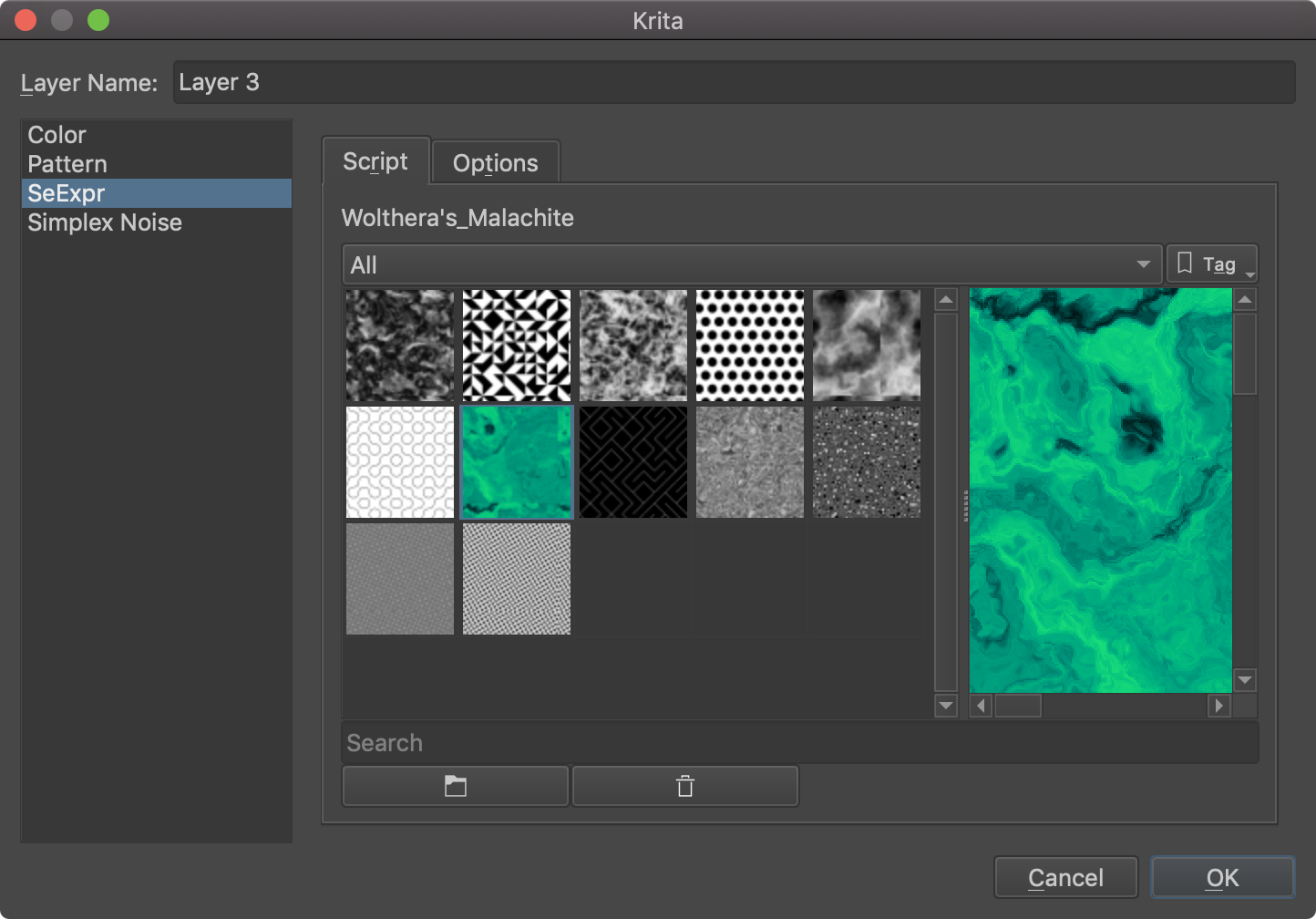
You’ll find my work in the Fill Layer… menu, a new type of generator called SeExpr:
Ability to play with it so early in the alpha: good job!
Performance: “update” refresh was pretty quick for the basic test I made
Color syntax and tooltip helping while typing
Very smooth and easy to edit gradient editor, cool widget
Easy to plug a new variable (eg. $deevadlava=0.545;) and a slider auto appears on top to adjust.
Issue I met:
The Numpad part on keyboard wasn’t able to enter number, despite “numlock” being on. (easiest way on French Azerty keyboard to enter numbers).
The widget on top of this windows felt very compressed; like no padding (I understand this is WIP)
I tried to have a look over the web to find ready made SeExpr formulas/script to play with them (I have no skill to do one from scratch) and I found that the available example were pretty limited for playing copy/paste. I saw on Arnold, Maya, Natron or Renderman the same examples.
All I made was really copy/pasting default formulas and tweaking values until I did stand in a “oh, that’s interesting” kind of moment, but 90% of the time, I had no idea what I was doing. This will require a serious work on presets (I understand this is alpha/WIP).
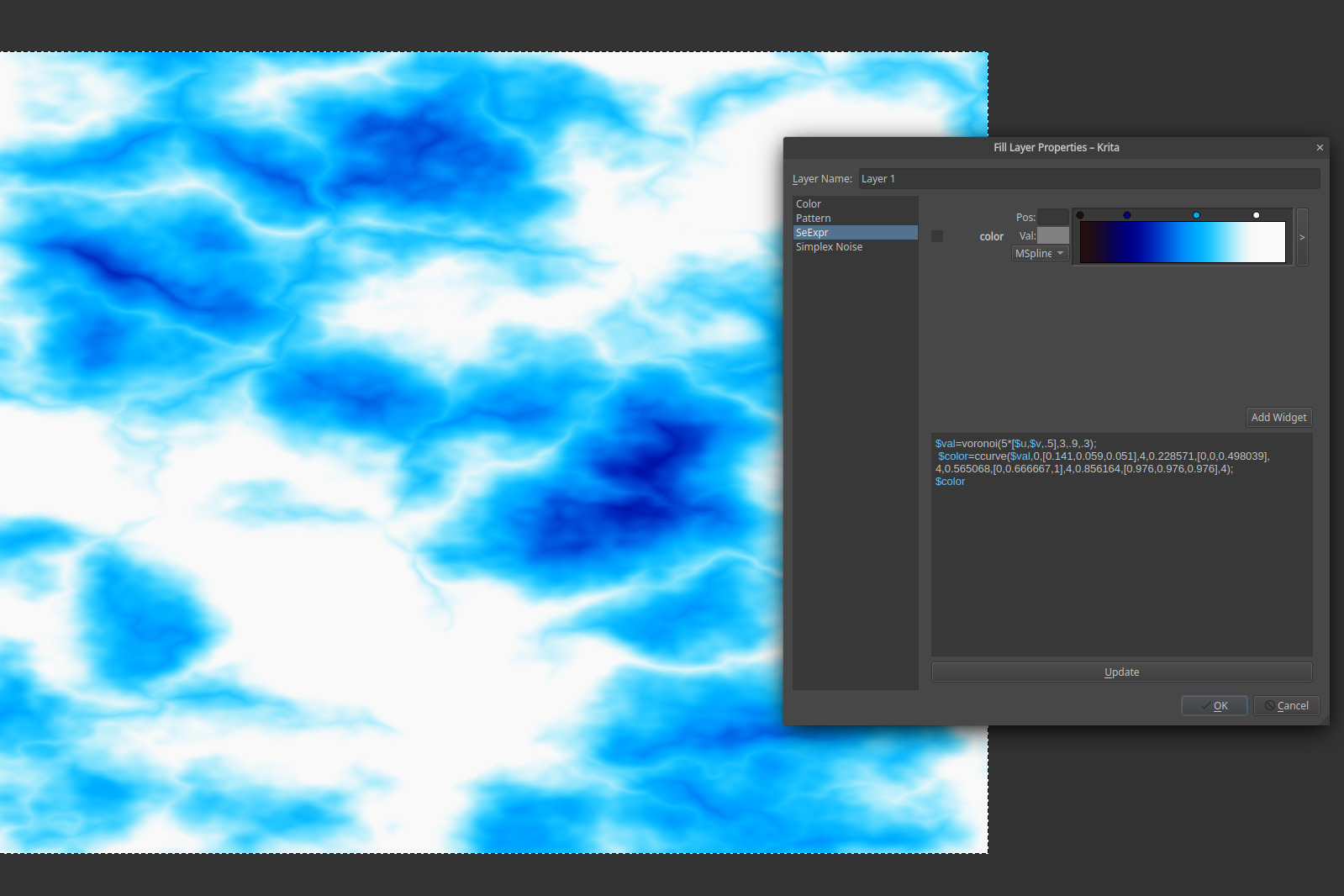
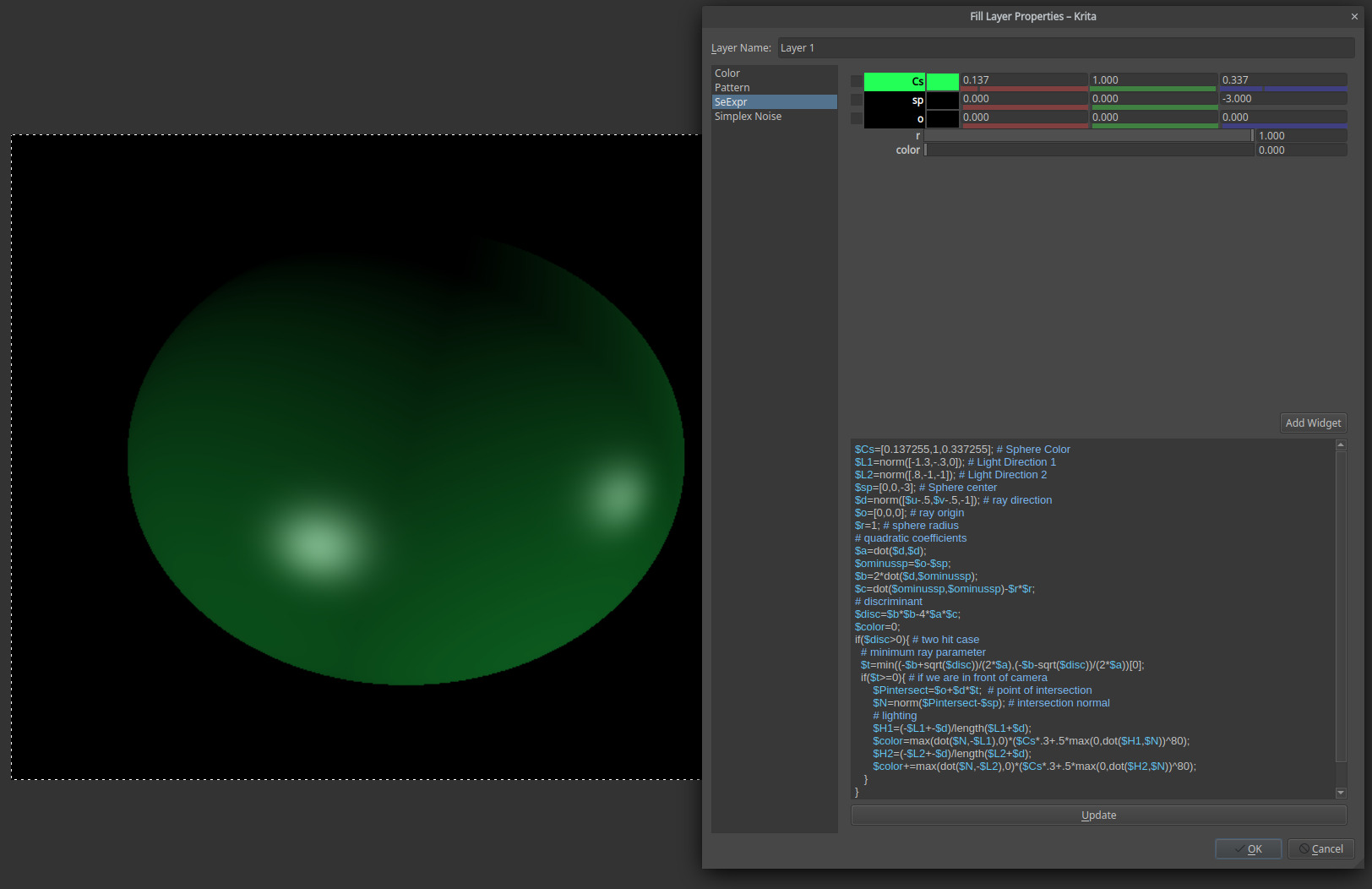
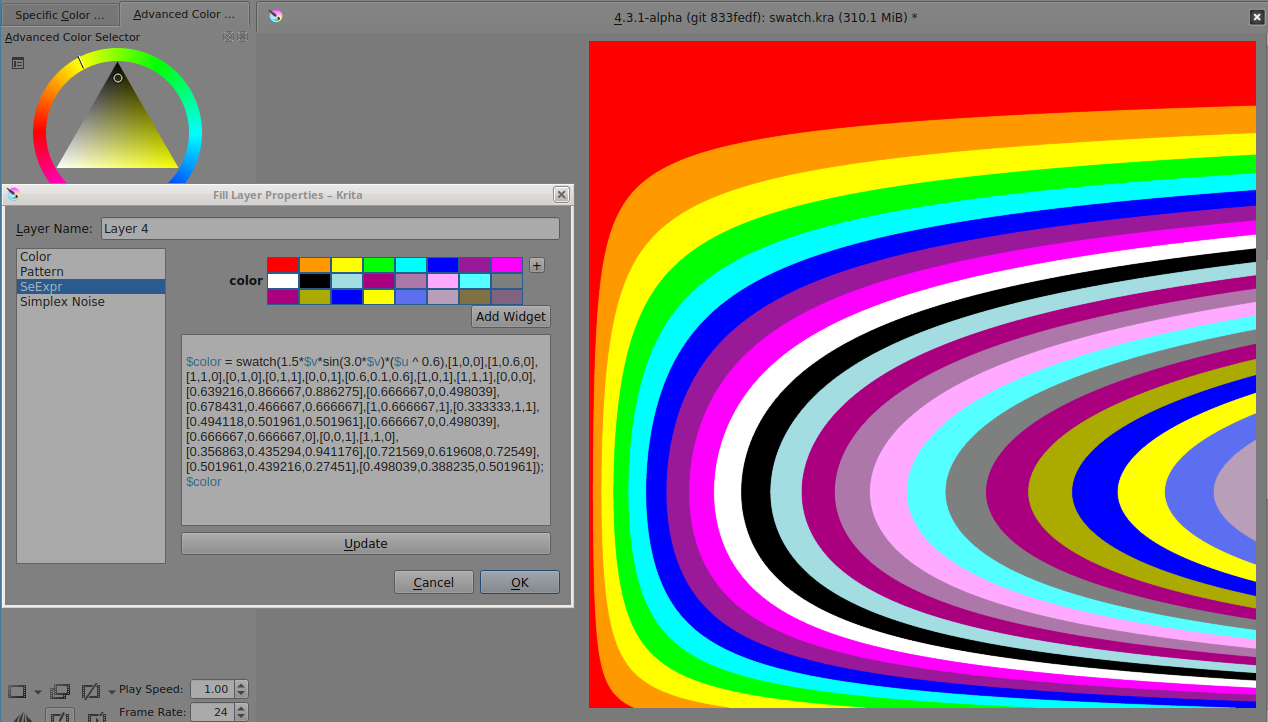
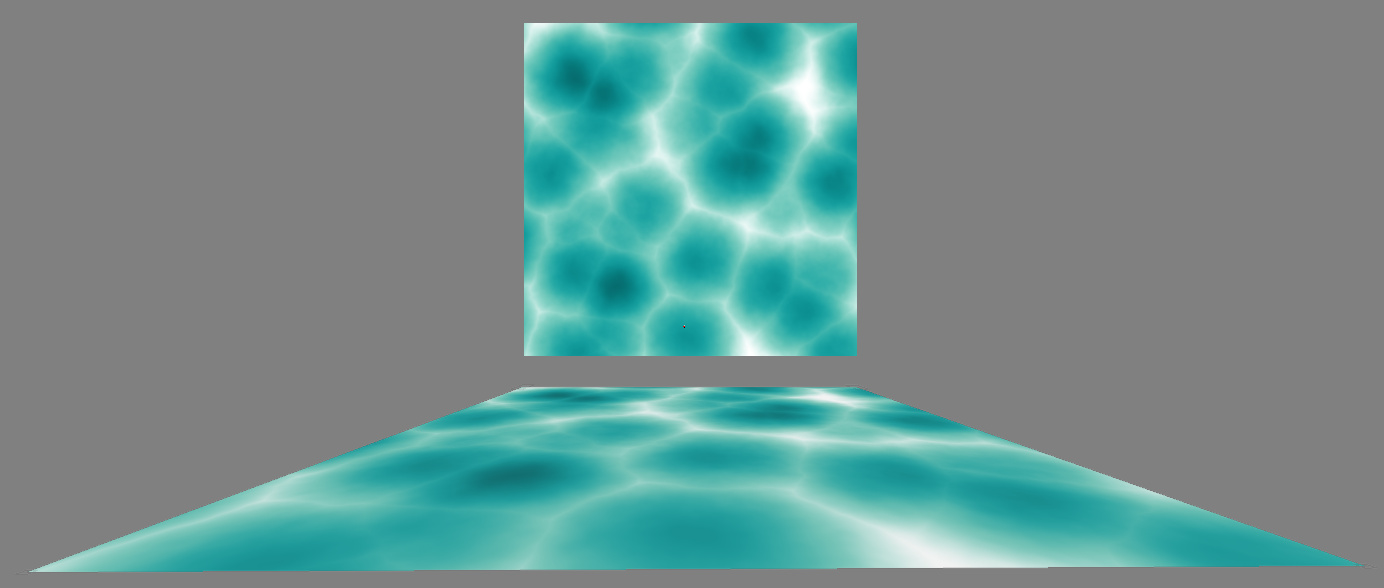
Here are screenshot of my humble testing/tweaking session:
Clouds (on a very distant planet with athmospheric issue)
This is a great start. It already seems to be working really well.
I think the first thing that would be neat is a better way to access examples of some possibilities. I did see they do have an “Expression Browser” file where you can choose from pre-made options. That would be neat to add it to the UI so people can more of these expressions in action.
Not sure how hard that would be to hook up. In terms of populating it with examples, I wonder if we could use the ones on the site and copy/paste them?
I guess in terms of figuring out new ones, this field would be called “procedural textures” if someone would want to do research? I see there is some built-in auto-complete for the API. One thing that would be nice is having a documentation page with the available API that people can use. Not sure if it would be easier to reference another site for understanding this. Maybe a link like this… http://wdas.github.io/SeExpr/doxygen/userdoc.html
Or maybe we should do our own documentation. I see a developer tutorial section on their site, but that seems to be targeted toward people that are writing C++ applications using it. We might need to write a bit of our own that is more artist friendly to put on docs.krita.org. The Disney page is definitely designed more for programmer consumption than artist consumption.
One thing I wish was different is that when I changed from SeExpr to Simplex Noise, I lost my original water test on SeExpr, I would love for it to remember the changes so when I go back to SeExpr it is back to how I left it. Or a little warning telling me that I will lose my changes if I change mode, and ask me if I’m sure if I want to change.
Great work on this so far! Excited to see it developed further!
The examples on the site are Apache 2.0 licensed, so they can be freely copied.
As for the documentation, not even RenderMan has a custom page, so I think we’ll have to write one.
Autocompletion - I’m going to start working on tidying up the widgets (cc @deevad, I’m going to need your advice here), and extracting the strings for translation.
I’m just curious but are the textures you create this way stored somewhere for easy access when they are needed or is it necessary to always generate them as a fill layer?
@Deevad’s issue with AZERTY keypad presses. They were previously considered by the SeExpr editor widget as Ctrl-keys for the autocompletion
Uncompressed the editor widgets, and let them have their native values (thanks @Deevad)
Pasting on the editor breaks the formatting
Emmet O’Neill reported that there wasn’t any autoupdate on editing the script. I added a signal from the SeExpr code and a progress updater to the Layers docker.
Additionally:
I sorted a lot of the SeExpr code, hiding unnecessary features (like two Disney-internal UI widgets) and legacy UI (a grapher that uses Qt4’s QGLWidget) behind feature flags.
Reworked the CMake scripts to make use of imported targets.
These two changes allowed me to drop some CMake hackery from the Krita side of things.
@Rakurri’s issue on losing the configuration has been reported as bug 422885. I added the necessary calls to the SeExpr dialog code; however, the dialog restore is trumped by the configuration reset that’s done by the Fill Layer dialog itself.
Next, I plan to review the resources code and try my hand at adding SeExpr scripts to them. But I need some rest, this last term is pretty heavy in terms of homework.
Would it be possible to have some set of presets patterns that will tell the user about the code. some of the user might not be that knowledgeable about SeExpr’s language.
Right now, the value of the color is pushed into a qcolor which is then converted to a kocolor to be put onto the canvas. Sometimes this can lead to errors where a value higher than 1.0 is put into qcolor, leading to krita seemingly freezing up because qt’s complaining and logging all those errors for each offending pixel. I end up having to use $color = min(abs($c), 1.0); when I am experimenting.
My suggestion is to…
Check if the image is RGB.
If so, check if it’s floating point.
if it is floating point, don’t normalize the value and use a qvector with from normalized channels value to turn the three values in order R, G, B into a kocolor directly.
if it is not floating point, truncate the values to fit within 0-1.0, then use qvector with from normalized channels value to turn the three values in order B, G, R into a kocolor directly.
If it is not rgb, truncate the values to fit within 0-1.0, then use the qcolor path.
This will allow people to have their procedural textures in the color space of the image, which could be quite powerful for people doing scene linear images.
A part of me feels that maybe for lab and xyz, you could just stick in the color values as well, but it’ll be a little hard with regards to the input color…
BTW, since this is basically a shader language, I want to point out a lot of stuff from https://thebookofshaders.com/ also works in seexpr, so we could work towards getting some of that stuff implemented as ‘known quantities’ people can experiment with…
Quick question: how does one create a fill layer? I’ve browsed the documentation and it mentions fill layers, but not how to create one. Also tried the right-clock menu on a layer to try and change the type (via properties or layer style). Must be missing something really obvious…
To do this, I need a copy of a floating-point RGB KoColorSpace and use convertPixelsTo the painting device’s color space. (KoColorSpaceRegistry does not provide one AFAIK)
Barring the need to use an intermediate buffer, as SeExpr doesn’t render alpha values (therefore it’s always an incomplete pixel), another problem would be what conversion flags and rendering intent to use here.
SeExpr textures use the scRGB color space, which is not supported by Qt’s QColor until 5.12. This makes the conversion to Krita space unbearably slow (thanks @wolthera )
Refactored SeExpr error reporting to make messages Qt-translatable.
This adds KDE’s ECM to the list of (optional) dependencies of SeExpr.
Error reporting is now available, including highlighting! (thanks @wolthera too for noticing)
Configuration is saved and restored when changing between Fill layer types (bug 422885, thanks @halla )
Cleaned up SeExpr headers
They are now installed only if used in the UI library itself.
UI labels have extra spacing (thanks Wolthera van Hövell)
Another outstanding issue is SeExpr’s vulnerability to the current LC_NUMERIC
locale, due to its use of sscanf and atof. I am sad to announce I won’t be
able to change this; the library I wanted to use, scn is itself vulnerable to locale changes.
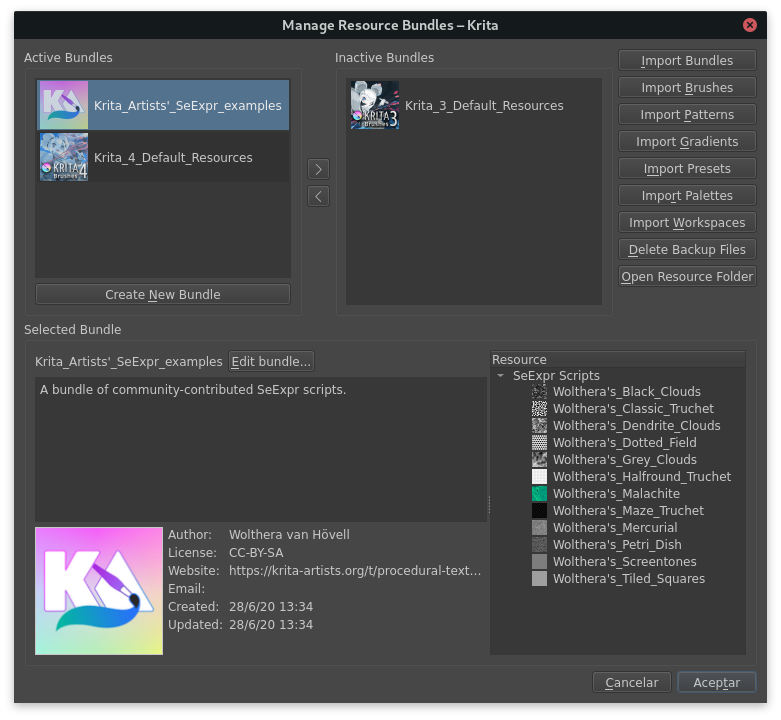
But the most important feature, and final contribution, are bundleable presets!
This enables SeExpr scripts to be bundled just like any other resource in Krita.
Below you can find a bundle containing all of the example scripts posted by @wolthera .

 )
) Excited to test it out when I get the time!