
Excellent - especially for a first try!
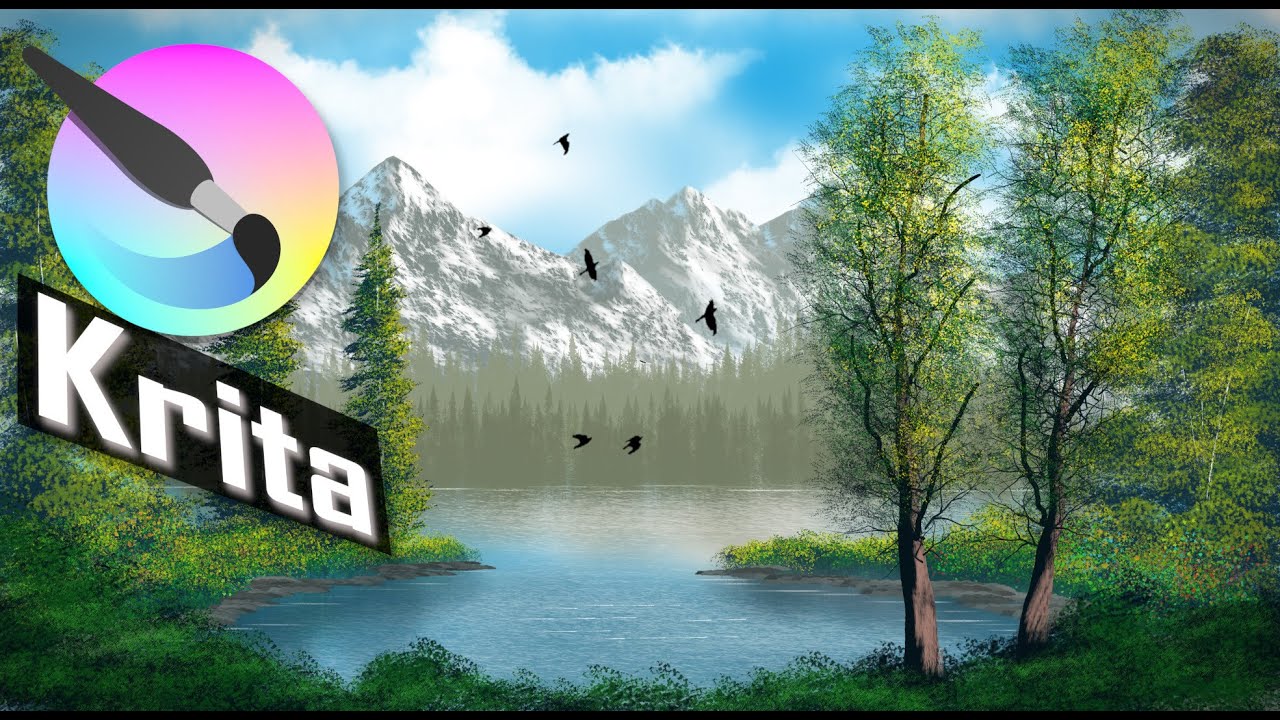
Honestly my only constructive critique would be to maybe soften the clarity of the mountains somewhat. The detail on them is quite crisp - but given their distance, I think they’d be more blended/blurred. That way, the foreground trees read as ‘close’ to the viewer because they’re in sharper focus than the background elements.
Still, excellent image!
Thanks, I appreciate the comments. I enjoyed making it and as an added bonus I learned how to better use some of the features in Krita.
Wow, how did you paint the mountains? That snow and rock texture looks very realistic!
Thanks for the feedback. I was pretty happy with the way that the mountains turned out myself.
Here’s the URL for the demo by iForce73 that I followed. The video includes a link for downloading the set of brushes that he made for doing Bob Ross style paintings (like 120 of them). I installed the brushes and then followed the demo. Keep everything in layers so it’s easy to just delete a section (like the mountains) and try again until you get something that you like–I did a lot of that. But for me, one of the great things about digital art is that it’s easy to undo and try again. Oh, and this isn’t something that I just banged out in a hour. I worked on it for a few hours a day for several days.
Thank you, seeing it being drawn helps a lot. I was curious how much of the final effect could be attributed to the use of a suitable brush. I can see it is very effective!
SirEric made a good point, as that would create depth, however, this is insanely detailed and would be great at a wallpaper
That’s beautiful.
It’s pretty, but it does feel kind of ironic to spend hours with lots of layers and undos
to do a “Bob Ross-style” painting, when his style is more about going “swoosh, this is here now and I’m going to find a way to make it into something I like, there are no mistakes” in a half-hour show. 
I mean, I’m not saying it’s a bad thing to keep redoing it until you figure out how you want it. When I tried to follow along with a Joy of Painting episode (in Krita) I ended up painting a second version after, once I kind of figured out what I was doing. Practice is good. And using digital brushes can be a bit uninituitive compared to real ones, I think.
You might want to check this playlist by Ageofasparagus. It is my favourite channel for its calm and clear instructions
Yeah, Bob, the unforgettable Master of “Happy Accidents”! Oops, a blob of paint? Let us make something out of it!


Michelist
Thanks for all of the comments. Hopefully with some practice, I’ll be able to do these faster in the future. It’s funny though, I know that Bob talked about having 'Happy Accidents", but I’d have to say that most of mine were of the ‘Unhappy Accidents’ variety. Gotta love Undo and Erasers 
@Kevin_Manion
Congratulations, this is now featured on the gallery wall.
May I have your permission to post this on K-A’s Mastodon and X accounts? If yes, I will credit your user name (unless you specify a different name). If no, no problem.
Please add @sooz in your reply so I get pinged.
Hi,
Yes, you’ve certainly got my permission. I’m happy and honored to share!
Thanks,
Kevin
Thank you.
Mastodon: Krita Artists: "Bob Ross style following 'A Peaceful Place' demo …" - Mastodon.ART
X: https://twitter.com/kritaartists/status/1732534086554775748
Beautiful! I have to take a deep breath every time I see a scene like this! can almost smell the pine! 
I would not change the mountains. Details on mountains can be sharp from a farther distance yet, I’ve seen plenty examples IRL with my own eyes – snowy mountains are like that, super sharp contrast from super far away.
The effects that reduce the realism includes the softness of the shadows, but that contributes to the feel of the image and is fine as-is. Normally it’d be very dark like it is on the dark side of the two prominent trees on the right. Changing that dark spot to match the way shadows are shown elsewhere (lightening it, or darkening the rest) might help this piece. The opacity of the leaves on those trees could be increased in some places, I wonder if it would help. Otherwise, I’ve got no other critiques. Very nice and calming piece, thanks for sharing!
Very nice. I followed that Age of Asparagus series. A great way to learn some of the basics of Krita. I’ve used some of those techniques in my original work. I don’t think it’s been updated since V4 but most of the examples will work in V5 just fine. Also… I think every original BR episode is available in YouTube. If you watch the episodes Bob doesn’t spend a lot of time trying to fine-tune things. He’s happy to whip them out in a half hour lol
Thank you all for the comments. Greatly appreciated. The earlier comment by raghukamath included a link to AgeOfAsparagus, so I looked at that. That’s a great, and practical, way to see how to use Krita. I would suggest that site for everyone, even if your goal isn’t to produce Bob Ross style paintings.
Great work on the image Kevin. I’m a big fan of Iforce73 brushes. As a matter of fact, it was thanks to him that i discovered Krita. I saw his work with those brushes and I said, hmmm, I have to get this Krita program. That was 5 years ago…  Still working with Krita… I don’t know what happened to Iforce73. He is a very unique brush creator and has contributed very powerful and unique brushes for Krita. In any event, you did a great job following that tutorial.