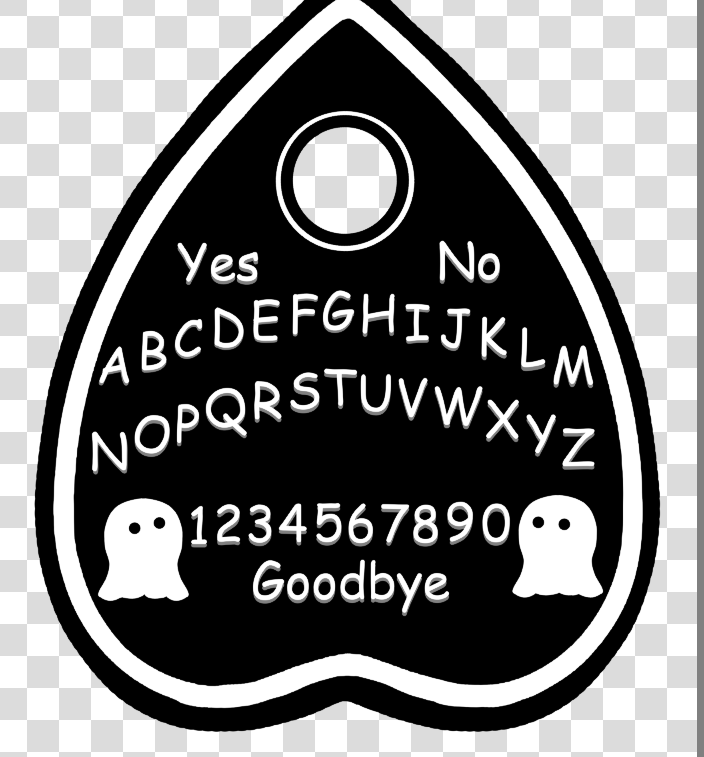
Hello, as the title suggest just curious if someone has a trick to “sharpen” lines that are already made so they dont look bumpy or just jagged.


Without any context it’s hard to comment. I can’t tell if you’re seeing bumpiness from being zoomed in too far or if this is a wobbly hand while drawing.
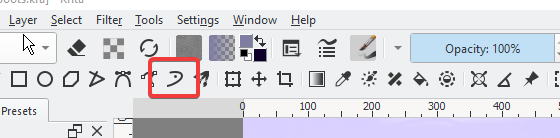
Two things you can try are brush smoothing (look in tool options while the brush tool is selected) or, even better, paint with the dynamic brush tool. I highly recommend that second option.
1 Like
1 Like
Which brush are you using? It seems like it is akin to a Ink pen that has an uneven stroke as a feature.
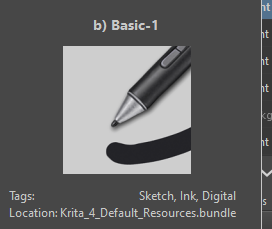
This is the current pen that is selected. Im very new to digital art and havent quite figured out what ways different pens work so I should probably read up on pen usage.
OK. You’re using the simplest Brush (and brush engine) in Krita.
I could replicate your issue by using this brush with a huge size (~500 px), so I imagine you too is using a big canvas with a huge Brush.
You can open the brush editor (shortcut key F5)

the button with the three lines with a stroke above it
Then you will see the options: Diameter and Spacing
Set the Spacing option to Auto.
Now that bumpiness should be gone even at big sizes.
Why it happens.
Assuming you might not fully comprehend how digital painting work. A brush in a raster based program (programs that use pixels to paint strokes) like krita are an image that is ‘pasted’ (dabs) in the screen over and over again, with a designed gap between dabs.
This gap is defined as Spacing, and it can be constant or relative to the brush size.
For you to test:
- with the Basic-1 selected and the Brush editor open
- set Auto to Off
- increase the Spacing to 1.00
- Paint in the canvas
You will see how this pasting works.
Cheers.
4 Likes
Cheers my friend. Thank you for the helpful information! I will go and test the pasted dabs! Im sure I will be posting on here for a lot more questions!  Have a good day!
3 Likes
This topic was automatically closed 4 days after the last reply. New replies are no longer allowed.