Your brushes are incredible! You are so kind and generous to share them. Thank you so much!!!
1 Like
This bundle helped me out so much! It helped me save time from having to look around online to find the best brushes for certain paintings. Thank you! 
1 Like
Wow! Thank you so much @fizzyflower ! These work Great in Krita 5.x  I can’t wait to try all of these out. Thank you!!
Thank you so much!!! 
I’m loving these very much!
However, I have a problem with one of them: essential stones rocks sharp. The tip seems wrong and there an X on it. What is the correct brush tip?
(I did delete a few that I didn’t like, could it have used the same tip as one of those?)

@CrazyCatBird WIth a freshly imported bundle, I see a different problem with the ‘Essential Stones RocksSharp’ brush preset.
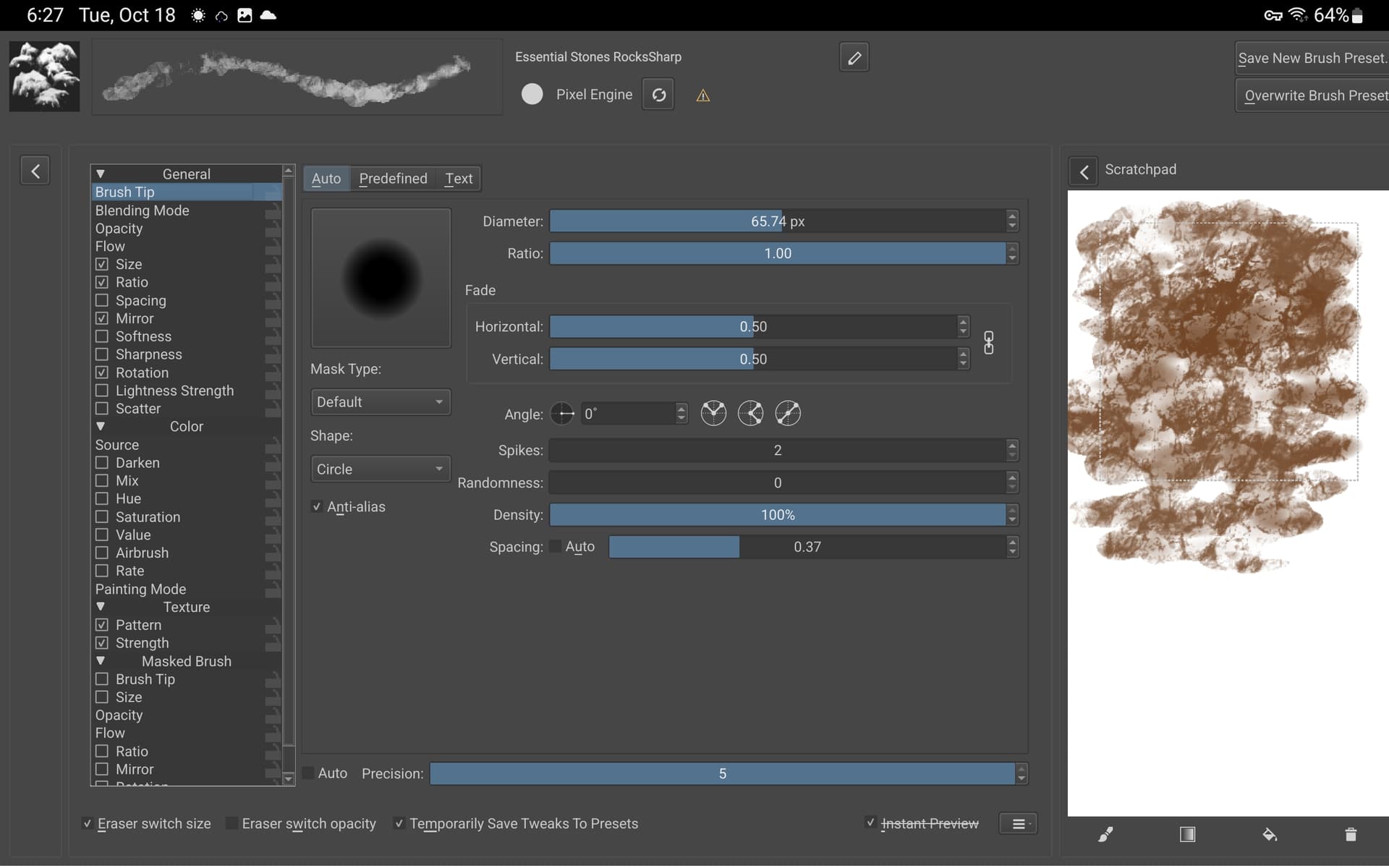
I don’t have an ‘X’ on it in the Brush Presets docker but it paints with a Auto tip at a size of 1px.
Examining it in the brush editor shows it uses a texture named 14_texture-rock.png which seems to be present.
Examining the .kpp file, there is a reference to that texture file and also a reference to a brush tip called ‘part3/Essential2C_6.png’
I don’t understand what the ‘part3’ is about.
The brush tips that are available have names like ‘Essential2C(something)’ but Essential2C_6 is not there.
1 Like
This one is from Krita itself.
Another brush maker relying on the resources Krita ships with, probably assuming no one would delete these default resources, and that where I already often read that some users wanted to delete these resources and asked how to delete them.
Michelist
1 Like
14_texture-rock.png is not present for me. But what you said about the other tip files is true with me, it initially painted with an auto tip at the size of 1px. 
Edit: I see now that 14_texture-rock is not a brush tip, therefore not listed in the brush tips area.
If it exists in your installation, then it has to be in the folder “patterns” of your resources-folder, it is not in “brushes”. And if you have not deleted it from Krita’s installation-folders (not the resource-folder) it will be restored every time you start Krita. For the uninformed, it is not obvious where Krita has its default resources to restore when needed. And I don’t know if you have access to Krita’s installation-folders under Android.
Michelist
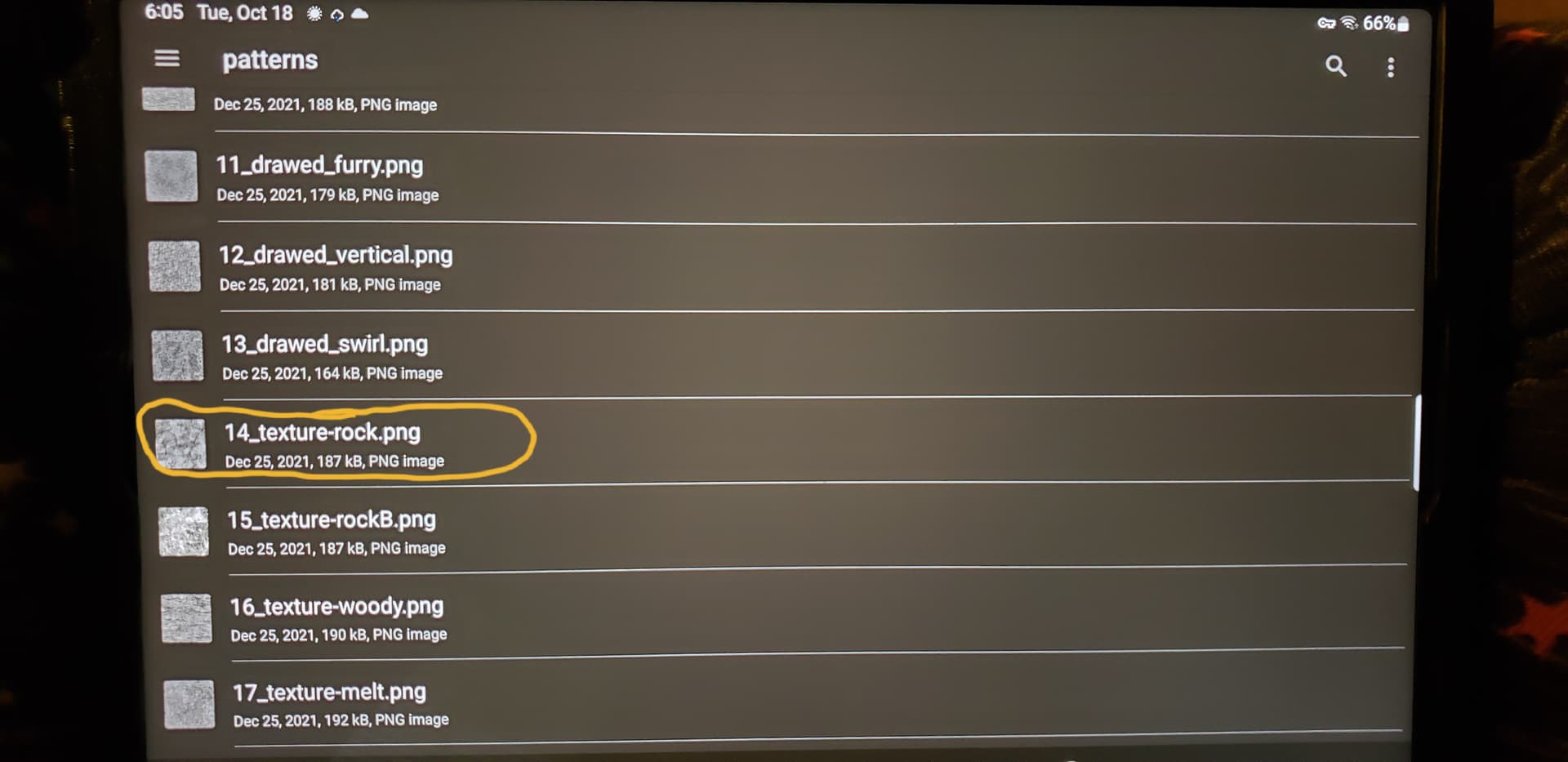

If it is there, you shouldn’t need to do anything with it because it is the texture that is applied to this preset, it is not the missing brush tip “Essential2C_6.png”. You should find it applied if you take a look in the brush editor, on the left side go down to >> “Texture” >> “Pattern” and then you should see it as the selected pattern on the right side together with all textures you have in your Krita.
Michelist
1 Like
Yup, that’s there. But it is not exactly being applied to the brush tip. Must explore more.
You need the brush tip-file, and for that file we have to ask @fizzyflower, she’s the only one who can supply this file.
Michelist
1 Like

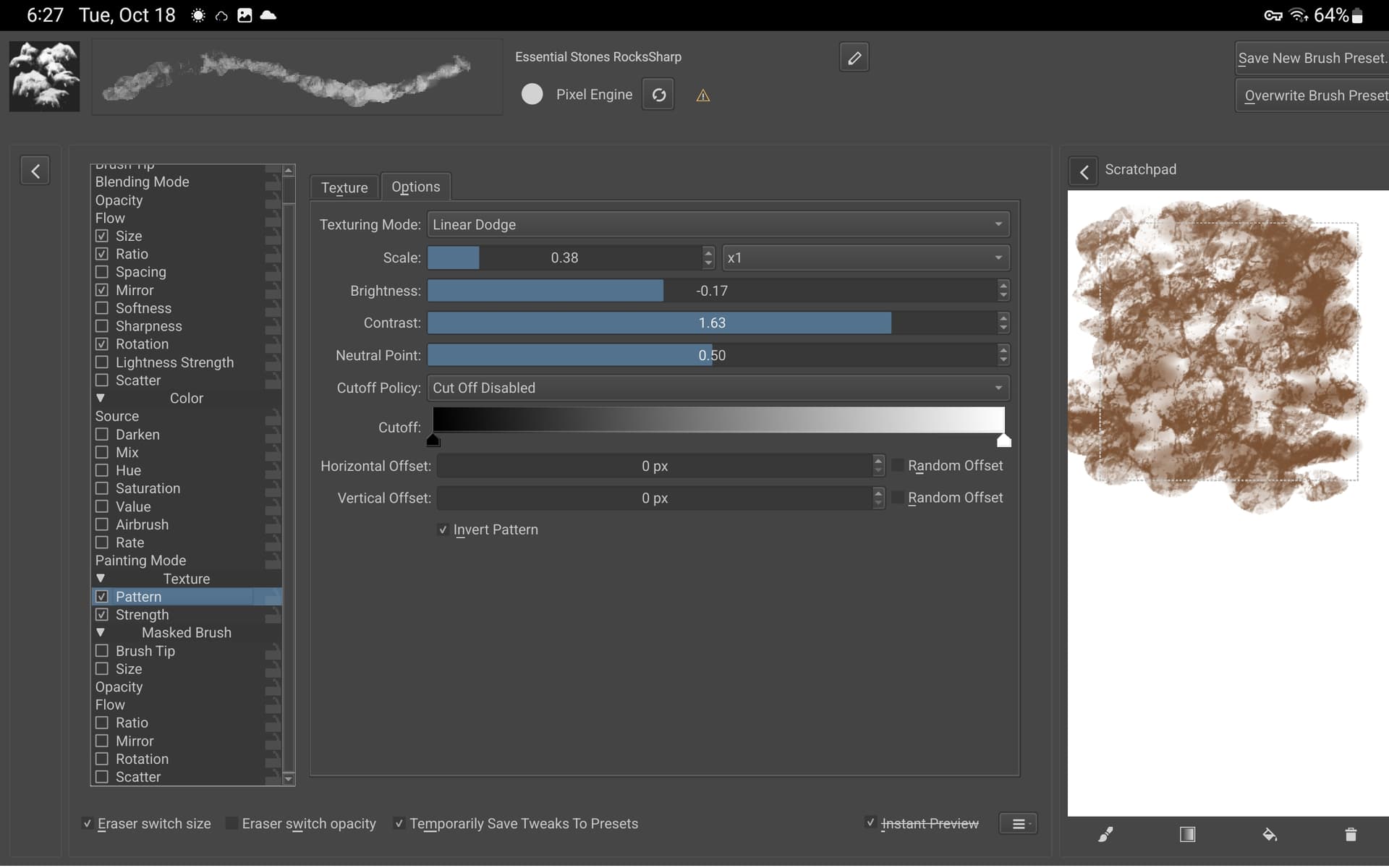
Those are the best brushes that I have experimented with, they make my painting experience a very pleasant one, do you have a patreon? kofi? I wouldn’t mind offering a coffee.
Amazing and a lot of fun to play with! Now I’ll be able to do all the Bob Ross paintings in like 10 minutes lol thanks so much! I’m also willing to chip in a few bucks. Let us know how 
@fizzyflower when I found your brushes I didn’t think about it as much more than new textures but I can’t lie I don’t know how I’ve lived without them since I’ve had them thank you ever so much for such greatness.
Thank you very much, I am just starting with krita and these brushes will really help a lot.
Can I ask , if ever, can I use your brushes for commercial uses? thanks a lot.
 Hello @ralz, and welcome to the forum!
Yes, you can. If you follow the license-regulations:
Short form, “human-readable”:
https://creativecommons.org/licenses/by-sa/3.0/
Complete license-text:
https://creativecommons.org/licenses/by-sa/3.0/legalcode
I wish you a happy new year, may you always have fun with Krita, these brushes and painting!
Michelist
Hello @bumblebuns and welcome to the forum!
Did you download the “ALLBRUSHES_Fizzyflower_EssentialBrushesVer2”-version, or did you download the smaller bundles?
Where do you have issues, got stuck?
The usual way to install these, the big one or the small ones, is in Krita to open the menu >>
‘‘Settings’’
next go to >>
‘‘Manage Resource Libraries…’’
down there in the left corner, you find the >>
+ Import-Button, and you have to click on this button to open a dialog-window in/with which you browse to the downloaded bundle(s) and select it (or them, but in case of the small bundles you have to import them one by one).
Did you download the bundle from Google Drive or from GumRoad? Because if you downloaded the GumRoad-Version it can be that you have to unzip it first, so in case it is a *.RAR or a *.ZIP-File you can not import it directly, only files with the filename-extension *.BUNDLE can be imported with Krita’s resource-management.
In case you get stuck and need further help, then please feel free to ask here in the forum. And then please tell us which operating system and which version of Krita you are using and where you got stuck and what you have done so far.
Michelist
Add/Edit: It seems you were able to solve your issue while I was writing, that makes me happy for you. And if not, don’t forget you can always ask here in the forum.
2 Likes