Force that Eraser Plugin Development

I know there is already eraser plugin here and there. Im putting it here so i don’t forget - because i want to take a crack on that contentious work flow of the Eraser.

Target for this is Krita 6.0 and will utilize the preset tree.
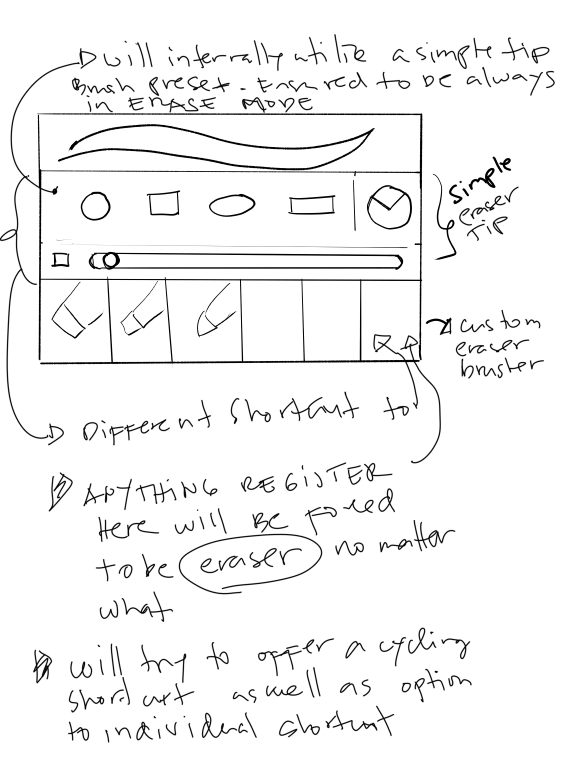
Goals:
offer simple tip preset brushes at the press of a shortcut that will be ensured to be an ERASER.

offer ability to assign custom brushes to be eraser again will be ensured that it is an ERASER when the shortcut is pressed no matter what was the previous state.

only change the internal brush state/blending mode and not the global erase mode.

customization of shortcut, both the cycling and individual tip/ brush shortcut.

not sure : customize how many brush/tip is included in the cycle.

different shortcut for the tip eraser, and the custom brush eraser.

adding a crude drawing of my idea. :blush:

so basically it forces whatever that brush/or tip to be eraser in the press of the shortcut key.
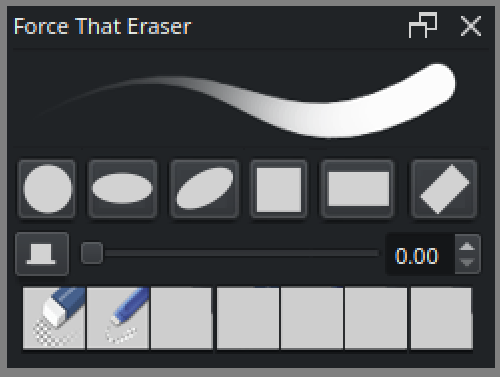
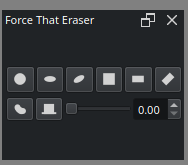
I was starting to do the UI. So I decided to do some visualization of what i want to achieve look wise. It be something like this more or less.

Things im not yet sure off;

  1. the preview.

Also i want to try some css styling.

Note: This project is mostly for me to learn the new stuff.

What i have so far;
I added a size pressure on/off toggle;

Now that im looking at it as actual docker. I kinda wanna remove the double spinbox and just make it a full slider.

Bookmarking resource:

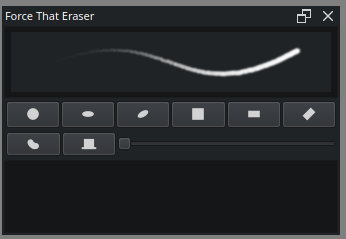
Progress added a QGraphicsView. I manage to atleast show a preview

though atm it only updates when i open the f5(brush editor)

as technically i take the scene from QGraphicsView there to my QGraphicsView - to test if it works.

ill now look into how to properly render this as close to realtime without opening brush editor.

Progress :

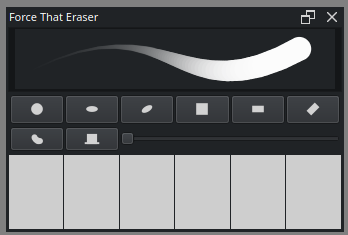
Added QLabels with Pixmap. I’m happy that its very close to what I drew.

Adjustment still need to be made to make sure the images will fit the boxes. I’m still trying to get .scale of qpixmap to size. I might need to run a ration calculation or something.

For now i hope i can make them work.

Goal for next week ;
– Make the brush preview show up without opening brush editor and hope its more responsive.
– Assign brush to the brush slots.

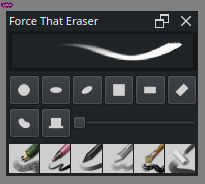
Update - this is close to the final ui. Though im still debating between using scene directly or grabbing pixmap.

I have issue triggering the QGraphicsView to update even if brush editor is hidden. I do remember years ago having similar issue with early version of CBT. welp. I forgot what I did.
Does anyone know how to trigger that? Im basically just planning to mirror whats in the editor to this outside QGraphicsView.

There are other things im debating about like doing css, forgoing title bar. mostly aesthetic look.

I had little fun with QTabletEvents and krita.Scratchpad, maybe it can be used as alternative way to show preview?

import math
from krita import Krita, Scratchpad
from PyQt5.QtCore import Qt, QPointF, QEvent
from PyQt5.QtGui import QColor, QTabletEvent, QPainterPath
from PyQt5.QtWidgets import QApplication, QWidget


def send_tablet_event(
            target, event_type, local_pos,
            global_pos=None, device=1, pointer_type=0, pressure=1.0, x_tilt=0, y_tilt=0,
            tangential_pressure=0.0, rotation=0.0, z=0, unique_id=1579,  # 1579 is random number
            key_state=Qt.NoModifier, event_button=Qt.LeftButton, buttons=Qt.LeftButton):
    QApplication.sendEvent(target, QTabletEvent(
            event_type, local_pos, global_pos or QPointF(0.0, 0.0),
            device, pointer_type, pressure, x_tilt, y_tilt,
            tangential_pressure, rotation, z, key_state, unique_id,
            event_button, buttons))


def draw():
    app = Krita.instance()
    win = app.activeWindow()
    view = win.activeView()
    default_color = QColor(55, 55, 55)
    
    pad = Scratchpad(view, default_color, win.qwindow())
    pad.layout().setContentsMargins(0, 0, 0, 0)
    pad.setWindowFlag(Qt.Window, True)
    pad.resize(440, 240)
    canvas = pad.findChild(QWidget)

    path = QPainterPath()
    path.moveTo(20.0, 120.0)
    path.cubicTo(200.0, 20.0,  200.0, 220.0, 380.0, 120.0)
    steps = 100

    # put pen down
    send_tablet_event(canvas, QEvent.TabletPress, path.pointAtPercent(0.0))
    for i in range(steps + 1):
        t = i / float(steps)
        # move pen
        send_tablet_event(canvas, QEvent.TabletMove, path.pointAtPercent(t), pressure=math.pow(t, 0.75))
    # raise pen up
    send_tablet_event(canvas, QEvent.TabletRelease, path.pointAtPercent(1.0))
    
    image = pad.copyScratchpadImageData()
    print(image.size())

    pad.show()  # optional, good for debuging


draw()

/AkiR

Thank you for this.

as for what i have so far.

I do manage to get it to update if the brush editor docker is open. It perfectly mirrors it to my own graphics scene.
It seems that i’m missing something, or that the previewer is probably not running/updating if the editor is close.

Adding here to bookmark;

I have read on it a little.
it says i need to use QGraphicsView::render Or atleast call and pass on a Qpainter for it to pain while docker is closed.

i have not successfully done that.

You can’t change which brush is shown while the brush editor is not visible, because the brush editor specifically only calls KisPresetLivePreviewView::setCurrentPreset() if the brush preview widget is visible. (See KisPaintOpPresetsEditor::slotUpdatePresetSettings() in
libs/ui/widgets/kis_paintop_presets_editor.cpp.)

But KisPresetLivePreviewView::requestUpdateStroke() gets called every time the brush preview widget’s palette changes, so you can use that to reflect changes in the current brush. (See KisPresetLivePreviewView::changeEvent() in libs/ui/widgets/kis_preset_live_preview_view.cpp.)

There are two issues with that approach. First, it will only trigger if the palette is actually different from before. Second, you have to wait for the update to finish, and there doesn’t seem to be a signal to connect to for that.

Here’s a rough example of that, although it probably isn’t very useful for this (note that the brush editor must be opened once for anything to render):

from krita import *

brushPreview: QGraphicsView = Krita.instance().activeWindow().qwindow().findChild(QGraphicsView,'liveBrushPreviewView')

palette: QPalette = brushPreview.palette()
# The palette must actually be different to trigger the changeEvent.
# Using the tooltip color here because it isn't used for this widget.
# QColor.lighter(1) will eventually fail whenever the color becomes white,
# so this isn't a proper solution here, just an example.
palette.setColor(QPalette.ColorGroup.Active, QPalette.ColorRole.ToolTipBase, palette.toolTipBase().color().lighter(1))
brushPreview.setPalette(palette)

scene: QGraphicsScene = brushPreview.scene()
items = scene.items()
pixmapItem: QGraphicsPixmapItem
# KisPresetLivePreviewView's scene should just have the one pixmapItem
if (len(items) == 1):
    pixmapItem = items[0]
    
dialog = QDialog()
layout = QVBoxLayout()
label = QLabel()
layout.addWidget(label)
dialog.setLayout(layout)

def showPreview():
    label.setPixmap(pixmapItem.pixmap())
    dialog.exec()

# Wait a second and hope the preview actually updates by then... not ideal.
QTimer.singleShot(1000, showPreview)

Thank you frey.

I’m not really trying to change the QGraphics / livepreview brush. The goal is to have it reflect (the active brush) to an outside label or scene. which i have been successful but only if the editor is open. It works quite well that the wait time to render is barely noticeable.

Reading into it, QGraphicsView does stop if the docker is not visible , so there is what i’m trying to get around. Trying to for the QGraphics to rerender even if the docker it is on is close.

Or to make it still work even if the dock/ brush editor is hidden.

I did try this and I’m getting pixmapItem is undefined when docker is close, and like previous attempt also only work if the docker is open.

Looking into it more. I might need to resort to studying extending the API to expose this or something. force update has not work, different variation .show , visible true, update has not work if brush docker is closed.

I have perfect code if brush docker is open. :sweat_smile:

Ill poke a few more before giving up on this part. :pleading_face:

Quietly digging to whats available, this here to remind me to look into it sometime;