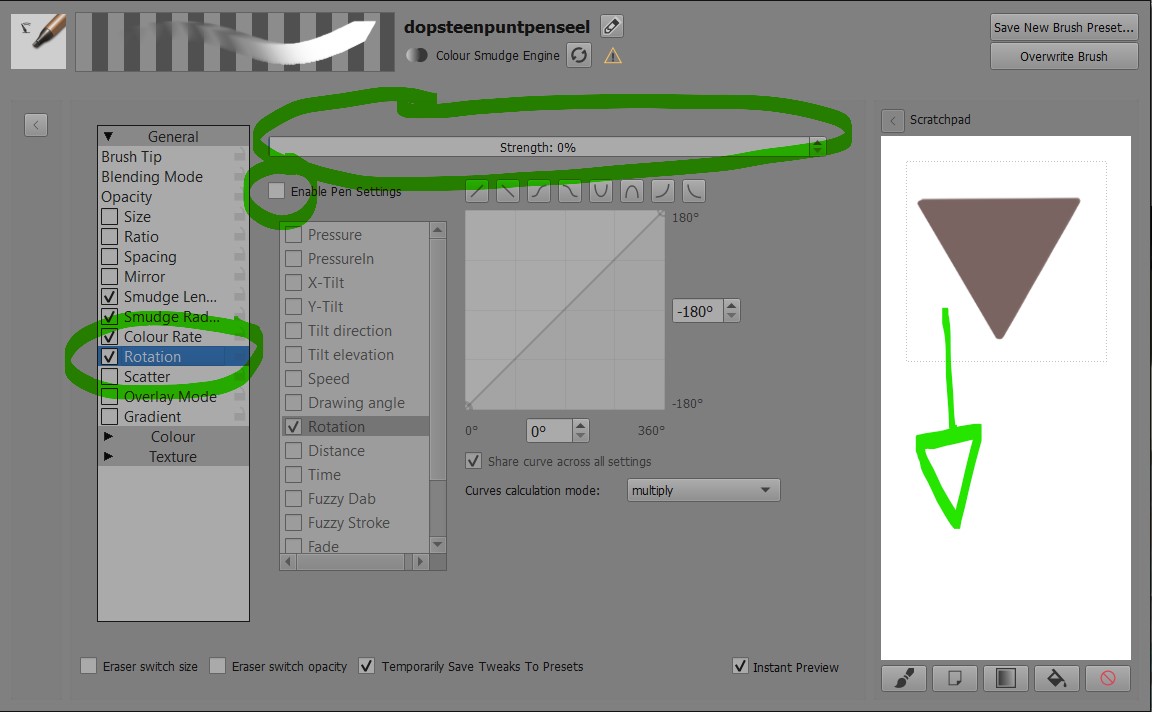
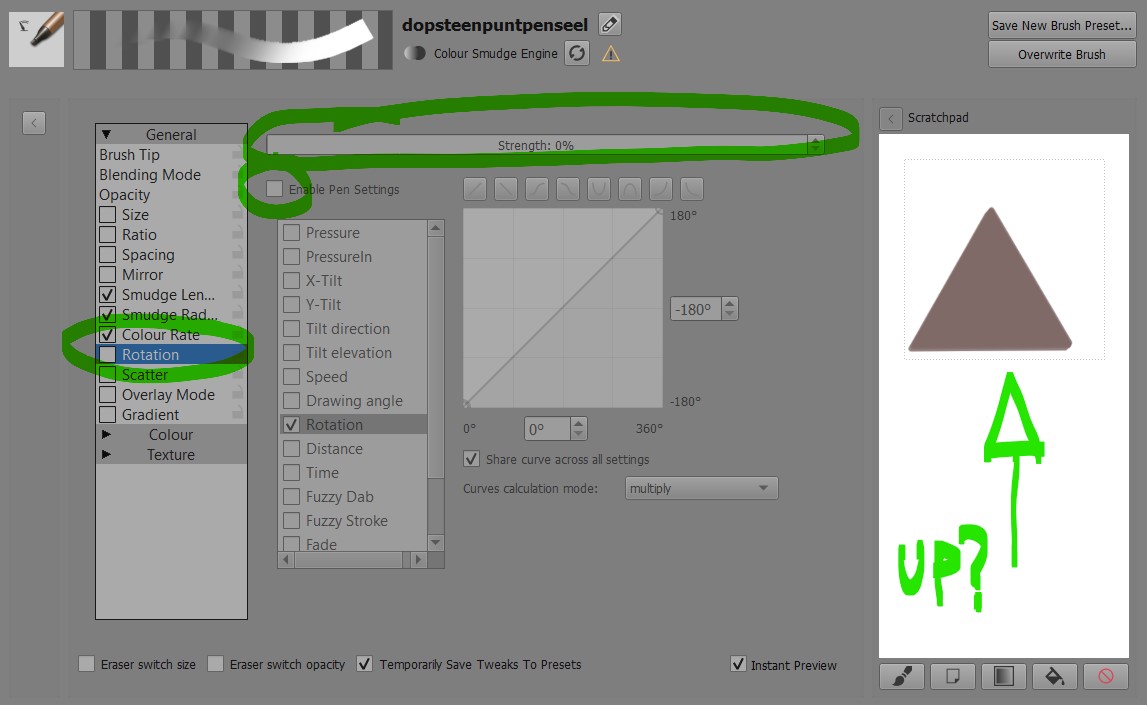
when te checkbox for rotation is checked, the brush rotates 180 degrees, regardless of the percentage selector.
I noticed this while trying to make a brush that would become pointy when elevating my stylus, it would scale the brush tip sideways instead of up-down. I have a felt chisel tip and wanted to replicate the deformation of my tip when holding the ‘pencil’ flat or elevated.
I suppose this is just a matter of changing one simple factor in the code, or at least I hope so
According to the first screenshot, you have the rotation of the brush tip being controlled by the rotation of the stylus.
Does your graphics tablet/stylus have rotation sensitivity/output?
I think you need to use Tilt Elevation of the stylus (if it provides that output) to control the Rotation of the brush tip.
(The left side list entry ‘Rotation’ is the rotation of the brush tip which is controlled by something(s) in the right side list entries.
The right side list entry ‘Rotation’ is the rotation of the stylus, as an input.
If your stylus doesn’t have a rotation output then a value of 180 is probably put in as a default value.)
Also, to maintain consistency of behaviour when drawing a stroke in different directions, you may need to add Drawing Angle as well, depending on how you want it to behave.
I was concentrating on your desire to vary something with stylus tilt and overlooked your point about the 180 degree offset even when the pen settings weren’t enabled.
This is a fact and it’s been discussed before. It is a complicated area and any changes would affect many brush presets that have been made by people, either for themselves or as distributed bundles.
I think it’s something you have to get used to and take account of when you’re designing a brush preset that has brush tip rotation being controlled by something.