Hey everyone, this post is about squashing the bug of the title. If the following bug sounds familiar to you, please weigh in with what ever information may help in strengthening this bug report.
Summary
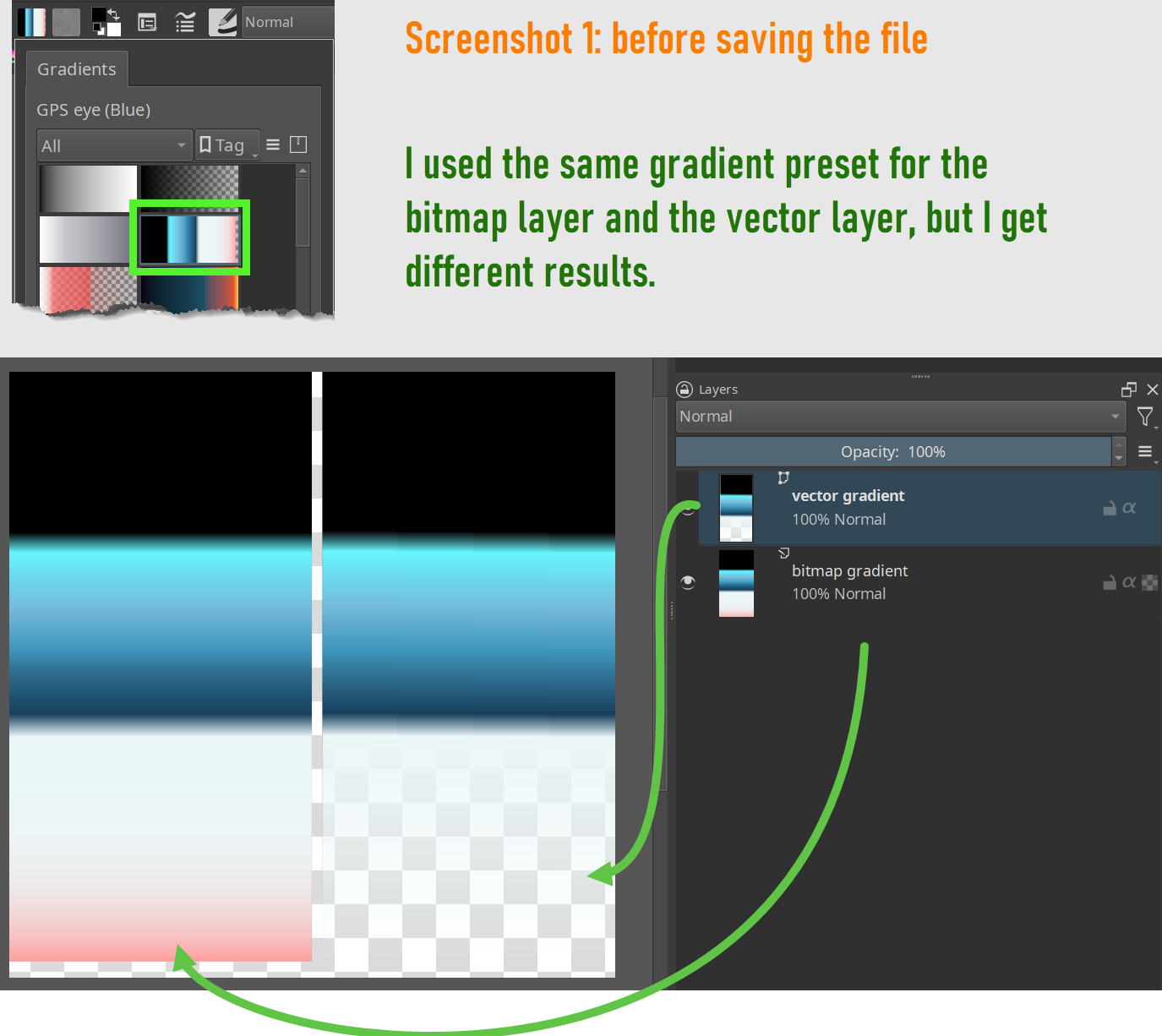
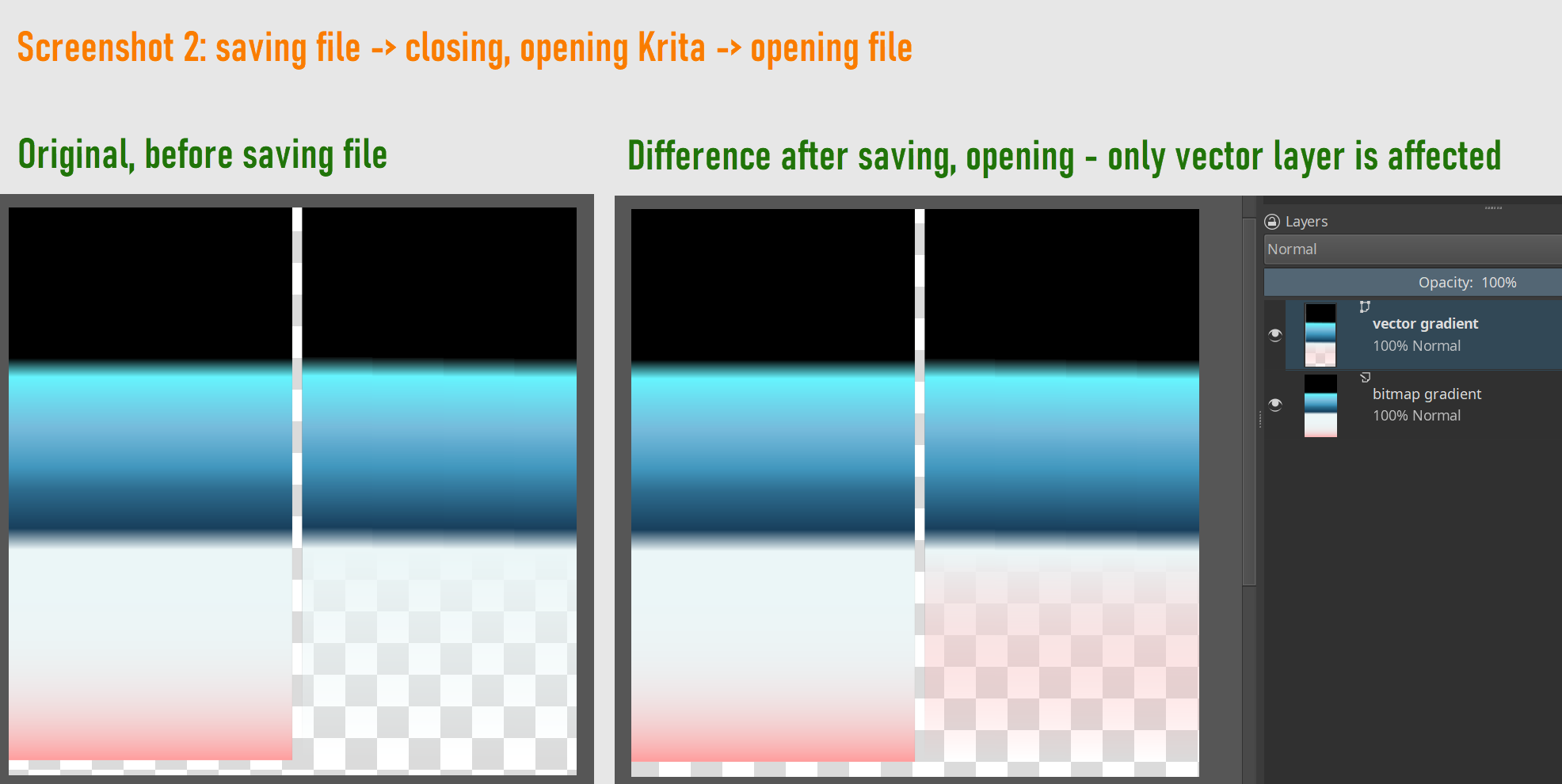
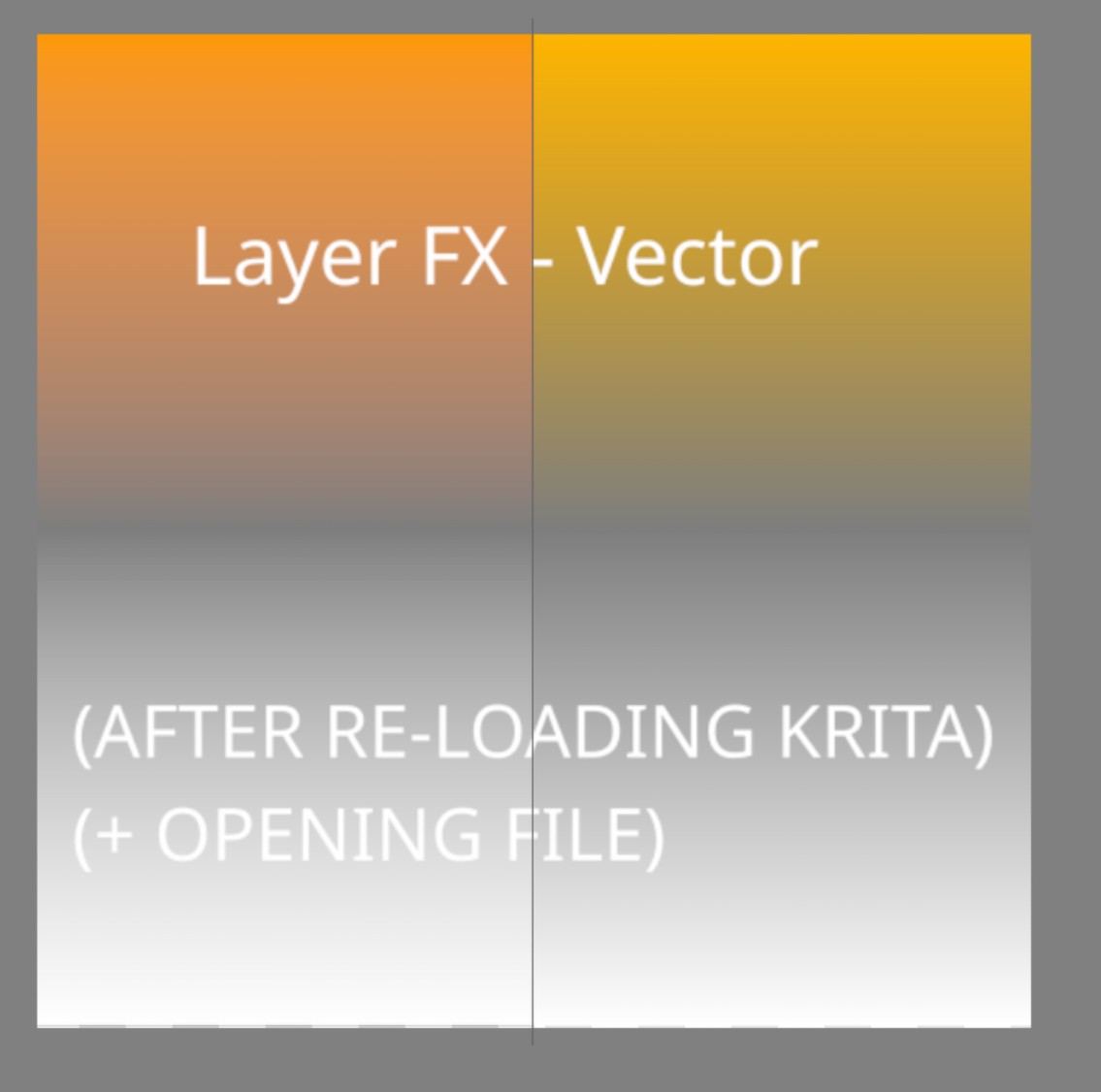
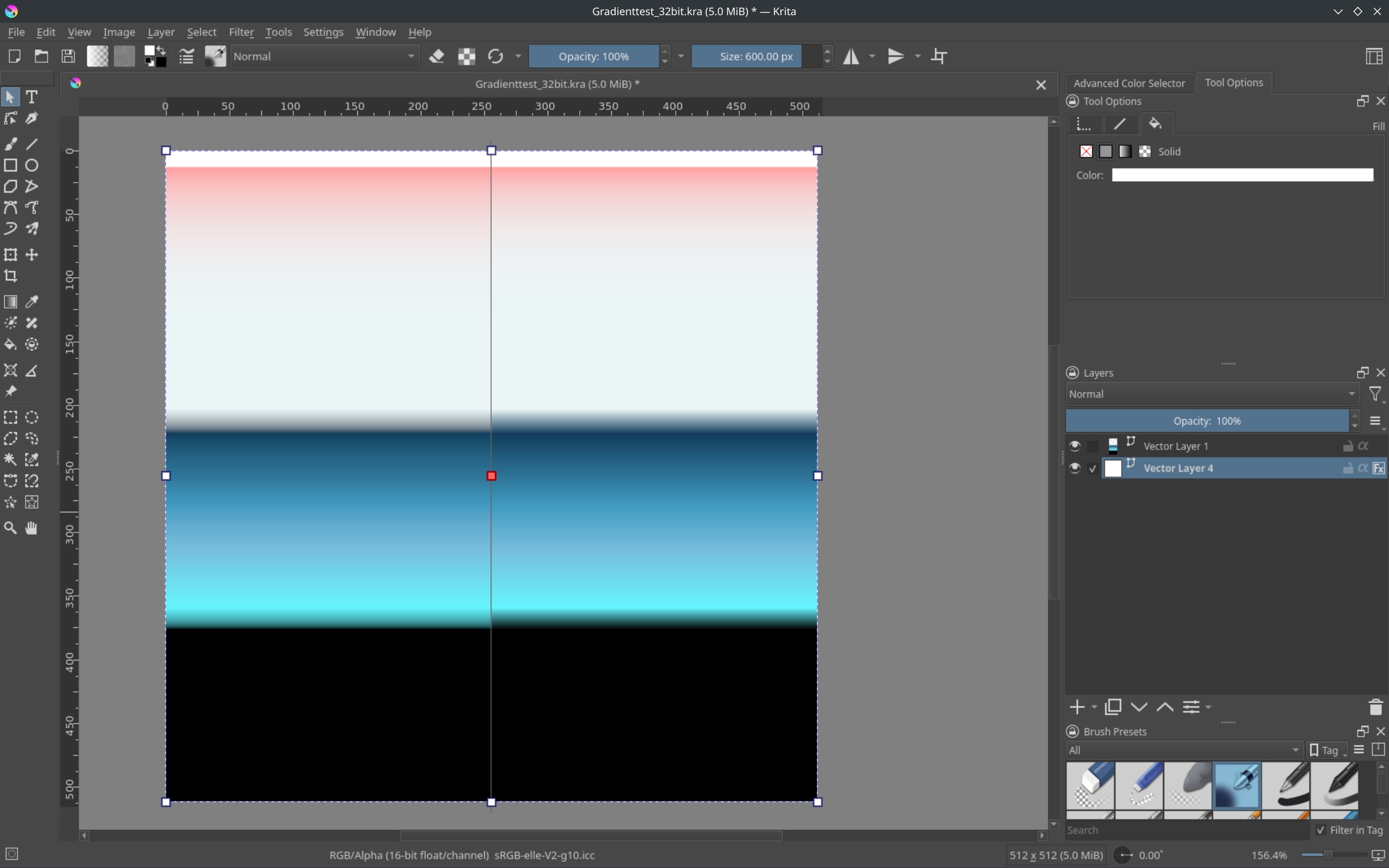
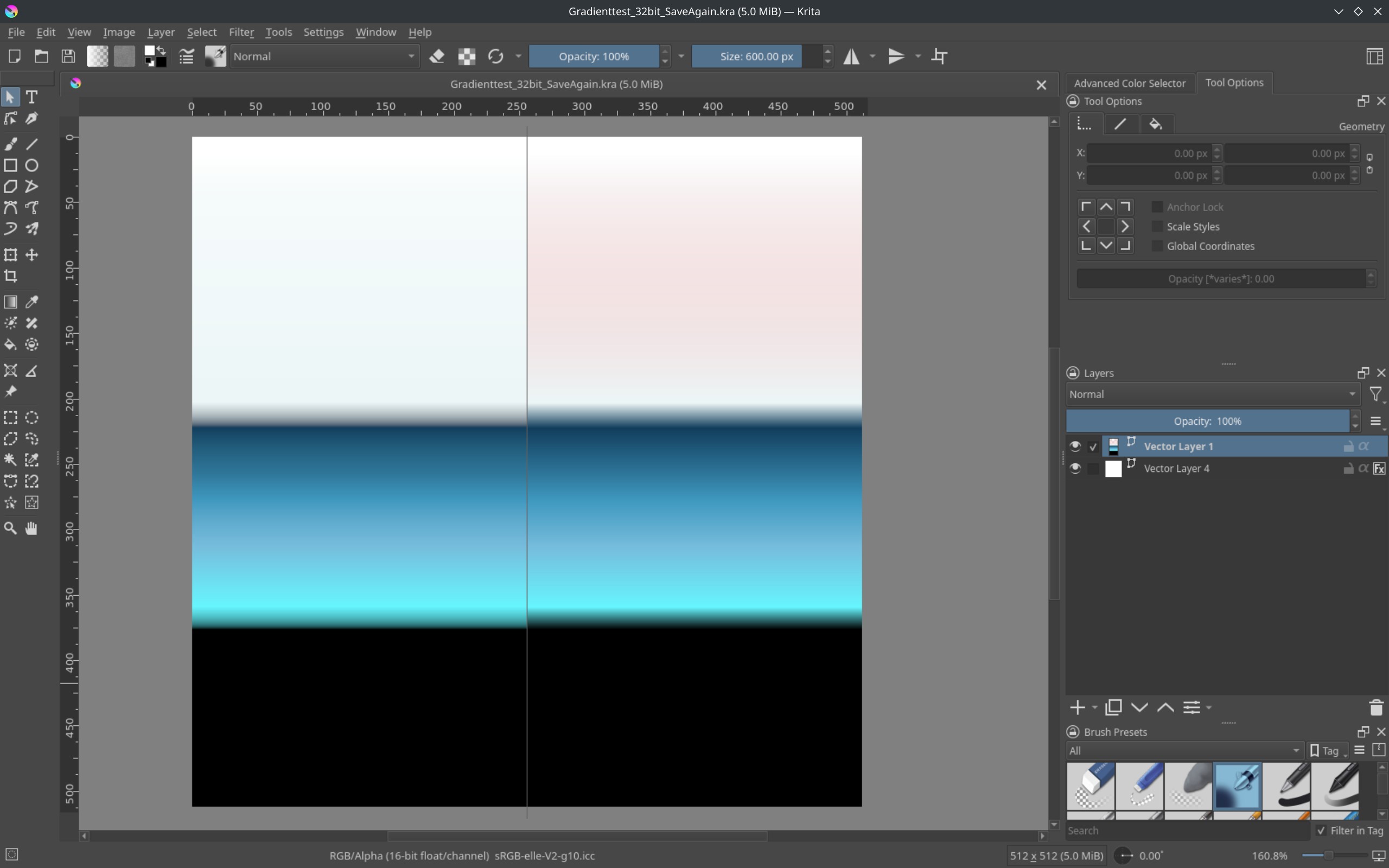
Gradients in Krita duplicate, alter, and display incorrectly after reopening a .kra file.
This affects: Gradient Overlay (Layer FX) Outline Fill (Layer FX) Vector Gradients (Fill for Vector Shapes)
Issues observed:
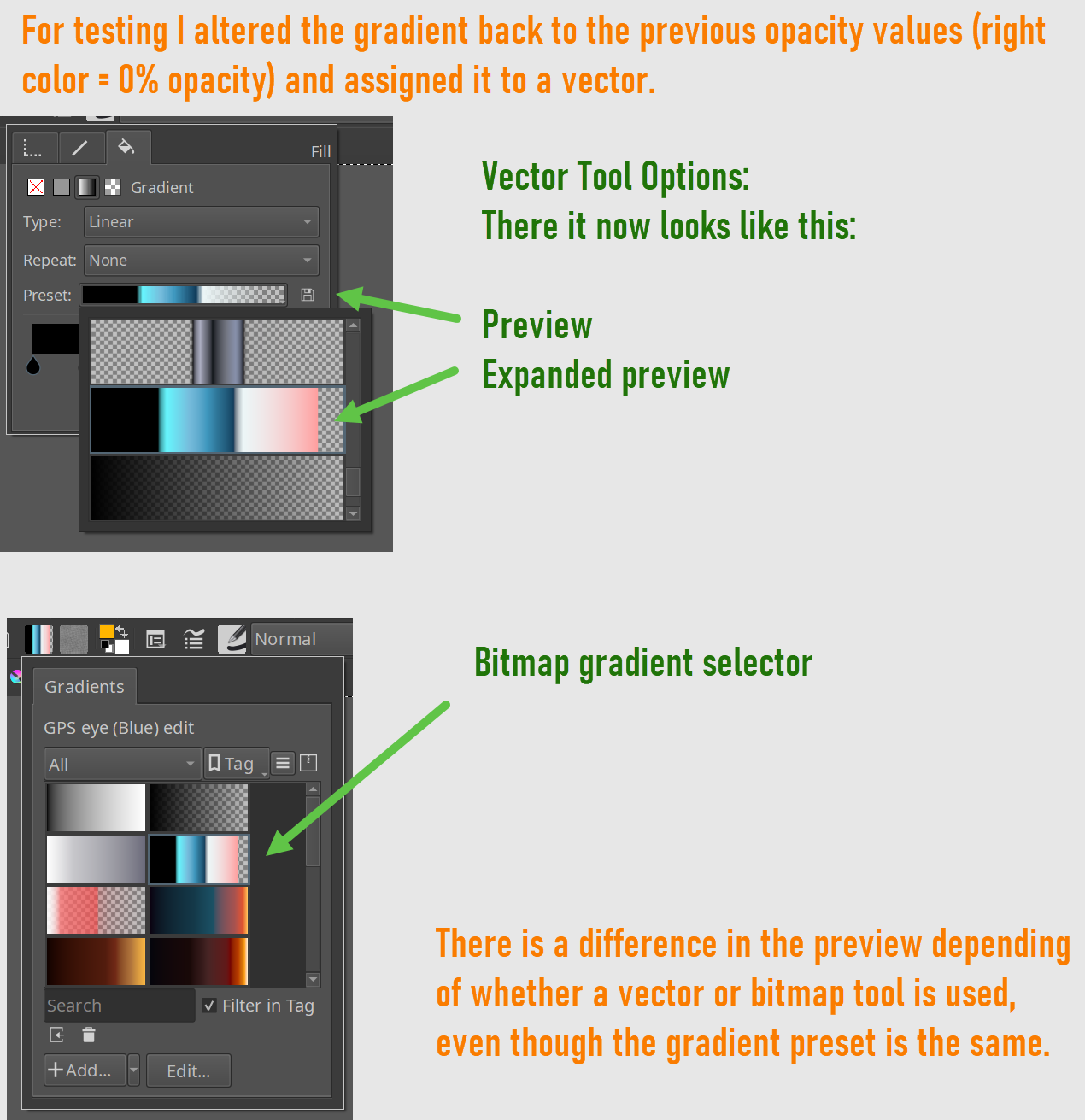
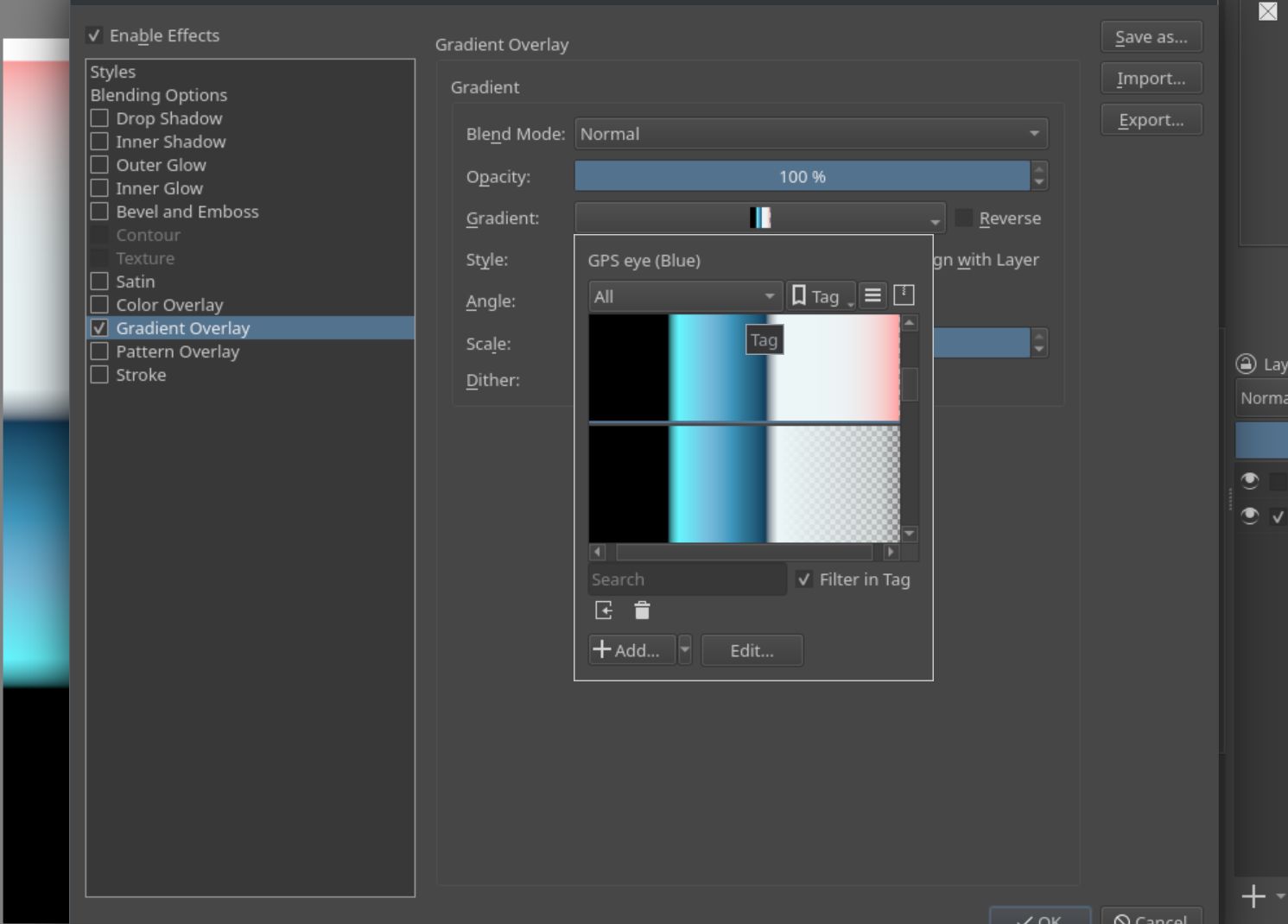
Wrong gradient thumbnails for gradients &
Re-selecting a gradient does not match its thumbnail
Since there hasn’t been much engagement on this post, I’d like to clarify why this issue is important—especially for concept artists transitioning from Photoshop or similar software. Ensuring that existing procedural workflows in Krita function as expected is key to making the software more viable in professional environments.
For artists working in pre-production, procedural workflows are essential. They provide the flexibility needed to iterate quickly, adjust to client feedback, and maintain efficiency in constantly evolving projects. This isn’t just a concern for technical artists—it affects any artist who needs to adapt their work dynamically. If these workflows don’t perform as anticipated, artists may find themselves switching to other software instead.
The good news is that by addressing existing features that aren’t working correctly, Krita can naturally become a more attractive option. It’s not about adding new features—it’s about ensuring the ones already present function as expected.
I discovered that this particular bug may have existed since 2021 or earlier, when it was first reported. To help move things forward, I’ve submitted a bug report with additional data, screenshots, and reproducible examples:
Since this issue doesn’t appear to have been confirmed as fixed, it’s possible that others have encountered it, but opted not to report it—perhaps assuming it’s easier to switch to another program rather than troubleshoot.
If anyone else has experienced this, I encourage you to contribute to the discussion by sharing your findings or testing the issue on your setup. More data will help the developers address it more effectively.
@SimonH: I wonder why you don’t confirm this bug report when you experience the same issue? You only need an account with them and can confirm it. Be aware that your email must be an existing one and that it can be seen by everyone visiting that site. But the site seems very safe, in all the years I’m registered there and have reports, comments and confirmations online, I never received any mail on the email-account only created for use with them.
Thank you for the heads-up!
Oh, no, I wasn’t paying enough attention, of course you shouldn’t confirm your own bug report yourself. Somehow, when I skimmed the text, I took it to mean that you were surprised that someone else’s report remained unconfirmed for so long. Maybe I shouldn’t have been doing so many things at the same time this afternoon, but there were so many things I was supposed to be doing that I overlooked it.
Wow this is a twist… so other windows users have reported that they cannot reproduce the issue but you have proven that some windows users are also experiencing a similar issue.
I really appreciate how thorough you were in grabbing these screenshots and these labels. Very well organised and it reads well. Thank-you for your work.
Makes me wonder if this is possibly be a hardware related issue. Something to do with how memory is stored. I guess it’s not impossible at this point, since others are struggling to reproduce this across platforms.
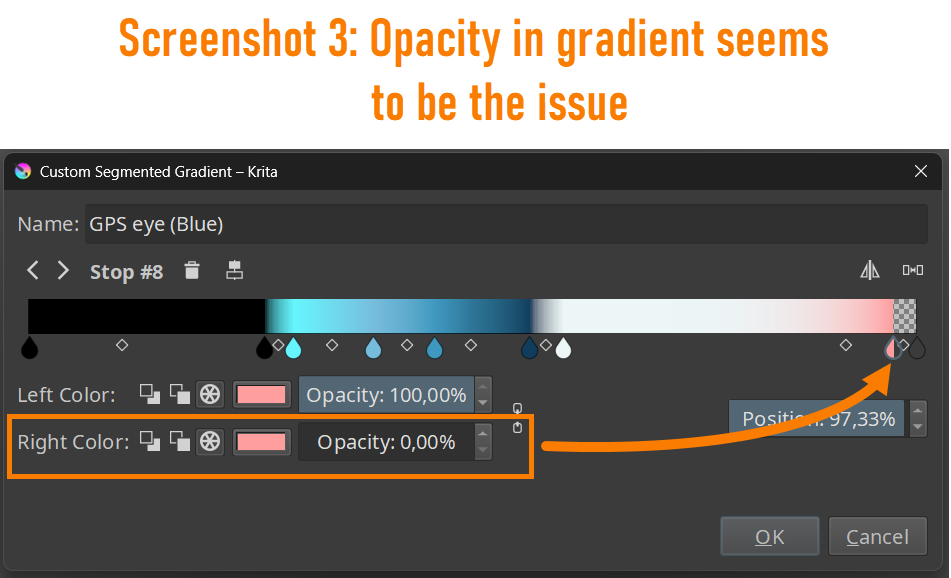
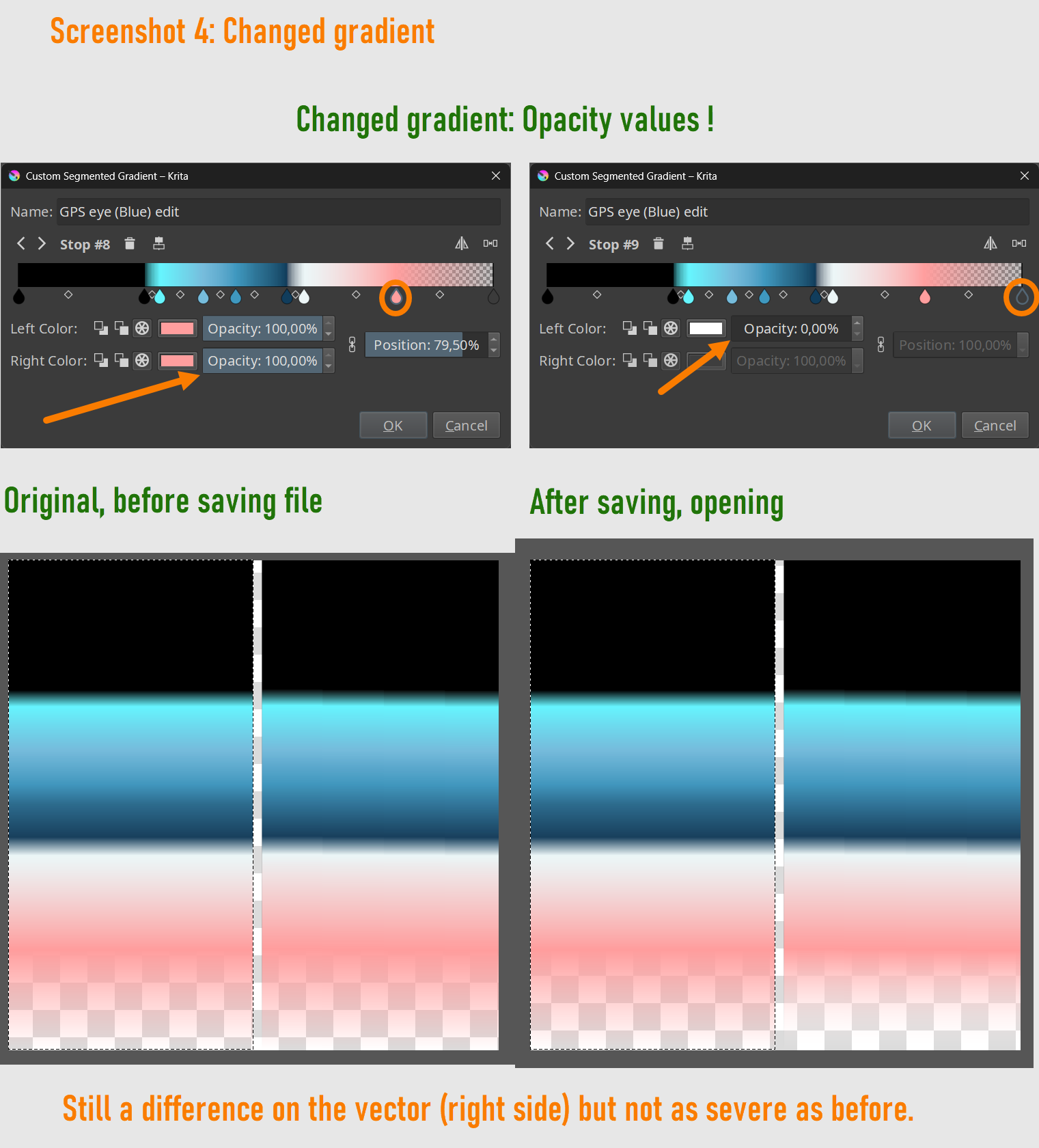
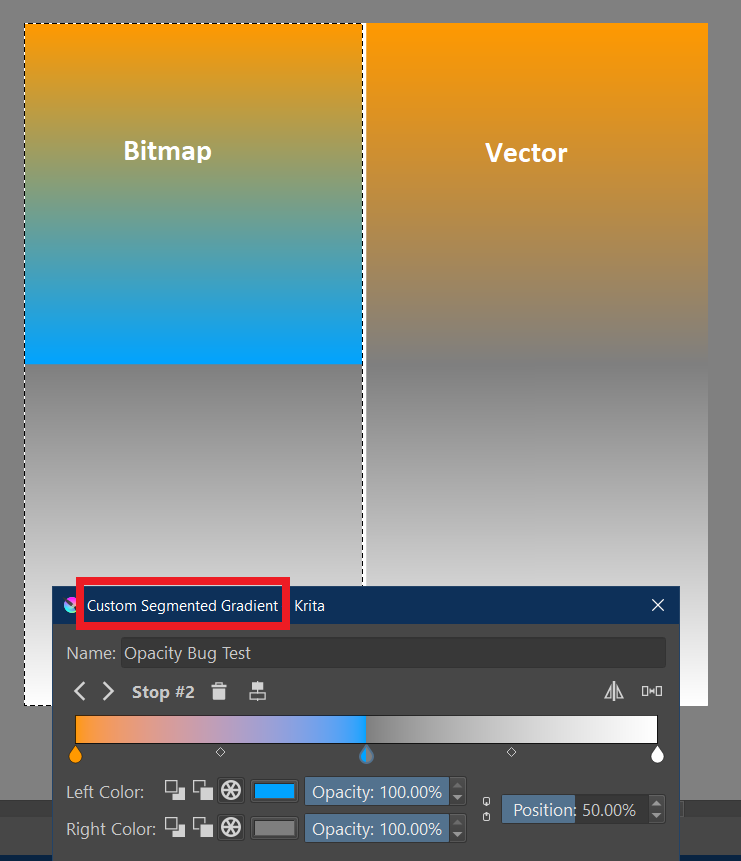
One more detail. It seems, it is the “Segmented Gradient” type that is affected and only if vectors are used. Contrary to what I thought first, it is not related to the opacity but to left color vs. right color in general, even if they are set to 100% opacity.
These are very specific conditions which could get missed in testing.
@SimonH can you confirm this for your Linux system?
My guess; it is not related to hardware but differences in the algorythms used for vector and bitmap objects.
I have on the left a pure bitmap paint layer and assign the gradient to a selection.
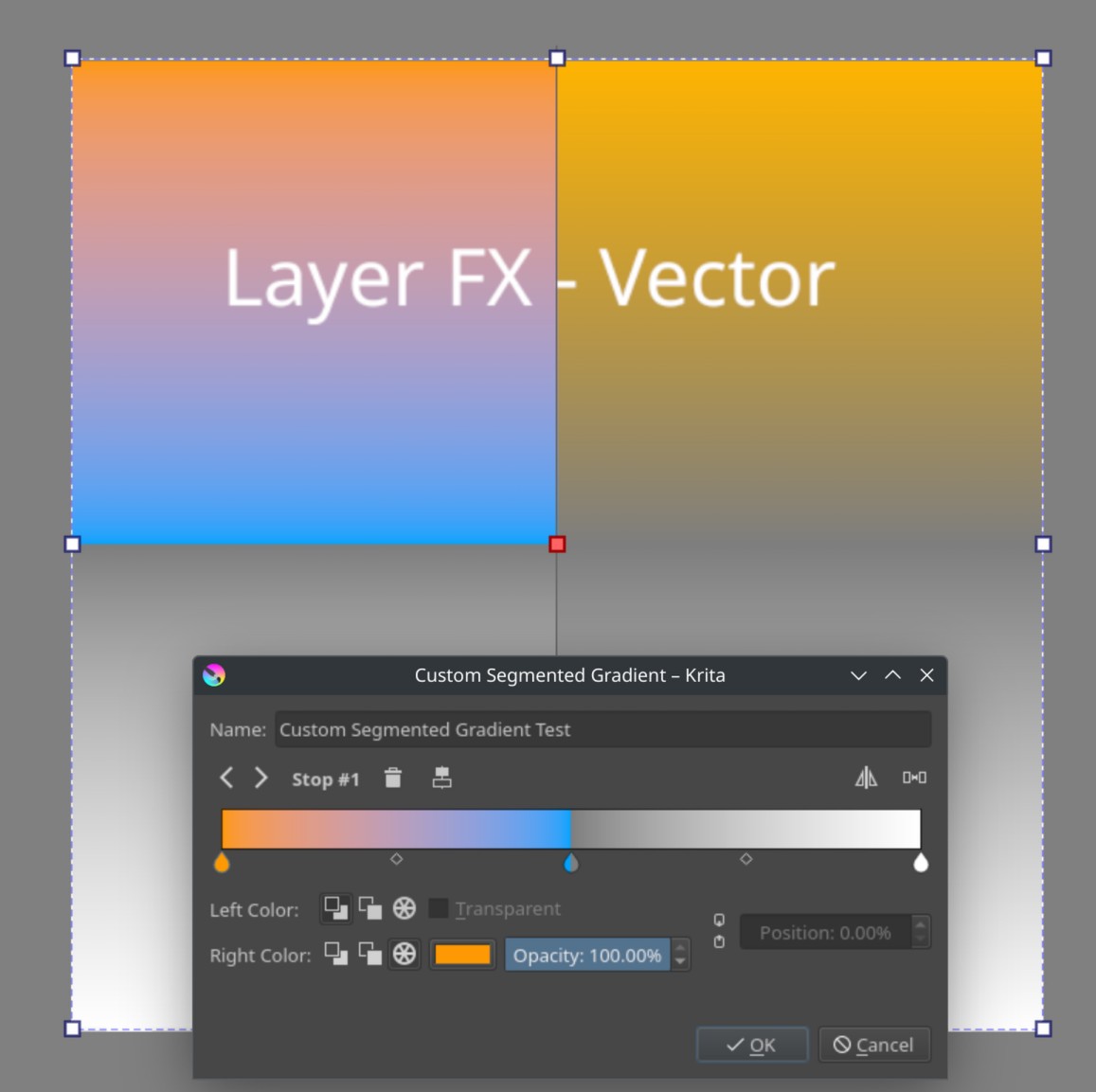
You have on the left a vector object and assign the gradient by layer fx.
On the right we both have a vector renctangle with a gradient fill.
If I use your set of layers I get the same result like you but without the differences in colors.
Here’s what I can reproduce (on macOS, it’s nothing platform-specific):
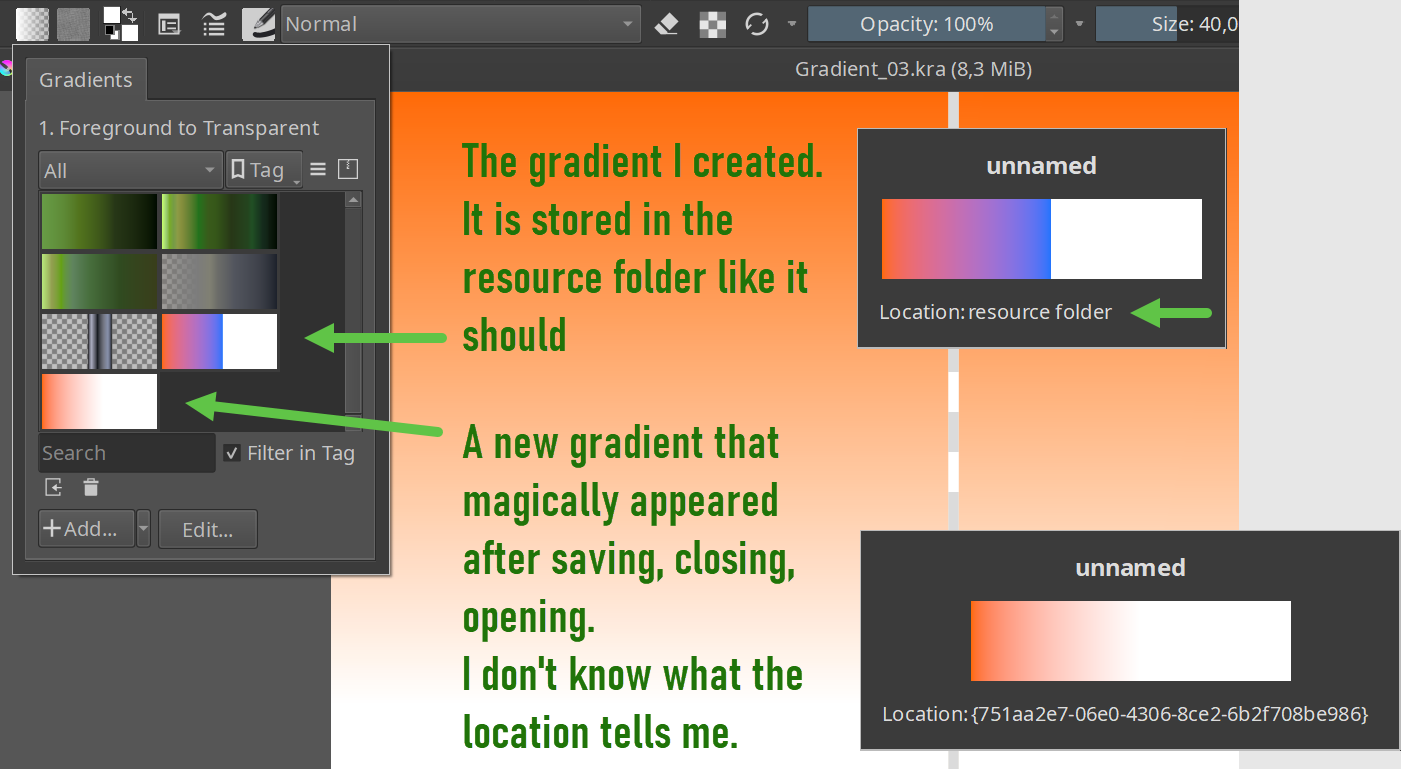
Saving a document with a gradient layer style and reopening it shows a duplicate gradient (with its location shown as some (memory?) hash). That duplication might be expected, since layer style resources are intentionally saved into the document. The duplicate only appears when opening the document.
The duplicate gradient has two-colored stops wrongly converted to a single color (that’s what’s happening with GPS Eye (Blue)).
If the original gradient is used as a vector fill, it will show the incorrect gradient. I’m guessing it’s getting them confused as they are the “same”. Attempting to edit the original gradient shows it is correct.
Possibly relevant code: KisPSDLayerStyle::cloneWithResourcesSnapshot in libs/image/kis_psd_layer_style.cpp
I have run a quick code analysis on this and confirmed it as a likely area for a programmer to go and check out in case it’s causing this issue.
So yeah,
KisPSDLayerStyle::cloneWithResourcesSnapshot located in the libs/image/kis_psd_layer_style.cpp file.
If there’s a discrepancy in there for how gradients are cloned or referenced during the saving and loading processes, it could lead to duplication or corruption, right?
I’m out of my depth on this subject, any programmers who know this better than I do, feel free to weigh in.
EDIT:
Krita’s resource system relies on consistent UUIDs and reference tracking… right? Aren’t we just re-adding gradients without preserving their original references often causes duplication bugs? Is the fix just to modify how gradients are stored and linked? Seems like only a few lines can be changed to test if it’s better to ensure existing references are updated instead of removing and re-adding.
I am new to Krita but I’ve had a similar issue with one of my files in 5.2.9 Two different times, now, the gradients have been completely different colors upon opening the file, in spite of the thumbnail displaying correctly, and regardless of how many times I shut down and reopened Krita. The only workaround I have is to paint over the layer in question with a different layer, but this seems a bit excessive.
There is a work around is for now. Try using vector with a svg based gradient fill. That worked for me in place of layer FX fills.
I guess someone will look into this when they have time. Although I’m not going to be sad if Freya focuses entirely on QT6 since that’s our key to better features and optimised performance.
Understood, don’t feel bad, sometimes there can be a lot to learn about what Krita is capable of.
But this is actually a really worthwhile lesson because it’s really cool stuff similar to illustrator, affinity designer or Inkscape. Photoshop users would also find this handy.
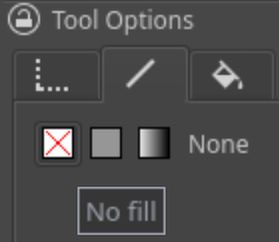
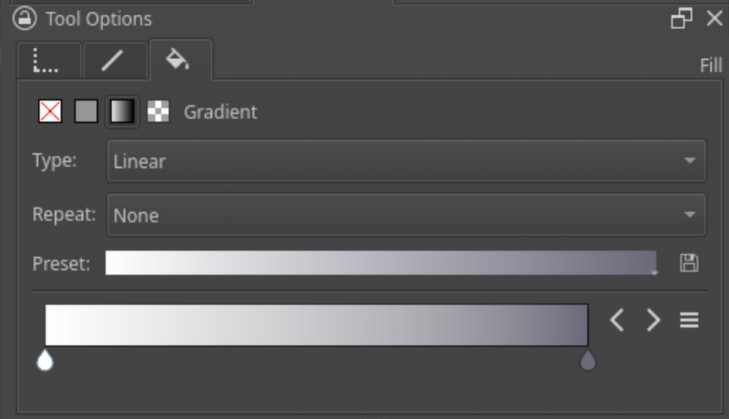
I’m going to use a visual guide to explain how it’s set up:
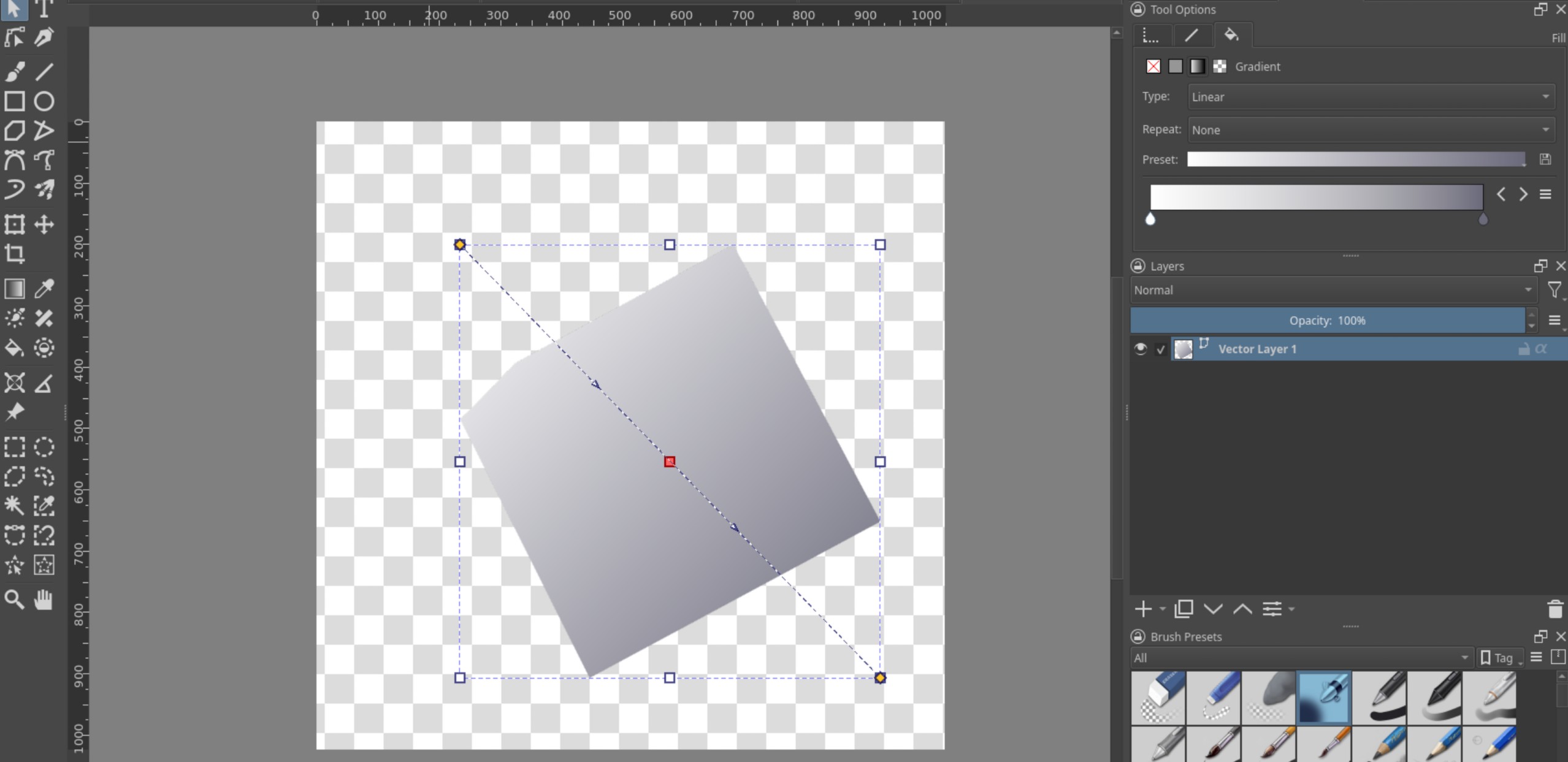
Use this tool, and just single click some points on your canvas and hit enter. Bam - That’s a vector layer (SVG) - Scalable Vector Graphics. That’s GOOD because It’s non-destructive, can be scaled up and down without losing detail. You could make a logo with this.
Adjusted the fill of the gradient now but clicking the little Paintbucket icon, inside that is the ‘Fill’ section, and simply by clicking the little square that looks like a gradient; you can set up a gradient fill for your shape.
Done.
Tutorial over, congrats… that’s the work around in all it’s detailed glory
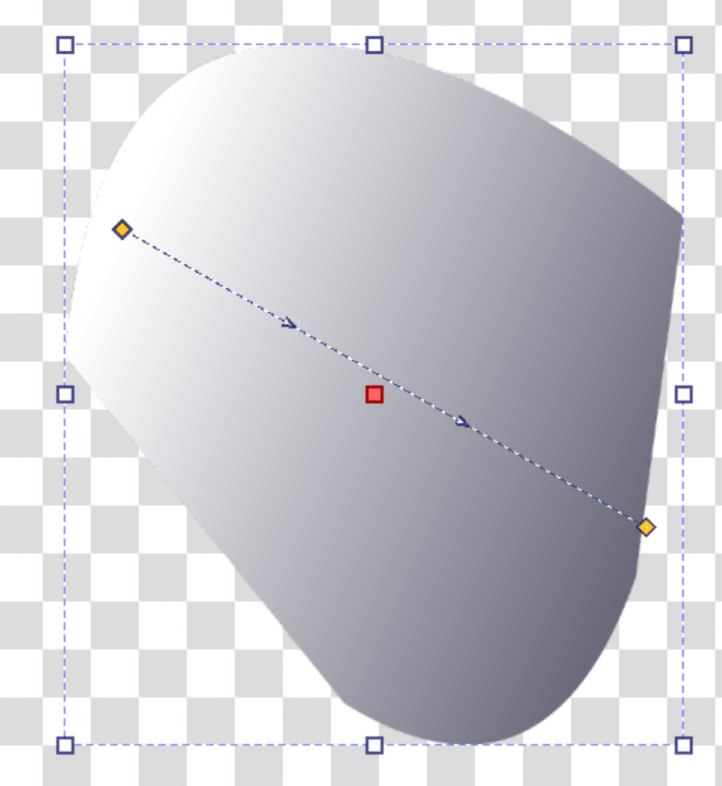
Super simple. Try playing around with the gradient gizmo in the centre. I think you’ll like it when you see how useful it is.
That handle we stay in place and you can adjust it later as needed.
And all of this is compatible with other vector software!
NOTE:
While this won’t fix the preset problem, this method is more robust for keeping things looking the same because the gradient won’t change when you re-open the file as it’s not directly dependant on non-svg data.
I think I may have run into this issue on Linux Mint. I added a gradient overlay and stroke with gradient to a text layer and the next time I opened the file the color was different because it saved 2 gradients with the same name, one being the latest edit, and the other being a previous edit.
I feel like the biggest issue here is that these gradient presets appear to be GLOBAL.
You can modify a gradient preset while working in one file and then all files that use that preset will be silently modified since Krita uses the global resource to render them.
That makes absolutely no sense and will obviously lead to data loss sooner or later. The way I expected it to work is that each layer style stores the values of the gradient it uses and if you click on a preset it simply sets those values from the preset.
Even if you wanted to dynamically reference a preset, that preset should be stored in the .kra file itself instead of in the user’s system.
There already exists a separate bug in which setting the gradient value to 0 (FG → BG), the gradient changes every time you open the dialog. I feel like gradients in Krita are unexpectedly fragile.
Update: Ok, I see the problem now. Krita does save the gradient to the .kra file, but it automatically reloads the gradient from the preset without user interaction. On fill layers and filter layers there is a gradient editor GUI and a separate preset selector but for some reason on layer styles there is only a preset selector, there is no way to edit the gradient without creating a preset, and once a preset is created Krita automatically copies the values every time you open the dialog. You can test this by opening a second file and editing a preset you made in the second file, when you go back to the first file the preset won’t update, but if you open the layer style dialog (or close and re-open the file) the gradient stops are reloaded from the associated preset, potentially leading to data loss.
 Gradient Overlay (Layer FX)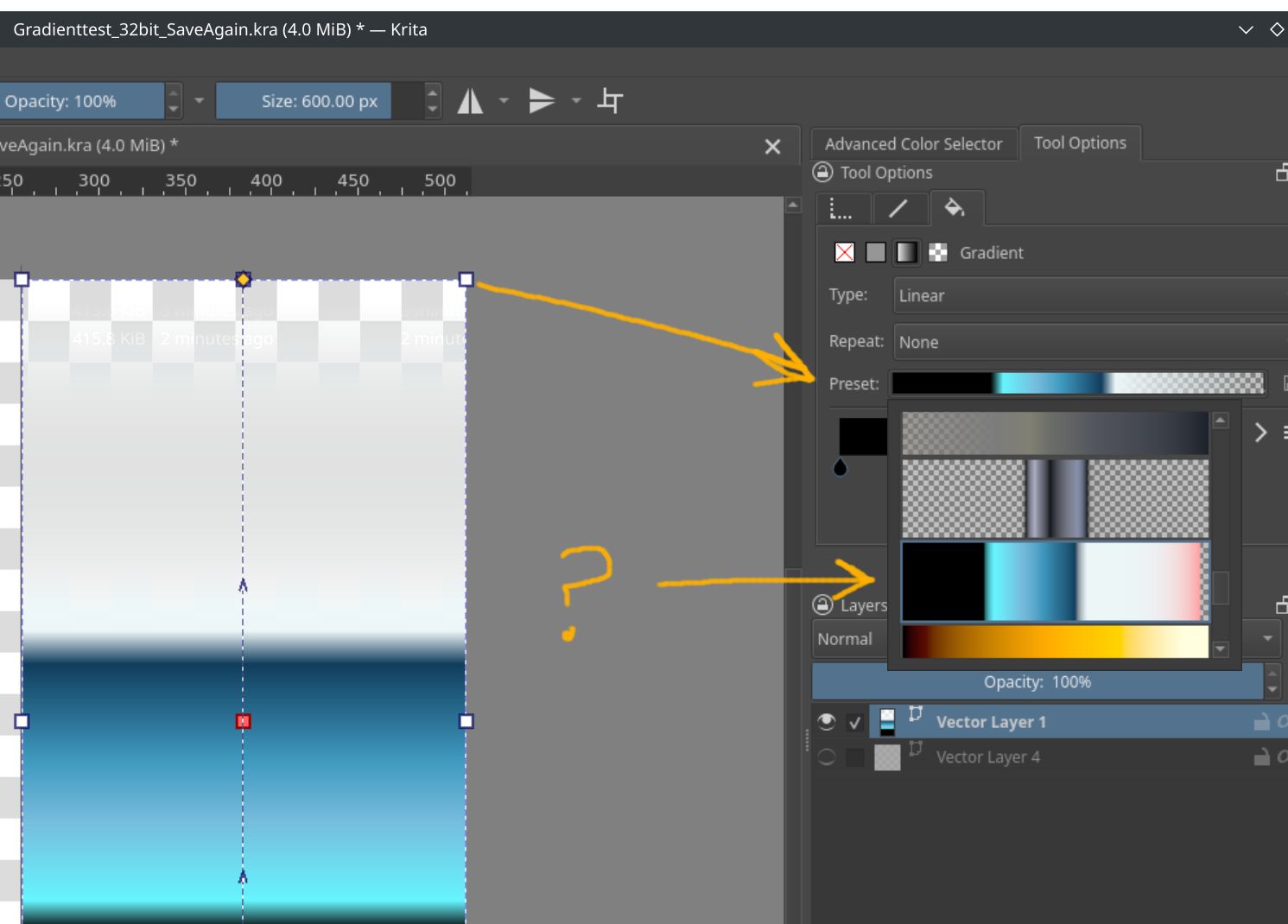
 Bug Report: