I’m not sure what subcategory I should put this in, but I was watching a tutorial about painting with gradient maps, did some research and stumbled upon a gold mine.
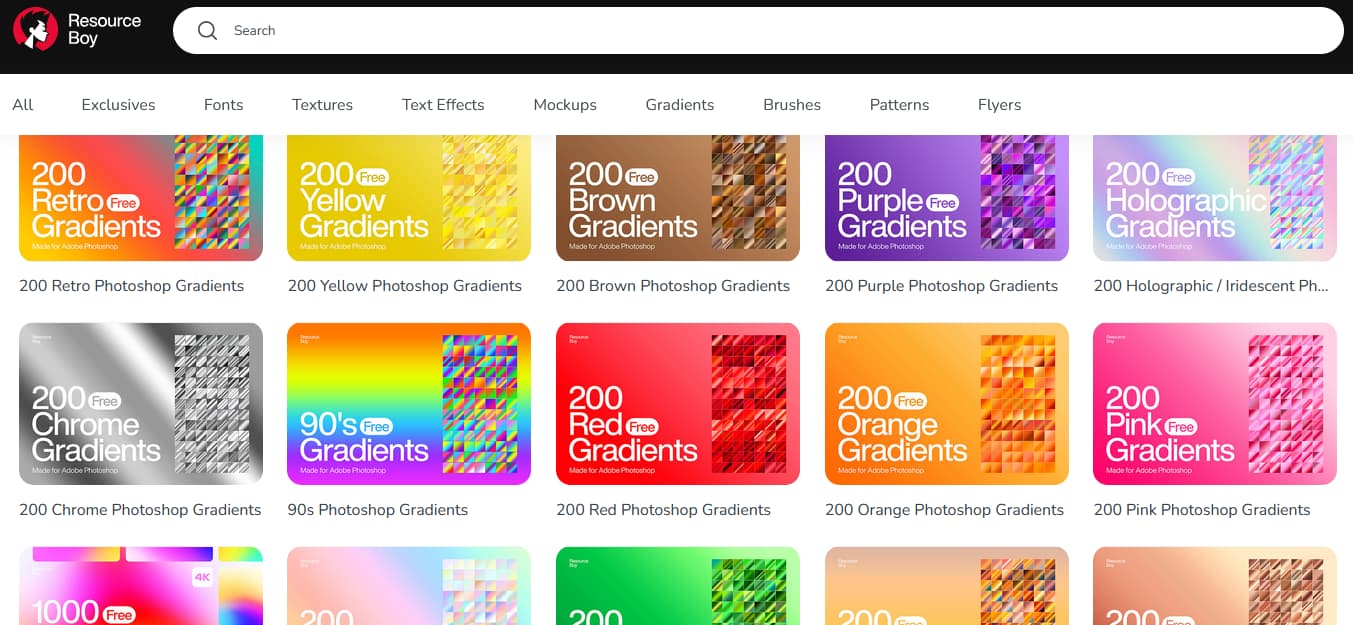
This site carries a variety of free resources that, while clearly geared towards Photoshop and graphic design, could very well be used in Krita. In this specific case, as I was looking for gradient presets, there’s a TON of them, all bunched up in packs of 200 files.
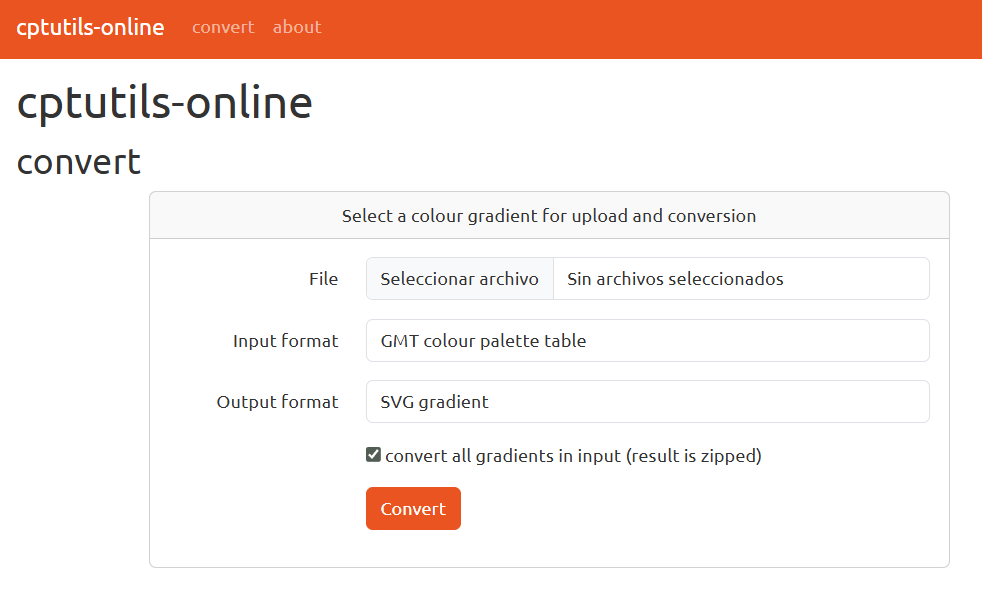
Here you upload the .grd file, select the GIMP gradient option (out of a good list of options,) hit convert and voilà! A perfectfly Krita-compatible .ggr file ready to import and be used with the gradient tool or as a filter layer (map).
I don’t know what problem I have with the gradients that I can’t see , I converted it to a gimp file and put it in the resources folder but it doesn’t display, if anyone knows what it could be
You have to import them from the resource manager! Go to Settings > Manage Resources > Import Resources (button on the bottom left). It’ll take you to the file browser (in Windows). Select everything you want to import and click Open. The gradients should appear in the docker right away.
Maybe check the resource folder? Either withing the manager window or directly in the file explorer. I just imported some to test it and they got stored in Local resources > Gradients > All untagged.
I have same problem as pablo. I import them either as ggr or svg, Krita even ask me if I want to import them as gradients, yes, but there arent there. they are in resource folder, but not in krita itself. and I have only few gradients so I would see them. anybody can help? I went through manager - import … I did this few times before and it worked, not now with converted gradients
Having this method of getting free gradients is awesome! I did have some trouble in the beginning but I had to convert the file to gimp and import of from the gradient docker itself.
I just discovered the solution (also solving my question): When you convert a file that has multiple gradients, you have to select that option. This way, it will convert all the gradients it contains, not just one. Then, when you download them, they will be individual files that you will have to import.
I thought that this setting is tooooo obvious as that it could be the culprit. Never say never, or never believe others would see the same as you looking at the same picture, there might stand something in their line of sight …
Funny is, that I tried the zip download yesterday and for some reason it didnt work I probably unzip it wrong or something. its working now, thank you guys
I don’t see it as obvious; one file is uploaded, and one file is output. It can be understood that the option refers to several gradient files. As a UX/UI designer, I think whoever designed that page should have already included it in the configuration, without it being something that needs to be checked.
Sorry, Off-Topic, but provoked:
That would be the “Gold Standard”: A mind reading website that knows by the uploaded content what that content is and what the uploader wants. But we don’t have this right now (and hopefully never get it, or large parts of humanity will soon turn too stupid to breath because no one does it for them or tells them to. Of course, this would solve many problems. Overpopulation and the necessary overuse of natural resources would be off the table for a long time. We should actually strive for this … ).
And to be honest, no, not really! Because is it really too much to expect that, after specifying the file to be processed, a user should be able to deal with a total of three possible settings? That is not an input mask with hundreds of setting options.
This website is a by-product, generously made available to those who want to explore it and need it. The offer comes free of charge and without the promise of solving any problems. It’s a “take it or leave it” offer. So it’s reasonable to expect users to engage with it.
So, when I’m in front of such an input mask for the first time, and there are options that I have to set to adapt the output I will get to my needs, then I will always inspect this mask and the options it offers in full before I set them, because it has a reason that these options exist in the first place.
Hi! I’ve looked (everywhere) but haven’t been able to find anything of the sort, or at least nothing that can convert the entire file.
The closest I’ve gotten is this desktop software (and this website, apparently, haven’t tested it yet) which extracts the brush tip from the .abr (Photoshop’s native) file as a .png, so you can import it as a resource into Krita and use it to either tweak an existing brush or make one from scratch. Krita’s brush editor is pretty robust on its own and I’ve managed to recreate most of my go-to Infinite Painter brushes and some .abr files I found here and there almost perfectly.


 , I converted it to a gimp file and put it in the resources folder but it doesn’t display, if anyone knows what it could be
 (also solving my question): When you convert a file that has multiple gradients, you have to select that option. This way, it will convert all the gradients it contains, not just one. Then, when you download them, they will be individual files that you will have to import.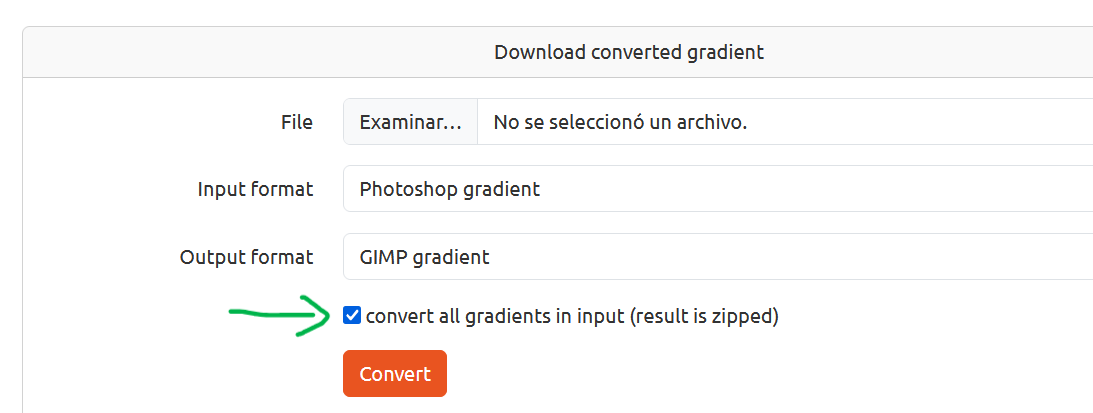
 I thought that this setting is tooooo obvious as that it could be the culprit. Never say never, or never believe others would see the same as you looking at the same picture, there might stand something in their line of sight …
 I probably unzip it wrong or something. its working now, thank you guys

 ).
).