It’s so tiny and it keeps turning around. And it doesn’t show RGB/HSV values. It’s practically impossible to accurately pick a color here without using another color selector docker.
Is it possible to select stroke color with the advance color picker?
Yep. Where left clicking will select the Foreground color, right clicking will select the Background. So, you’d select the object and then right click over the Color Selector to choose the line color.
However, keep in mind that Krita affords us the option to change which color (foreground or background) gets assigned while using the Shape tools. So, be sure you’ve set everything up in a manner that it makes sense for you (IE: Each shape tool uses the same options for which color is used for its fill vs its line). Also be aware, if you hadn’t created the shape with a visible line to begin with, you’ll need to make the line visible using the Tool Options panel, before you’ll be able to see it changing color using the Color Selector.
I didn’t realize until just now why the selected vector always changes its fill when you change the current color. It’s picking foreground color for the “fill”, and background color for the stroke. I only noticed because I pressed a hotkey for resetting the fg/bg colors, and it changed the vector shape to black fill, white stroke. I usually avoid using the vector stuff because of stuff like this, even assigning a color is awkward (because no color picking ). I almost never set my background color, there’s no straight forward way to adjust it (the wg color selector only sets the fg color right?).
Maybe a simple fix for the “default” color selecting would be have the “active” tab be the one the foreground color is picked from. This probably isn’t ideal since changing fg/bg color is not preserved as an undo unlike clicking on the color selector widget.
Hope someone finds this script useful.
# 2025-07-03 Written by Gemini 2.5 Pro
from krita import *
from PyQt5.QtCore import QMetaObject, Q_ARG

inst = Krita.instance()
win = inst.activeWindow()
view = win.activeView()

fg_managed_color = view.foregroundColor()
fg_qcolor = fg_managed_color.colorForCanvas(view.canvas())
print(f"Foreground color acquired: {fg_qcolor.name()}")

tool_options_docker = next(d for d in inst.dockers() if d.objectName() == 'sharedtooldocker')

fill_widget = tool_options_docker.findChild(QWidget, "KoFillConfigWidget")

btn_solid_fill = fill_widget.findChild(QToolButton, "btnSolidFill")
btn_solid_fill.click()

btn_choose_color = fill_widget.findChild(QToolButton, "btnChooseSolidColor")
action = btn_choose_color.defaultAction()
QMetaObject.invokeMethod(action,
                         "setCurrentColor",
                         Q_ARG(QColor, fg_qcolor))

action.emitColorChanged()
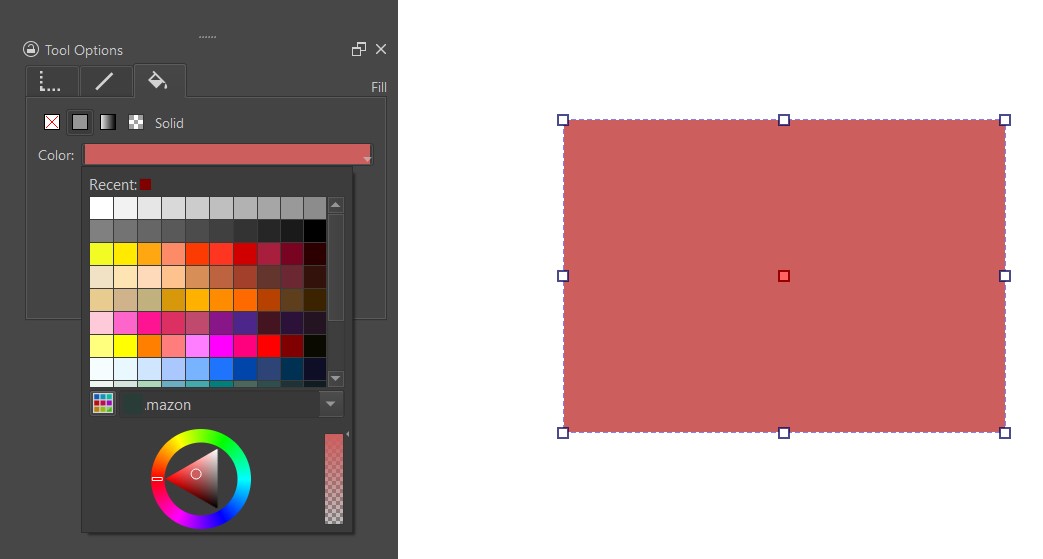
 ). I almost never set my background color, there’s no straight forward way to adjust it (the wg color selector only sets the fg color right?).