I think the emoji rendered pretty well. I uploaded it as you can see in my post. A slightly stronger outline will give it more form.
If used in new line it currently renders it in 32 x 32 size.
Let us test how it rendered in between text – :kikiexcited: So it renders it in 20 x 20 if it is used in running text like this.
But we can add in custom css to make it 32 x 32.
Good job @URAVERAGEBOI may be we can tweak this a bit more and refine it.
The css identifier for the custom emoji is same so if we increase the size of one set it will also increase the size of this set. I’ll see if we can do anything about this. Thanks for the emojis.
It is a special name that we give in the html code for any element to add a rule like height width and many more. It is a bit hard for me to explain properly but you can read more about it here - CSS selectors - Learn web development | MDN
Thanks, For now lets take the happy playful and neutral expressions? What do you think? I don’t feel good about seeing kiki crying although the emoji is good.
No problem! Initially, I made very bright colors so that they read better in the 20x20 format. I will change the colors and make emoji neat in this case
@URAVERAGEBOI and @marui_mg I also request you to please make a table like @SimonBrother did for the proposed name and the emoji. So that I do not get confused and upload wrong name to wrong expression while uploading. It will help me.
 may be we can tweak this a bit more and refine it.






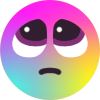

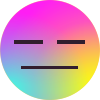
 although the emoji is good.


