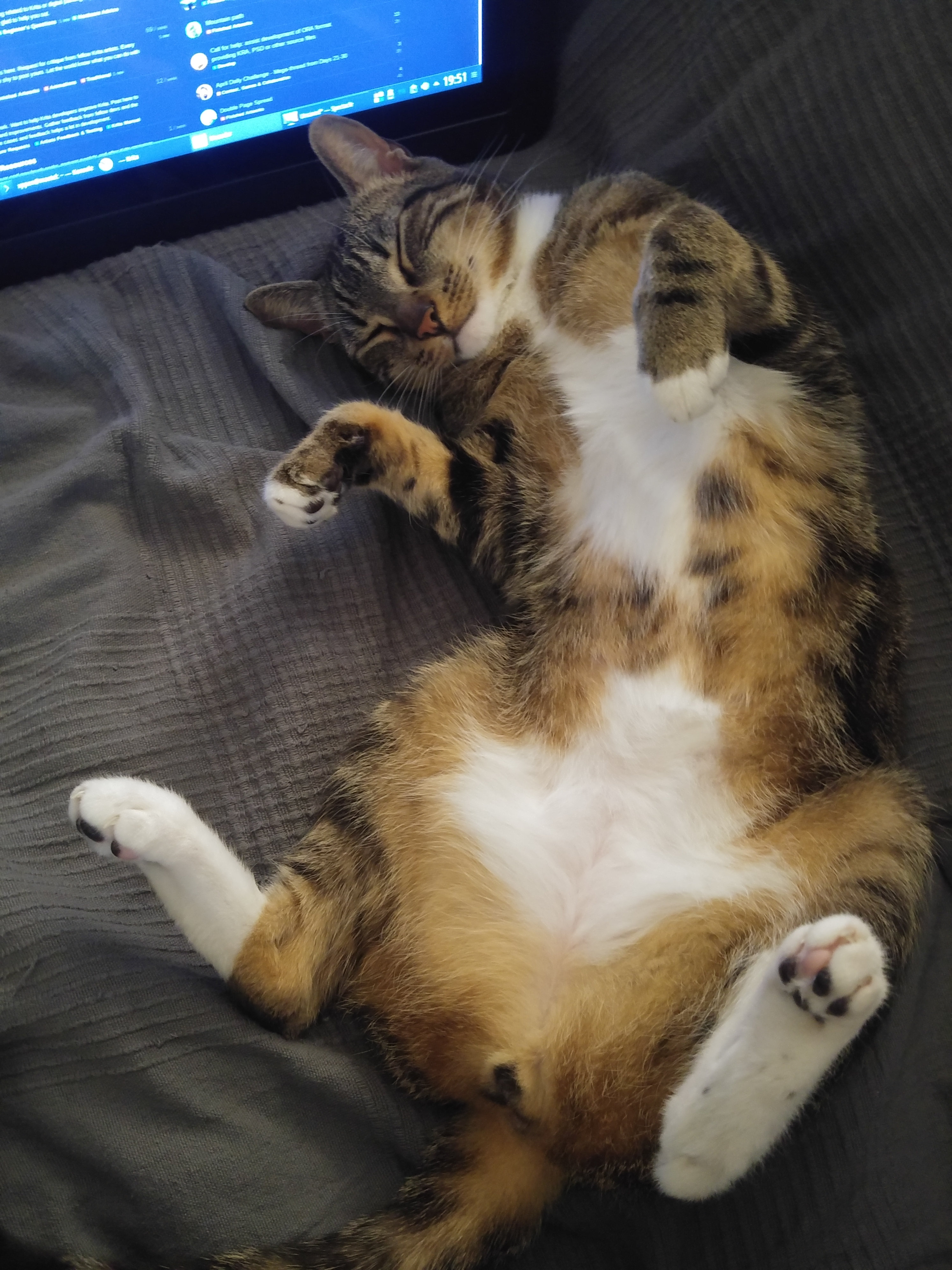
I just installed Krita, I want to use clone brushes [or whatever it’s called in this package] to alter existing images. Understand that I have a bit of a prejudice against Open Source applications. I find them comprehensive and protean but at the same time completely non-intuitive, almost deliberately obscure. This package seems no different.
I’ve been dealing with graphics software since there’s been graphics software, I just need to figure out this one. I would have used Corel Painter 2020 but that package has an issue with the machine I want to use. Rather than completely reset Windows, which is much like losing your wallet or iPhone only orders of magnitude worse, I find myself exploring this package.
Regardless, I ran Krita [who thought up that name?], I imported a photo and looked around for any clue as to where I might find anything to do with cloning. Failing that, I did a search in the provided documentation for ‘cloning’ which dutifully brought up a page dealing with a ‘clone brush engine’. A listing featuring some text that says absolutely nothing about just how one might assess this engine. I reviewed the material listed under ‘brush engines’, nothing there. So could someone be kind enough to explain to me in simple English just what is a ‘brush engine’ and more specifically, how does one invoke and control the clone brush engine?
Yes, on my side I think same for non open source softwares (I know what I’m talking about because I must use this kind of software at work…)
But trolling is not the subject
So in Krita, cloning is not a tool, but a brush.
This is why you didn’t find it I think because I agree, it’s not intuitive for a new comer.
I won’t explain why this is a brush because you might not be interested by the information, but for my point of view, it’s an excellent choice to have implemented this as a brush and not as a simple clone tool
Yeah and I hope that by being in the community, @bobobob will also learn how to ask a simple question with out being sarcastic or prejudiced or rude. I mean the question could have been -Help I am new to Krita can you guys tell me how to use clone tool in Krita?
Nevertheless we all start somewhere don’t we, we learn something new everyday. Welcome to the community @bobobob
I could have asked that question but I already know how to use a clone brush. The reason for the lengthy preamble was to point out that I’m not inexperienced with this sort of software, just this package, in an effort to preempt responses in the same spiritual category as [if we were talking about hardware] “Is it plugged in?”
Nonetheless, here I am and I really do appreciate the help.
Ok, back to clone brushes. After playing around with the clone brush, which was meaningless to me, I modified it into something resembling what I wanted. Unfortunately, your concept od ‘clone’ in the context of a digital painter, is somewhat different than your own. When you say ‘clone’ that’s exactly what you mean. Clone in the sense of Photoshop or Corel Photopaint. That would be grabbing a piece of an image and duplicating it at some offset. I’m looking for clone capabilities more like those featured in Corel Painter. There there is a special mode called ‘photo paint’ where you open the original image, select clone mode’ and then any and every brush uses whatever color is under that brush on the original image for painting. All I really need is something like this function.
I have a small sign shop and a part of that business is taking some client’s precious moment and add appropriate brush strokes to render a faux painting of the subject. Right now I’m confined to Alien Skin Snap Art or Foto Sketch. While these do a minimally adequate job I long to do different areas of the image in different brush styles. As far as digital painting is concerned, I have paints and brushes that I use to paint for real. I would use Corel Painter in a second but I refuse to do a complete reset of Windows in order to accommodate Painter.
Ok, not sure to understand… you’ve asked for the clone brush, I provide you the way to use the clone brush
In fact, this is not the clone brush you need, because as you said:
This is what I understood of your request: a clone brush
So now, from what I understand, but I’m not sure because maybe it’s finally not what’s you really need, this is a functionality that allows you, from a picture, to create a painting as it was made with a real traditional paintbrush and canvas.
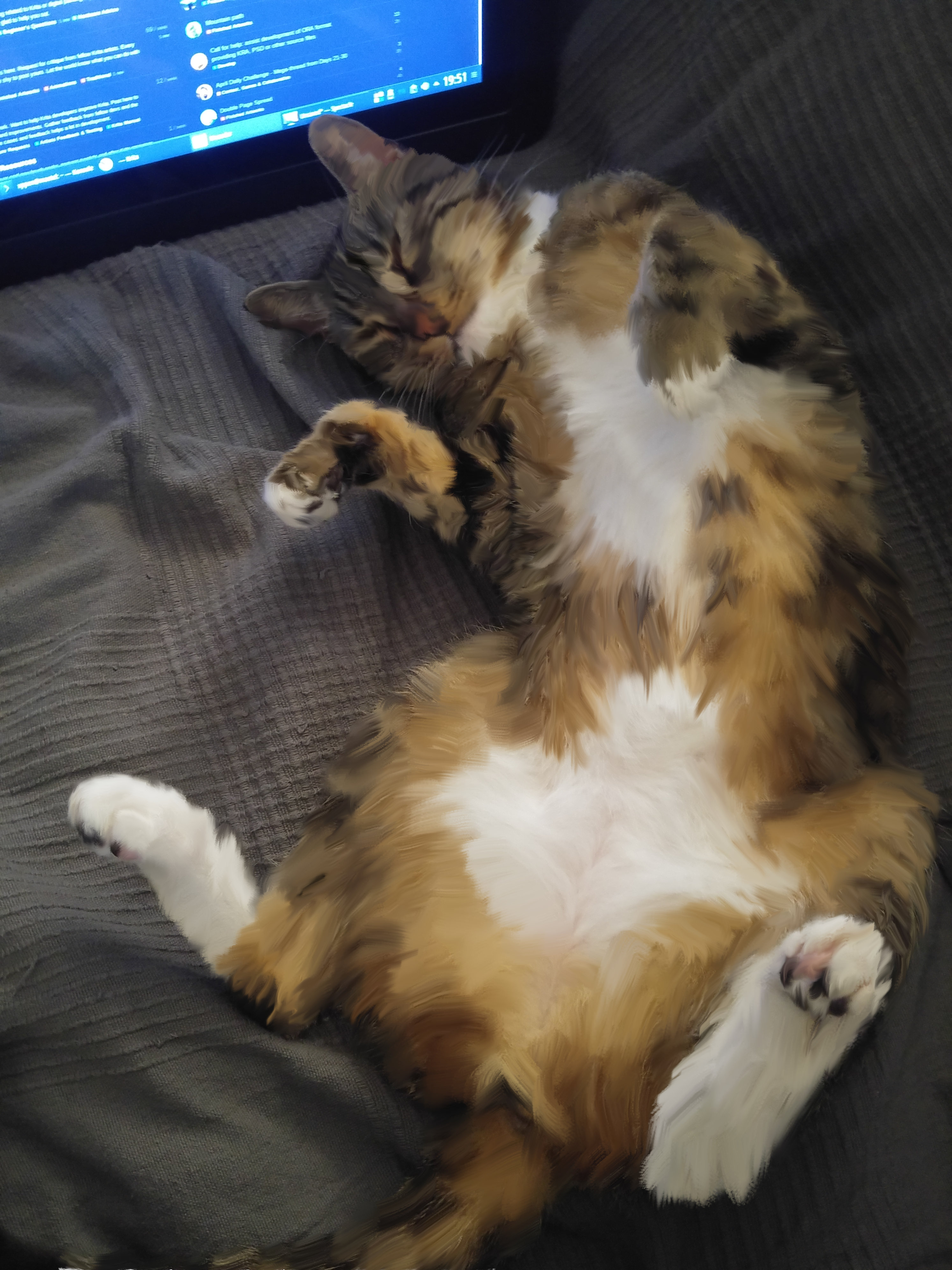
But ok, I can provide you this example made in 10minutes with other provided brushes (sorry, first time I’m doing it, I have no master with this kind of work, and not much time to to do it really properly, I didn’t processed the background, only the cat ):
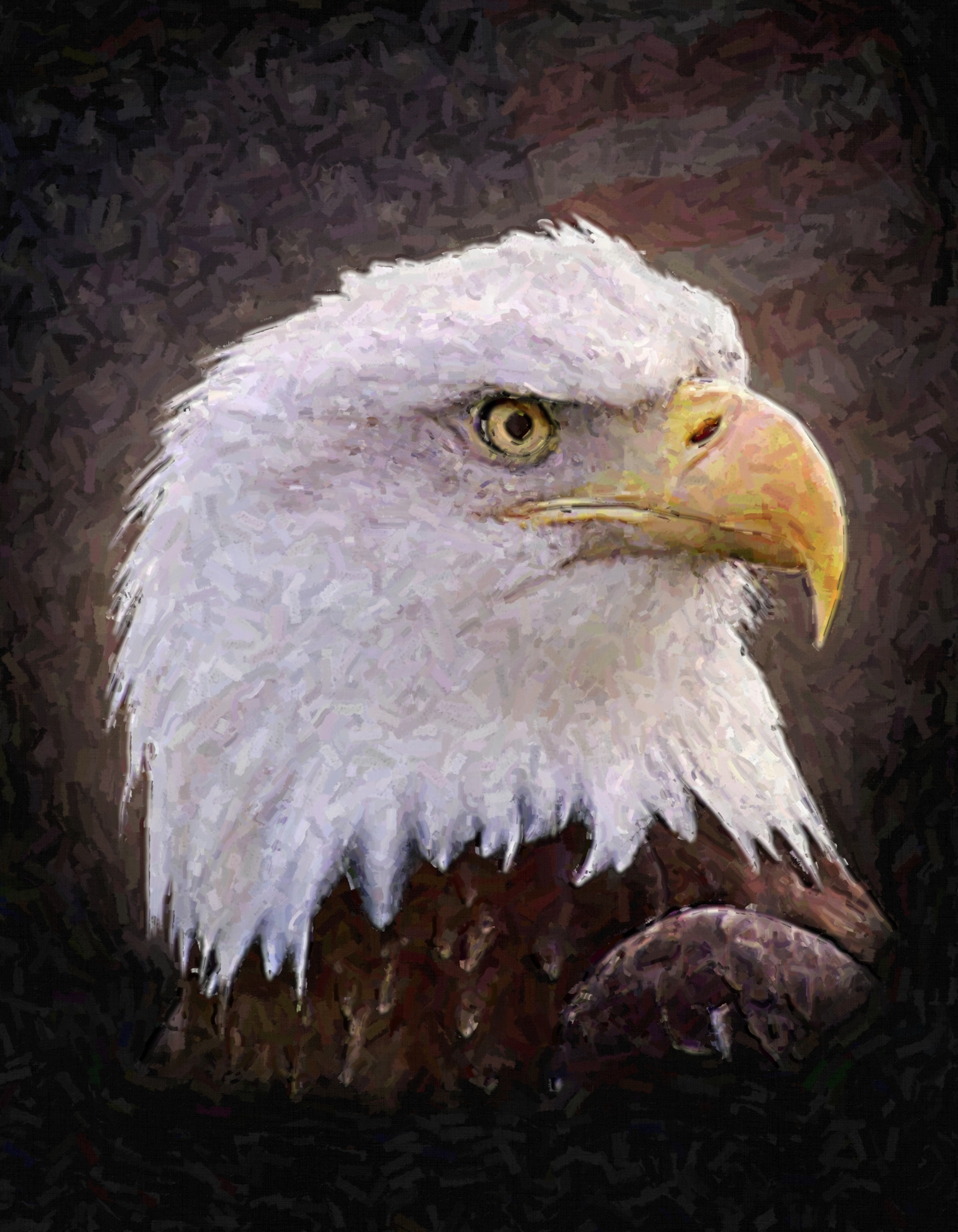
What you’ve shown is exactly the sort of thing I want to do. Perhaps I confused things by using terminology and referencing techniques from another package. Here’s an example of one of my projects using Alien Skin Snap Art.
If the truth be known this example is from a number of years and a couple of computers ago and I seem to have lost the original so I did a quick image search for the model shown here. It is exactly the image I used just not the exact file, wherever it might be.
Could you please explain the technique for doing stuff like this?
These brushes are based on Color Smudge Brush Engine that allows you to mix colors by smearing or dulling.
So you have to work directly on the image (and I recommend you to duplicate the layer to keep original picture below the layer you’ll work on, it will be easier to compare work and/or check colors with original picture)
Looking your work, the both brushes doesn’t allow to reproduce exactly the same result, you may have to modify them to create new brushes that correspond to your needs I think, and it can take time for experiment because smudge engine have many options…
You also need a little practice to find how to get a result like you had with other tools, because I’m not sure that they work exactly the same way.
If you’re able to work like before with this solution, don’t hesitate to tell us and show us an example of your work made with Krita
And if you need help, don’t hesitate to ask for. Just keep in mind that most of people here use their personal time to give answers, it’s not helpdesk support as it can be provided by a software produced by a big compagny.
One last question. For now anyway. How do you tell the basis [engine] for the brushes shown in the brush presets? In other words, how did you know that these two brushed were based Color Smudge Brush Engine?
You open the brush editor (which ought to be called the brush preset editor) by clicking the ‘Edit brush settings’ icon on the toolbar or by pressing the F5 key.
That will tell you which engine it uses and let you do all sorts of changes to its many properties.
@Grum999 Would those brushes you highlighted (wet bristles rough) be able to blend and smudge, like I’d be able to do with conte crayon and pencil? Or is there another tool for that?


 ):
):